How to Delete a Stored Response in Microsoft Foundry with the Azure CLI

Microsoft Foundry keeps every response of the Responses API, with its input, so a conversation can continue later. Microsoft's guide says how long: By default, response data is retained for 30 days. When a response holds something it shouldn't, such as a password an employee typed, you can delete it sooner with one Azure CLI command.
Syntax
az rest --method delete --resource "https://ai.azure.com" --url "<project-endpoint>/openai/v1/responses/<response-id>"
| Part | What it is |
|---|---|
az rest | Sends a web request signed in as you with your Azure CLI sign-in, so you need no API key. |
--method delete | The kind of request: delete what the URL names. |
--resource "https://ai.azure.com" | The service your sign-in gets a token for: Microsoft Foundry. |
<project-endpoint> | Your Foundry project's endpoint, ending in /api/projects/<project-name>. |
<response-id> | The ID of the response, which starts with resp_. |
Foundry answers with "deleted": true and the response's ID. Microsoft's REST reference describes the request: Deletes a response by ID.
The Example
To show the whole life of a stored response, this example creates one with a harmless question, reads it back, deletes it, and then tries to read it again. A response from your own app works the same way: you only need its ID.
Prerequisites
- A Microsoft Foundry project with a model deployment, and a role that lets you use it, such as Foundry User.
- The Azure CLI, signed in with
az login.
Step 1: Write the Request
Create a file named body.json in the folder your terminal is in:
{
  "model": "gpt-5.6-luna",
  "input": "Say hello in one word."
}
model is the name of your model deployment, and input is the question. A file keeps the JSON's quotes intact in every shell.
Step 2: Create a Response
Send the request, and keep the new response's ID in a variable. Use your own project endpoint in the URL:
- macOS / Linux
- Windows (PowerShell)
RESPONSE_ID=$(az rest --method post --resource "https://ai.azure.com" --url "https://foundry-devblogs-exp.services.ai.azure.com/api/projects/proj-devblogs-exp/openai/v1/responses" --body @body.json --query id --output tsv)
echo $RESPONSE_ID
$responseId = az rest --method post --resource "https://ai.azure.com" --url "https://foundry-devblogs-exp.services.ai.azure.com/api/projects/proj-devblogs-exp/openai/v1/responses" --body "@body.json" --query id --output tsv
$responseId
resp_07ff47c598b43ede006b07bd14aa808194b1cb130c89566529
--method postcreates a response, which Foundry stores.--body @body.jsonsends the file's content. PowerShell needs the quotes around"@body.json", because@means something else to it.--query id --output tsvkeeps only the response's ID, as plain text, so the variable holds exactly that.
Step 3: Read It Back
- macOS / Linux
- Windows (PowerShell)
az rest --method get --resource "https://ai.azure.com" --url "https://foundry-devblogs-exp.services.ai.azure.com/api/projects/proj-devblogs-exp/openai/v1/responses/$RESPONSE_ID" --query "{id: id, status: status, answer: output[-1].content[0].text}"
az rest --method get --resource "https://ai.azure.com" --url "https://foundry-devblogs-exp.services.ai.azure.com/api/projects/proj-devblogs-exp/openai/v1/responses/$responseId" --query "{id: id, status: status, answer: output[-1].content[0].text}"
{
  "answer": "Hello",
  "id": "resp_07ff47c598b43ede006b07bd14aa808194b1cb130c89566529",
  "status": "completed"
}
The response is stored, and the --query picks out its status and the text of its last output item, the answer.
Step 4: Delete It
- macOS / Linux
- Windows (PowerShell)
az rest --method delete --resource "https://ai.azure.com" --url "https://foundry-devblogs-exp.services.ai.azure.com/api/projects/proj-devblogs-exp/openai/v1/responses/$RESPONSE_ID"
az rest --method delete --resource "https://ai.azure.com" --url "https://foundry-devblogs-exp.services.ai.azure.com/api/projects/proj-devblogs-exp/openai/v1/responses/$responseId"
{
  "deleted": true,
  "id": "resp_07ff47c598b43ede006b07bd14aa808194b1cb130c89566529",
  "object": "response"
}
Step 5: Check That It's Gone
Run the command from Step 3 again:
ERROR: Not Found({"error":{"message":"Response with id 'resp_07ff47c598b43ede006b07bd14aa808194b1cb130c89566529' not found.","type":"invalid_request_error","param":null,"code":null,"request_id":"58e0cad5a28a74d4deaf80497d917e14"}})
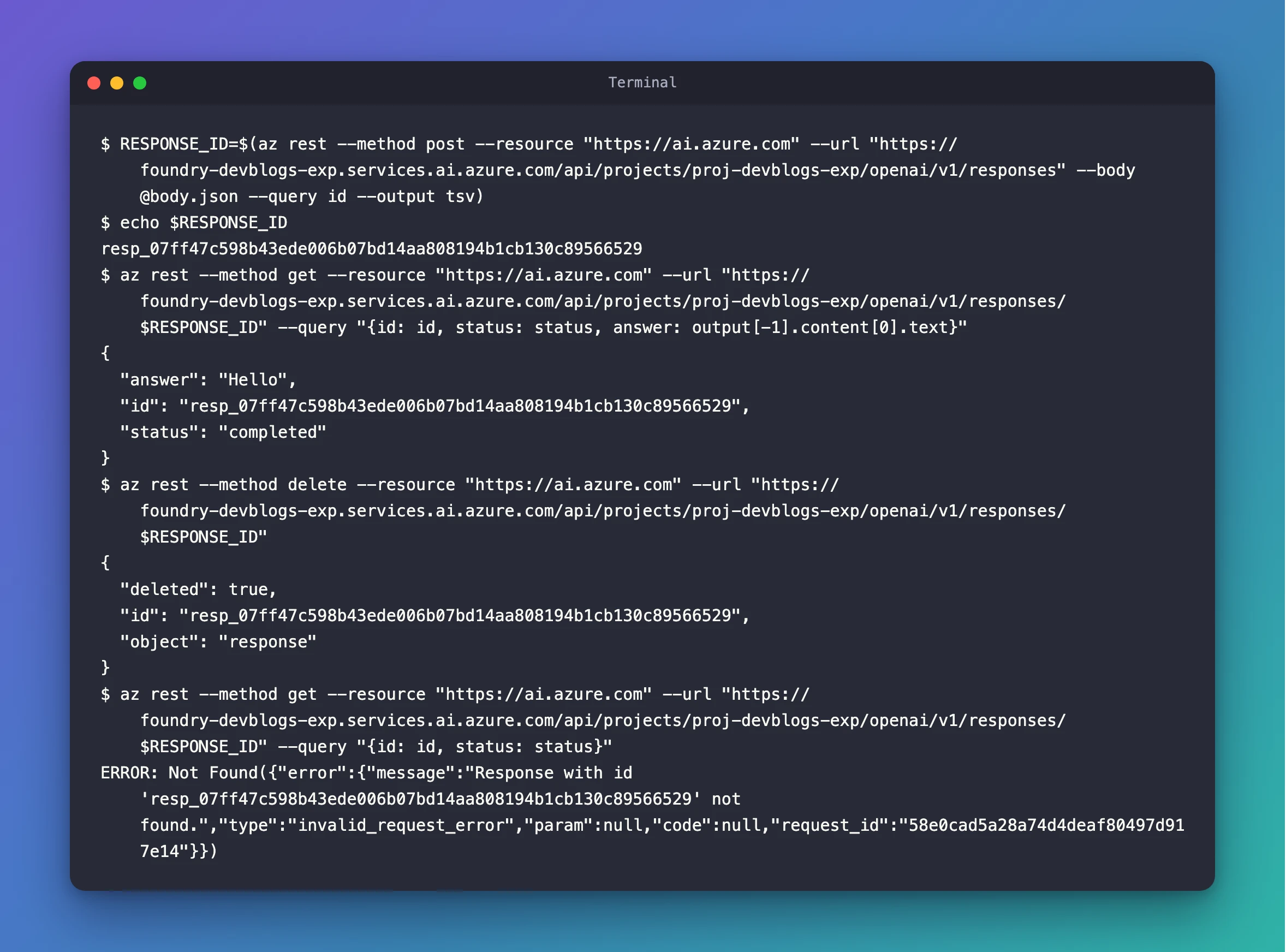
Foundry no longer has it. Here is the whole session:
Common Mistakes
| Mistake | What happens | Do this instead |
|---|---|---|
Leaving out --resource "https://ai.azure.com" | The Azure CLI can't tell which service the token is for, sends none, and Foundry refuses the request | Always pass it with Foundry URLs |
Writing --body @body.json in PowerShell | PowerShell reads @body as its splatting operator and stops before running anything | Quote it: "@body.json" |
Troubleshooting
| Symptom | Likely cause | Fix |
|---|---|---|
ERROR: Not Found … Response with id '…' not found. | The response was deleted already, or the ID or project endpoint is wrong | Check the ID and the project endpoint |
WARNING: Can't derive appropriate Azure AD resource from --url to acquire an access token, then ERROR: PermissionDenied … Access denied due to invalid subscription key or wrong API endpoint | --resource is missing | Add --resource "https://ai.azure.com" |
ParserError … The splatting operator '@' cannot be used to reference variables in an expression. | @body.json isn't quoted in PowerShell | Write "@body.json" |
FAQ
Which responses should I delete?
The ones whose input or output holds what you want gone. How to See the Conversation History Microsoft Foundry Stored for a Response shows how to read what a response stored before you decide.
Do I need to delete test responses?
Foundry deletes them itself after the retention period. Delete one sooner when it holds something that shouldn't stay that long.
Conclusion
az rest --method delete with your project endpoint and a response ID deletes a stored response, signed in with your Azure CLI sign-in and no API key. Foundry answers "deleted": true, and reading the response afterwards fails with not found.
Additional Resources
- Use the Azure OpenAI Responses API — retrieving and deleting a response, and how long Foundry keeps them.
- Azure OpenAI responses REST reference — the
DELETErequest and its answer.
