How to Delete a Security Group in Microsoft Entra

When a security group is no longer needed, deleting it in the Microsoft Entra admin center takes two selections. In my tenant the deleted group then waited under Deleted groups for 30 days, with an option to restore it.
The example is Test Group, an empty security group I made for this guide.
Prerequisites
- The right role. Microsoft's article Manage Microsoft Entra groups and group membership signs in as at least a Groups Administrator.
Before You Delete
Whatever the group gives its members goes when the group goes: apps shared with it, site permissions, Teams apps installed for it. If you're unsure, check what uses the group first, and remove its members if you only want to stop access for now (How to Remove a Member from a Security Group in Microsoft Entra).
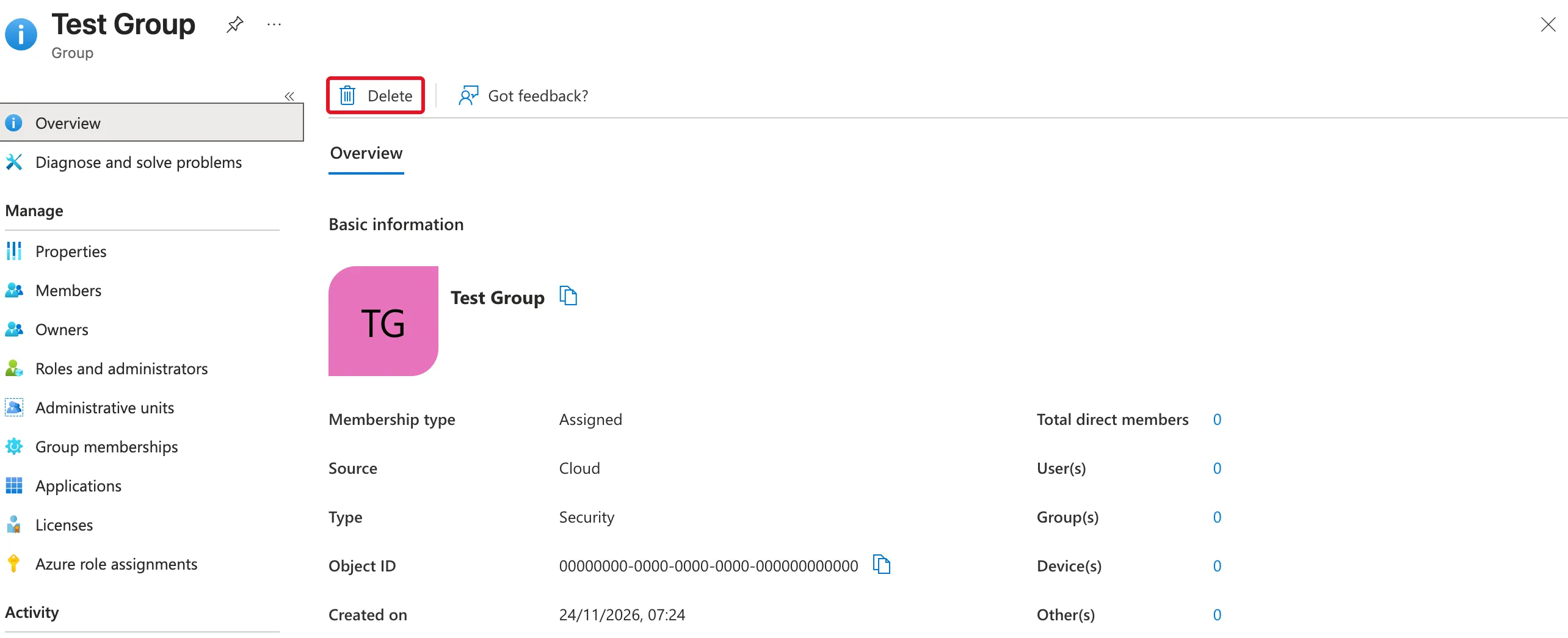
Step 1: Open the Group and Select Delete
In the Microsoft Entra admin center, go to Entra ID → Groups → All groups, search for the group and select it. Its Overview opens, with Delete in the command bar:
Step 2: Confirm
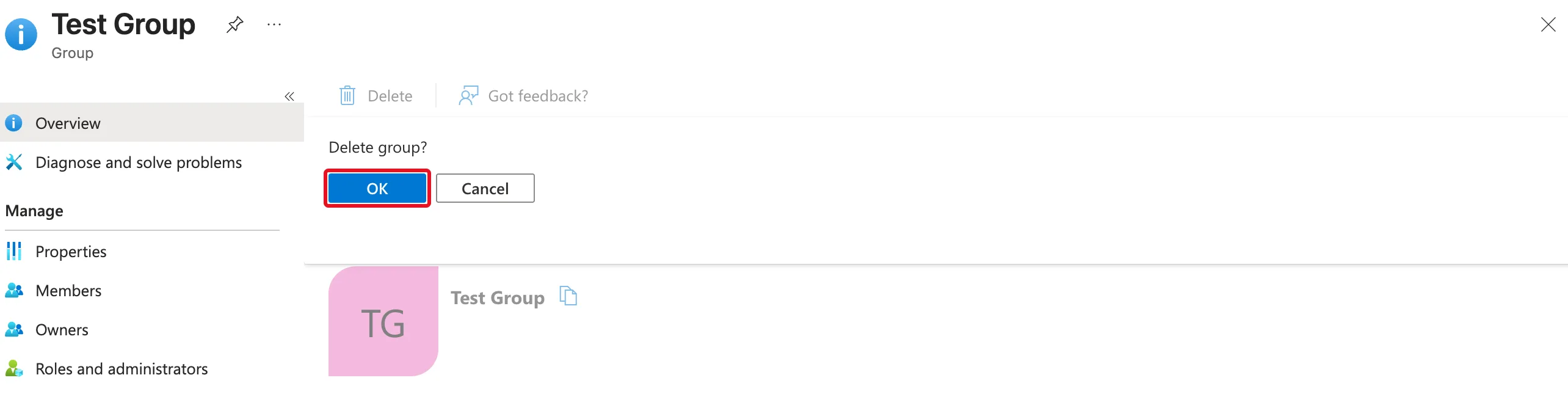
A bar under the command bar asks Delete group? Select OK:
Step 3: Check the Result
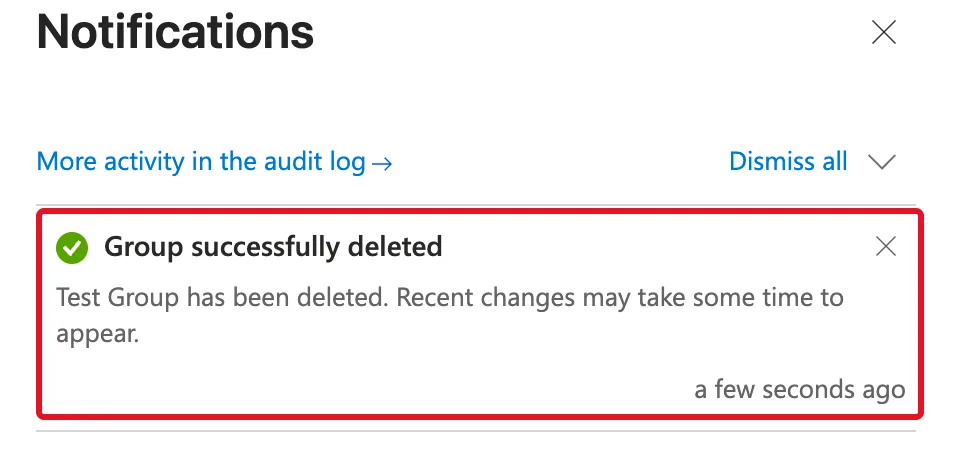
The bell icon's notifications confirm it: Group successfully deleted. Test Group has been deleted. Recent changes may take some time to appear.
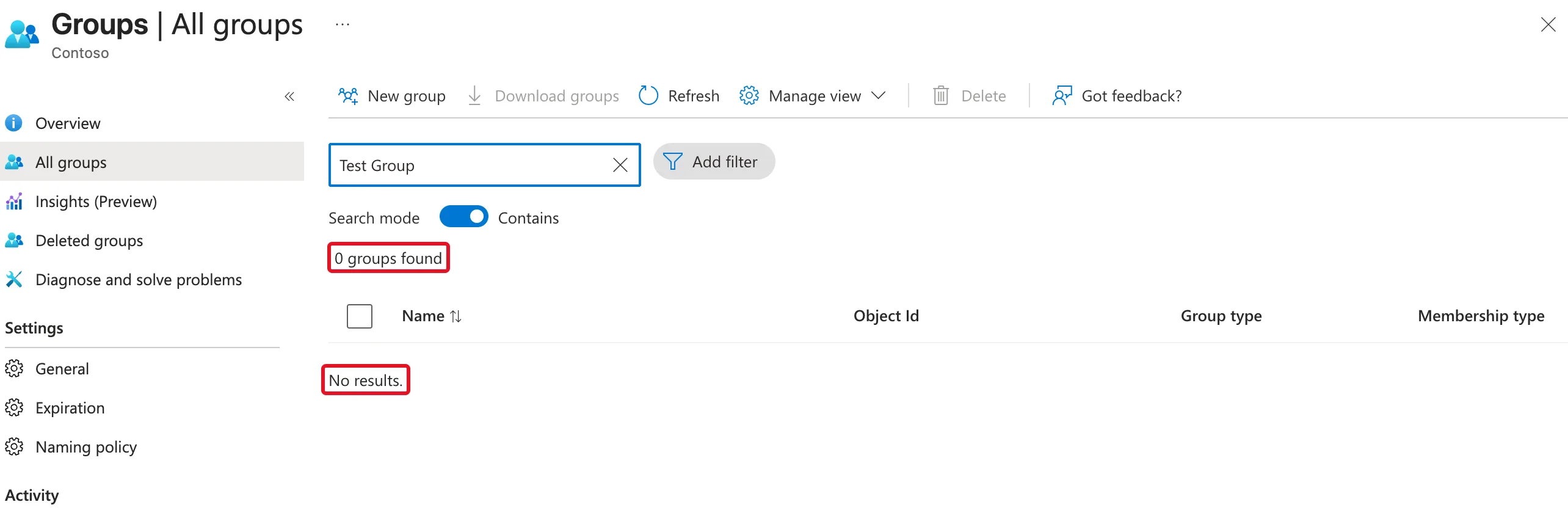
Searching All groups for it now finds nothing: 0 groups found, No results.
Step 4: Find It in Deleted Groups
Select Deleted groups in the Groups menu. Test Group is there, with the date it was deleted and its Permanent deletion date 30 days later: 30 days after original deletion, groups are permanently deleted.
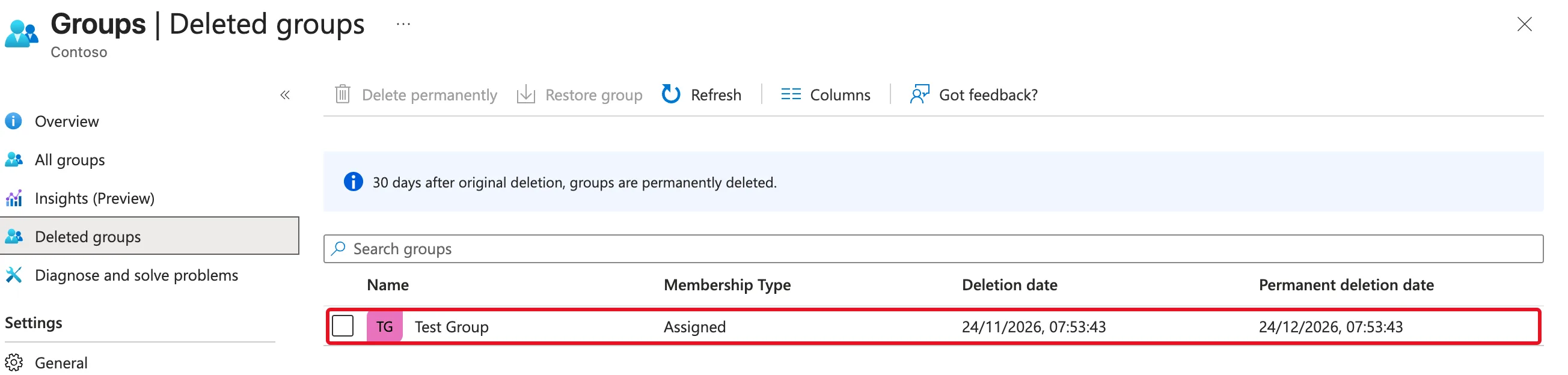
Tick it to use Restore group, which brings it back, or Delete permanently, which can't be undone.
Microsoft's articles don't agree on this. Restore a deleted Microsoft 365 group or cloud security group says Soft delete and restore for cloud security groups is in preview and available only in public clouds, while the Microsoft Entra PowerShell article on recovering deleted data still says Security groups can't be restored. In my tenant, the deleted security group was listed with Restore group available. Don't count on it until the feature is out of preview.
Common Mistakes
| Mistake | What happens | Do this instead |
|---|---|---|
| Deleting a group that's still in use | Its members lose what it gave them | Check first, or remove members instead |
| Deleting the wrong group of two with similar names | The wrong people lose access | Check the name on Overview before Delete |
| Relying on Deleted groups for security groups | Restoring them is in preview | Treat deletion as final |
Troubleshooting
| Symptom | Likely cause | Fix |
|---|---|---|
| The group still shows in All groups | The list hasn't refreshed | Select Refresh; the notification says changes may take some time to appear |
| A deleted security group isn't in Deleted groups | Soft delete for security groups is in preview | It may be deleted for good |
FAQ
Does deleting a group delete its members' accounts?
No. Only the group goes; the people stay.
Can I delete a group with members in it?
Microsoft's steps don't ask you to empty it first. The group I deleted was already empty; if yours isn't, its members lose what the group gave them.
Can I do this with PowerShell?
Yes. Microsoft Graph PowerShell has Remove-MgGroup.
Conclusion
Entra ID → Groups → All groups → the group → Delete → OK. Then check All groups, and Deleted groups, where a cloud security group waited 30 days in my tenant.
Additional Resources
- Manage Microsoft Entra groups and group membership
- Restore a deleted Microsoft 365 group or cloud security group in Microsoft Entra ID
