How to Delete a Run in MLflow

Experiments collect runs you don't need: drafts, test runs, runs that crashed. Deleting them keeps the runs table and every search focused on the ones that matter. In MLflow, deleting moves a run aside rather than erasing it, so a mistake can be undone. This guide deletes three draft runs, one with each of the three ways MLflow offers, with real screens and output from MLflow 3.18.0.
Syntax
mlflow.delete_run("<run ID>")
mlflow runs delete --run-id <run ID>
| Part | What it means |
|---|---|
"<run ID>" / --run-id | The ID of the run to delete, shown on the run's page and in its View run link |
| The result | The run's lifecycle stage becomes deleted: it disappears from the runs table and from searches, and its data stays where it is |
The command finds the tracking server through the MLFLOW_TRACKING_URI environment variable. In the UI, the Delete button above the runs table does the same.
Prerequisites
- An MLflow tracking server at
http://127.0.0.1:8080. MLflow's tracking server guide shows how to start one.
Step 1: Create the Runs
The example is one run to keep, final, and three drafts to delete. Create draft_runs.py:
import mlflow

mlflow.set_tracking_uri("http://127.0.0.1:8080")
mlflow.set_experiment("delete-demo")

for name in ["final", "draft-1", "draft-2", "draft-3"]:
    with mlflow.start_run(run_name=name):
        mlflow.log_metric("accuracy", 0.9 if name == "final" else 0.5)
uv run python draft_runs.py
It prints a View run link for each run, with its ID. draft-3's ID here is c0ddc14d00a948eba76769a1839e1af8.
Step 2: Delete a Run in the UI
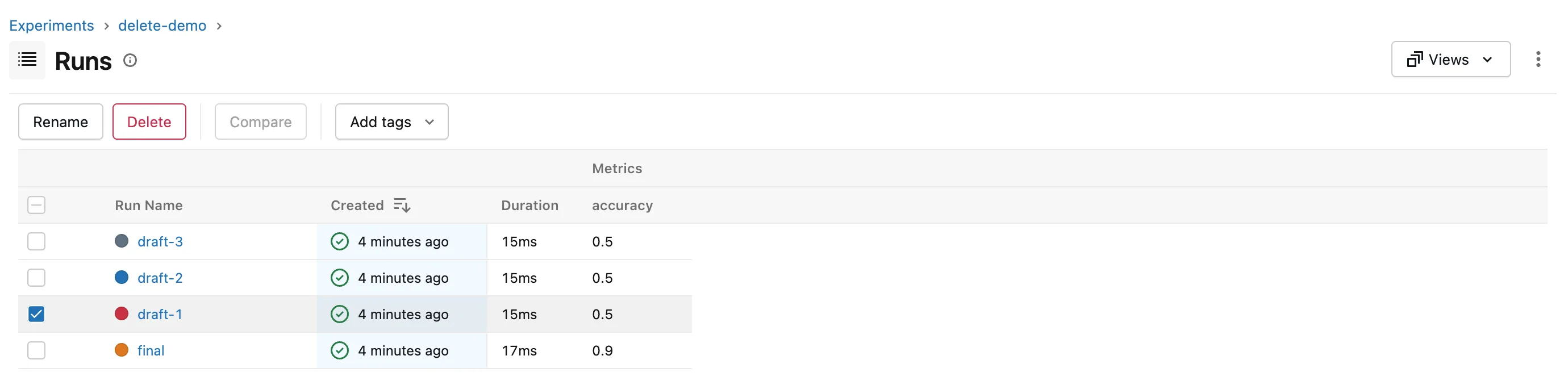
Open the experiment, delete-demo, and tick the box in front of draft-1. The toolbar above the table changes to Rename, Delete, Compare and Add tags:
Click Delete. MLflow asks you to confirm:
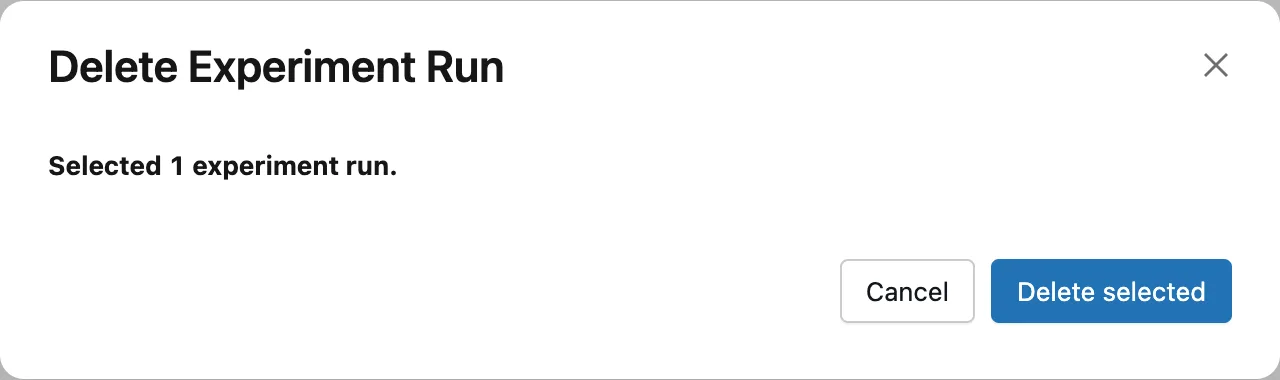
Click Delete selected. draft-1 disappears from the table:
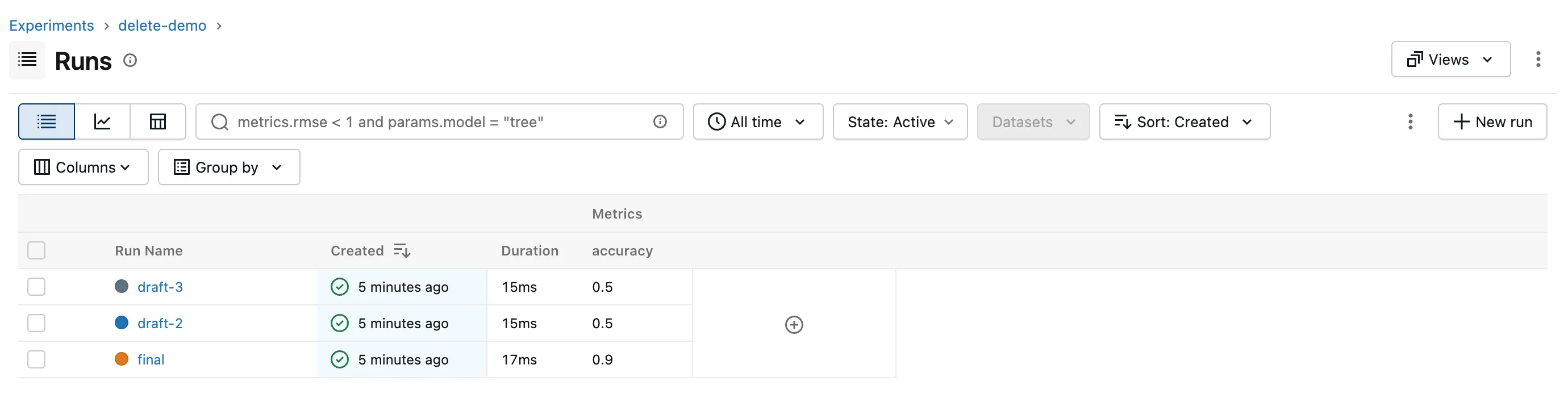
Tick several runs to delete them together; the dialog counts them.
Step 3: Delete a Run in Python
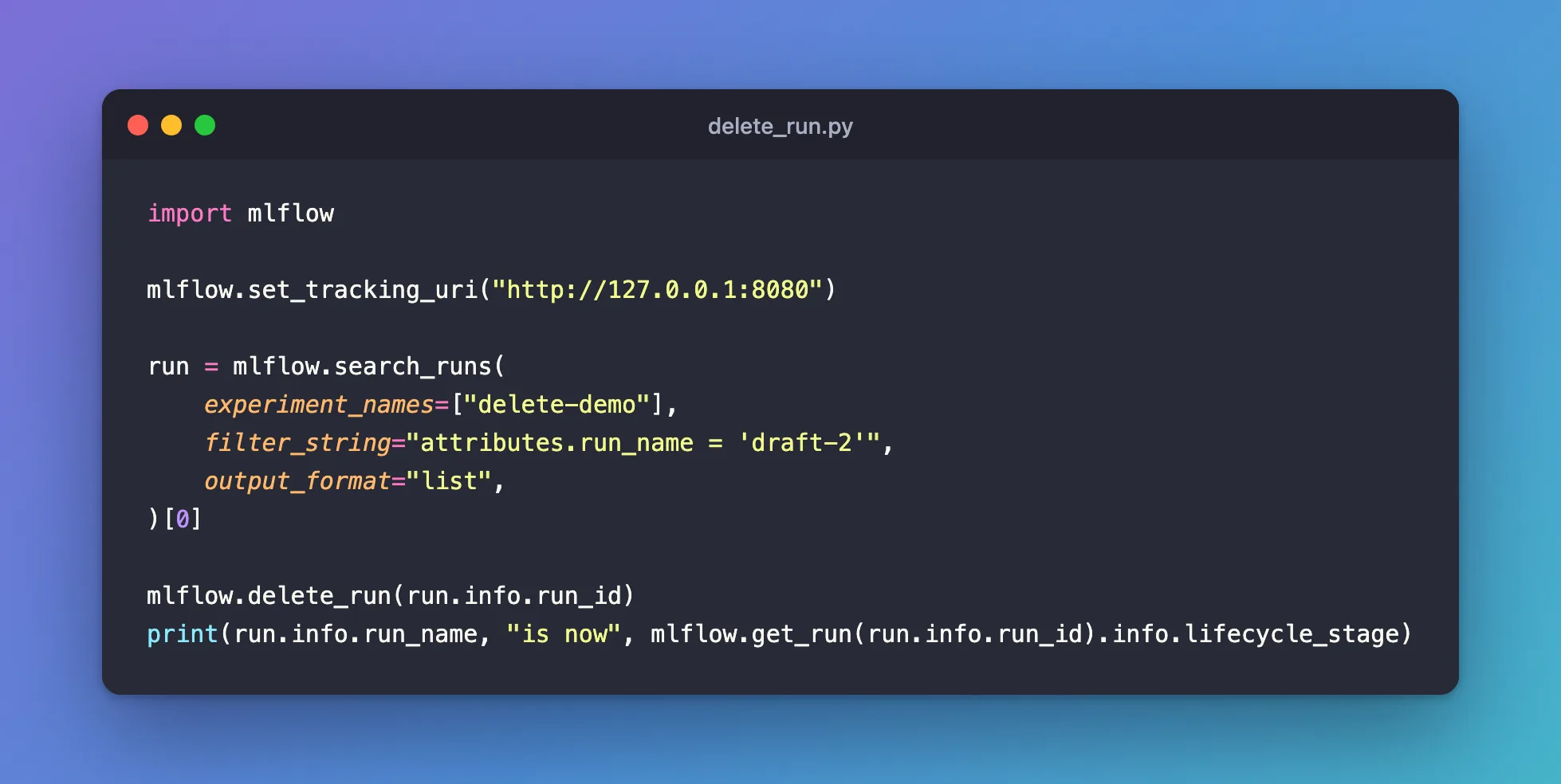
mlflow.delete_run() takes a run ID. This script finds draft-2 by name, deletes it, and reads its lifecycle stage back. Create delete_run.py:
import mlflow

mlflow.set_tracking_uri("http://127.0.0.1:8080")

run = mlflow.search_runs(
    experiment_names=["delete-demo"],
    filter_string="attributes.run_name = 'draft-2'",
    output_format="list",
)[0]

mlflow.delete_run(run.info.run_id)
print(run.info.run_name, "is now", mlflow.get_run(run.info.run_id).info.lifecycle_stage)
uv run python delete_run.py
draft-2 is now deleted
mlflow.get_run() still finds the run: deleted runs keep their data, with the lifecycle stage deleted instead of active.
Step 4: Delete a Run from the Terminal
Point the terminal at the server, then delete draft-3 by its ID:
- macOS / Linux
- Windows (PowerShell)
export MLFLOW_TRACKING_URI=http://127.0.0.1:8080
uv run mlflow runs delete --run-id c0ddc14d00a948eba76769a1839e1af8
$env:MLFLOW_TRACKING_URI = "http://127.0.0.1:8080"
uv run mlflow runs delete --run-id c0ddc14d00a948eba76769a1839e1af8
Run with ID c0ddc14d00a948eba76769a1839e1af8 has been deleted.
All three drafts are now deleted, and final is the only run left in the table.
Common Mistakes
| Mistake | What happens | Do this instead |
|---|---|---|
| Expecting deleting to free disk space | The run's data and files stay on the server | Remove deleted runs for good with mlflow gc |
| A wrong run ID | RESOURCE_DOES_NOT_EXIST: Run with id=0123456789abcdef0123456789abcdef not found | Copy the ID from the run's page or its View run link |
Running the command without MLFLOW_TRACKING_URI | MlflowException: Run with id=... not found, and a new, empty mlflow.db appears in the folder: the command looked in a local database instead of your server | Set the variable in the same terminal first, and delete the stray mlflow.db |
Troubleshooting
| Symptom | Likely cause | Fix |
|---|---|---|
| A deleted run still shows in a search in Python | The search includes deleted runs, with run_view_type=ViewType.ALL | Leave run_view_type at its default |
| Deleting the same run again prints "has been deleted" again | MLflow 3.18.0 accepts it without an error, though its CLI reference says it returns one | Nothing to fix: the run stays deleted |
| You deleted the wrong run | Deleting only moved it to the deleted stage | Restore it: How to Restore a Deleted Run in MLflow |
FAQ
Where do deleted runs go?
Nowhere: they stay in the same database with the lifecycle stage deleted. The runs table's State filter shows them, and searches in Python include them when you ask: How to Include Deleted Runs in an MLflow Search in Python.
Can I delete a whole experiment?
Yes, with mlflow.delete_experiment() or the Delete button on the UI's experiments list, and mlflow.restore_experiment() brings it back.
Is a deleted run ever removed for good?
Only when you run mlflow gc, which permanently deletes runs in the deleted stage.
Conclusion
The Delete button, mlflow.delete_run(run_id) and mlflow runs delete --run-id all moved a run to the deleted stage: gone from the table and from searches, but kept, so it can be restored until mlflow gc removes it for good.
Additional Resources
- mlflow.delete_run — the function's reference.
- mlflow runs delete — the command's reference.
