How to Delete a Custom App in the Teams Admin Center

To remove a custom app from your organization's Teams app catalog, open its page in the Teams admin center and select Actions > Delete, then confirm with Delete. Microsoft says people who had the app can't use it anymore.
The example is Hello App, a test app uploaded to the catalog earlier and no longer needed.
Microsoft's custom apps article describes the result: The deleted app isn't available in your org. Existing app users also can't use it anymore.
Prerequisites
- The Teams Administrator or Global Administrator role.
Step 1: Open the App's Page
At admin.teams.microsoft.com, go to Teams apps > Manage apps, search for the app and select its name.
Step 2: Delete It
At the top right of the app's page, select Actions. It has two choices, Delete and Block app:
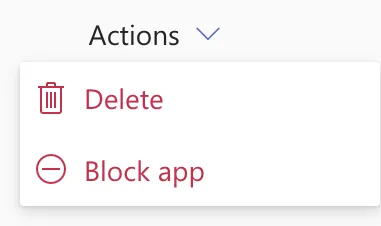
Select Delete. The admin center asks to confirm:
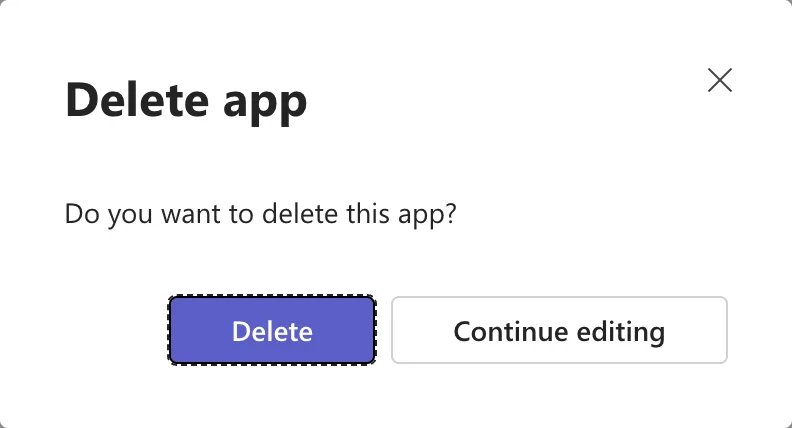
Select Delete. Continue editing keeps the app.
The Result
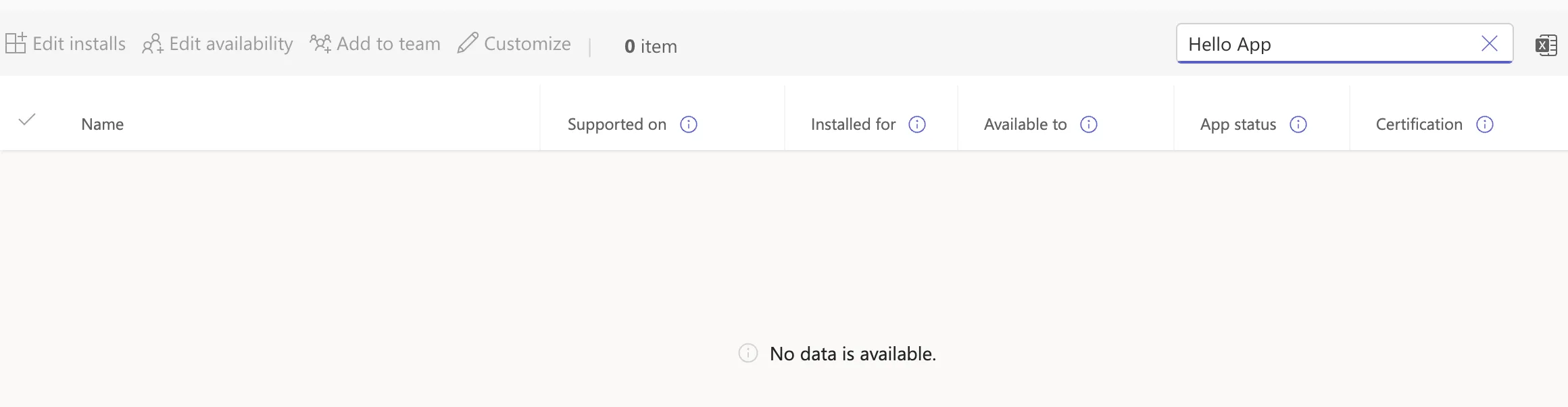
The admin center returns to Manage apps. Searching for the app finds nothing: 0 item and No data is available.
I had also added Hello App to my own Teams, from Power Apps. After the delete, it was gone from my Teams too.
Delete or Block?
| Delete | Block app | |
|---|---|---|
| The app in the catalog | Removed | Stays, blocked |
| People who have it | Can't use it anymore | Can't use it while it's blocked |
| Undo | Upload the package again | Allow it again |
Microsoft's app management article describes changing an app's status between Allowed and Blocked, and the Teams apps usage report FAQ says blocking prevents users from launching or executing it. Block an app you might need again; delete one you won't.
Common Mistakes
| Mistake | What happens | Do this instead |
|---|---|---|
| Deleting an app people still use | They lose it at once | Tell them first, or block it |
| Deleting the app but not the Power Apps app behind it | The app still runs from Power Apps for people it's shared with | Delete or unshare it in Power Apps too, if it's no longer needed |
| Deleting to replace it with a new version | The app's installs and availability go with it | New version > Upload file on the app's page |
Troubleshooting
| Symptom | Likely cause | Fix |
|---|---|---|
| No Delete under Actions | Only custom apps can be deleted | Block the app instead |
FAQ
Can I get a deleted app back?
Upload its package again (How to Upload a Custom App in the Teams Admin Center), then set its installs and availability again.
Does deleting it delete the app in Power Apps?
No. The catalog entry only points to the app; the canvas app stays in Power Apps.
Conclusion
On the app's page, Actions > Delete, and Delete again. The app leaves the catalog and, as Microsoft says, existing users can't use it anymore.
