How to Decode Base64url in PHP with JWT::urlsafeB64Decode

Base64url text, such as a piece of a JWT, uses - and _ where base64 uses + and /, and leaves out the padding. PHP's base64_decode doesn't know that and, in its default mode, silently drops the characters it doesn't recognise. php-jwt's JWT::urlsafeB64Decode converts the text first, so it decodes correctly.
Syntax
use Firebase\JWT\JWT;

$<decoded> = JWT::urlsafeB64Decode(<text>);
| Part | What it does |
|---|---|
JWT::urlsafeB64Decode(<text>) | Adds the missing = padding, swaps - and _ back to + and /, then decodes with base64_decode. |
<decoded> | The decoded bytes, as a string. |
php-jwt's source documents urlsafeB64Decode as: "Decode a string with URL-safe Base64." The PHP manual for base64_decode explains the other half: without its strict mode, "invalid characters will be silently discarded."
The Example
The example decodes eyJuIjoifn5-Pz4ifQ, the base64url form of a short piece of JSON. It contains a - and has no padding. The code decodes it once with JWT::urlsafeB64Decode and once with plain base64_decode, and shows both results with var_dump.
Prerequisites
Step 1: Create the Project
mkdir demo
cd demo
composer require firebase/php-jwt
composer require downloads php-jwt, version 7.2.2 here, into a vendor folder and writes vendor/autoload.php.
Step 2: Write the Code
Create main.php in the demo folder:
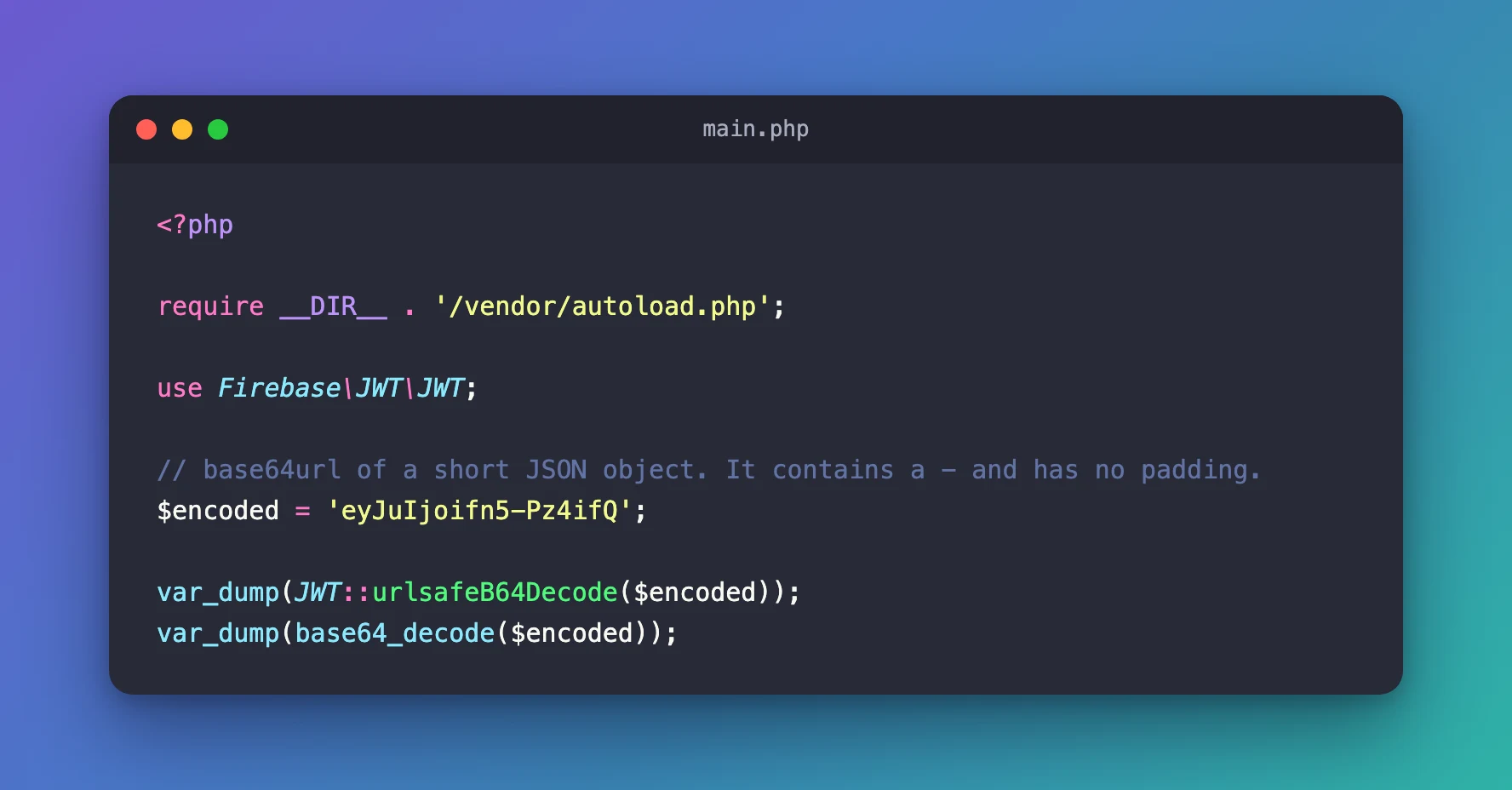
<?php

require __DIR__ . '/vendor/autoload.php';

use Firebase\JWT\JWT;

// base64url of a short JSON object. It contains a - and has no padding.
$encoded = 'eyJuIjoifn5-Pz4ifQ';

var_dump(JWT::urlsafeB64Decode($encoded));
var_dump(base64_decode($encoded));
Step 3: Run It
php main.php
string(13) "{"n":"~~~?>"}"
string(12) "{"n":"~~Oψ�"
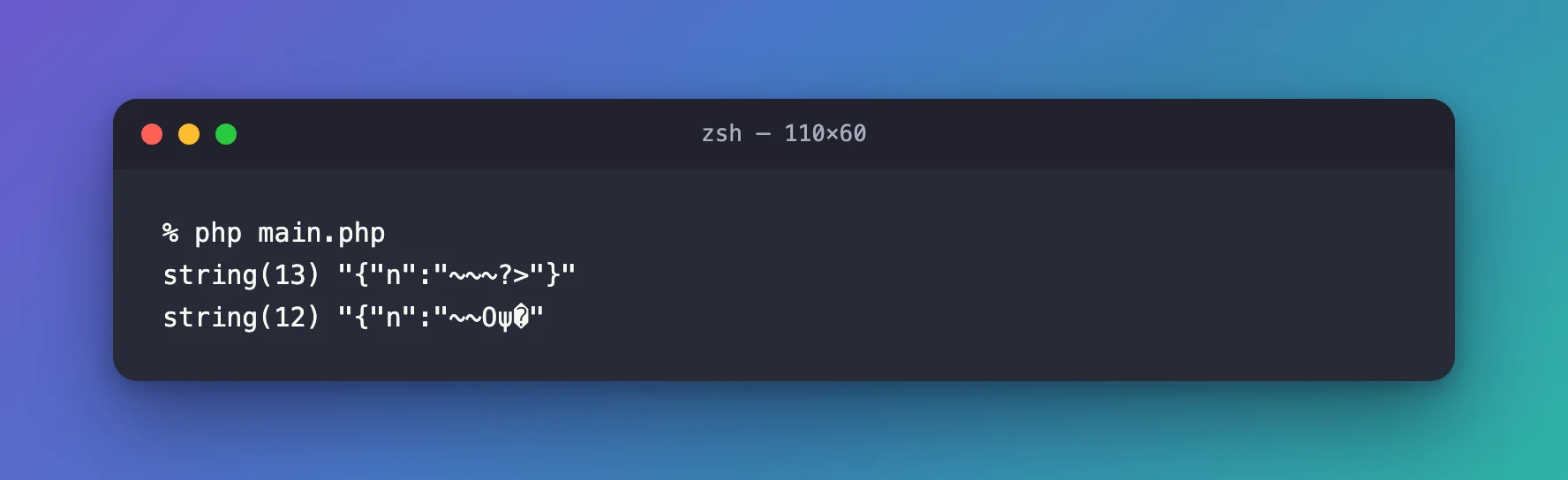
The command is the same in zsh, bash and PowerShell.
What Happened
JWT::urlsafeB64Decodegave back the 13 bytes of the original JSON.base64_decodedropped the-it didn't recognise, decoded what was left, and returned 12 bytes of which the last few are wrong. It reported no error.
Common Mistakes
| Mistake | What happens | Do this instead |
|---|---|---|
Decoding base64url with plain base64_decode | Correct only by luck, when the text has no - or _; wrong otherwise, with no error | Use JWT::urlsafeB64Decode |
| Expecting an exception for invalid input | JWT::urlsafeB64Decode('***') returned an empty string, though its docblock mentions InvalidArgumentException | Check the result before using it |
| Trusting a decoded JWT payload | Decoding doesn't verify anything | Verify the token with JWT::decode and the key first |
Troubleshooting
| Symptom | Likely cause | Fix |
|---|---|---|
| A decoded value that is almost right, with garbage at the end | base64_decode dropped - or _ | Decode with JWT::urlsafeB64Decode |
Class "Firebase\JWT\JWT" not found | The autoloader isn't loaded | require __DIR__ . '/vendor/autoload.php'; |
FAQ
Why did php-jwt's README use base64_decode?
Its README reads a token's header with base64_decode, and warns that reading a header that way "is vulnerable to attacks". Headers rarely contain - or _, so the sample works for typical headers; JWT::urlsafeB64Decode works for any piece.
Can I do this without php-jwt?
Yes: swap the characters back and decode in strict mode, base64_decode(strtr($text, '-_', '+/'), true). Strict mode accepts missing padding and returns false for invalid characters.
Conclusion
JWT::urlsafeB64Decode($text) decodes base64url correctly, padding or not. Plain base64_decode silently drops - and _, so don't use it on JWT pieces.
Additional Resources
- php-jwt, and its JWT.php source.
- base64_decode, in the PHP manual.
