How to Decode Base64 to Bytes in C# with Convert.FromBase64String

Base64 turns bytes into plain text so they can travel in JSON, URLs or environment variables. In C#, Convert.FromBase64String turns that text back into the original bytes, as a byte[].
Syntax
byte[] <bytes> = Convert.FromBase64String(<text>);
| Part | What it does |
|---|---|
Convert.FromBase64String | Decodes base64 text into a new byte array. |
<text> | The base64 text, including any = padding at the end. |
<bytes> | The decoded bytes. |
The .NET API documentation: "Converts the specified string, which encodes binary data as base-64 digits, to an equivalent 8-bit unsigned integer array."
The Example
The example decodes SGVsbG8=, the base64 form of the word Hello, prints the bytes, then turns them back into text.
Prerequisites
- The .NET 10 SDK or newer, which runs a single
.csfile withdotnet run. This guide uses .NET SDK 10.0.404.
Step 1: Write the Code
Create a file named main.cs in an empty folder:
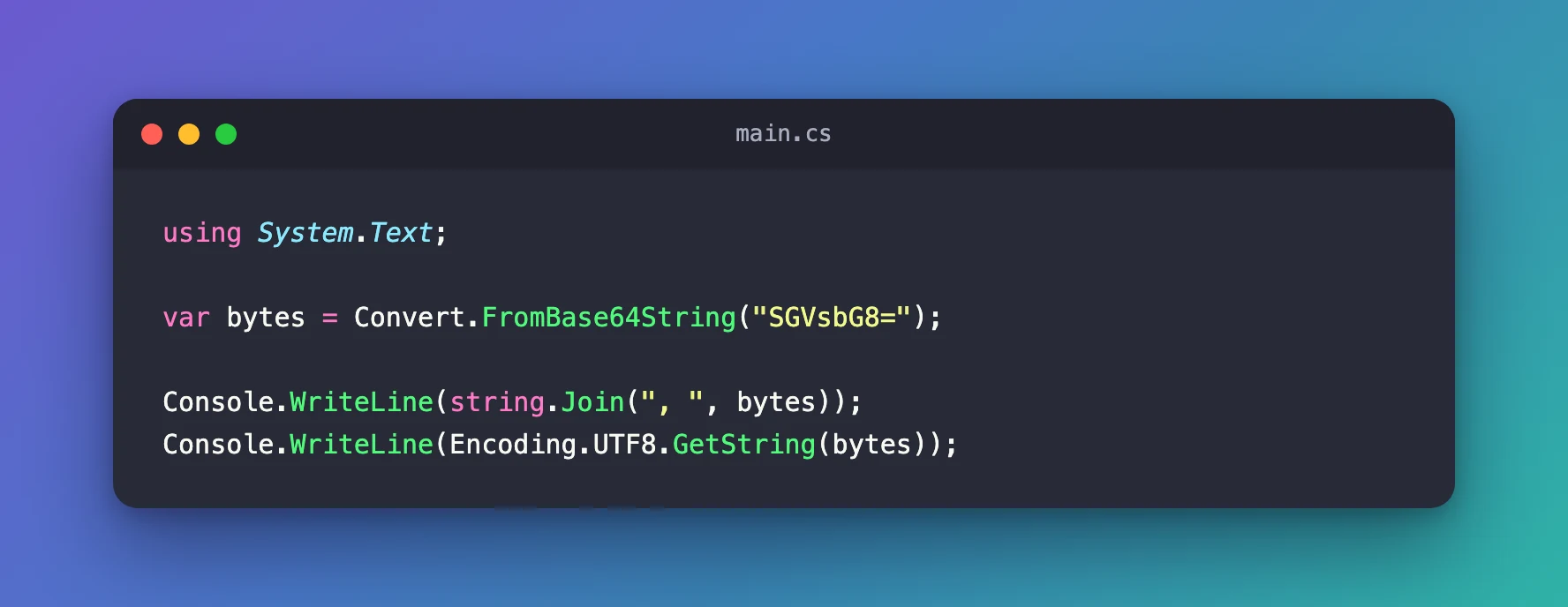
using System.Text;

var bytes = Convert.FromBase64String("SGVsbG8=");

Console.WriteLine(string.Join(", ", bytes));
Console.WriteLine(Encoding.UTF8.GetString(bytes));
Convert.FromBase64Stringreturns abyte[].string.Join(", ", bytes)prints the bytes as numbers.Encoding.UTF8.GetString(bytes)reads them as UTF-8 text.
Step 2: Run It
dotnet run main.cs
72, 101, 108, 108, 111
Hello
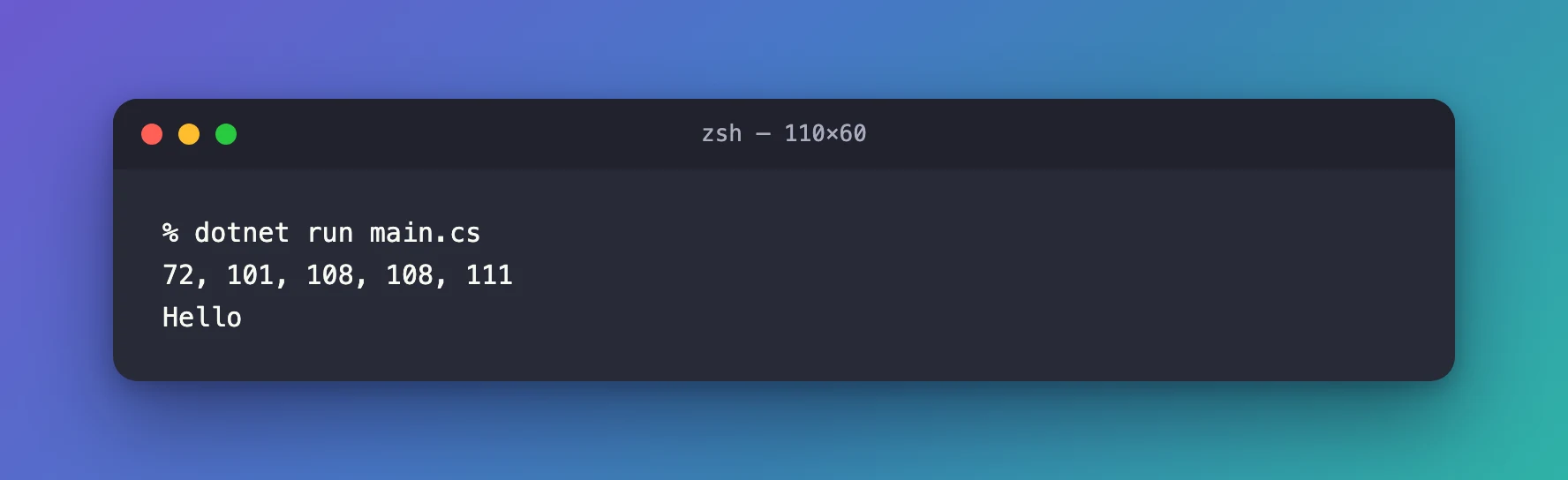
The five numbers are the bytes of H, e, l, l and o. The command is the same in zsh, bash and PowerShell.
Base64url and the Way Back
Base64url, used in JWTs and URLs, writes - and _ where base64 writes + and /, and usually drops the = padding. Convert.FromBase64String rejects it. .NET has a separate class for it: System.Buffers.Text.Base64Url.DecodeFromChars("-_8") returned the bytes 251, 255.
Encoding goes the other way with Convert.ToBase64String(bytes), which turned the bytes of Hello back into SGVsbG8=.
Common Mistakes
| Mistake | What happens | Do this instead |
|---|---|---|
Leaving out the = padding, as in "SGVsbG8" | System.FormatException: The input is not a valid Base-64 string as it contains a non-base 64 character, more than two padding characters, or an illegal character among the padding characters. | Keep the padding, or decode base64url with Base64Url |
Decoding base64url with Convert.FromBase64String | The same FormatException | Use Base64Url.DecodeFromChars |
| Reading random bytes, such as a key, as text | Garbled characters | Keep them as byte[] |
Troubleshooting
| Symptom | Likely cause | Fix |
|---|---|---|
FormatException: The input is not a valid Base-64 string … | A character outside the alphabet, missing padding, or base64url input | Check the input, then use the right decoder |
| The decoded text looks garbled | The bytes aren't UTF-8 text | Treat them as bytes |
FAQ
Can I avoid the exception?
Convert.TryFromBase64String decodes into a buffer you provide and returns false instead of throwing.
Is Base64Url available in older .NET?
System.Buffers.Text.Base64Url arrived in .NET 9, so .NET 10 has it too.
Conclusion
Convert.FromBase64String(text) decodes base64 into a byte[], Encoding.UTF8.GetString reads text out of it, and Base64Url handles the URL-safe variant.
Additional Resources
- Convert.FromBase64String, on Microsoft Learn.
- Base64Url, on Microsoft Learn.
