How to Decode Base64 in PHP with base64_decode

Base64 turns bytes into plain text so they can travel in JSON, URLs or environment variables. PHP's base64_decode turns it back, and with its second argument set to true it refuses anything that isn't valid base64 instead of quietly skipping it.
Syntax
$<data> = base64_decode($<text>, true);
| Part | What it does |
|---|---|
base64_decode | Decodes base64 text and returns the bytes as a string. |
true | Strict mode: returns false for characters outside the base64 alphabet. |
$<data> | The decoded bytes, or false when the input was invalid. |
The PHP manual for base64_decode: "If the strict parameter is set to true then the base64_decode() function will return false if the input contains character from outside the base64 alphabet. Otherwise invalid characters will be silently discarded."
The Example
The example decodes SGVsbG8=, the base64 form of Hello, then a version with an * in it, both in strict mode.
Prerequisites
- PHP for the command line. This guide uses PHP 8.6.0.
Step 1: Write the Code
Create a file named main.php:
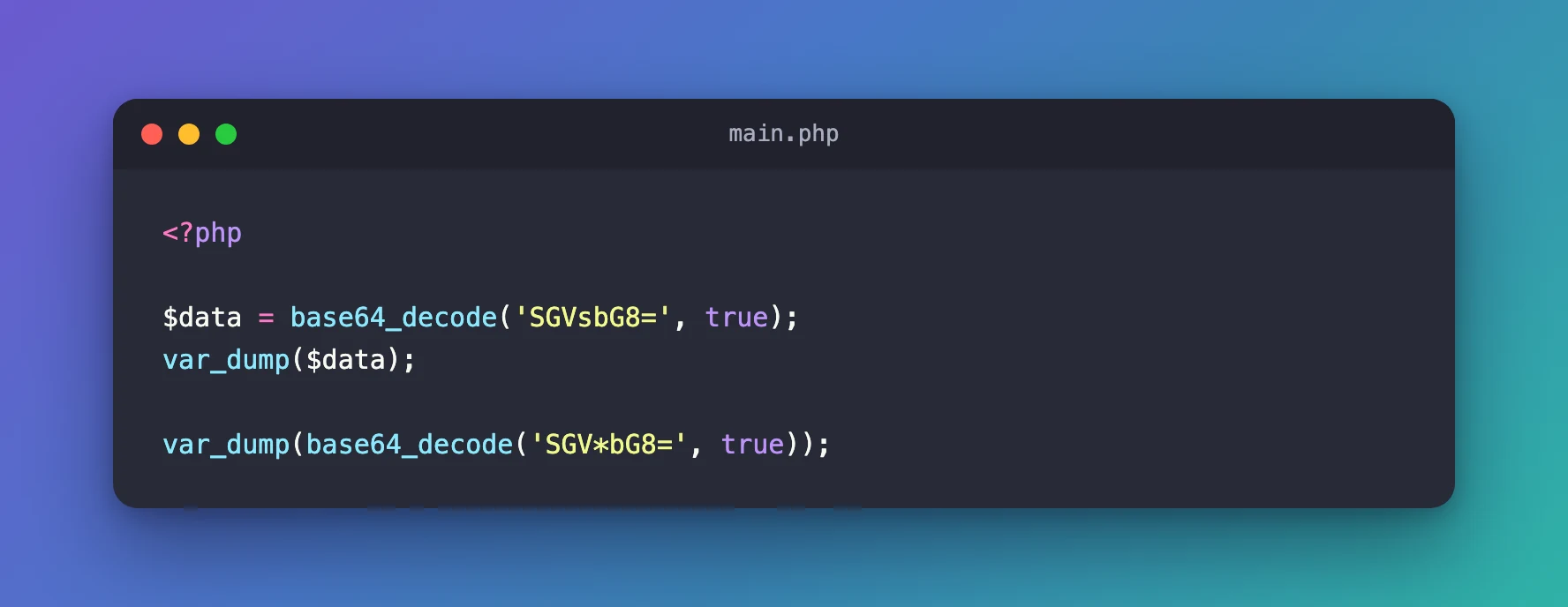
<?php

$data = base64_decode('SGVsbG8=', true);
var_dump($data);

var_dump(base64_decode('SGV*bG8=', true));
Step 2: Run It
php main.php
string(5) "Hello"
bool(false)
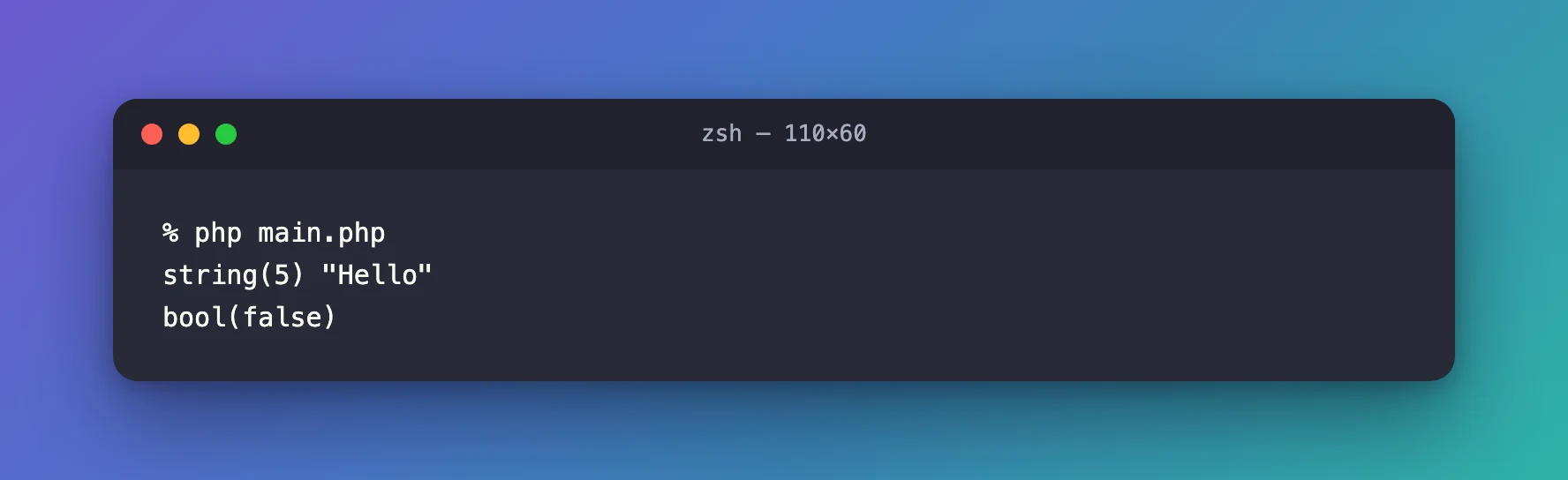
The valid text decoded to the five bytes of Hello. The * made strict mode return false. The command is the same in zsh, bash and PowerShell.
Without Strict Mode
Leave out true and invalid characters are dropped without a word: base64_decode('SGV*sbG8=') returned "Hello". That hides broken input, so always pass true and check for false.
Base64url and the Way Back
Base64url, used in JWTs and URLs, writes - and _ where base64 writes + and /. Swap them back before decoding: base64_decode(strtr('-_8', '-_', '+/'), true) returned the two bytes 251 and 255. Missing = padding was accepted: base64_decode('SGVsbG8', true) still returned "Hello". Encoding is base64_encode('Hello'), which returned SGVsbG8=.
Common Mistakes
| Mistake | What happens | Do this instead |
|---|---|---|
Calling it without true | Invalid characters are silently discarded | Pass true |
Comparing the result with == false | An empty string or "0" also matches | Compare with === false |
| Decoding base64url as is | Strict mode returns false for - and _ | Swap them with strtr first |
Troubleshooting
| Symptom | Likely cause | Fix |
|---|---|---|
base64_decode returns false | A character outside the alphabet, such as *, -, _ or a space | Clean the input, or convert base64url with strtr |
| Garbled text | The bytes aren't text, such as a key | Keep them as a binary string |
FAQ
Is the result always text?
No. The manual notes that "The returned data may be binary." A 32-byte key decodes to 32 bytes that aren't printable.
Does strict mode require = padding?
No: in my check, strict mode decoded SGVsbG8 without its =.
Conclusion
base64_decode($text, true) decodes base64 and returns false for invalid input; check for it with ===. Swap - and _ with strtr to decode base64url.
Additional Resources
- base64_decode(), in the PHP manual.
- base64_encode(), in the PHP manual.
