How to Declare an out Variable Inline in C#

Some methods hand back a second result through an out argument, such as int.TryParse, which returns whether the text was a number and puts the number itself in an out variable. In C#, you can declare that variable right inside the call: out int number.
Syntax
if (<Method>(<arguments>, out <Type> <name>))
{
    <code that uses name>
}
| Part | What it does |
|---|---|
out | Marks the argument the method writes its extra result into. |
<Type> <name> | Declares the variable in the call itself. var works too: out var <name>. |
if (...) | Methods named Try... return true when they succeeded, so the variable is only used when it holds a real result. |
Microsoft's method parameters reference: "You can also declare the out variable in the argument list of the method call, rather than in a separate variable declaration."
The Example
The example parses two pieces of text with int.TryParse: "42", which is a number, and "abc", which isn't. It adds 1 to the first and shows what the variable holds after the second fails.
Prerequisites
- The .NET 10 SDK or newer, which runs a single
.csfile withdotnet run. This guide uses .NET SDK 10.0.404.
Step 1: Write the Code
Create a file named main.cs in an empty folder:
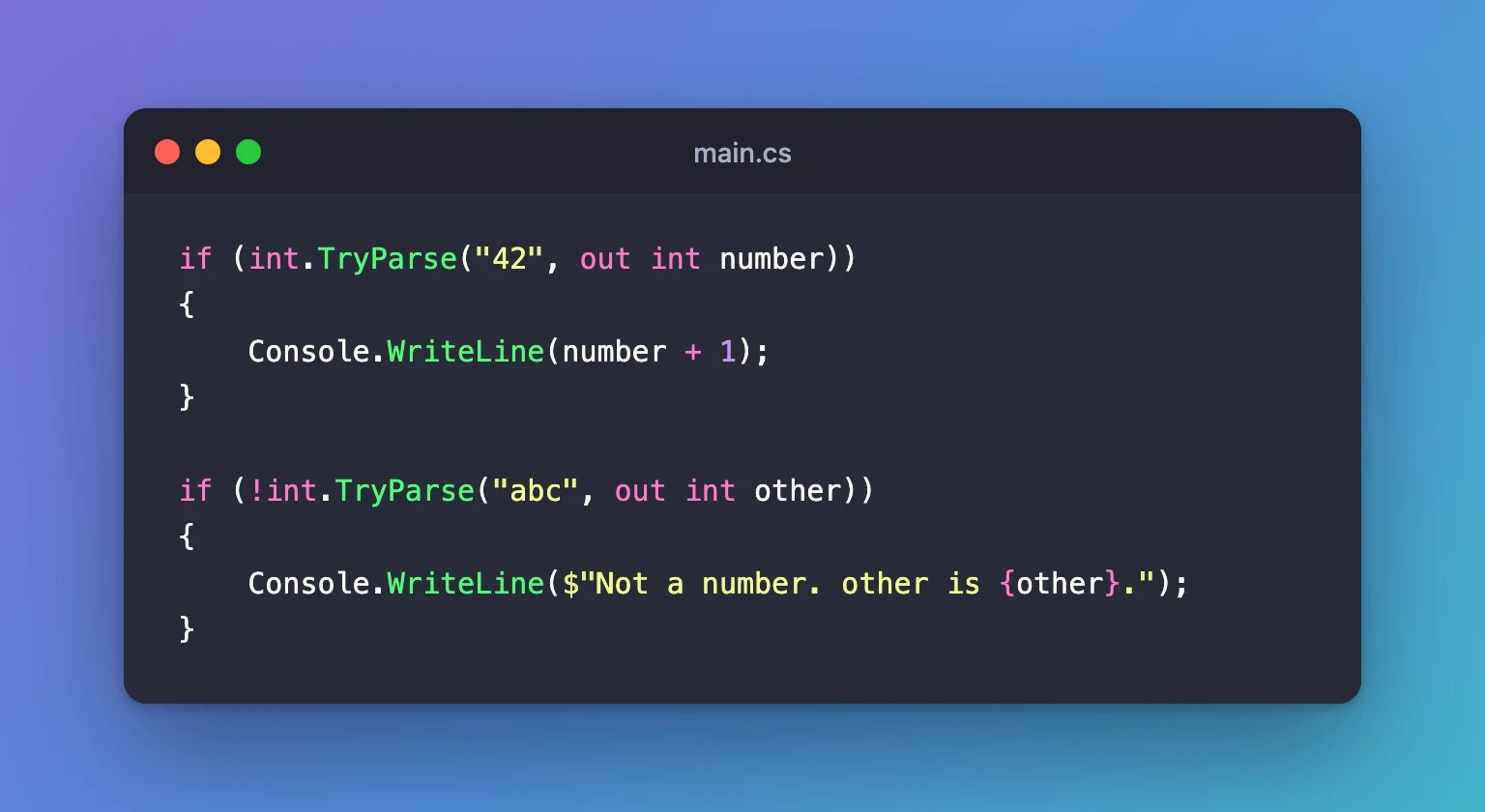
if (int.TryParse("42", out int number))
{
    Console.WriteLine(number + 1);
}

if (!int.TryParse("abc", out int other))
{
    Console.WriteLine($"Not a number. other is {other}.");
}
! turns false into true, so the second block runs when parsing fails.
Step 2: Run It
dotnet run main.cs
43
Not a number. other is 0.
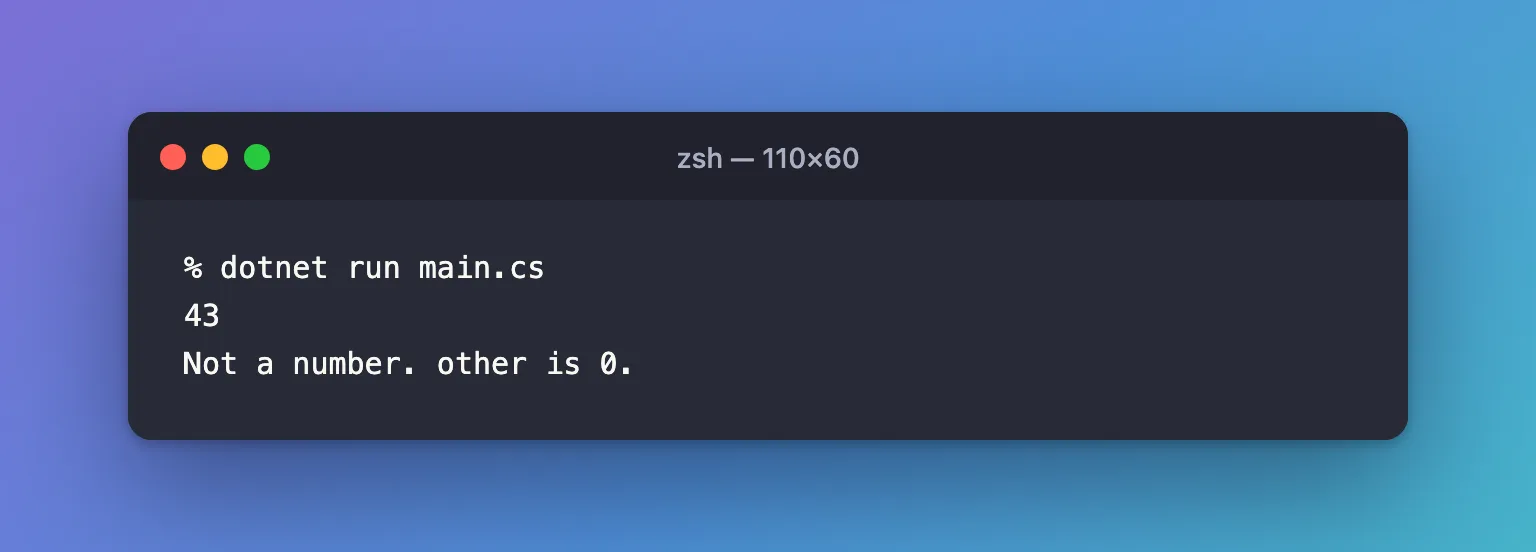
"42" parsed, so number was 42 and the program printed 43. "abc" didn't, and other was 0. The Int32.TryParse reference says the out value is the parsed number "if the conversion succeeded, or zero if the conversion failed". A 0 after a failure is a placeholder, not a parsed value. The command is the same in zsh, bash and PowerShell.
Why TryParse Instead of Parse
int.Parse returns the number directly, and throws when the text isn't one:
Console.WriteLine(int.Parse("abc"));
Unhandled exception. System.FormatException: The input string 'abc' was not in a correct format.
   at System.Number.ThrowFormatException[TChar](ReadOnlySpan`1 value)
   at System.Int32.Parse(String s)
   at Program.<Main>$(String[] args) in /Users/you/demo/main.cs:line 1
For text a person typed or a file supplied, TryParse with an inline out variable is the safer choice. Its reference: "The TryParse method is like the Parse method, except the TryParse method does not throw an exception if the conversion fails."
Common Mistakes
| Mistake | What happens | Do this instead |
|---|---|---|
Using the out value without checking the return value | A failed parse gives 0, which looks like a real number | Use the variable only inside if (int.TryParse(...)) |
Calling int.Parse on text that may not be a number | FormatException: The input string 'abc' was not in a correct format. | Use int.TryParse |
| Declaring the variable on a separate line first | Works, but takes an extra line, and the variable exists before it means anything | Declare it inline: out int number |
Troubleshooting
| Symptom | Likely cause | Fix |
|---|---|---|
| A value is 0 although the text looked like a number | Parsing failed, for example because of a letter or a decimal point, such as "4.2" | Check the return value of TryParse |
FormatException | Parse received text that isn't a number | Switch to TryParse |
FAQ
Can I write out var instead of the type?
Yes. The reference: "You can also declare an implicitly typed local variable." int.TryParse("42", out var number) gives number the type int.
What if I only need to know whether it parsed?
Use the discard _ instead of a name: int.TryParse(text, out _) returns true or false and throws the number away.
Conclusion
if (int.TryParse(text, out int number)) declares the out variable inside the call and uses it only when parsing worked. After a failure, the variable is 0, so always check the return value first.
Additional Resources
- The out parameter modifier, on Microsoft Learn.
- Int32.TryParse, on Microsoft Learn.
