How to Customize the Request an AG-UI HttpAgent Sends

HttpAgent from @ag-ui/client sends a complete AG-UI request on every run: the whole conversation, tools, state and more. That's right for talking to an AG-UI server directly, but not for a server route that accepts only a few fields — or an agent that keeps its own history. HttpAgent builds each request in a method you can override, requestInit. This guide shows the default body, the override, and the real bodies before and after.
What HttpAgent Sends by Default
HttpAgent keeps the conversation in agent.messages and, on every runAgent(), posts an AG-UI RunAgentInput to its URL. Captured by a small stand-in server that prints each body it receives, two runs of a plain HttpAgent from @ag-ui/client 1.0.4 sent this (IDs shortened):
{"threadId":"9a044634-…","runId":"d31e57ec-…","protocolVersion":"1.0","state":{},"messages":[{"id":"u1","role":"user","content":"My laptop won't connect to the Wi-Fi."}],"tools":[],"context":[],"forwardedProps":{}}
{"threadId":"9a044634-…","runId":"6610d353-…","protocolVersion":"1.0","state":{},"messages":[{"id":"u1","role":"user","content":"My laptop won't connect to the Wi-Fi."},{"id":"m-d31e57ec-…","role":"assistant","content":"OK"},{"id":"u2","role":"user","content":"It's a Windows 11 laptop."}],"tools":[],"context":[],"forwardedProps":{}}
Two things stand out. The second run carries the whole conversation again, the agent's own reply included. And neither run says which run it continues: there's no parentRunId. For an agent that keeps the history itself — such as a Microsoft Agent Framework agent with a session store — that's the conversation twice; for a trusted server route that accepts only a few fields, it's a request it should refuse.
Prerequisites
@ag-ui/clientin a TypeScript project. The examples use version 1.0.4 in a Next.js 16.4.6 app.
Step 1: Override requestInit
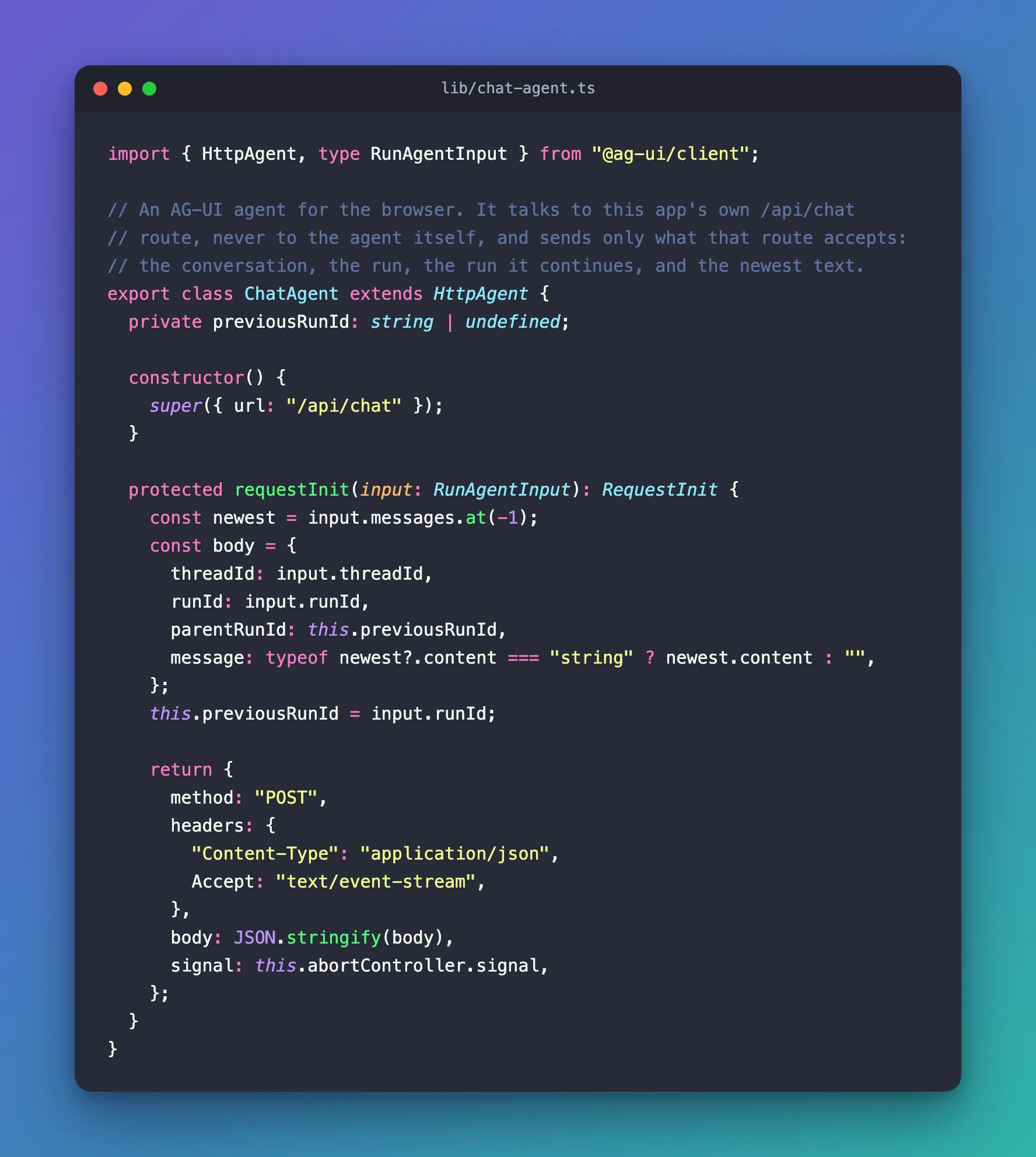
HttpAgent declares the method in its type definitions with this comment: Returns the fetch config for the http request. Override this to customize the request. Create a subclass:
import { HttpAgent, type RunAgentInput } from "@ag-ui/client";

// An AG-UI agent for the browser. It talks to this app's own /api/chat
// route, never to the agent itself, and sends only what that route accepts:
// the conversation, the run, the run it continues, and the newest text.
export class ChatAgent extends HttpAgent {
  private previousRunId: string | undefined;

  constructor() {
    super({ url: "/api/chat" });
  }

  protected requestInit(input: RunAgentInput): RequestInit {
    const newest = input.messages.at(-1);
    const body = {
      threadId: input.threadId,
      runId: input.runId,
      parentRunId: this.previousRunId,
      message: typeof newest?.content === "string" ? newest.content : "",
    };
    this.previousRunId = input.runId;

    return {
      method: "POST",
      headers: {
        "Content-Type": "application/json",
        Accept: "text/event-stream",
      },
      body: JSON.stringify(body),
      signal: this.abortController.signal,
    };
  }
}
| Code | What it does |
|---|---|
requestInit(input) | Receives the full RunAgentInput and returns the options for fetch |
input.messages.at(-1) | The newest message — the one just added with addMessage |
previousRunId | Remembers the last runId, so the next request can name it as parentRunId |
signal: this.abortController.signal | Keeps abortRun() working: it cancels this controller |
Accept: "text/event-stream" | Asks for the answer as a stream of events, as the default does |
HttpAgent reads the stream the same way as before: only the request changed.
Step 2: See What It Sends
The same two runs, with ChatAgent instead (I ran the class in plain JavaScript against the same stand-in server):
{"threadId":"59f860f6-…","runId":"f4de5a19-…","message":"My laptop won't connect to the Wi-Fi."}
{"threadId":"59f860f6-…","runId":"65e365cc-…","parentRunId":"f4de5a19-…","message":"It's a Windows 11 laptop."}
Only the newest text, every time — and the second run names the first as its parentRunId. The first run has none: JSON.stringify leaves out a property whose value is undefined. On the other side, a server route builds the real AG-UI request from these four values (How to Validate a JSON Request Body in a Next.js Route Handler with Zod).
If You Pass Headers to the Constructor
HttpAgent's own requestInit merges the headers you gave the constructor: { ...this.headers, "Content-Type": …, Accept: … }. An override replaces it completely, so if your agent uses constructor headers — an authorization header, say — spread ...this.headers into yours.
Common Mistakes
| Mistake | What happens | Do this instead |
|---|---|---|
Leaving out signal: this.abortController.signal | abortRun() can't cancel the request | Pass the agent's own signal |
Sending input.messages | The server gets the whole conversation every time | Send input.messages.at(-1) |
| Creating a new agent for every message | A new threadId each time: every message starts a new conversation | Keep one agent per conversation |
Troubleshooting
| Symptom | Likely cause | Fix |
|---|---|---|
The server answers 400 Bad Request | The body doesn't match what the server accepts | Compare requestInit's body with the server's schema |
| The agent forgets the previous message | threadId changed, or the server needs parentRunId | Reuse the agent; send parentRunId |
| An authorization header is missing | The override doesn't include this.headers | Spread ...this.headers |
FAQ
Why doesn't HttpAgent send parentRunId itself?
In version 1.0.4 its request builder doesn't include it, as the default bodies above show. The protocol's RunAgentInput has the field, so a subclass can add it.
Can I do this without a subclass?
requestInit is a protected method of the class, so overriding it in a subclass is the way the library intends.
Conclusion
Override requestInit in a subclass of HttpAgent to decide exactly what each run sends. Return the same method, Accept header and signal as the default, and build your own body — here the threadId, the runId, the previous run as parentRunId, and the newest text instead of the whole conversation.
Additional Resources
- AG-UI on GitHub — the TypeScript client and
RunAgentInput. - Part 7 of the Microsoft Agent Framework series — a chat page that uses this class.
