How to Create Nested Runs in MLflow

When one experiment is really several runs, such as trying three settings to compare them, MLflow can group them: start a parent run, then start each child run inside it with nested=True. The UI then shows the children folded under their parent instead of as loose runs. This guide compares three settings of a classifier as children of one parent, with real output from MLflow 3.18.0.
Syntax
with mlflow.start_run(run_name="<parent name>"):
    with mlflow.start_run(run_name="<child name>", nested=True):
        ...
| Part | What it means |
|---|---|
The outer start_run | The parent run. It stays open while its children run |
nested=True | "True creates a nested run", in the words of MLflow's reference: the new run becomes a child of the run that's open |
The inner with block | Everything logged here goes to the child. When the block ends, the child ends and the parent is the open run again |
Prerequisites
- An MLflow tracking server at
http://127.0.0.1:8080. MLflow's tracking server guide shows how to start one.
Step 1: Log Three Children Under One Parent
The example compares three values of n_neighbors for a k-nearest-neighbors classifier on the iris flowers. Each value is a child run with its setting and its cross-validated accuracy. Create nested_runs.py:
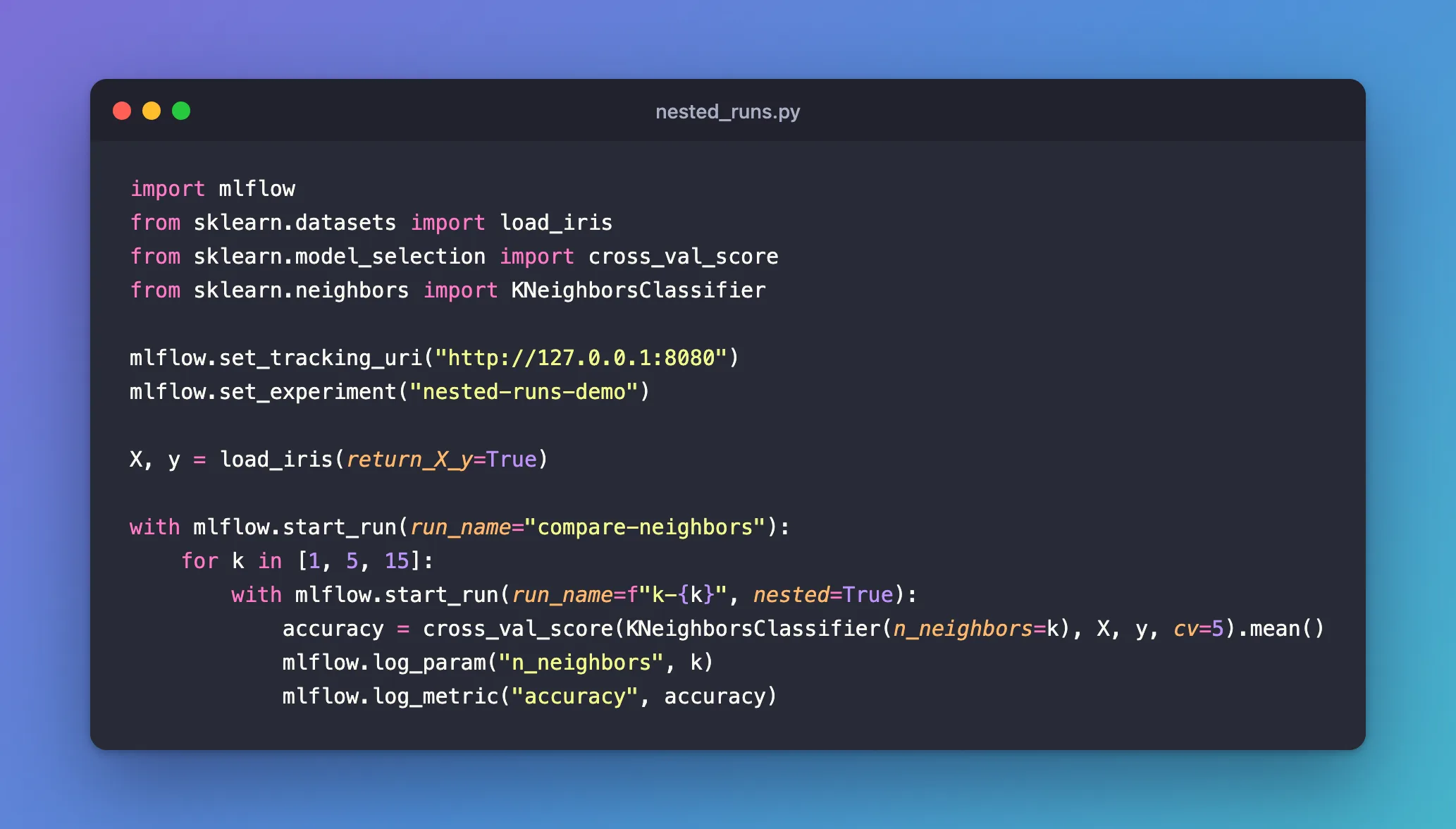
import mlflow
from sklearn.datasets import load_iris
from sklearn.model_selection import cross_val_score
from sklearn.neighbors import KNeighborsClassifier

mlflow.set_tracking_uri("http://127.0.0.1:8080")
mlflow.set_experiment("nested-runs-demo")

X, y = load_iris(return_X_y=True)

with mlflow.start_run(run_name="compare-neighbors"):
    for k in [1, 5, 15]:
        with mlflow.start_run(run_name=f"k-{k}", nested=True):
            accuracy = cross_val_score(KNeighborsClassifier(n_neighbors=k), X, y, cv=5).mean()
            mlflow.log_param("n_neighbors", k)
            mlflow.log_metric("accuracy", accuracy)
uv run python nested_runs.py
2026/11/21 11:02:03 INFO mlflow.tracking.fluent: Experiment with name 'nested-runs-demo' does not exist. Creating a new experiment.
🏃 View run k-1 at: http://127.0.0.1:8080/#/experiments/6/runs/af617b91f3a44099befc8d7ec427fafc
🧪 View experiment at: http://127.0.0.1:8080/#/experiments/6
🏃 View run k-5 at: http://127.0.0.1:8080/#/experiments/6/runs/f155cad762614ace94cb2fcf13fc74ab
🧪 View experiment at: http://127.0.0.1:8080/#/experiments/6
🏃 View run k-15 at: http://127.0.0.1:8080/#/experiments/6/runs/b6ed19486a384b56bc82b7e2bb21f2c8
🧪 View experiment at: http://127.0.0.1:8080/#/experiments/6
🏃 View run compare-neighbors at: http://127.0.0.1:8080/#/experiments/6/runs/79590c65d8be4651ba078c1f3b554702
🧪 View experiment at: http://127.0.0.1:8080/#/experiments/6
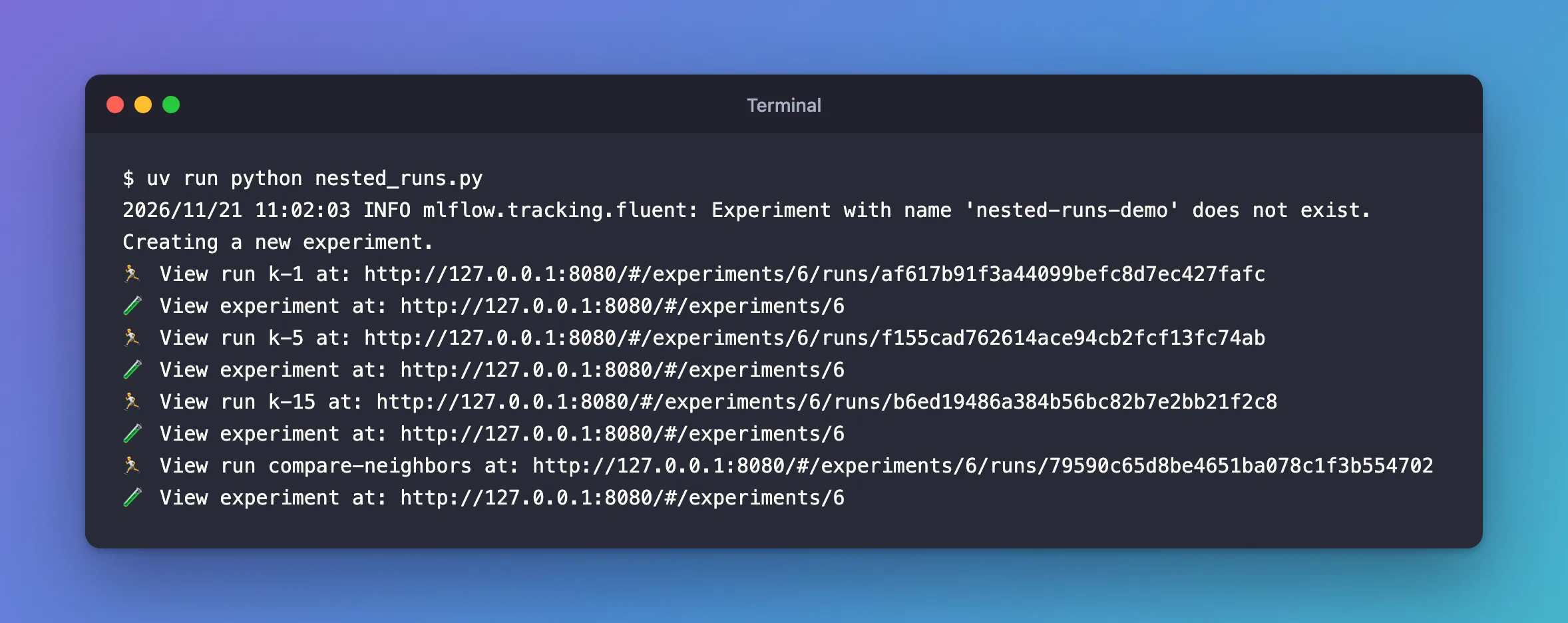
Each child's link appears when its with block ends, and the parent's last, when the outer block ends.
Step 2: See the Group in the UI
In the runs table, the parent has a + next to its name; click it to show its children:
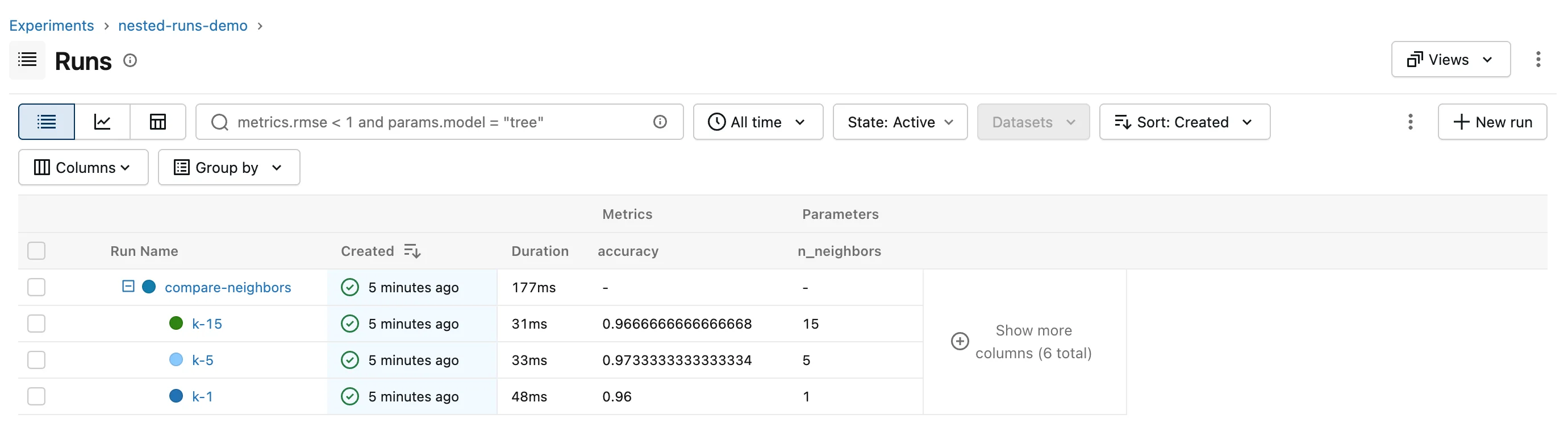
k-5 scored best, 0.9733. What links a child to its parent is a tag MLflow sets on the child, mlflow.parentRunId, holding the parent's run ID: the UI groups runs by it, and you can search by it too.
Step 3: Know the Other Way In
start_run also takes parent_run_id="<run ID>", which nests the new run under a run you name instead of the open one. MLflow's reference adds that "the parent run must be in the ACTIVE state", so it's for adding children while the parent is still running, not for regrouping finished runs.
Common Mistakes
| Mistake | What happens | Do this instead |
|---|---|---|
Starting the inner run without nested=True | Exception: Run with UUID ... is already active. To start a new run, first end the current run with mlflow.end_run(). To start a nested run, call start_run with nested=True | Add nested=True |
Starting the children after the parent's with block | They become separate runs, not children | Start them inside the parent's block |
| Logging the comparison's result inside a child | It lands on that child, not the parent | Log it after the loop, inside the parent's block |
Troubleshooting
| Symptom | Likely cause | Fix |
|---|---|---|
Exception: Run with UUID ... is already active | A second run without nested=True | Add nested=True |
| The children show as loose runs | They were started when no parent was open | Check the indentation of the with blocks |
FAQ
Can children have children?
Yes: start another nested=True run inside a child, and its mlflow.parentRunId points at that child. A nested=True run started when no run is open is an ordinary top-level run.
Does autologging create nested runs too?
Yes, for hyperparameter searches: How to Log a GridSearchCV Search in MLflow with Parent and Child Runs.
Conclusion
mlflow.start_run(run_name=f"k-{k}", nested=True) inside the compare-neighbors run created three children, grouped under their parent in the UI by the mlflow.parentRunId tag. Open the parent first, start every child inside it with nested=True, and log the comparison's result on the parent.
Additional Resources
- mlflow.start_run —
nestedandparent_run_id.
