How to Create an Object in C# with new

A class describes a kind of object; new makes one. You give the class's constructor the values it needs, and you get back an object you can read and use, as many times as you like.
Syntax
var <object> = new <TypeName>(<arguments>);
<TypeName> <object> = new(<arguments>);
| Part | What it does |
|---|---|
new <TypeName>(...) | Creates an object of that type and runs its constructor. |
<arguments> | The values the constructor needs. Different constructors take different values. |
new(...) | Target-typed new: leaves out the type name when the variable's type already says it. |
Microsoft's new operator reference: "The new operator creates a new instance of a type." On the second form: "Constructor invocation expressions are target-typed. That is, if a target type of an expression is known, you can omit a type name".
The Example
The example creates a Version object for 10.0.404, reads its major number, and compares it with version 9.0.
Prerequisites
- The .NET 10 SDK or newer, which runs a single
.csfile withdotnet run. This guide uses .NET SDK 10.0.404.
Step 1: Write the Code
Create a file named main.cs in an empty folder:
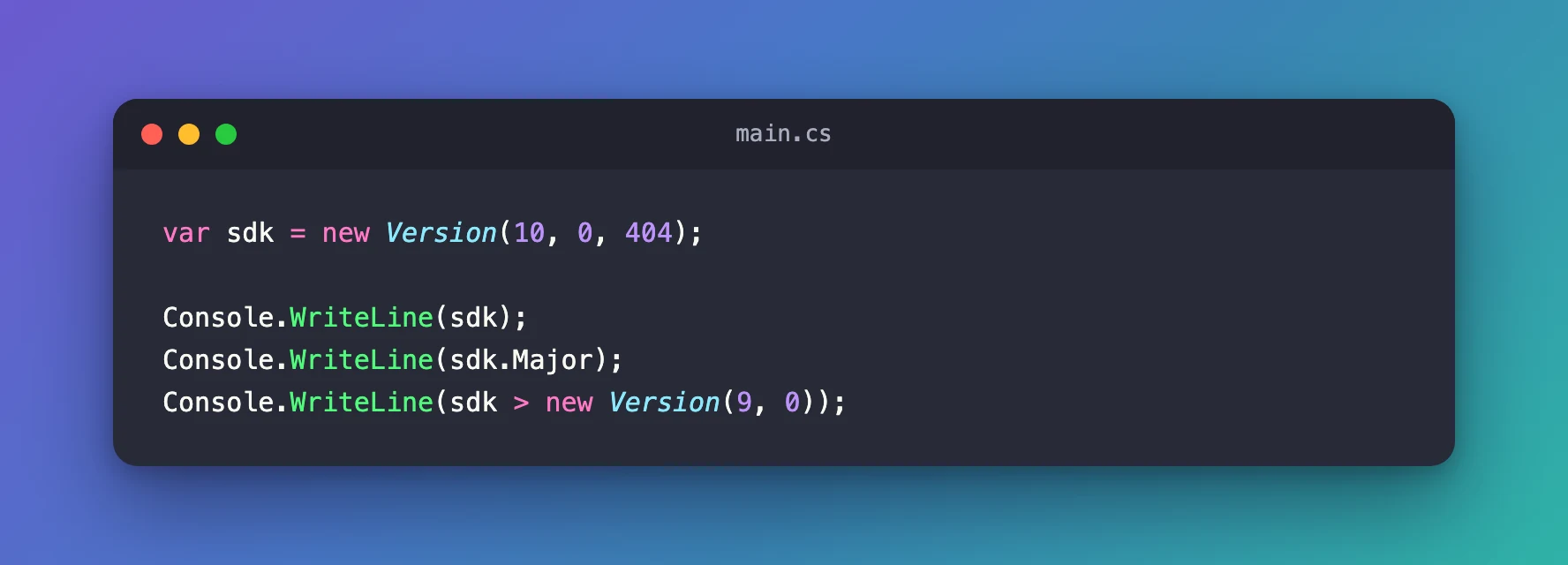
var sdk = new Version(10, 0, 404);

Console.WriteLine(sdk);
Console.WriteLine(sdk.Major);
Console.WriteLine(sdk > new Version(9, 0));
new Version(10, 0, 404)calls the constructor that takes a major, minor and build number.sdk.Majorreads a property of the new object.new Version(9, 0)creates a second object, right inside the comparison.
Step 2: Run It
dotnet run main.cs
10.0.404
10
True
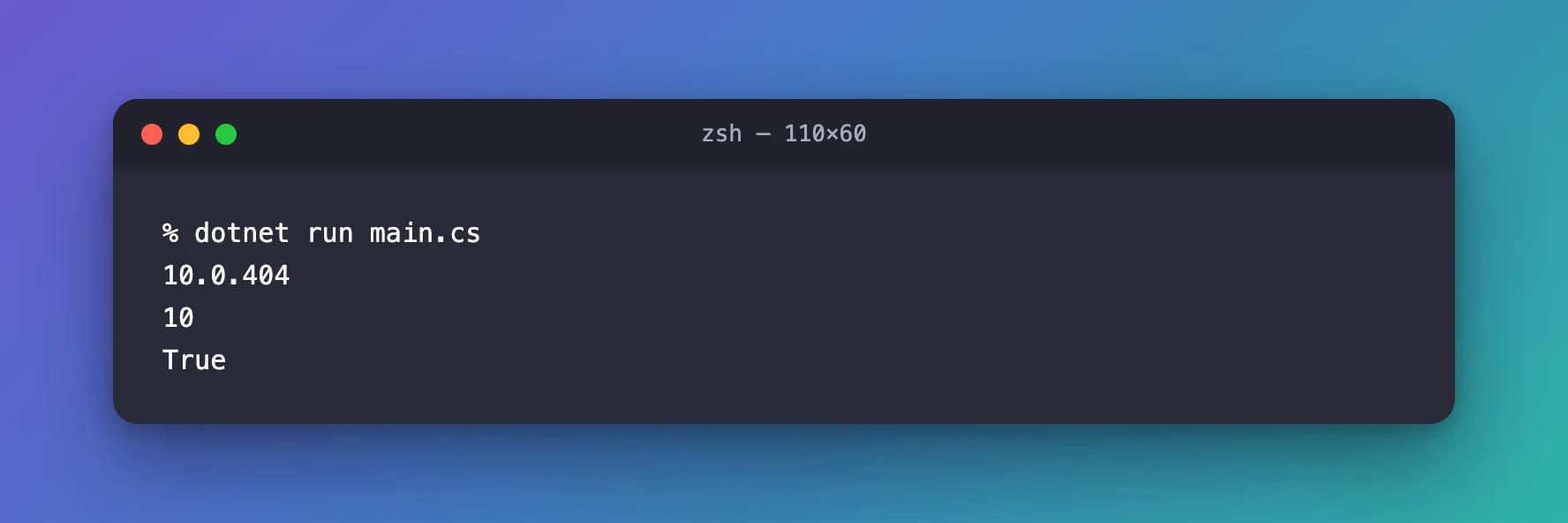
The command is the same in zsh, bash and PowerShell.
Target-Typed new
When the variable's type is written out, you can leave it out after new:
Version sdk = new(10, 0, 404);
It creates the same object. It doesn't work with var, because then nothing says which type to create.
Common Mistakes
| Mistake | What happens | Do this instead |
|---|---|---|
Leaving out new, as in Version(10, 0) | error CS1955: Non-invocable member 'Version' cannot be used like a method. | Write new Version(10, 0) |
Passing values no constructor accepts, as in new Version(1, 2, 3, 4, 5) | error CS1729: 'Version' does not contain a constructor that takes 5 arguments | Check the type's constructors in its documentation |
Writing var v = new(10, 0); | error CS8754: There is no target type for 'new(int, int)' | Name the type on one side or the other |
Troubleshooting
| Symptom | Likely cause | Fix |
|---|---|---|
CS1955 | A type was called like a method | Add new |
CS1729 | No constructor takes that number of values | Pass the values one of its constructors expects |
FAQ
Does each new create a separate object?
Yes. Two new Version(9, 0) calls create two objects: ReferenceEquals(a, b) was False, while a.Equals(b) was True because they hold the same numbers.
Do I need new for numbers and strings?
No. Literals such as 42 and "hello" create their values directly.
Conclusion
new TypeName(arguments) creates an object and runs its constructor with your values; TypeName name = new(arguments) does the same with the type written once. Then use the object's properties and methods.
Additional Resources
- new operator, on Microsoft Learn.
- Version class, on Microsoft Learn.
