How to Create an Item Only If Its ID Is New in Azure Cosmos DB with C#

CreateItemAsync adds an item to an Azure Cosmos DB container only when no item in its partition has the same ID. Otherwise it throws a CosmosException with the status 409 Conflict, and the stored item stays as it was. UpsertItemAsync doesn't refuse: it replaces the existing item without a word. Here's the difference in a small C# app, with what each call returned.
Every item in Cosmos DB for NoSQL has an id. Whether a write with an id that already exists should fail or replace the item is your choice, and the method you call makes it. Microsoft's description of the two: the Container.CreateItemAsync<> method will throw an exception if there's a conflict with the unique identifier of an existing item, while the Container.UpsertItemAsync<> method will use the unique identifier of the item parameter to determine if there's a conflict with an existing item and to replace the item appropriately.
Syntax
try
{
    ItemResponse<<Type>> <response> = await <container>.CreateItemAsync(<item>, new PartitionKey("<value>"));
    // <response>.StatusCode is 201 Created
}
catch (CosmosException <exception>) when (<exception>.StatusCode == HttpStatusCode.Conflict)
{
    // an item with the same id already exists in that partition: nothing was written
}
| Part | What it is |
|---|---|
<Type> | The C# type of the item |
<container> | The Container from CosmosClient.GetContainer |
<item> | The item to create. Its id property is the item's ID |
<value> | The item's partition key value, the value of the property that the partition key path names |
CreateItemAsync | Creates a item as an asynchronous operation in the Azure Cosmos service, and refuses an ID that already exists in the partition |
CosmosException | The exception the SDK throws for an error status. StatusCode says which one |
HttpStatusCode.Conflict | 409, from System.Net: the ID already exists |
UpsertItemAsync(<item>, new PartitionKey("<value>")) takes the same arguments and never answers 409 for an existing ID: it replaces that item.
The Example
A small to-do app keeps its items in a container howto-todos, whose partition key path is /listId: each list is one partition. The console app TodoCreate creates the item milk in the groceries list, tries to create it again with a new title, upserts it, and then creates an item with the same ID in the home list. It signs in with my Azure CLI account, and deletes both items at the end, so it can run again.
Prerequisites
- The .NET 10 SDK.
dotnet --versionprints a version that starts with10.0. - The Azure CLI, signed in with
az login. The app uses that sign-in. - A Cosmos DB for NoSQL container whose partition key path is
/listId, and a Cosmos DB data role for your account on it, such as Cosmos DB Built-in Data Contributor: Connect using role-based access control and Microsoft Entra ID.
Step 1: Create a Console App and Add the Packages
dotnet new console -n TodoCreate
cd TodoCreate
dotnet add package Microsoft.Azure.Cosmos --version 3.64.0
dotnet add package Newtonsoft.Json --version 13.0.4
dotnet add package Azure.Identity --version 1.21.0
The three packages are the Cosmos DB SDK, Newtonsoft.Json, which the SDK requires you to reference yourself, and the Microsoft Entra ID credentials. How to Connect to Azure Cosmos DB with Microsoft Entra ID in C# explains each one and the client.
Step 2: Connect
Replace Program.cs, starting with the client:
using System.Net;
using System.Text.Json;
using Azure.Identity;
using Microsoft.Azure.Cosmos;

// The account's URI, from its Overview page in the Azure portal.
const string AccountEndpoint = "https://cosmos-maf-servicedesk-4224.documents.azure.com:443/";

using CosmosClient client = new(AccountEndpoint, new AzureCliCredential(), new CosmosClientOptions
{
    UseSystemTextJsonSerializerWithOptions = JsonSerializerOptions.Web,
});
Container todos = client.GetContainer("servicedesk", "howto-todos");
AccountEndpoint is your account's URI, from its Overview page in the Azure portal. JsonSerializerOptions.Web writes Id as id and ListId as listId, the names Cosmos DB and the partition key path expect.
Step 3: Create an Item
TodoItem milk = new("milk", "groceries", "Milk");

// 1. A new ID: Cosmos DB creates the item.
ItemResponse<TodoItem> created = await todos.CreateItemAsync(milk, new PartitionKey(milk.ListId));
Console.WriteLine($"Create: {(int)created.StatusCode} {created.StatusCode}, {created.RequestCharge} RU");
A new ID, so Cosmos DB creates the item and answers 201 Created.
Step 4: Create It Again
// 2. The same ID in the same list again: Cosmos DB refuses, and the stored item doesn't change.
try
{
    await todos.CreateItemAsync(milk with { Title = "Oat milk" }, new PartitionKey(milk.ListId));
}
catch (CosmosException exception) when (exception.StatusCode == HttpStatusCode.Conflict)
{
    Console.WriteLine($"Create again: {(int)exception.StatusCode} {exception.StatusCode}, {exception.RequestCharge} RU");
}

TodoItem stored = (await todos.ReadItemAsync<TodoItem>(milk.Id, new PartitionKey(milk.ListId))).Resource;
Console.WriteLine($"Stored title: {stored.Title}");
milk with { Title = "Oat milk" }is the same item with another title: sameid, same list.catch (...) when (exception.StatusCode == HttpStatusCode.Conflict)catches only the conflict. Any other error still stops the app, as it should.ReadItemAsyncreads the item back, to show that the refused write changed nothing.
Step 5: Upsert It
// 3. Upsert with the same ID: Cosmos DB replaces the item, and says nothing.
ItemResponse<TodoItem> upserted = await todos.UpsertItemAsync(milk with { Title = "Oat milk" }, new PartitionKey(milk.ListId));
Console.WriteLine($"Upsert: {(int)upserted.StatusCode} {upserted.StatusCode}, stored title: {upserted.Resource.Title}");
The same change through UpsertItemAsync: no exception, 200 OK, and the new title replaces the old one.
Step 6: The Same ID in Another List
// 4. The same ID in another list: another partition, so it's a different item.
TodoItem neighbour = new("milk", "home", "Buy milk for the neighbour");
ItemResponse<TodoItem> other = await todos.CreateItemAsync(neighbour, new PartitionKey(neighbour.ListId));
Console.WriteLine($"Create in another list: {(int)other.StatusCode} {other.StatusCode}");
An ID only has to be new in its own partition. Microsoft's partitioning article: each item in a container has a partition key that determines its logical partition and an item ID unique within that partition. So milk in the home list is a different item from milk in groceries.
Step 7: Run It
dotnet run
Create: 201 Created, 6.29 RU
Create again: 409 Conflict, 1.57 RU
Stored title: Milk
Upsert: 200 OK, stored title: Oat milk
Create in another list: 201 Created
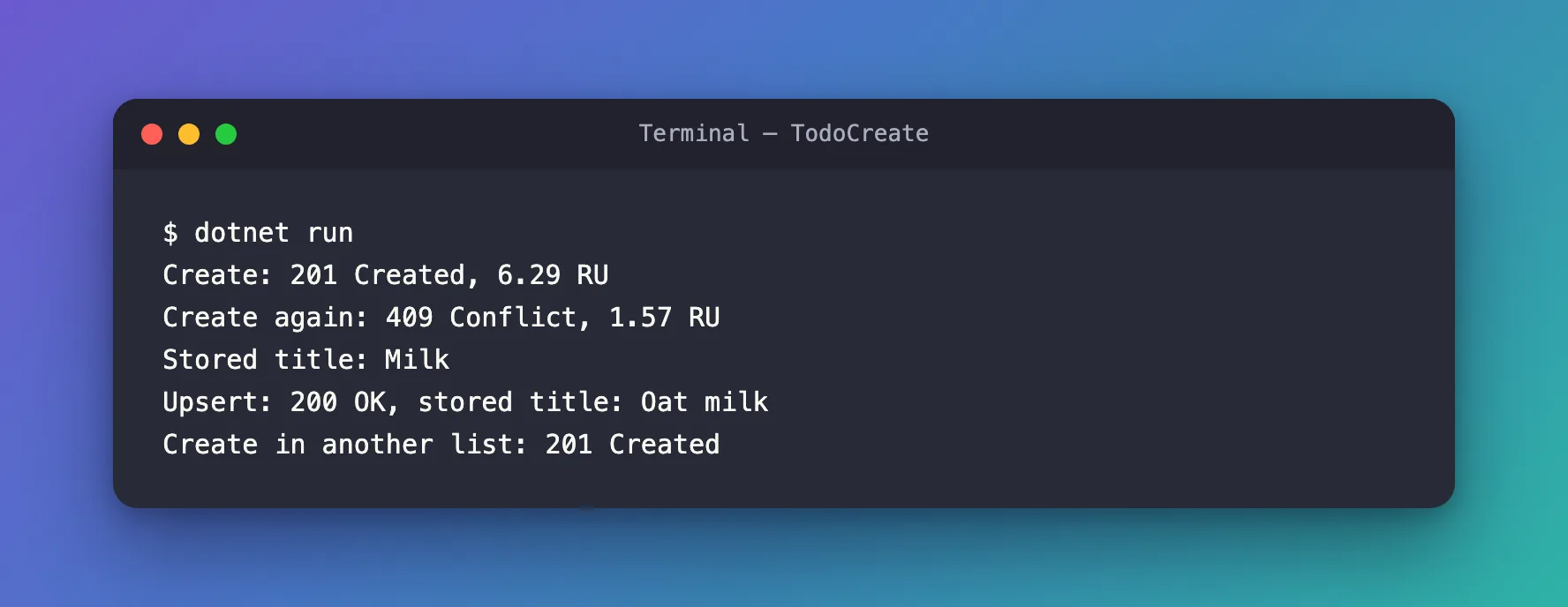
- Create:
201 Created, for 6.29 request units. - Create again:
409 Conflict, for 1.57 request units, and the stored title is still Milk. - Upsert:
200 OK, and the stored title is now Oat milk. Nothing told the app that it replaced an item. - Create in another list:
201 Created, because that ID was new in thehomepartition.
Running the app a second time printed exactly the same lines: it deletes both items at the end.
The Complete File
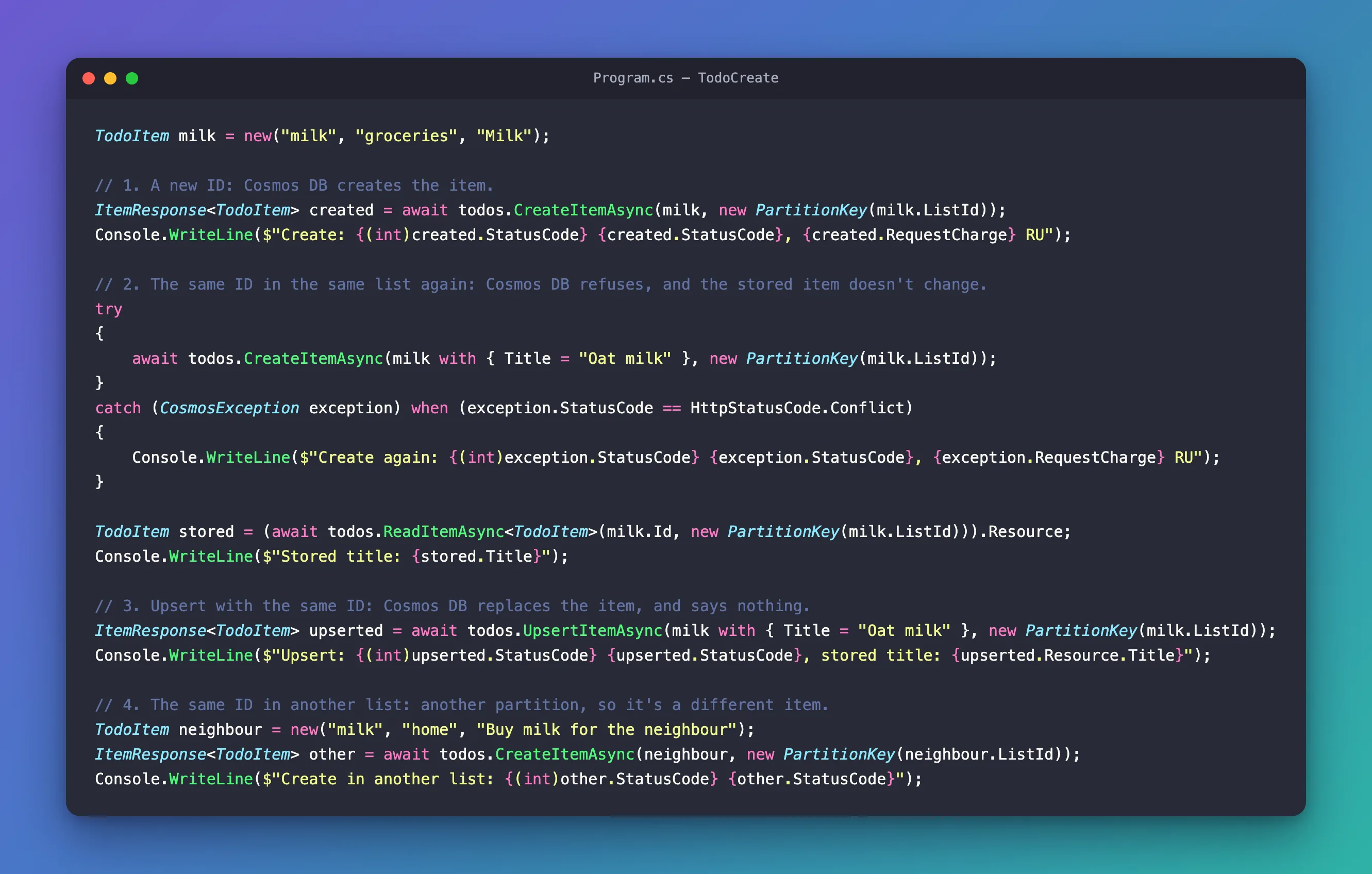
using System.Net;
using System.Text.Json;
using Azure.Identity;
using Microsoft.Azure.Cosmos;

// The account's URI, from its Overview page in the Azure portal.
const string AccountEndpoint = "https://cosmos-maf-servicedesk-4224.documents.azure.com:443/";

using CosmosClient client = new(AccountEndpoint, new AzureCliCredential(), new CosmosClientOptions
{
    UseSystemTextJsonSerializerWithOptions = JsonSerializerOptions.Web,
});
Container todos = client.GetContainer("servicedesk", "howto-todos");

TodoItem milk = new("milk", "groceries", "Milk");

// 1. A new ID: Cosmos DB creates the item.
ItemResponse<TodoItem> created = await todos.CreateItemAsync(milk, new PartitionKey(milk.ListId));
Console.WriteLine($"Create: {(int)created.StatusCode} {created.StatusCode}, {created.RequestCharge} RU");

// 2. The same ID in the same list again: Cosmos DB refuses, and the stored item doesn't change.
try
{
    await todos.CreateItemAsync(milk with { Title = "Oat milk" }, new PartitionKey(milk.ListId));
}
catch (CosmosException exception) when (exception.StatusCode == HttpStatusCode.Conflict)
{
    Console.WriteLine($"Create again: {(int)exception.StatusCode} {exception.StatusCode}, {exception.RequestCharge} RU");
}

TodoItem stored = (await todos.ReadItemAsync<TodoItem>(milk.Id, new PartitionKey(milk.ListId))).Resource;
Console.WriteLine($"Stored title: {stored.Title}");

// 3. Upsert with the same ID: Cosmos DB replaces the item, and says nothing.
ItemResponse<TodoItem> upserted = await todos.UpsertItemAsync(milk with { Title = "Oat milk" }, new PartitionKey(milk.ListId));
Console.WriteLine($"Upsert: {(int)upserted.StatusCode} {upserted.StatusCode}, stored title: {upserted.Resource.Title}");

// 4. The same ID in another list: another partition, so it's a different item.
TodoItem neighbour = new("milk", "home", "Buy milk for the neighbour");
ItemResponse<TodoItem> other = await todos.CreateItemAsync(neighbour, new PartitionKey(neighbour.ListId));
Console.WriteLine($"Create in another list: {(int)other.StatusCode} {other.StatusCode}");

// Remove both items, so the app can run again.
await todos.DeleteItemAsync<TodoItem>("milk", new PartitionKey("groceries"));
await todos.DeleteItemAsync<TodoItem>("milk", new PartitionKey("home"));

record TodoItem(string Id, string ListId, string Title);
Common Mistakes
| Mistake | What happens | Do this instead |
|---|---|---|
Using UpsertItemAsync for new items | An item with a repeated ID is replaced without a word | Use CreateItemAsync when an existing ID means a mistake |
Catching every CosmosException as a conflict | Errors such as a missing role look like duplicates | Add when (exception.StatusCode == HttpStatusCode.Conflict) |
| Expecting IDs to be unique across the whole container | Two partitions can hold items with the same ID | Treat the ID and the partition key together as the item's key |
Troubleshooting
| Symptom | Likely cause | Fix |
|---|---|---|
CosmosException with Conflict (409) | An item with that ID already exists in that partition | Use another ID, or UpsertItemAsync if replacing is what you want |
BadRequest (400) with PartitionKey extracted from document doesn’t match the one specified in the header | The PartitionKey you pass differs from the item's property | Pass the item's own value, such as new PartitionKey(item.ListId) |
Forbidden (403); Substatus: 5301 | Your account has no data role on the container | Give it a Cosmos DB data role |
FAQ
Is there a way to create without an exception?
Yes: CreateItemStreamAsync returns a ResponseMessage whose StatusCode you check, and Microsoft's reference says the Stream operation only throws on client side exceptions. You work with the item's JSON yourself instead of a typed object.
Can I make another property unique, such as a title?
A container can have a unique key policy that makes chosen properties unique too. Microsoft: you can define unique keys only when you create an Azure Cosmos DB container. A unique key is scoped to a logical partition. It's a setting of the container, not of the write.
Conclusion
When an existing ID should be an error, create items with CreateItemAsync and catch CosmosException when its StatusCode is Conflict: the stored item stays as it was. UpsertItemAsync is for when replacing is what you want. Either way, an ID only has to be new within its partition.
Additional Resources
- Create an item in Azure Cosmos DB for NoSQL using .NET —
CreateItemAsync,ReplaceItemAsyncandUpsertItemAsync. - Diagnose and troubleshoot Azure Cosmos DB conflict exceptions — what
409means. - Unique key constraints in Azure Cosmos DB — unique properties within a partition.
