How to Create an HMAC-SHA256 Signature in the Terminal

An HMAC is a signature made with a secret key. Anyone with the same key can make the same signature, and anyone without it can't. HMAC-SHA256 signs JSON Web Tokens that use HS256, and many webhooks use it to prove where a request came from. This guide creates one in the terminal and checks it against the official test value.
Syntax
On macOS and Linux, in bash or zsh:
printf '%s' '<message>' | openssl dgst -sha256 -hmac '<key>'
| Part | What it does |
|---|---|
printf '%s' '<message>' | Prints the message exactly, with no line break at the end. The line break would otherwise be signed too. |
openssl dgst -sha256 | Makes a SHA-256 digest of what it receives. |
-hmac '<key>' | Turns the digest into an HMAC with <key>. The key is the text you type, byte for byte. |
-binary (optional) | Prints the raw 32 bytes instead of hexadecimal, for piping into openssl base64 -A. |
OpenSSL 3 also has a newer command for the same job. Its manual says that "The openssl-mac(1) command should be preferred to using this command line option", meaning -hmac:
printf '%s' '<message>' | openssl mac -digest SHA256 -macopt key:<key> HMAC
In PowerShell 7.6:
[Convert]::ToHexStringLower([Security.Cryptography.HMACSHA256]::HashData([Text.Encoding]::UTF8.GetBytes('<key>'), [Text.Encoding]::UTF8.GetBytes('<message>')))
| Part | What it does |
|---|---|
[Text.Encoding]::UTF8.GetBytes('<key>') | The key as bytes. |
[Text.Encoding]::UTF8.GetBytes('<message>') | The message as bytes. |
[Security.Cryptography.HMACSHA256]::HashData(key, message) | Computes the HMAC and returns its 32 bytes. |
[Convert]::ToHexStringLower(…) | Prints the bytes as lowercase hexadecimal. Use [Convert]::ToBase64String(…) for base64. |
The Example
RFC 4231 publishes test values for HMAC-SHA256, so that anyone can check a tool against a known answer. Its Test Case 2 uses the key Jefe and the message what do ya want for nothing?, and gives this result:
5bdcc146bf60754e6a042426089575c75a003f089d2739839dec58b964ec3843
If your command prints exactly this, it computes HMAC-SHA256 correctly.
Prerequisites
- macOS or Linux: OpenSSL. macOS includes it, and most Linux distributions do too; check with
openssl version. - Windows: PowerShell 7.6, the current long-term support release.
ToHexStringLowerarrived in .NET 9, which Windows PowerShell 5.1 doesn't run on.
Step 1: Create the Signature in Hexadecimal
- macOS / Linux
- Windows (PowerShell)
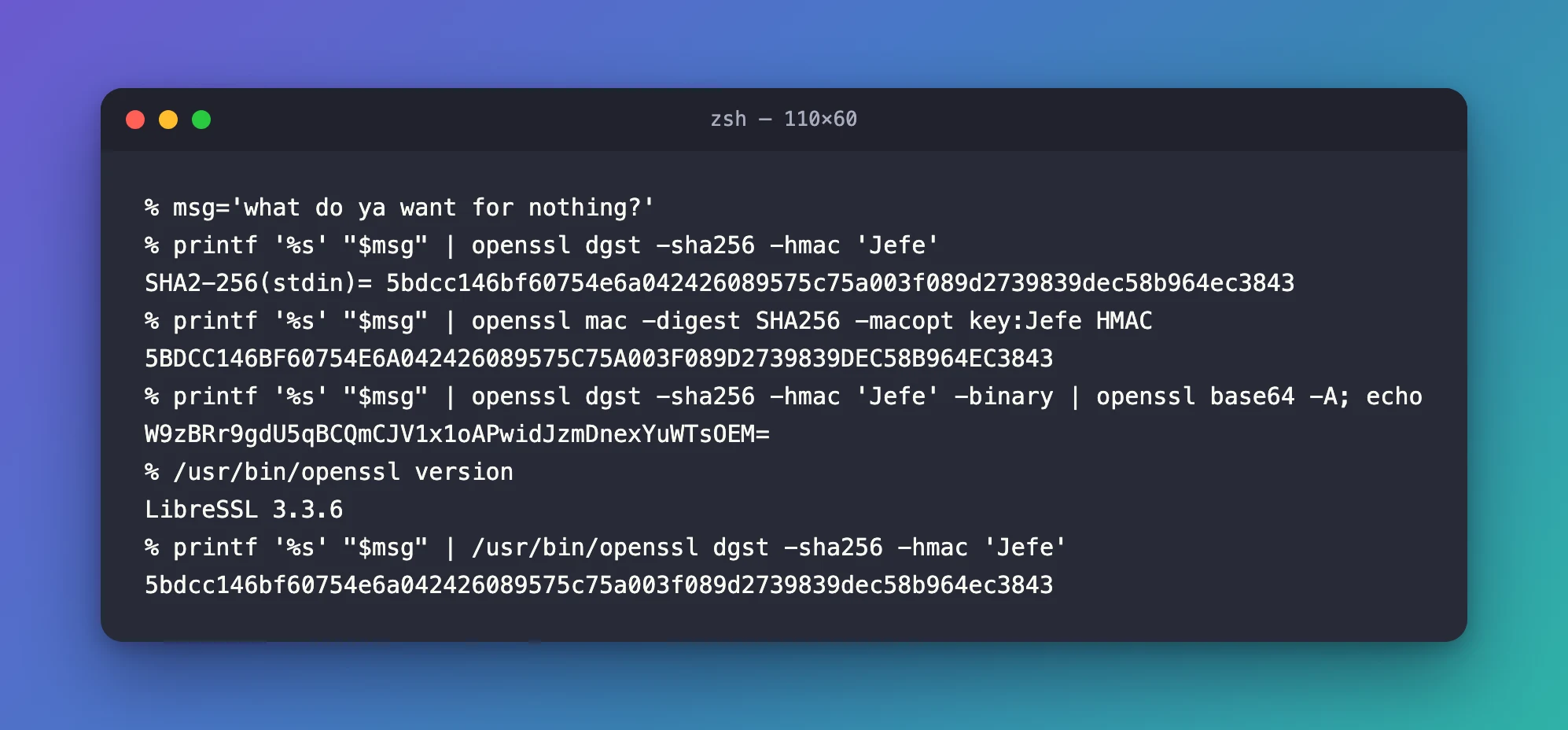
Put the message in a variable first, to keep the commands short:
msg='what do ya want for nothing?'
printf '%s' "$msg" | openssl dgst -sha256 -hmac 'Jefe'
SHA2-256(stdin)= 5bdcc146bf60754e6a042426089575c75a003f089d2739839dec58b964ec3843
The value after = is the signature, and it matches RFC 4231. SHA2-256(stdin) only names the digest and says the input came from the pipe. The newer command prints the same value, in capital letters:
printf '%s' "$msg" | openssl mac -digest SHA256 -macopt key:Jefe HMAC
5BDCC146BF60754E6A042426089575C75A003F089D2739839DEC58B964EC3843
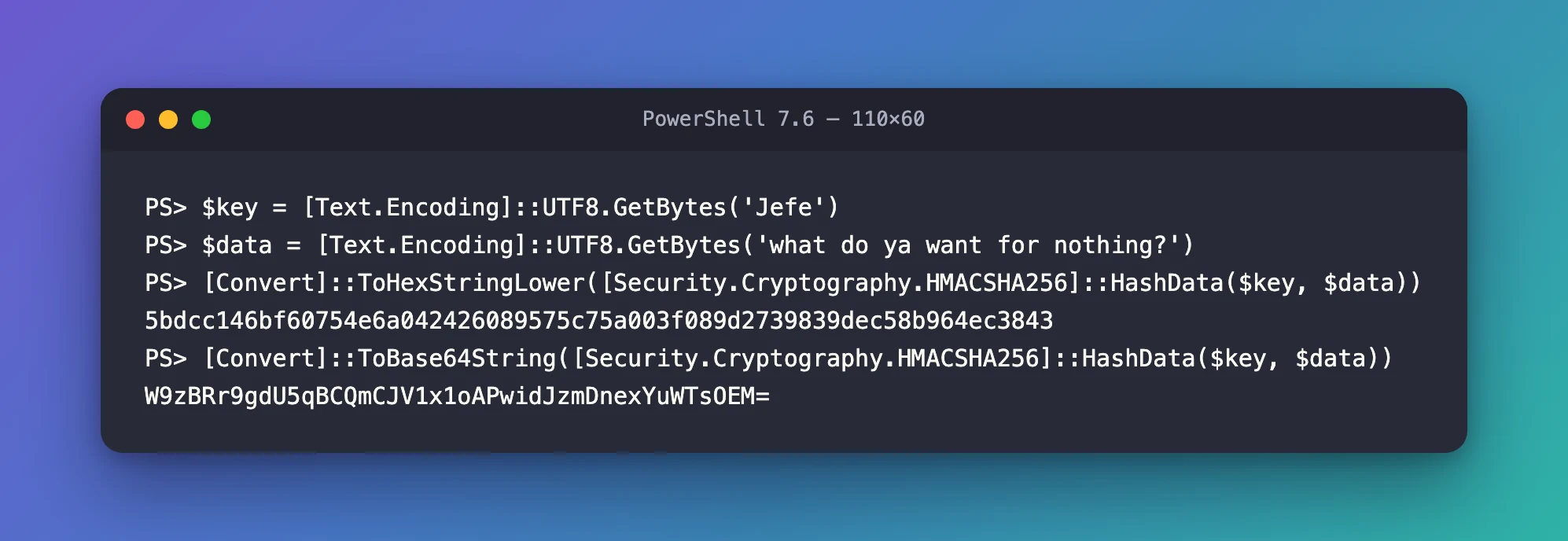
$key = [Text.Encoding]::UTF8.GetBytes('Jefe')
$data = [Text.Encoding]::UTF8.GetBytes('what do ya want for nothing?')
[Convert]::ToHexStringLower([Security.Cryptography.HMACSHA256]::HashData($key, $data))
5bdcc146bf60754e6a042426089575c75a003f089d2739839dec58b964ec3843
The result matches RFC 4231.
Step 2: Get It in Base64 Instead
Hexadecimal uses two characters per byte. Base64 is shorter, and it's what JWTs build on: a JWT stores the same 32 bytes as base64url.
- macOS / Linux
- Windows (PowerShell)
printf '%s' "$msg" | openssl dgst -sha256 -hmac 'Jefe' -binary | openssl base64 -A; echo
W9zBRr9gdU5qBCQmCJV1x1oAPwidJzmDnexYuWTsOEM=
-binary hands the raw bytes to openssl base64, and -A keeps the result on one line.
[Convert]::ToBase64String([Security.Cryptography.HMACSHA256]::HashData($key, $data))
W9zBRr9gdU5qBCQmCJV1x1oAPwidJzmDnexYuWTsOEM=
The openssl Built into macOS
The openssl that comes with macOS is LibreSSL. It runs the same dgst command and prints only the value:
/usr/bin/openssl version
printf '%s' "$msg" | /usr/bin/openssl dgst -sha256 -hmac 'Jefe'
LibreSSL 3.3.6
5bdcc146bf60754e6a042426089575c75a003f089d2739839dec58b964ec3843
It doesn't have the newer command. openssl mac answers with openssl:Error: 'mac' is an invalid command., so use dgst -hmac when a script has to run on both. Fixed: openssl:Error: 'mac' is an invalid command. shows the error and both ways around it.
Check a Signature Someone Sent You
To check an HMAC, compute it again from the message and the shared key, then compare it with the one you received. They match only if the message is unchanged and the sender had the key.
Comparing two strings the usual way stops at the first difference, so it takes slightly longer when more characters match. Over many tries, an attacker can use that timing to guess a signature. In an application, use a constant-time comparison such as .NET's CryptographicOperations.FixedTimeEquals. Comparing by eye in a terminal is fine for learning.
Common Mistakes
| Mistake | What happens | Do this instead |
|---|---|---|
Using echo for the message | The line break is signed too, so the signature changes | Use printf '%s' |
| Comparing hex with base64, or upper with lower case | The same signature looks different | Compare in the same format |
Using openssl mac on macOS's built-in openssl | 'mac' is an invalid command | Use dgst -hmac, or OpenSSL 3 |
| Putting a real key in your shell history | Anyone who reads the history can sign | Read the key from a file or an environment variable |
Troubleshooting
| Symptom | Likely cause | Fix |
|---|---|---|
Your result doesn't match 5bdcc146…3843 | An extra line break or space in the message or key | Use printf '%s' and check the quotes |
openssl:Error: 'mac' is an invalid command. | macOS's built-in LibreSSL | Use openssl dgst -sha256 -hmac |
SHA2-256(stdin)= before the value | That's how OpenSSL 3 labels it | Use the part after = , or openssl mac |
FAQ
Is an HMAC the same as a hash?
No. Anyone can compute a SHA-256 hash of a message. An HMAC mixes in a secret key, so only someone with the key can produce it.
How long should the key be?
For JWTs signed with HS256, RFC 7518 requires a key at least as long as the hash output: 256 bits, or 32 bytes. How to Generate a Secret Key for HS256 JWTs in the Terminal makes one.
How is this used in a JWT?
The signature of an HS256 token is the HMAC-SHA256 of its first two parts, in base64url. How to Check a JWT's HS256 Signature in the Terminal recomputes one and compares it.
Conclusion
openssl dgst -sha256 -hmac '<key>' creates an HMAC-SHA256 signature on macOS and Linux, openssl mac does the same in OpenSSL 3, and HMACSHA256.HashData does it in PowerShell 7.6. All three gave RFC 4231's published value, so you can trust them. Add -binary and openssl base64 -A, or ToBase64String, when you need base64.
Additional Resources
- RFC 2104: HMAC — the HMAC algorithm.
- RFC 4231: HMAC-SHA Test Vectors — the published test values, including Test Case 2.
- openssl-dgst and openssl-mac — the two OpenSSL commands.
- HMACSHA256.HashData — .NET's one-call HMAC.
- CryptographicOperations.FixedTimeEquals — comparing secrets in constant time.
