How to Create an Array with new[] in C#

new[] { 2, 3, 5, 7 } creates an int[] without you writing int: the compiler looks at the values and picks the element type for you.
Microsoft's reference: You can create an implicitly typed array in which the type of the array instance is inferred from the elements specified in the array initializer. "Inferred" means the compiler works the type out while it builds your code.
Syntax
var <name> = new[] { <value1>, <value2>, <valueN> };
| Part | What it is |
|---|---|
new[] | Creates an array without naming its element type |
<value1>, <value2>, <valueN> | The values. They need a type in common, which becomes the element type |
var | Lets the compiler name the variable's type too. You can write it instead, such as int[] |
The compiler errors guide: Ensure all elements in an implicitly typed array initializer have a best common type.
The Example
A console app called ImplicitArray creates three arrays with new[], one of whole numbers, one of words and one that mixes whole numbers with 2.5. It prints each array's type, then compares one of them with an array whose type is written out.
Prerequisites
- The .NET 10 SDK.
dotnet --versionprints a version that starts with10.0.
Step 1: Create a Console App
dotnet new console -n ImplicitArray
cd ImplicitArray
The template "Console App" was created successfully.

Processing post-creation actions...
Restoring /Users/you/source/ImplicitArray/ImplicitArray.csproj:
  Determining projects to restore...
  Restored /Users/you/source/ImplicitArray/ImplicitArray.csproj (in 42 ms).
Restore succeeded.
dotnet new console -n ImplicitArray creates a folder named ImplicitArray with a project file and a Program.cs, and cd moves into it. Everything this example uses is part of .NET, so there's no package to add. Open the folder in VS Code, or ImplicitArray.csproj in Visual Studio.
Step 2: Write the Code
Replace everything in Program.cs. First the three arrays:
// new[] works out the element type from the values between the braces.
var primes = new[] { 2, 3, 5, 7 };
var colors = new[] { "red", "green", "blue" };
var sizes = new[] { 1, 2.5, 4 };
Then print each array's type and values:
Console.WriteLine($"{primes.GetType()}: {string.Join(", ", primes)}");
Console.WriteLine($"{colors.GetType()}: {string.Join(", ", colors)}");
Console.WriteLine($"{sizes.GetType()}: {string.Join(", ", sizes)}");
GetType()gives the array's type while the program runs.string.Join(", ", primes)puts the values on one line, separated by commas.
Then the same words with the type written out:
// The same array as colors, with the element type written out.
var named = new string[] { "red", "green", "blue" };
Console.WriteLine($"{named.GetType()}: {string.Join(", ", named)}");
new string[] names the element type, so the compiler doesn't have to work it out.
Step 3: Run It
Run it in VS Code's terminal, or press Ctrl+F5 in Visual Studio:
dotnet run
System.Int32[]: 2, 3, 5, 7
System.String[]: red, green, blue
System.Double[]: 1, 2.5, 4
System.String[]: red, green, blue
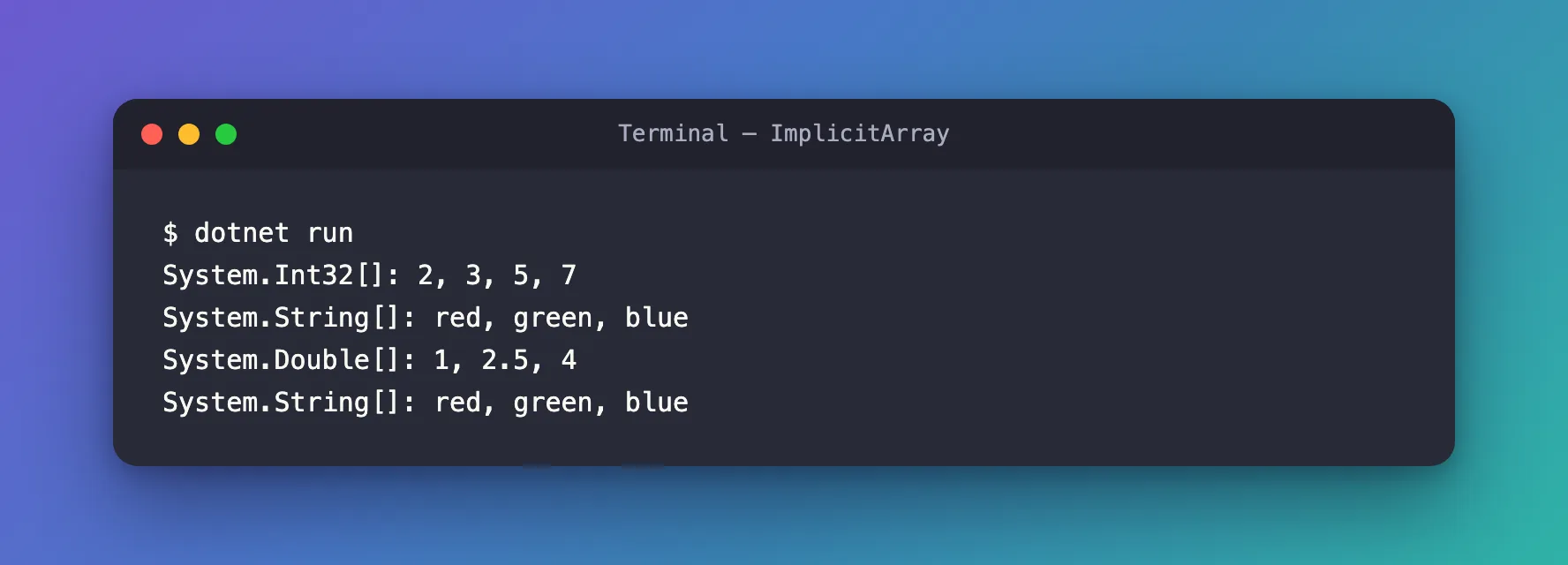
primes became an int[], which .NET prints as System.Int32[]. The integral types reference: The keyword and .NET type name are interchangeable. colors became a string[]. In sizes, 2.5 has a decimal point, and the built-in types guide says: Without a suffix, the compiler treats a number with a decimal point as double. So the common type was double, and 1 and 4 became doubles too. The last line shows that new string[] gave exactly the type that new[] gave colors.
The Complete File
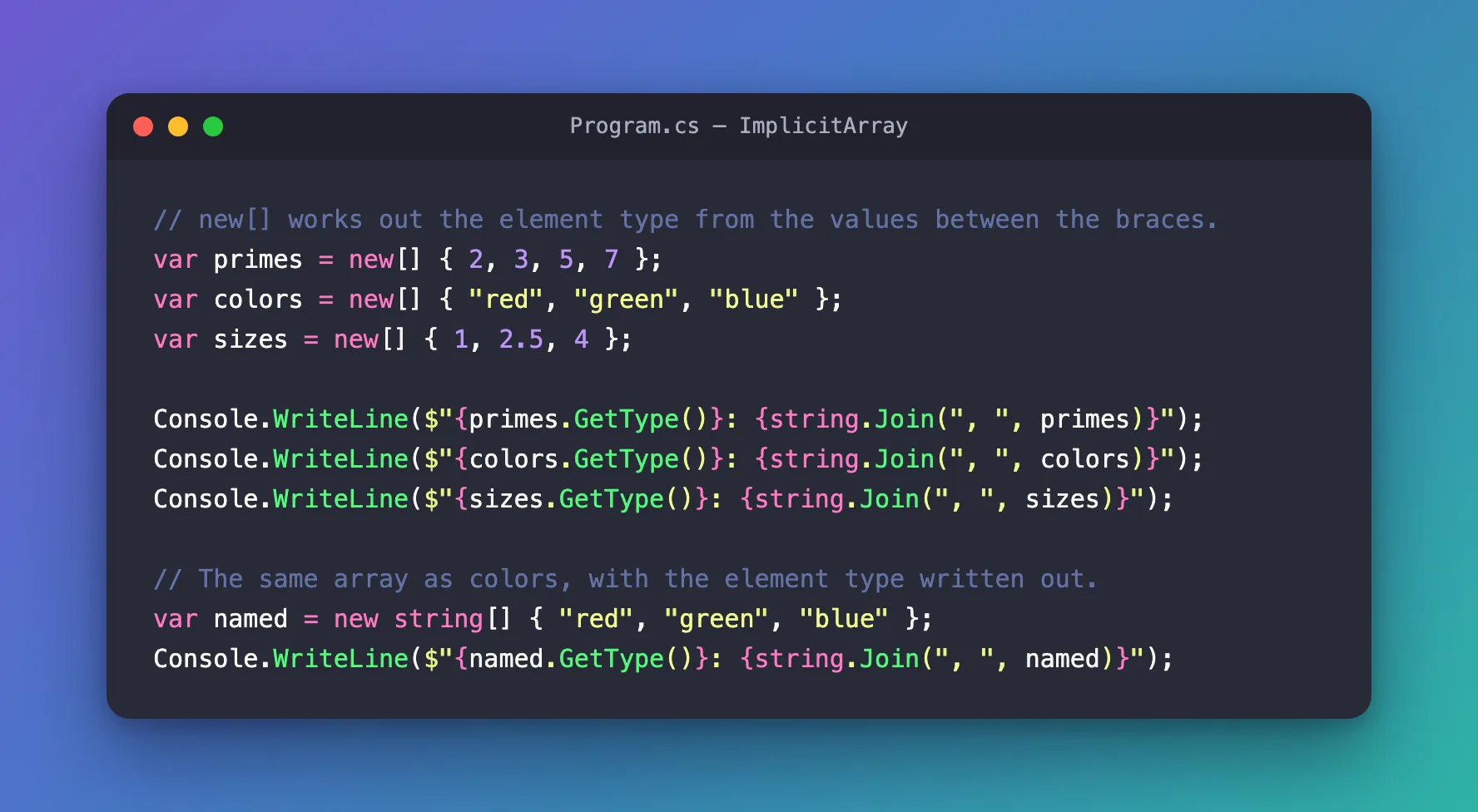
// new[] works out the element type from the values between the braces.
var primes = new[] { 2, 3, 5, 7 };
var colors = new[] { "red", "green", "blue" };
var sizes = new[] { 1, 2.5, 4 };

Console.WriteLine($"{primes.GetType()}: {string.Join(", ", primes)}");
Console.WriteLine($"{colors.GetType()}: {string.Join(", ", colors)}");
Console.WriteLine($"{sizes.GetType()}: {string.Join(", ", sizes)}");

// The same array as colors, with the element type written out.
var named = new string[] { "red", "green", "blue" };
Console.WriteLine($"{named.GetType()}: {string.Join(", ", named)}");
Common Mistakes
| Mistake | What happens | Do this instead |
|---|---|---|
Values with no type in common, such as new[] { 1, "two" } | error CS0826: No best type found for implicitly-typed array | Write a type that holds them all: new object[] { 1, "two" } built a System.Object[] |
Leaving out new[]: var primes = { 2, 3, 5, 7 }; | error CS0820: Cannot initialize an implicitly-typed variable with an array initializer | Add new[], or write the type instead of var: int[] primes = { 2, 3, 5, 7 }; built a System.Int32[] |
Values that are all null, or no values at all: new[] { null, null } and new[] { } | Both failed with error CS0826: No best type found for implicitly-typed array: there's no value to take a type from | Name the type. The errors guide: Give the array an explicit type. |
FAQ
Is the array still strongly typed?
Yes. The compiler fixes the element type when it builds the code: putting the string "two" into primes failed with error CS0029: Cannot implicitly convert type 'string' to 'int'.
Why not write a collection expression such as [2, 3, 5, 7]?
A collection expression takes its type from where it goes, and var gives it nothing to go by: var primes = [2, 3, 5, 7]; failed with error CS9176: There is no target type for the collection expression. The same error came from foreach (string color in ["red", "green", "blue"]), while the same loop over new[] { "red", "green", "blue" } printed the three colors. The errors guide: Provide an explicit target type for collection expressions when the compiler can't infer it. With a written type, int[] primes = [2, 3, 5, 7]; built a System.Int32[].
Can some of the values be null?
Yes, when the other values give the type: new[] { "Asha", null, "Ravi" } built a System.String[] of 3 items, like the reference's own example, new[] { "hello", null, "world" }.
Conclusion
new[] creates an array and lets the compiler pick the element type from the values: int[] for whole numbers, string[] for words and double[] when a number with a decimal point joins whole numbers. When the values share no type, or there are none, write the type yourself, and use new[] where a collection expression has no type to go by, such as with var or in a foreach.
Additional Resources
- Arrays: implicitly typed arrays — the C# reference.
- Errors in array declarations — CS0826, CS0820 and how to fix them.
