How to Create an Array or a List with a Collection Expression in C#

Square brackets create a collection in C#: [90, 75, 82] becomes an array, a List or another collection type, depending on the variable you assign it to. [] is an empty collection, and .. copies another collection's elements in.
Syntax
<CollectionType> <name> = [<element>, <element>, ...];
<CollectionType> <name> = [];
<CollectionType> <name> = [.. <otherCollection>, <element>];
| Part | What it does |
|---|---|
<CollectionType> | The type the brackets become, such as int[], List<string> or HashSet<int>. |
[<element>, ...] | The elements, separated by commas. |
[] | An empty collection of that type. |
.. <otherCollection> | A spread element: puts every element of another collection in at that point. |
Microsoft's collection expressions reference: "A collection expression is a terse syntax that you can assign to many different collection types. A collection expression contains a sequence of elements between [ and ] brackets." On the spread element: "Use a spread element .. to inline collection values in a collection expression."
The Example
The example makes an array of three scores, a list of three fruits and an empty array. It then builds a fourth array from the scores plus one more score, and prints how many items each one holds.
Prerequisites
- The .NET 10 SDK or newer, which runs a single
.csfile withdotnet run. This guide uses .NET SDK 10.0.404.
Step 1: Write the Code
Create a file named main.cs in an empty folder:
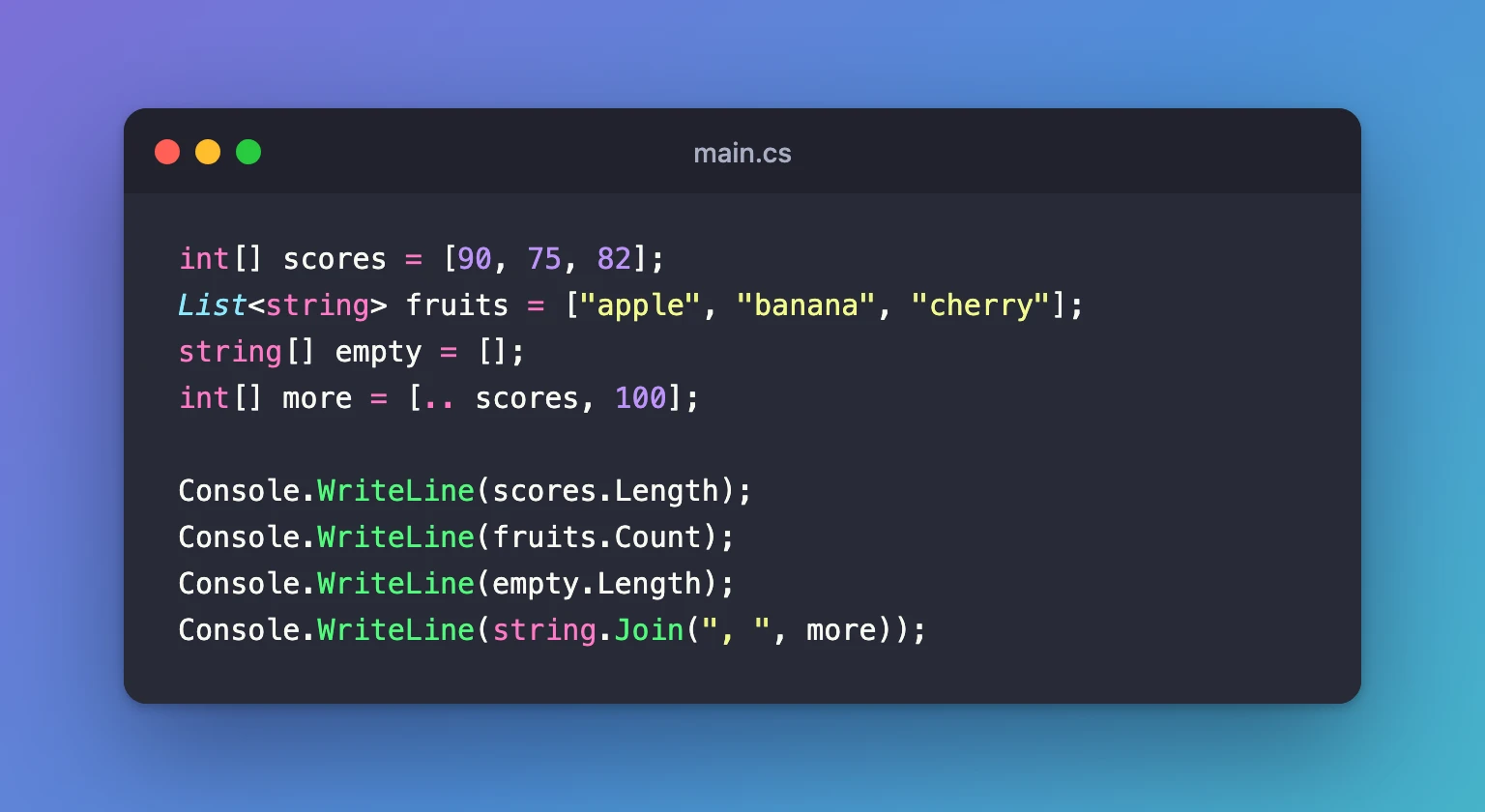
int[] scores = [90, 75, 82];
List<string> fruits = ["apple", "banana", "cherry"];
string[] empty = [];
int[] more = [.. scores, 100];

Console.WriteLine(scores.Length);
Console.WriteLine(fruits.Count);
Console.WriteLine(empty.Length);
Console.WriteLine(string.Join(", ", more));
The same brackets build three different things, because each variable's type tells C# what to create: an int[], a List<string> and an empty string[]. [.. scores, 100] copies the three scores into a new array and adds 100 after them.
Step 2: Run It
dotnet run main.cs
3
3
0
90, 75, 82, 100
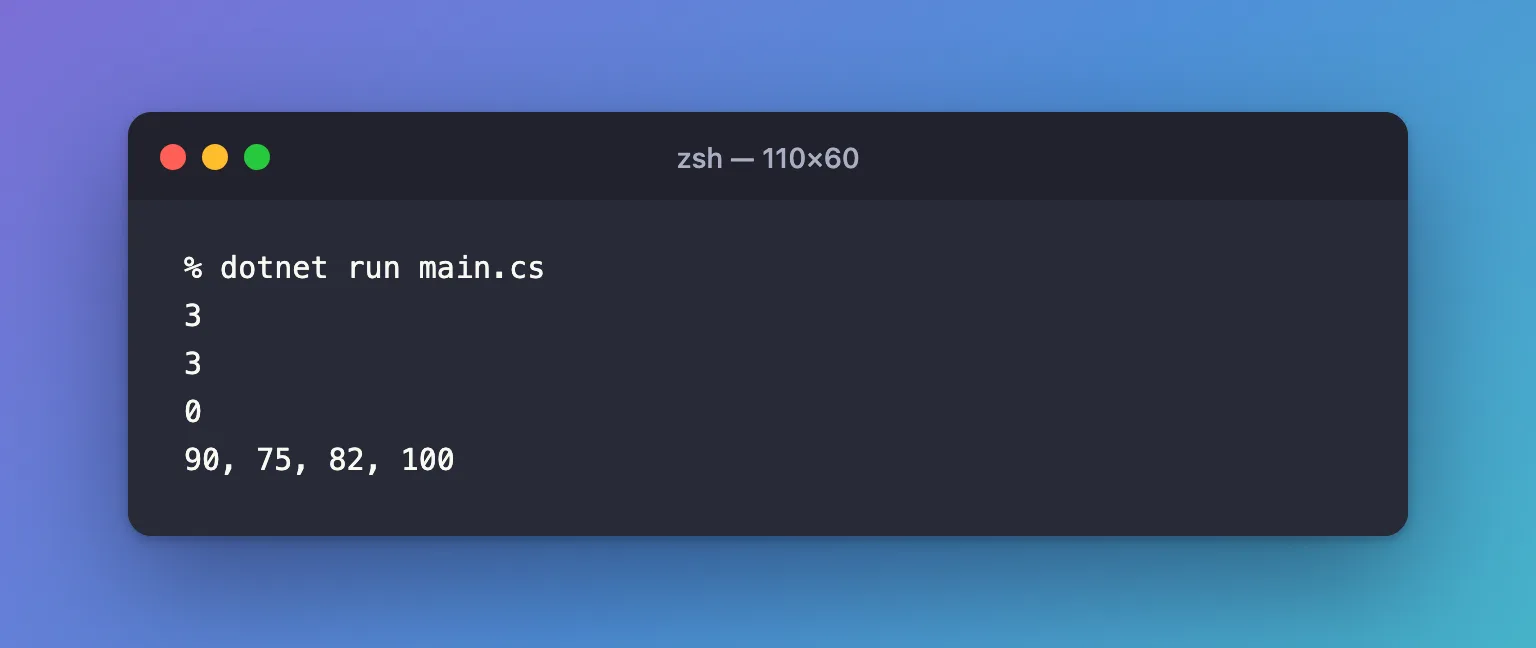
Three scores, three fruits, an empty array and the combined array with four scores. scores itself still has three: the spread copied its elements without changing it. The command is the same in zsh, bash and PowerShell.
Why var Doesn't Work
A collection expression has no type of its own; it takes the type of whatever it's assigned to. With var, there's nothing to take it from:
var numbers = [1, 2, 3];
Console.WriteLine(numbers.Length);
/Users/you/demo/main.cs(1,15): error CS9176: There is no target type for the collection expression.

The build failed. Fix the build errors and run again.
Name the type instead: int[] numbers = [1, 2, 3];.
Common Mistakes
| Mistake | What happens | Do this instead |
|---|---|---|
Declaring the variable with var | error CS9176: There is no target type for the collection expression. | Write the type, such as int[] or List<int> |
Using brackets for a const or a parameter's default value | Not allowed: these need a compile-time constant, and a collection expression isn't one | Use a static readonly field for a fixed collection |
Expecting [.. a, 1] to change a | It doesn't: the spread copies a's elements into a new collection | Assign the result to a variable and use that |
Troubleshooting
| Symptom | Likely cause | Fix |
|---|---|---|
CS9176 on a line with square brackets | var, or another place with no type to convert to | Give the variable an explicit collection type |
| A build error on one element | The element's type doesn't match the collection's element type | Convert the element, or change the collection type |
FAQ
Can I spread a List into an array?
Yes. The reference says the expression in a spread element "must be enumerable by using a foreach statement", so a List<T>, an array or any other collection you can loop over works, as long as its elements convert to the new collection's element type.
Can I still create an array the older way?
Yes. new int[] { 1, 2, 3 } and collection initializers still work. A collection expression is the shorter way to write the same collection, and the same brackets work for arrays, lists and other collection types.
Conclusion
Write the type on the left and the elements in square brackets on the right: int[] scores = [90, 75, 82];. [] makes an empty collection, and .. copies another collection in. Don't use var, because the brackets need a type to become.
Additional Resources
- Collection expressions, on Microsoft Learn.
