How to Create a Workspace in Power BI

A Power BI workspace is a shared place for semantic models and reports. My workspace is only yours; a new workspace is where you build something other people will use. Here's how to create one in the Power BI service.
Microsoft's Create a workspace in Power BI describes a workspace as a collection of dashboards, reports, semantic models and more, which you create and manage in the browser at app.powerbi.com, not in Power BI Desktop. The example creates a workspace called How-to Examples.
Prerequisites
- A Power BI Pro or Premium Per User license, or a Power BI trial. Microsoft's article says a free license can't create workspaces beyond My workspace.
Step 1: Select New Workspace
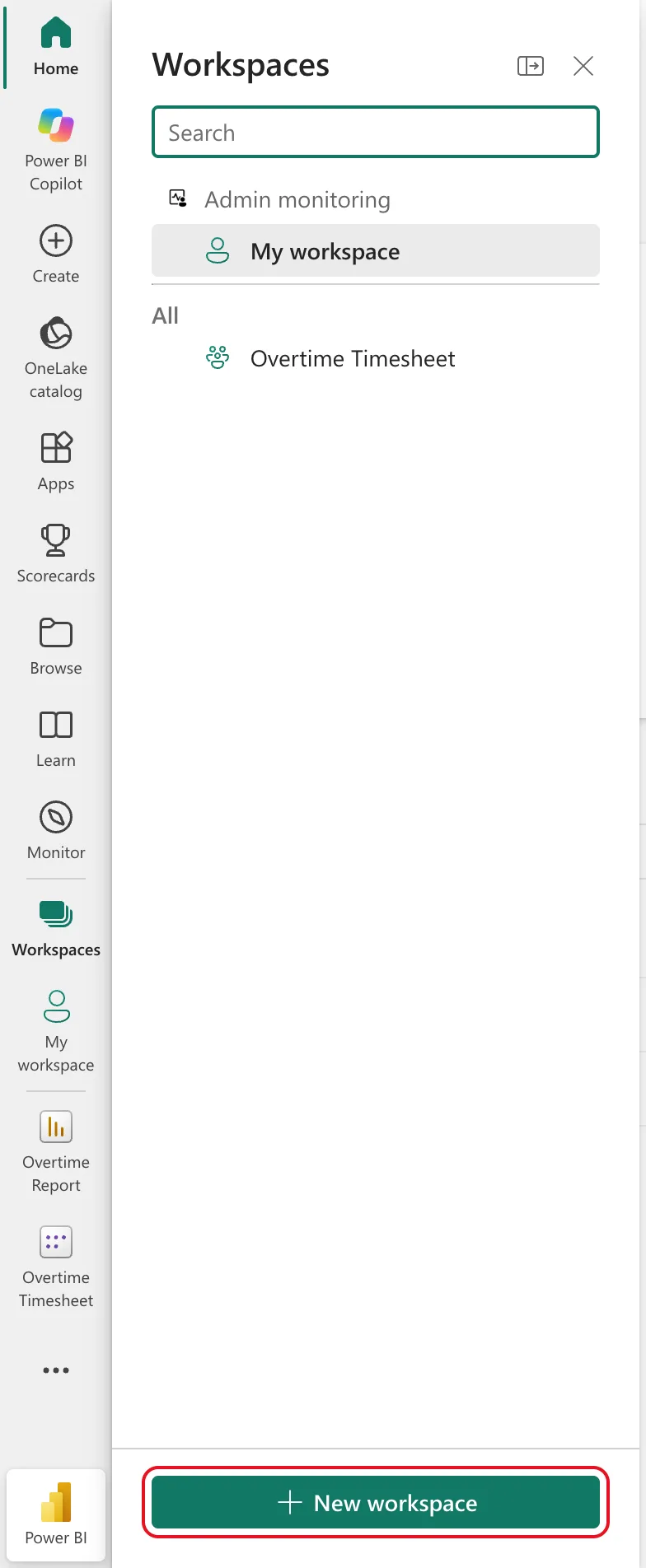
Sign in at app.powerbi.com and select Workspaces in the left pane. The flyout lists My workspace and the workspaces you already have. At its foot, select New workspace:
Step 2: Name It
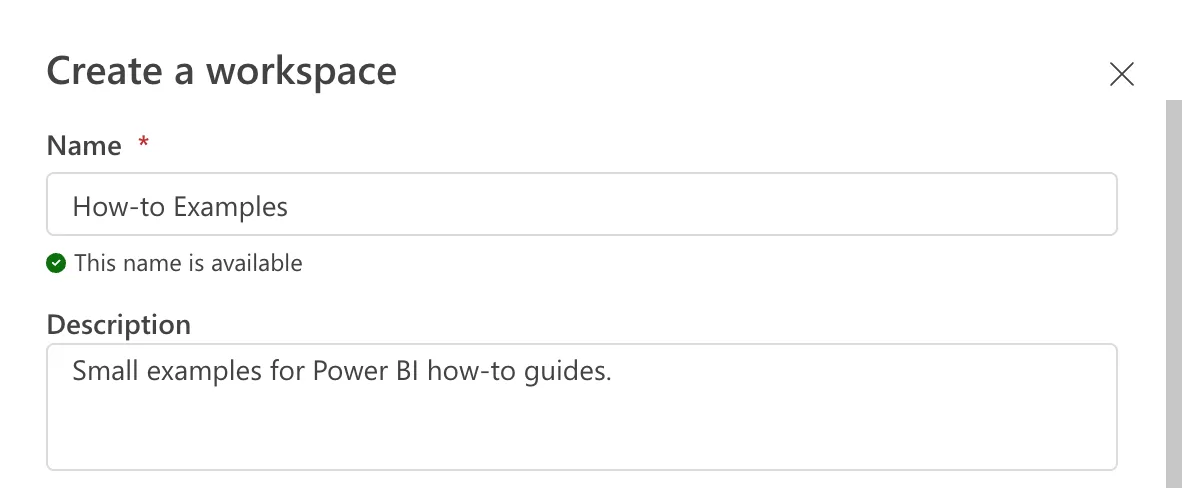
A Create a workspace panel opens on the right. Type a Name: Power BI checks it as you type and shows This name is available when no other workspace has it. The Description is optional, and it shows under the name at the top of the workspace, so say what the workspace is for:
Step 3: Check the Workspace Type
Scroll down the panel to Workspace type. In the example, Power BI Pro was already selected, under Power BI only workspace types:
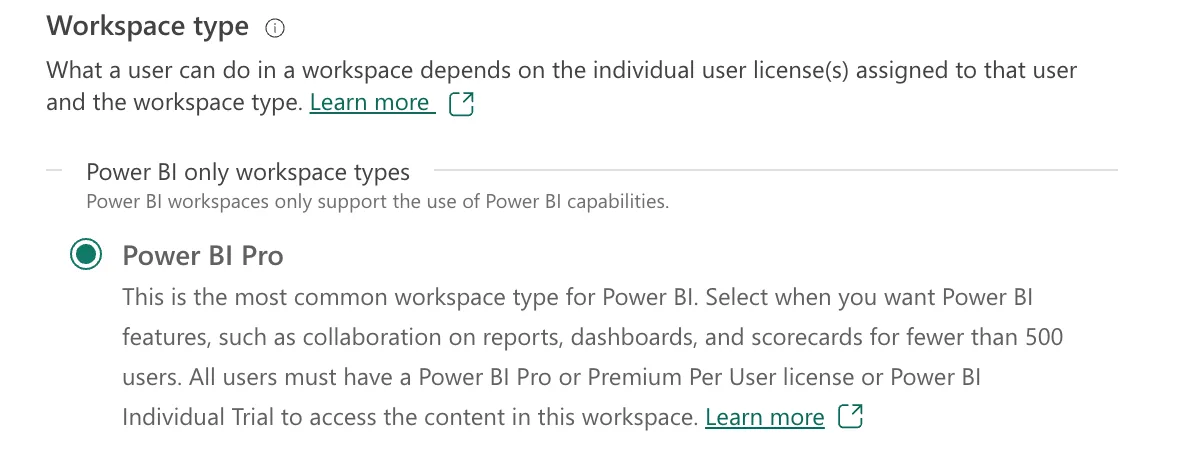
The type decides who can open what's inside. The panel's own text says it: with Power BI Pro, all users must have a Power BI Pro or Premium Per User license or Power BI Individual Trial to access the content in this workspace. Microsoft's Fabric licensing article lists the other types, such as Premium Per User and the Fabric capacities, which need their own licenses or capacity.
Step 4: Apply
Select Apply at the bottom of the panel. Power BI creates the workspace and opens it, with its name and description at the top and New item ready for its first item:

You're the workspace's Admin. To let other people in, use Manage access (How to Give Someone Viewer Access to a Power BI Workspace).
Common Mistakes
| Mistake | What happens | Do this instead |
|---|---|---|
| Building shared reports in My workspace | Only you can use My workspace | Create a workspace for anything other people will use |
| Leaving the description empty | People can't tell what the workspace is for | One sentence about its purpose |
| Not checking the workspace type | People without the right license can't open the content | Choose the type that matches your viewers' licenses |
Troubleshooting
| Symptom | Likely cause | Fix |
|---|---|---|
| No New workspace button | A free license, or your admin limits who can create workspaces | Check your license; ask your Power BI admin |
| This name is available doesn't appear | Another workspace has the name | Choose another name |
| A viewer can't open the workspace's reports | They don't have the license the workspace type needs | Give them a Pro or Premium Per User license |
FAQ
Can I rename the workspace later?
Yes. Microsoft's Rename items in the Power BI service says anyone with Admin permissions can rename it from Workspace settings.
What's the difference between Power BI Pro and Premium Per User workspaces?
Microsoft's Fabric licensing article says a Premium Per User workspace adds most Premium features, such as 48 data refreshes a day and semantic models larger than 1 GB, and that opening one needs a Premium Per User license or a Power BI individual trial.
Do I need a new workspace for every report?
No. A workspace holds many semantic models and reports; group them by who uses them.
Conclusion
Select Workspaces > New workspace, type a name and a description, check the workspace type, and select Apply. The example made How-to Examples, a Power BI Pro workspace.
Additional Resources
- Create a workspace in Power BI
- Roles in workspaces in Power BI
- Microsoft Fabric licenses: workspace types
