How to Create a Rust Project with cargo new

Cargo, Rust's build tool and package manager, creates new projects with one command. cargo new writes a ready-to-run program, the Cargo.toml that describes it and a Git repository around it, so the first cargo run already prints Hello, world!.
Syntax
cargo new <name> [--lib]
| Part | What it does |
|---|---|
cargo new | Creates a new Rust project in a new folder. |
<name> | The folder's name, which is also the package's name, such as hello-rust. |
--lib | Optional. Creates a library, with src/lib.rs, instead of a program with src/main.rs. |
The Example
The example creates a program named hello-rust and runs it unchanged, to see what Cargo gives you.
Prerequisites
- Rust, installed with rustup, which comes with Cargo. Check it with
cargo --version. This guide uses Cargo 1.100.0.
Step 1: Create the Project
cargo new hello-rust
    Creating binary (application) `hello-rust` package
note: see more `Cargo.toml` keys and their definitions at https://doc.rust-lang.org/cargo/reference/manifest.html
A "binary" package is a program you can run, as opposed to a library. The commands here are the same in zsh, bash and PowerShell.
Step 2: Look at What It Created
The hello-rust folder holds the program and its description, inside a new Git repository with a .gitignore that keeps build output out of it.
src/main.rs is the program:
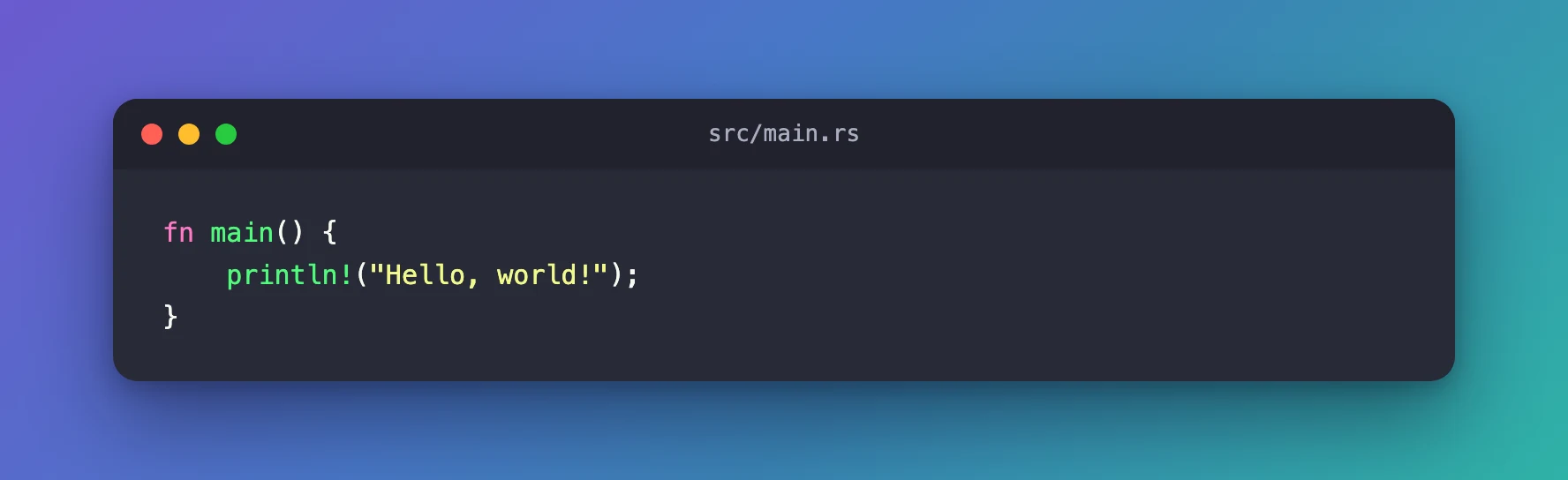
fn main() {
    println!("Hello, world!");
}
Cargo.toml describes the package:
[package]
name = "hello-rust"
version = "0.1.0"
edition = "2024"

[dependencies]
| Setting | What it means |
|---|---|
name | The package's name, taken from the folder. |
version | The package's own version. |
edition = "2024" | The edition of the Rust language the code is written in. 2024 is the newest. |
[dependencies] | The crates the project uses. cargo add fills it in. |
Step 3: Run It
cd hello-rust
cargo run
   Compiling hello-rust v0.1.0 (/Users/Shared/you/hello-rust)
    Finished `dev` profile [unoptimized + debuginfo] target(s) in 0.91s
     Running `target/debug/hello-rust`
Hello, world!
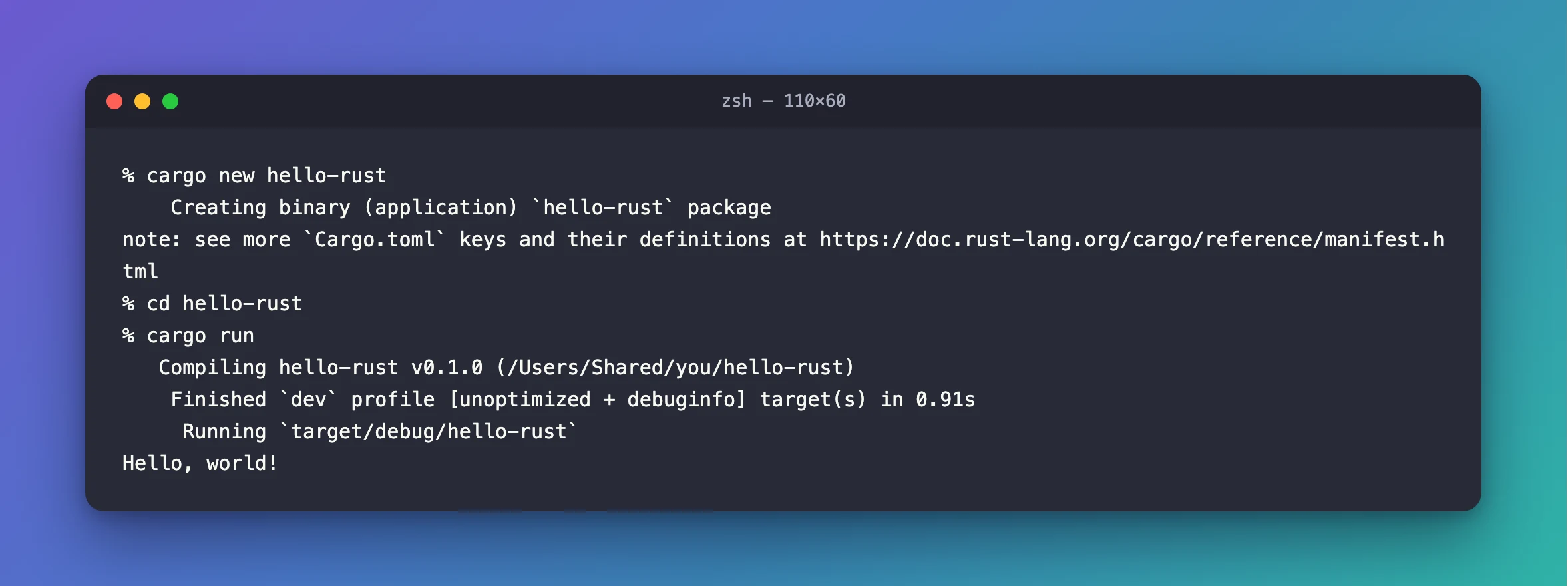
cargo run compiled the program into target/debug/hello-rust and ran it. How to Run a Rust Program with cargo run explains its output and options.
Common Mistakes
| Mistake | What happens | Do this instead |
|---|---|---|
Running cargo new in a folder that should be the project | Cargo creates a new folder inside it | Use cargo init to make the current folder a project |
| Giving a name that already exists as a folder | Cargo refuses to overwrite it | Pick a new name, or use cargo init inside that folder |
Running cargo run from the parent folder | Cargo can't find a Cargo.toml | cd into the project first |
Troubleshooting
| Symptom | Likely cause | Fix |
|---|---|---|
error: destination `…/hello-rust` already exists | A folder with that name is there | Choose another name, or cargo init inside it |
error: could not find `Cargo.toml` in `…` or any parent directory | You're not inside the project | cd hello-rust |
FAQ
Can I create the project without a Git repository?
Yes: cargo new hello-rust --vcs none. Cargo also skips Git when the new folder is inside an existing repository.
What's the difference between cargo new and cargo init?
cargo new <name> creates a new folder. cargo init turns the folder you're already in into a project.
Conclusion
cargo new <name> creates a Rust program with src/main.rs, a Cargo.toml for the 2024 edition and a Git repository, and cargo run inside it builds and runs it.
Additional Resources
- cargo new, in the Cargo Book.
- The manifest format, every key
Cargo.tomlcan hold.
