How to Create a Report from a Semantic Model in Power BI

A semantic model holds the data, relationships and measures; a report shows them. Once a model is ready, you can start a report on it straight from the browser. Here's how.
Microsoft's Edit semantic models in the Power BI service says the New report button in the model editor's ribbon opens a new browser tab to the report editing canvas to a new report that is built on the semantic model. The example starts a report on Expenses, a model of expense claims with measures for the total, the count and the people (How to Create a Measure in Power BI in the Browser).
Step 1: Select New Report
Open the model and select New report in the Explore group of the Home tab:

Step 2: Start Building
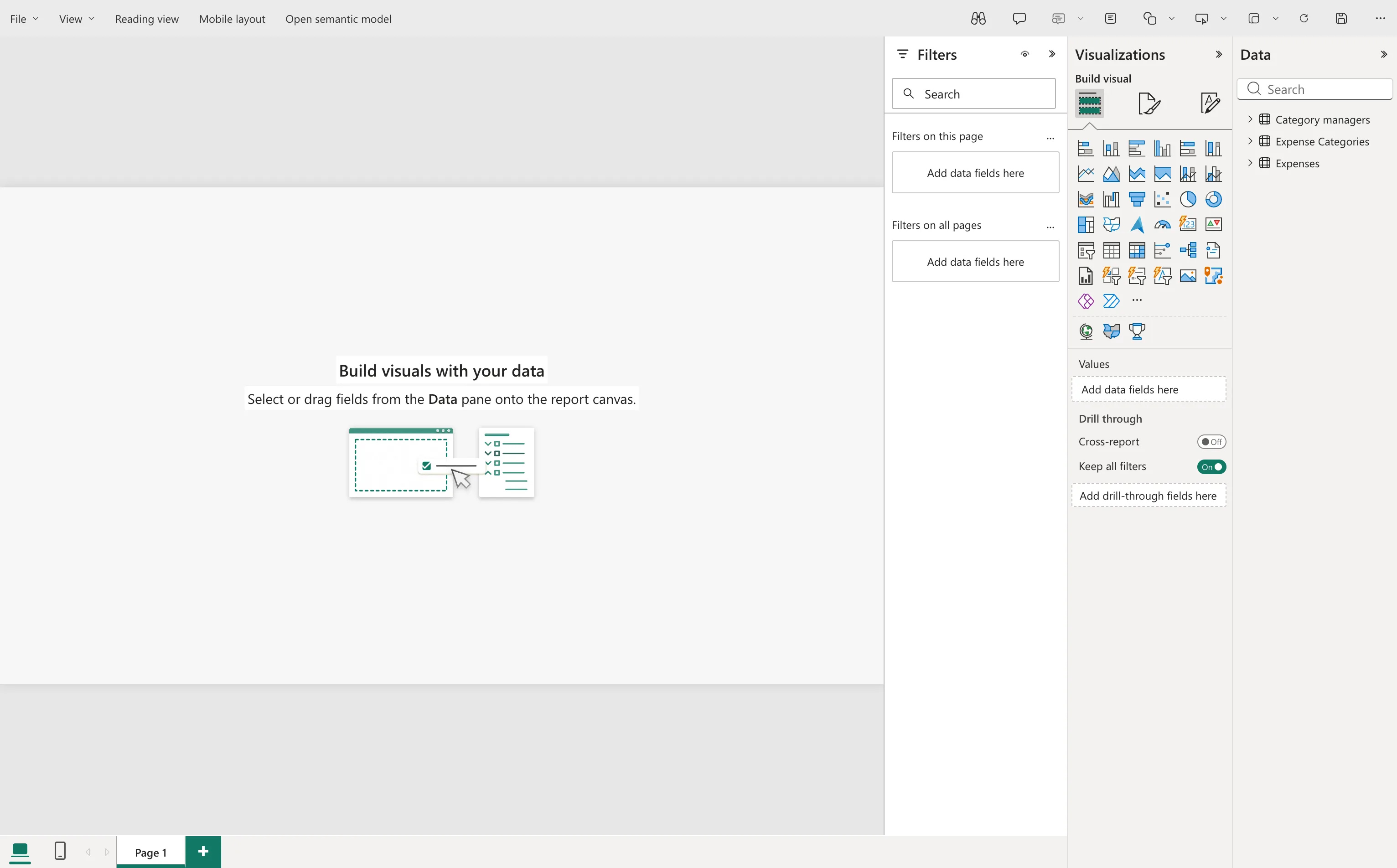
A new tab opens with a blank page: Build visuals with your data. On the right are three panes:
- Filters: filters for the page or for all pages.
- Visualizations: the visual types, and the field wells of the selected visual.
- Data: the model's tables, here Category managers, Expense Categories and Expenses.
Add the first visual, such as a card (How to Add a Card to a Power BI Report). The report isn't saved until you save it (How to Save a Report in Power BI in the Browser).
Common Mistakes
| Mistake | What happens | Do this instead |
|---|---|---|
| Closing the tab before saving | The report is lost | Save it first |
| Building the model's measures in the report | Other reports don't get them | Create measures in the model |
| Expecting the report's changes in the model | A report doesn't change its model | Change the model in the model editor |
Troubleshooting
| Symptom | Likely cause | Fix |
|---|---|---|
| Nothing happens on New report | The browser blocked the new tab | Allow pop-ups for app.powerbi.com |
| A table is missing from Data | It's hidden in the model | Unhide it in the model |
FAQ
Is there another way to start a report?
Yes: in the workspace, the model's More options (...) menu has Create report.
Where is the report saved?
When you save it, Power BI asks for a name, and saves it to a workspace. The article says you're asked to choose a workspace if you have write permission.
Conclusion
In the model editor, select New report. A blank report opens in a new tab, with the model's tables in the Data pane, ready for its first visual.
