How to Create a New Excel Workbook in OneDrive

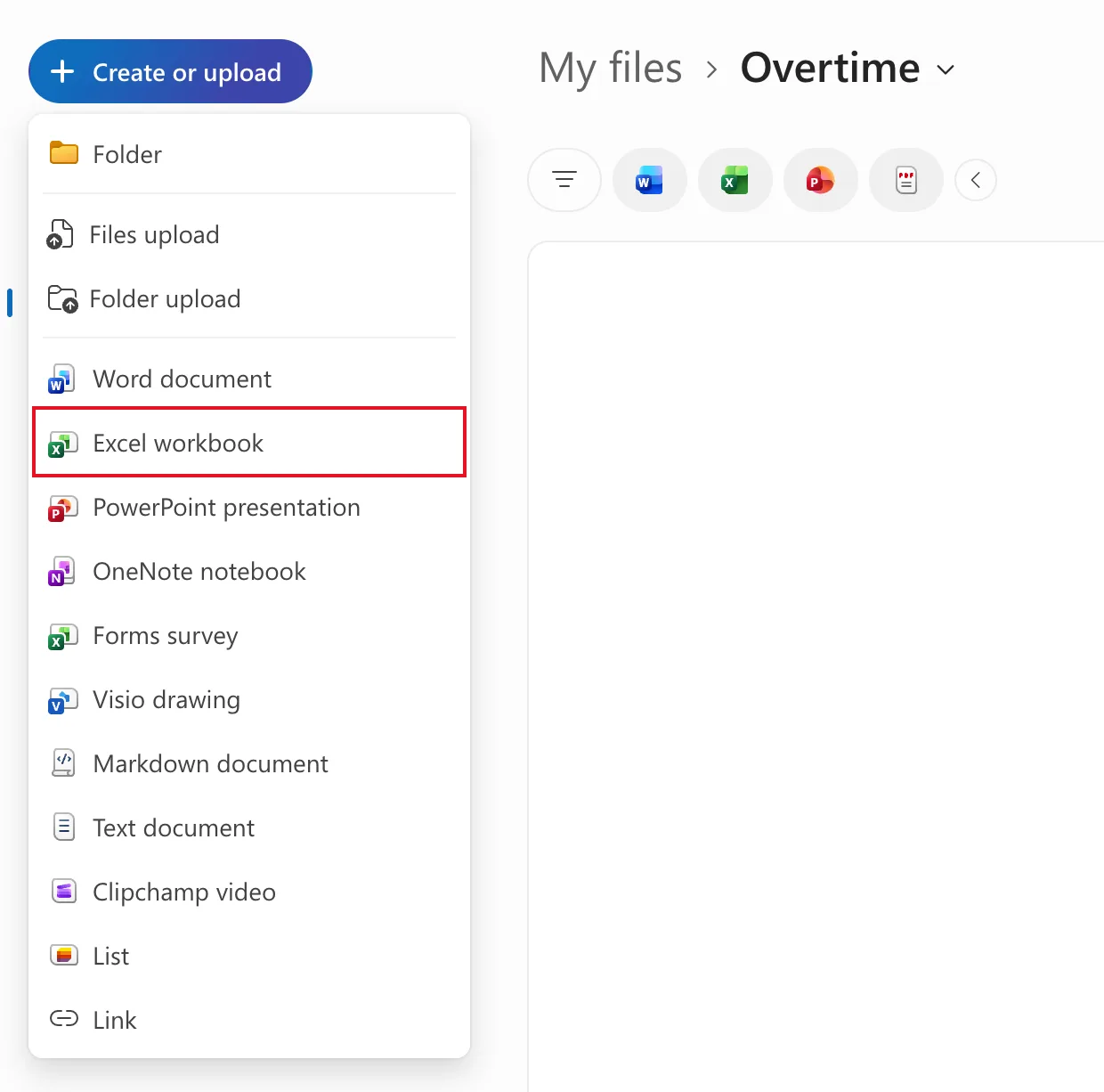
You don't need the Excel app to start a workbook. From any folder in OneDrive, Create or upload → Excel workbook opens a blank workbook in Excel for the web, and it's saved in that folder from the first moment.
This is how the old overtime timesheet in Part 1 of the Overtime Timesheet series began.
Prerequisites
- A Microsoft 365 work or school account with OneDrive and Excel for the web.
- A folder to keep the workbook in. How to Create a Folder in OneDrive makes one.
Step 1: Open the Folder
In OneDrive, open the folder the workbook belongs in, here My files › Overtime. The new workbook is saved wherever you are when you create it.
Step 2: Create the Workbook
Select Create or upload, then Excel workbook:
Step 3: Start Working
Excel for the web opens the new workbook in a new browser tab. It's called Book until you rename it:

There's no Save to press. Excel for the web saves as you work, and the cloud icon next to the name shows when everything is saved. Give the workbook a proper name next: How to Rename an Excel Workbook in Excel for the Web.
Common Mistakes
| Mistake | What happens | Do this instead |
|---|---|---|
| Creating it from the wrong folder | It's saved there | Open the right folder first |
| Leaving the name as Book | Every new workbook looks the same in the file list | Rename it straight away |
Troubleshooting
| Symptom | Likely cause | Fix |
|---|---|---|
| Nothing seems to open | The workbook opened in a new tab | Look for the new browser tab |
| You can't find the workbook later | It's in the folder you were in when you created it | Search OneDrive for its name |
FAQ
Does it cost anything?
Excel for the web comes with Microsoft 365 work and school plans that include OneDrive.
Can I open it in the Excel app later?
Yes. It's an ordinary .xlsx file in OneDrive.
Conclusion
Open the folder, Create or upload → Excel workbook, and Excel for the web opens a new workbook that's already saved there.
