How to Create a MySQL Account with Only the Rights an App Needs

Your app reads and changes rows. It doesn't need to drop tables, and if it can't, then neither can a bug in it or an injected query. Here's an account with exactly those four rights, on one database.
What You Need
MySQL 9.7, and an administrator's session, such as root. The app here is called report_app, and its database is inventory.
Step 1: Create the Account
CREATE USER 'report_app'@'%' IDENTIFIED BY 'first-demo-password';
SHOW GRANTS FOR 'report_app'@'%';
Query OK, 0 rows affected (0.010 sec)

+----------------------------------------+
| Grants for report_app@%                |
+----------------------------------------+
| GRANT USAGE ON *.* TO `report_app`@`%` |
+----------------------------------------+
1 row in set (0.000 sec)
'report_app'@'%'is the name, and where it may connect from.%means anywhere. To narrow that, see How to Restrict a MySQL Account to One Host or Network.- The password here is a placeholder. Use one from How to Generate a Strong Random Password in the Terminal.
USAGE means no rights yet.
Step 2: Give It Four Rights
GRANT SELECT, INSERT, UPDATE, DELETE ON inventory.* TO 'report_app'@'%';
SHOW GRANTS FOR 'report_app'@'%';
Query OK, 0 rows affected (0.001 sec)

+---------------------------------------------------------------------------+
| Grants for report_app@%                                                   |
+---------------------------------------------------------------------------+
| GRANT USAGE ON *.* TO `report_app`@`%`                                    |
| GRANT SELECT, INSERT, UPDATE, DELETE ON `inventory`.* TO `report_app`@`%` |
+---------------------------------------------------------------------------+
2 rows in set (0.000 sec)
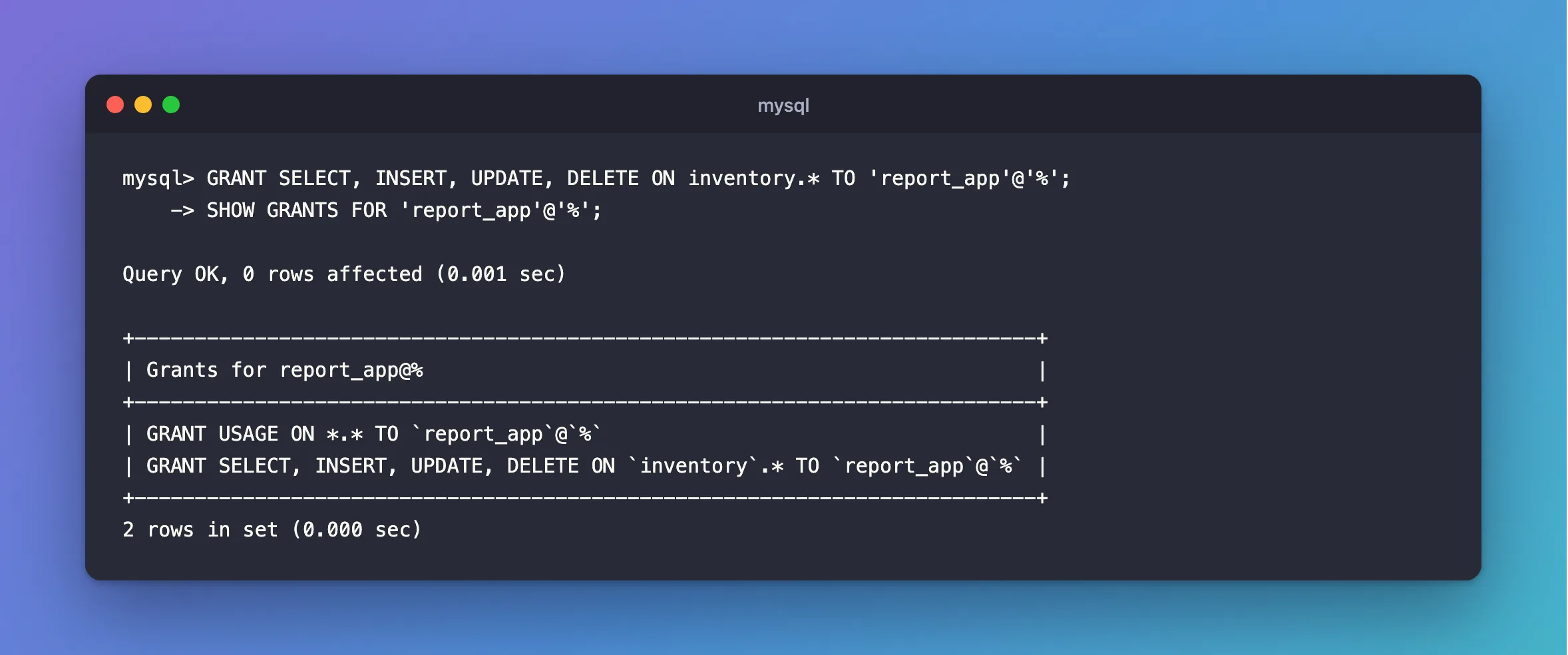
inventory.* means every table in that one database, including tables added later. There's no *.*, so no other database is involved.
Step 3: Test What It Refuses
Sign in as an account with these rights, and try the damage. Mine's called inventory_app:
DROP TABLE products;
TRUNCATE TABLE products;
CREATE TABLE test_table (id INT);
ALTER TABLE products ADD COLUMN test_column INT;
SELECT COUNT(*) FROM mysql.user;
ERROR 1142 (42000): DROP command denied to user 'inventory_app'@'localhost' for table 'products'
ERROR 1142 (42000): DROP command denied to user 'inventory_app'@'localhost' for table 'products'
ERROR 1142 (42000): CREATE command denied to user 'inventory_app'@'localhost' for table 'test_table'
ERROR 1142 (42000): ALTER command denied to user 'inventory_app'@'localhost' for table 'products'
ERROR 1142 (42000): SELECT command denied to user 'inventory_app'@'localhost' for table 'user'
Step 4: Test What It Needs
Refusing things is half of it. Run your app, and use every feature it has. I sent a request to every endpoint of a .NET API, including transactions and SELECT ... FOR UPDATE, and these four rights covered all of them.
Some apps need more:
| If your app… | It also needs |
|---|---|
| Calls stored procedures | EXECUTE |
| Creates temporary tables | CREATE TEMPORARY TABLES |
Uses LOCK TABLES | LOCK TABLES |
| Applies its own migrations at startup | Move them out: How to Create a MySQL Account for Running Migrations |
Add a right when something is refused, and not before.
Common Mistakes
| Mistake | What happens | Do this instead |
|---|---|---|
Using root in the app | A bug can do anything, to any database | Use an account of its own |
GRANT ALL ON inventory.* | The app can drop every table | Name the rights |
ON *.* | It covers every database, including mysql | Name the database |
| Sharing an account between apps | You can't tell them apart, or limit one | One account per app |
Troubleshooting
| Symptom | Likely cause | Fix |
|---|---|---|
ERROR 1142 … command denied | That's the account doing its job, or a right you do need | The fix |
ERROR 1819 from CREATE USER | The server has a password policy | The fix |
dotnet ef fails with CREATE command denied | Migrations need their own account | The fix |
Conclusion
CREATE USER, then GRANT SELECT, INSERT, UPDATE, DELETE ON yourdb.*. Test what it refuses and what it needs, and add a right only when something real asks for it.
Additional Resources
- CREATE USER Statement — every option.
- GRANT Statement — the levels.
- Privileges Provided by MySQL — what each right allows.
