How to Create a Maven Project with a pom.xml

Maven builds Java projects from one file, pom.xml, that says what the project is and what it needs. You don't need a generator to start one: a dozen lines of XML and one Java file in the right folder make a project that mvn compile builds.
Syntax
<project xmlns="http://maven.apache.org/POM/4.0.0">
  <modelVersion>4.0.0</modelVersion>
  <groupId><group></groupId>
  <artifactId><name></artifactId>
  <version><version></version>
  <properties>
    <maven.compiler.release><java-version></maven.compiler.release>
  </properties>
</project>
| Part | What it does |
|---|---|
<modelVersion>4.0.0</modelVersion> | The version of the POM format. It's always 4.0.0 for Maven 3. |
<groupId> | Who the project belongs to, written like a reversed web address, such as com.example. |
<artifactId> | The project's name, such as hello-maven. |
<version> | The project's own version, such as 1.0.0. |
<maven.compiler.release> | The Java version to compile for, such as 25. |
The code goes in src/main/java, in folders that match its package: a class in package com.example; lives in src/main/java/com/example/. Then:
mvn compile
java -cp target/classes <package>.<Class>
mvn compile compiles everything in src/main/java into target/classes, and java -cp runs one class from there.
The Example
The example creates a project named hello-maven with one class, com.example.Hello, that prints a line, then compiles it and runs it.
Prerequisites
- A Java 25 JDK and Maven. Check them with
java --versionandmvn --version. This guide uses OpenJDK 25.0.5.1 and Maven 3.10.2.
Step 1: Create the Project Folder
mkdir hello-maven
cd hello-maven
These commands, like every command here, are the same in zsh, bash and PowerShell.
Step 2: Write the pom.xml
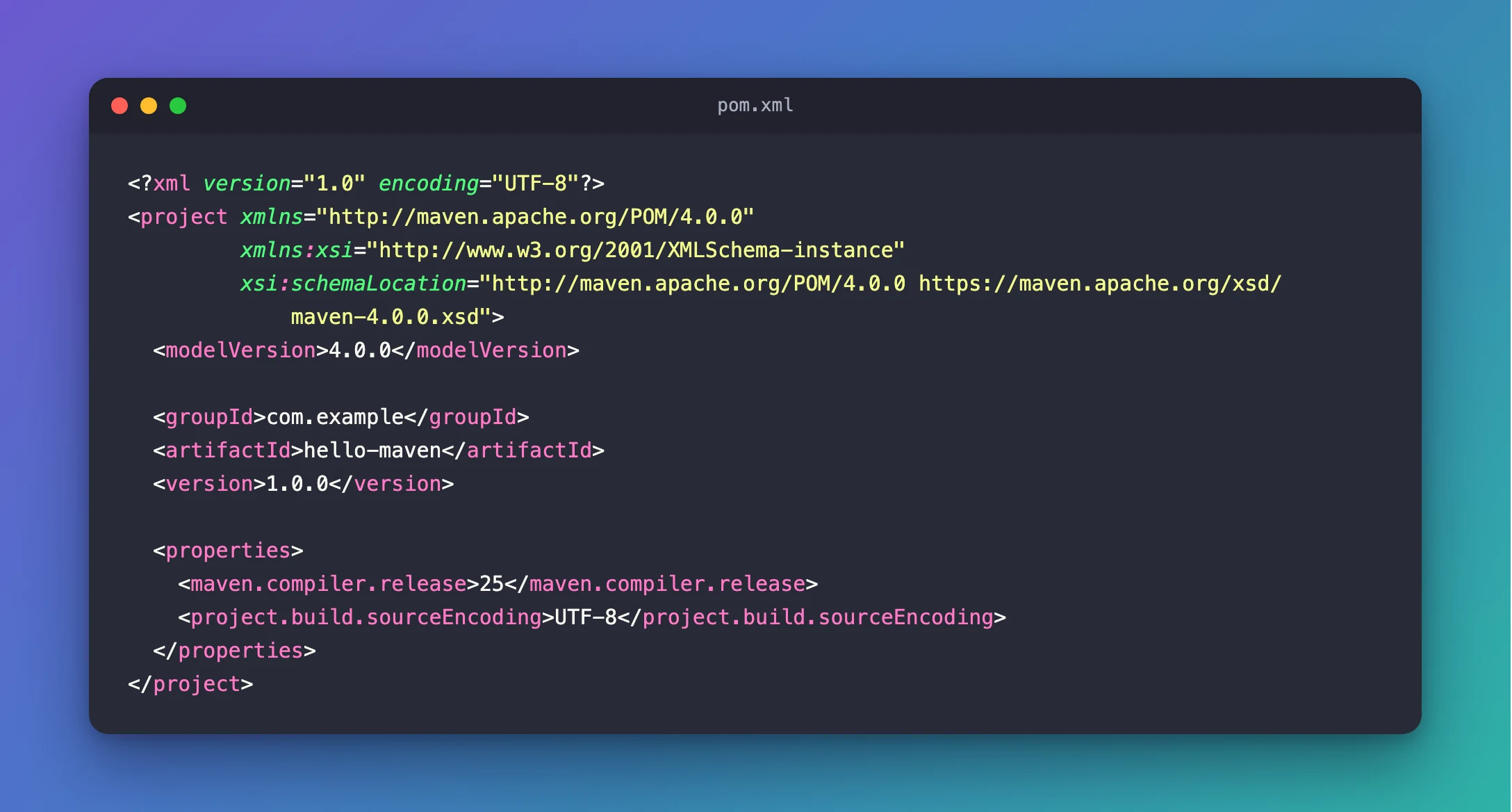
Create pom.xml in the folder:
<?xml version="1.0" encoding="UTF-8"?>
<project xmlns="http://maven.apache.org/POM/4.0.0"
         xmlns:xsi="http://www.w3.org/2001/XMLSchema-instance"
         xsi:schemaLocation="http://maven.apache.org/POM/4.0.0 https://maven.apache.org/xsd/maven-4.0.0.xsd">
  <modelVersion>4.0.0</modelVersion>

  <groupId>com.example</groupId>
  <artifactId>hello-maven</artifactId>
  <version>1.0.0</version>

  <properties>
    <maven.compiler.release>25</maven.compiler.release>
    <project.build.sourceEncoding>UTF-8</project.build.sourceEncoding>
  </properties>
</project>
The xmlns lines tell editors which schema the file follows, so they can check it and suggest tags. project.build.sourceEncoding tells Maven the source files are UTF-8, so the build doesn't depend on your computer's settings.
Step 3: Write the Java Class
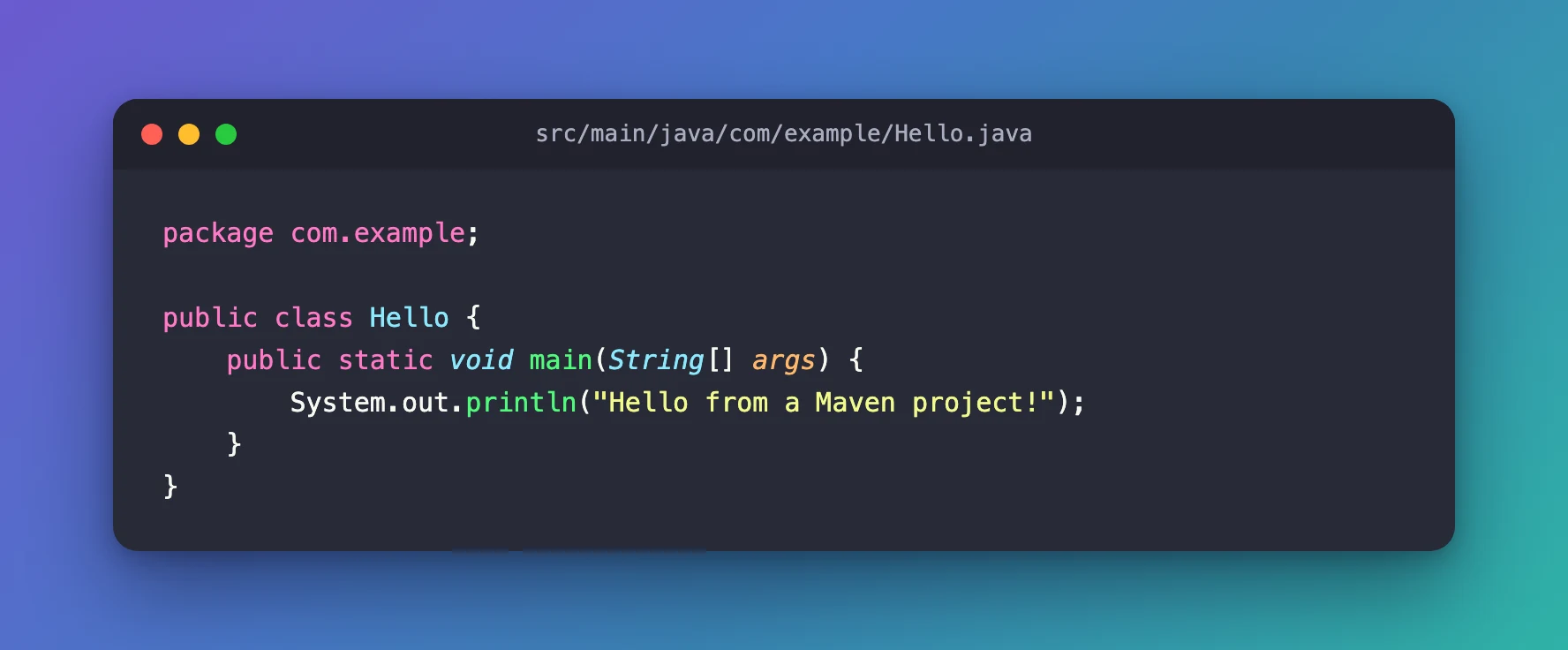
Create src/main/java/com/example/Hello.java. Most editors create the folders in the path for you:
package com.example;

public class Hello {
    public static void main(String[] args) {
        System.out.println("Hello from a Maven project!");
    }
}
Step 4: Compile It
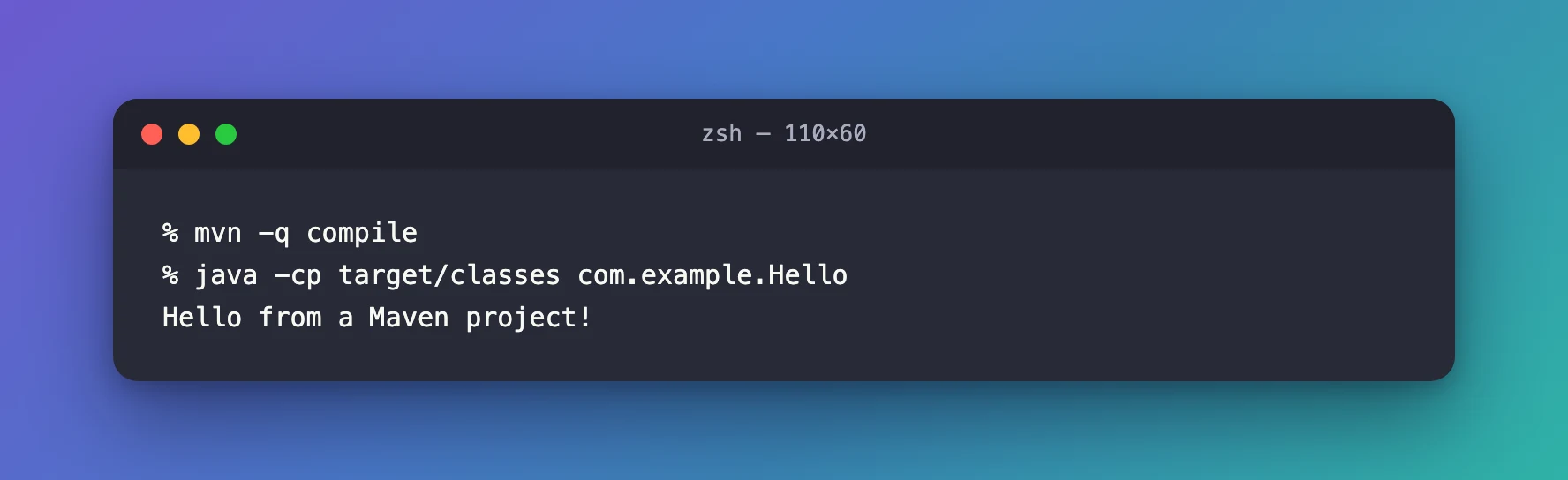
mvn -q compile
-q keeps Maven quiet unless something goes wrong, so a successful build prints nothing. The first build takes a few seconds longer, because Maven downloads the plugins it compiles with. The compiled class is now target/classes/com/example/Hello.class.
Step 5: Run It
java -cp target/classes com.example.Hello
Hello from a Maven project!
-cp target/classes tells Java where the compiled classes are, and com.example.Hello is the class to run, with its package. How to Run a Java Program with Maven (exec:java) runs it through Maven instead.
Common Mistakes
| Mistake | What happens | Do this instead |
|---|---|---|
Running java -cp target/classes Hello | java looks for a class named Hello with no package | Use the full name: com.example.Hello |
Running mvn outside the project folder | Maven can't find a pom.xml | cd into the folder that has it |
Troubleshooting
| Symptom | Likely cause | Fix |
|---|---|---|
The goal you specified requires a project to execute but there is no POM in this directory | You're not in the project's folder | cd hello-maven |
Error: Could not find or load main class com.example.Hello | The project wasn't compiled, or the class name doesn't match | Run mvn -q compile and check the package and folders |
FAQ
Why not use mvn archetype:generate?
It works, and it writes a project for you. Its quickstart template also adds a sample test and a few more settings. Writing pom.xml yourself shows what each part does, and you only get what you need.
Where do the downloaded plugins and libraries go?
To .m2/repository in your home folder. Maven reuses them for every project on your computer.
Conclusion
A Maven project is a pom.xml with a groupId, an artifactId, a version and the Java release, and code in src/main/java under folders that match its package. mvn compile builds it into target/classes, and java -cp target/classes <package>.<Class> runs it.
Additional Resources
- Introduction to the POM, including the minimal
pom.xml. - Standard directory layout, on
src/main/javaand the other folders. - Setting the --release of the Java compiler, on
maven.compiler.release.
