How to Create a JWT in Node.js with jose SignJWT

The jose library creates JSON Web Tokens in Node.js with its SignJWT class. You pass the claims, set the header and the registered claims with a chain of methods, and sign(key) returns the finished token.
Syntax
const token = await new SignJWT(<claims>)
  .setProtectedHeader({ alg: '<algorithm>' })
  .setSubject('<subject>')
  .setIssuedAt()
  .setExpirationTime('<time span>')
  .sign(<key>);
| Part | What it does |
|---|---|
new SignJWT(<claims>) | Starts a token with your own claims, as an object such as { role: 'reader' }. |
.setProtectedHeader({ alg: '<algorithm>' }) | Sets the header. alg names the signing algorithm, such as HS256. Required. |
.setSubject('<subject>') | Sets the sub claim: who the token is about. |
.setIssuedAt() | Sets the iat claim to the current time. |
.setExpirationTime('<time span>') | Sets the exp claim, here as a time span from now, such as '10m'. |
.sign(<key>) | Signs the token with the key and returns a Promise of the token string, so you await it. |
The jose documentation for SignJWT: "Produces JWTs in JWS Compact Serialization using a digital signature or MAC." setIssuedAt "Defaults to the current Unix timestamp in seconds", and a time span for setExpirationTime "should be a number followed by a unit, such as "5 minutes" or "1 day"."
The Example
The example creates a token for the user ada with the role reader, valid for 10 minutes and signed with HS256, and prints it.
The key is 32 random bytes, made with openssl rand -base64 32 and written as base64. It sits in the code only so the example runs as it is. A real application loads its key from configuration, such as an environment variable or a secret store, and never keeps it in the source.
Prerequisites
- Node.js. This guide uses Node.js 26.13.1. The example uses
Uint8Array.fromBase64, which Node.js 24 doesn't have.
Step 1: Create the Project
mkdir demo
cd demo
npm init -y
npm pkg set type=module
npm install jose
npm init -y writes a package.json with default values. npm pkg set type=module makes Node.js read .js files as ES modules, so the code can use import. npm install jose adds the library and prints:
added 1 package, and audited 2 packages in 2s

1 package is looking for funding
  run `npm fund` for details

found 0 vulnerabilities
Step 2: Write the Code
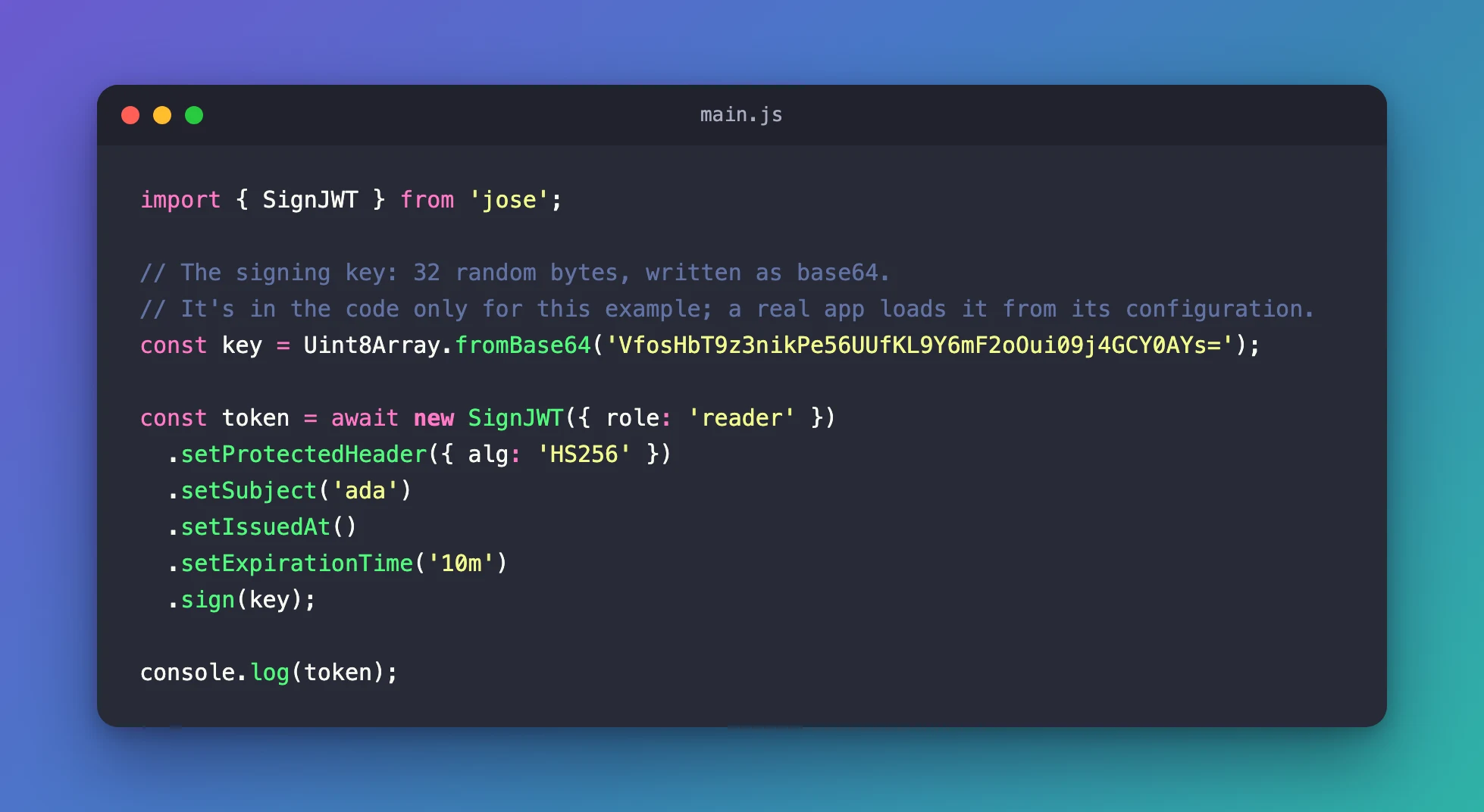
Create main.js:
import { SignJWT } from 'jose';

// The signing key: 32 random bytes, written as base64.
// It's in the code only for this example; a real app loads it from its configuration.
const key = Uint8Array.fromBase64('VfosHbT9z3nikPe56UUfKL9Y6mF2oOui09j4GCY0AYs=');

const token = await new SignJWT({ role: 'reader' })
  .setProtectedHeader({ alg: 'HS256' })
  .setSubject('ada')
  .setIssuedAt()
  .setExpirationTime('10m')
  .sign(key);

console.log(token);
Uint8Array.fromBase64 turns the base64 text back into the 32 key bytes, which is the form sign takes for an HMAC key. Each set… method returns the same SignJWT object, so the calls chain. await waits for sign to finish.
Step 3: Run It
node main.js
eyJhbGciOiJIUzI1NiJ9.eyJyb2xlIjoicmVhZGVyIiwic3ViIjoiYWRhIiwiaWF0IjoxNzk1NjgyNDQ3LCJleHAiOjE3OTU2ODMwNDd9.ZQsNEK4Z8mpheocFIHGs2x5uIRGlkydUsvtX1HIr-yI
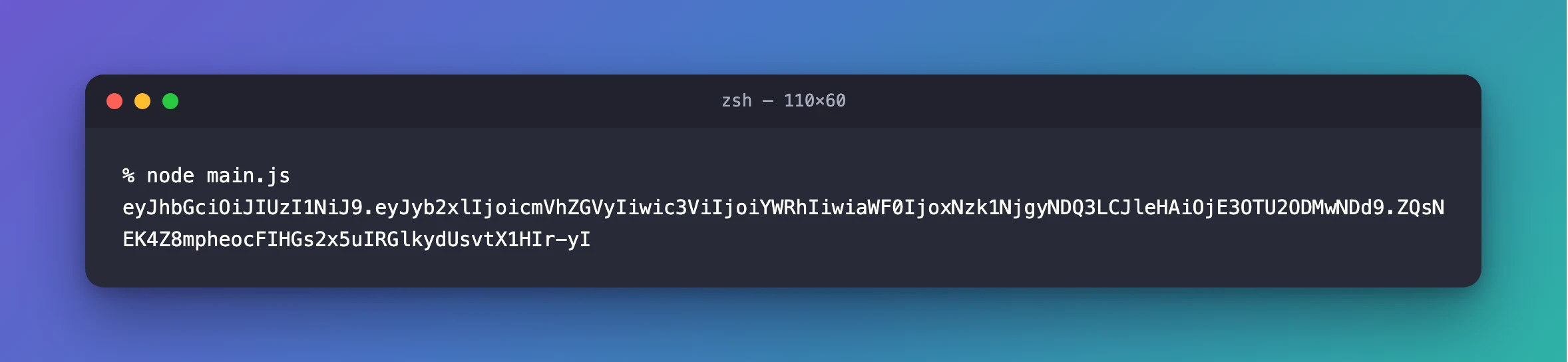
Your token will differ, because iat and exp hold the time you run it. The three parts, separated by dots, are the header, the payload and the signature. Decoded from base64url, the first two read:
{"alg":"HS256"}
{"role":"reader","sub":"ada","iat":1795682447,"exp":1795683047}
The header holds only what setProtectedHeader set: jose adds no typ. exp is exactly 600 seconds after iat: the '10m' time span.
Other Ways to Set the Expiry
setExpirationTime also takes a number of seconds since the Unix epoch, or a Date. With the same issued-at time, these gave the following distance between iat and exp:
| Argument | Seconds until expiry |
|---|---|
'2h' | 7200 |
'1 day' | 86400 |
now + 60, a Unix time in seconds | 60 |
new Date((now + 120) * 1000) | 120 |
Common Mistakes
| Mistake | What happens | Do this instead |
|---|---|---|
Forgetting setProtectedHeader | JWSInvalid: either setProtectedHeader or setUnprotectedHeader must be called before #sign() | Set the header with the algorithm |
Passing the secret as a string, sign('a-secret-string') | TypeError: Key for the HS256 algorithm must be one of type CryptoKey, KeyObject, JSON Web Key, or Uint8Array. | Pass the key bytes as a Uint8Array |
| A short key | jose signed with a 16-byte key without complaint, but RFC 7518 requires at least 256 bits for HS256 | Use 32 random bytes or more |
import in a project whose package.json says "type": "commonjs" | SyntaxError: Cannot use import statement outside a module | Run npm pkg set type=module |
Troubleshooting
| Symptom | Likely cause | Fix |
|---|---|---|
JWSInvalid: either setProtectedHeader … | No header was set | Add .setProtectedHeader({ alg: 'HS256' }) |
Key for the HS256 algorithm must be one of type … | The key is a string | Decode it to a Uint8Array |
TypeError: Uint8Array.fromBase64 is not a function | An older Node.js | Use Node.js 26 |
FAQ
How long should an HS256 key be?
At least 32 bytes. RFC 7518, section 3.2: "A key of the same size as the hash output (for instance, 256 bits for "HS256") or larger MUST be used with this algorithm."
Is the payload secret?
No. It's only base64url-encoded, so anyone with the token can read it. The signature stops changes; it doesn't hide anything. Keep secrets out of the claims.
Conclusion
new SignJWT(claims) with setProtectedHeader, setSubject, setIssuedAt and setExpirationTime, then await …sign(key), gives you a signed JWT in one chain. Sign with 32 or more random bytes, loaded from configuration.
Additional Resources
- SignJWT, in the jose documentation.
- RFC 7519: JSON Web Token.
