How to Create a Hash with Symbol Keys in Ruby

A hash stores values under keys, like a dictionary. With symbols as keys, Ruby offers a short syntax that reads almost like plain text: { title: 'Dune', year: 1965 }.
Syntax
<hash> = { <key>: <value>, <key>: <value> }
<hash>[:<new_key>] = <value>
<hash>[:<key>]
| Part | What it does |
|---|---|
<key>: <value> | One entry whose key is the symbol :<key>. |
<hash>[:<key>] | Reads a value; nil when the key isn't there. |
<hash>[:<key>] = <value> | Adds or replaces an entry. |
The Ruby documentation for Hash: "A Hash object maps each of its unique keys to a specific value." It describes the original "hash rocket" syntax, =>, and the shorter key: value form that works "only for a key that's a symbol".
The Example
The example describes a book with three entries, adds the number of pages, reads the title and prints the whole hash.
Prerequisites
- Ruby. This guide uses Ruby 4.0.10.
Step 1: Write the Hash
Create a file named main.rb:
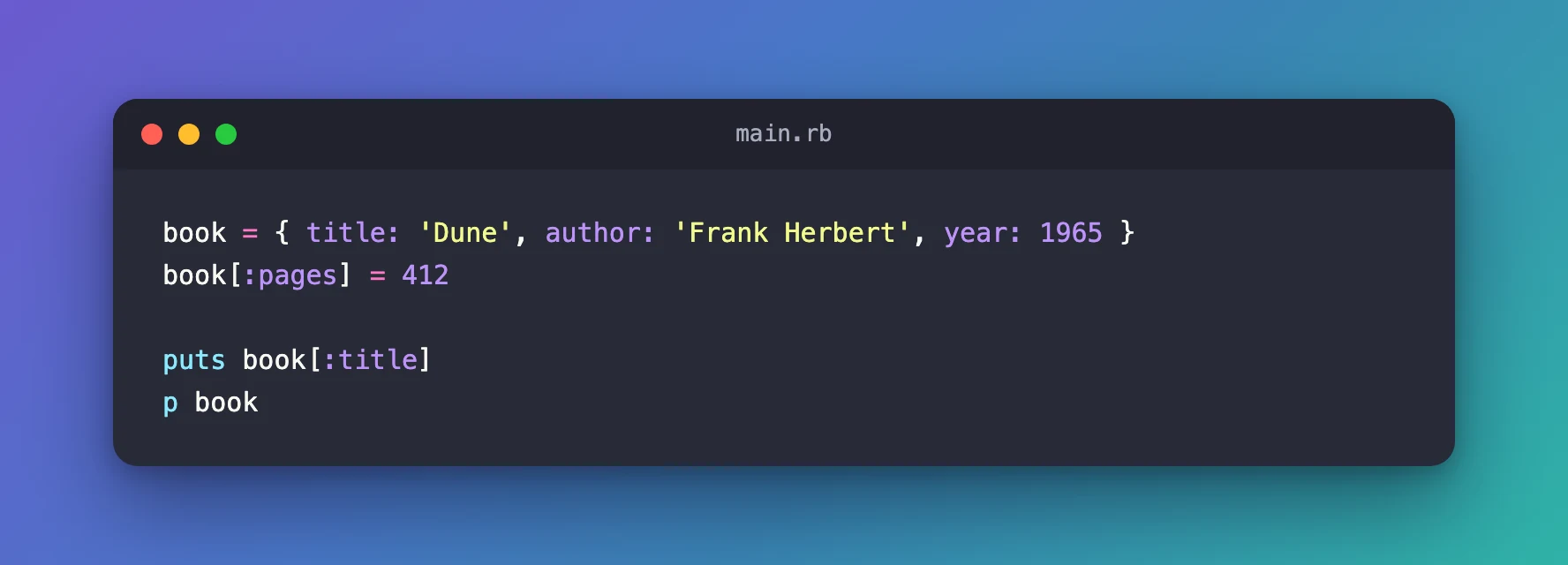
book = { title: 'Dune', author: 'Frank Herbert', year: 1965 }
book[:pages] = 412

puts book[:title]
p book
p prints the hash in its inspect form, which shows the keys and quoted strings.
Step 2: Run It
ruby main.rb
Dune
{title: "Dune", author: "Frank Herbert", year: 1965, pages: 412}
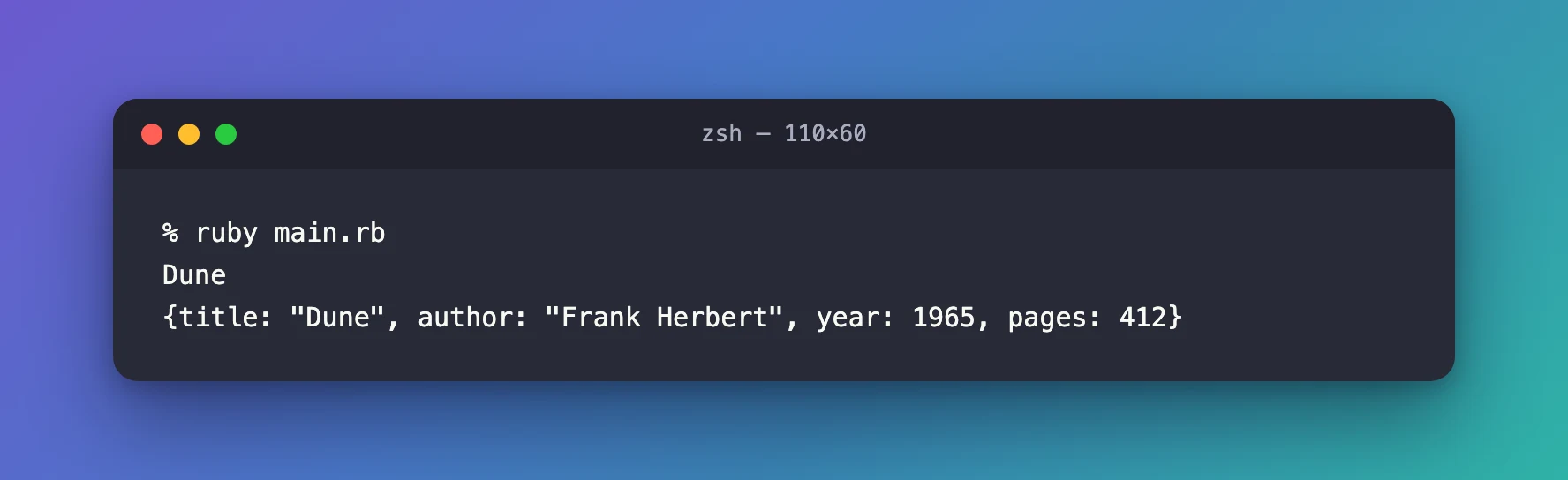
The new pages entry appears last: hashes keep the order you add keys in. The command is the same in zsh, bash and PowerShell.
Missing Keys
book[:isbn] returns nil without complaint. When a missing key is a mistake, use fetch, which raised key not found: :isbn (KeyError), or give it a default: book.fetch(:isbn, 'none').
Common Mistakes
| Mistake | What happens | Do this instead |
|---|---|---|
Reading book['title'] from a symbol-keyed hash | nil: 'title' and :title are different keys | Use book[:title] |
Relying on [] for required keys | A typo silently gives nil | Use fetch |
Writing { 'title': 'Dune' } and expecting a string key | The quotes still create the symbol :title | Use 'title' => 'Dune' for a string key |
Troubleshooting
| Symptom | Likely cause | Fix |
|---|---|---|
A value is nil | The key is misspelled, or it's a string key instead of a symbol | Print the hash with p and compare the keys |
key not found (KeyError) | fetch met a missing key | Add the key, or pass a default to fetch |
FAQ
Why does the printed hash look different from older Ruby?
Ruby 3.4 changed Hash#inspect to print symbol keys as title: "Dune"; older versions printed :title=>"Dune".
Can keys be other things than symbols?
Yes, almost any object: strings, numbers or arrays, written with =>.
Conclusion
{ key: value } creates a hash with symbol keys, hash[:key] reads a value and hash[:key] = value adds one. Use fetch when a missing key should be an error.
Additional Resources
- Hash, in the Ruby documentation.
