How to Create a Folder in OneDrive

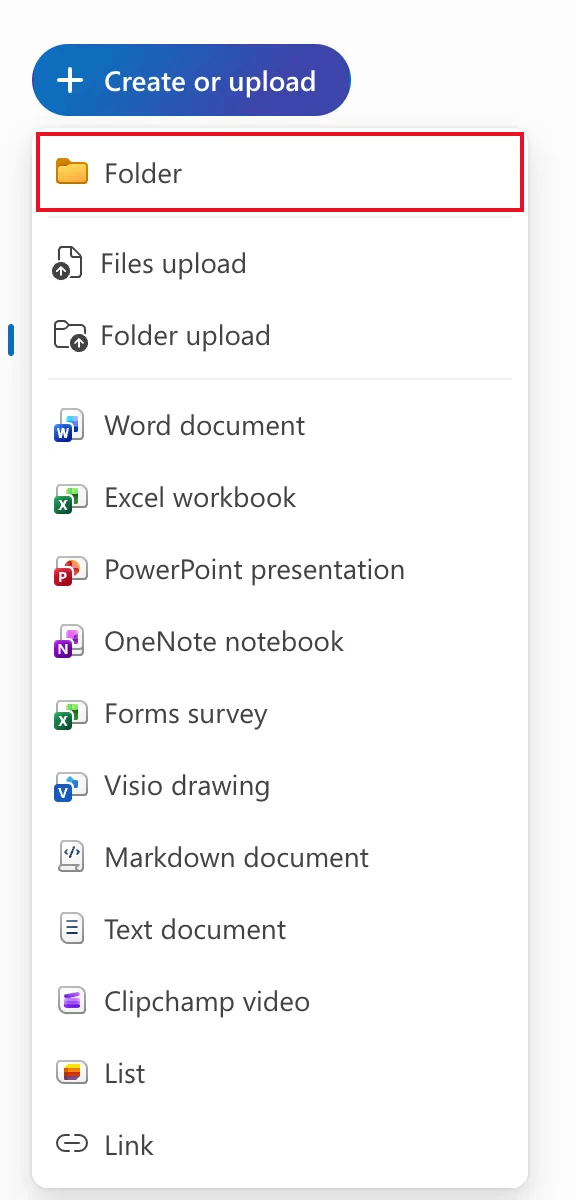
A folder keeps a project's files together in OneDrive. In the browser it takes three clicks: Create or upload → Folder, a name, and Create. This guide makes the Overtime folder that holds the old overtime timesheet in a tutorial series.
The folder is used in Part 1 of the Overtime Timesheet series.
Prerequisites
- A Microsoft 365 work or school account with OneDrive. Open it from onedrive.com, or the app launcher at the top left of any Microsoft 365 page.
Step 1: Open Create or Upload
Go to My files in OneDrive, or the folder you want the new one inside. Select Create or upload at the top left, then Folder:
Step 2: Name It and Create It
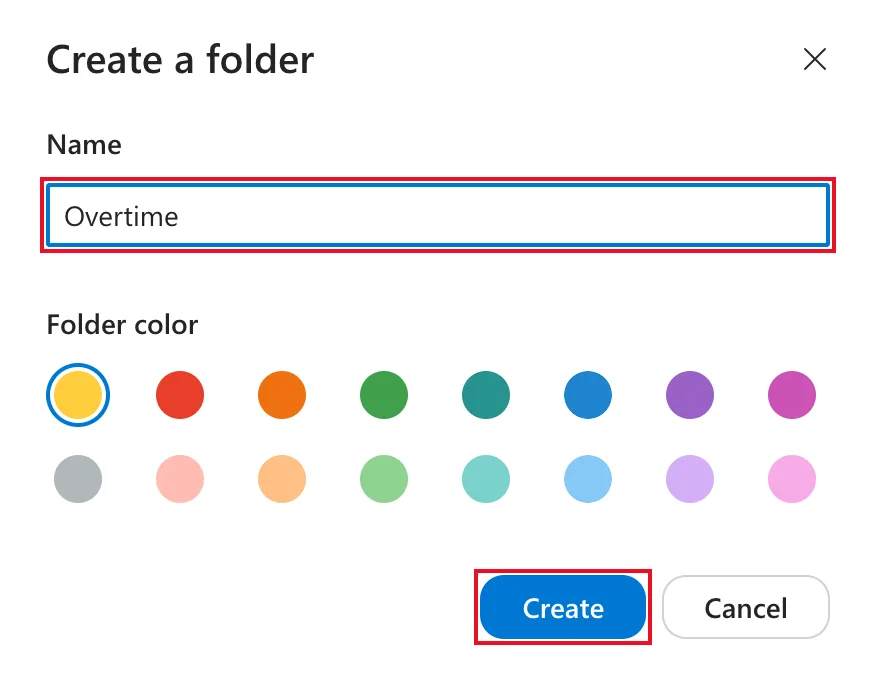
In Create a folder, type the name, here Overtime. Folder color is optional; I left the default yellow. Select Create:
Step 3: Open the Folder
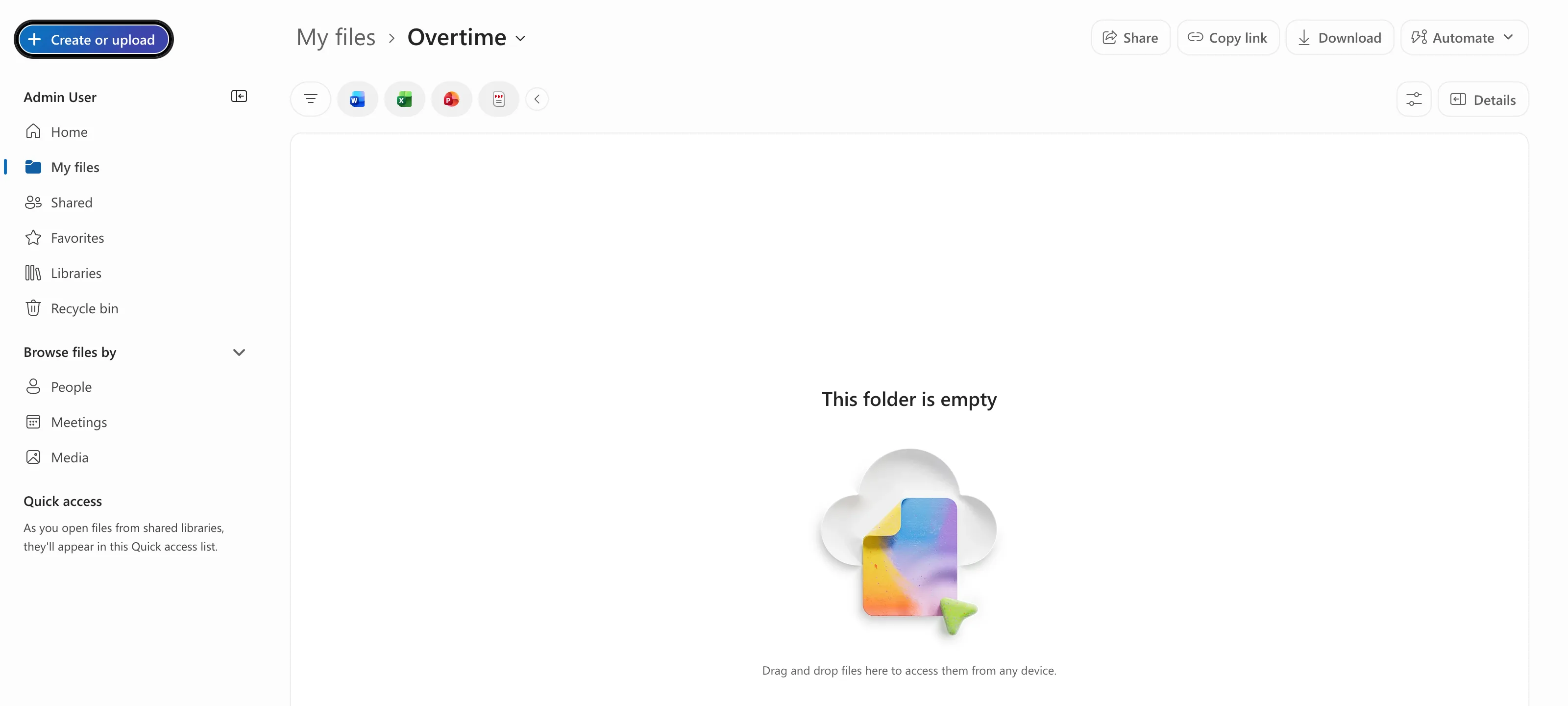
OneDrive opens the new folder. The breadcrumb at the top reads My files › Overtime, and the folder is empty:
Anything you create from here goes into it. How to Create a New Excel Workbook in OneDrive is the next step in the series.
Common Mistakes
| Mistake | What happens | Do this instead |
|---|---|---|
| Creating the folder while another folder is open | It ends up inside that folder | Check the breadcrumb before Create or upload |
| Selecting Folder upload | It uploads a folder from your computer | Select Folder |
| Expecting colleagues to see it | A new folder in My files is private to you | Share it when you're ready |
Troubleshooting
| Symptom | Likely cause | Fix |
|---|---|---|
| You can't find the folder | It's inside another folder | Use Search at the top of OneDrive |
| The new folder isn't where you expected | Another folder was open when you created it | Check the breadcrumb, then move it with Move to |
FAQ
Who can see the folder?
Only you, until you share it. Files you create in My files are private to begin with.
Is a OneDrive folder the right place for a team's files?
For your own working files, yes. Files a team shares belong in a SharePoint site or a Teams channel, which is where the Overtime Timesheet series puts the app's data.
Conclusion
Create or upload → Folder → name → Create. The folder opens straight away, ready for the files you create next.
