How to Create a .NET C# Console App with dotnet new console

A console app is the simplest kind of .NET C# program: it runs in the terminal, prints to it and reads from it. dotnet new console creates one in a second, with a project file and a Program.cs that already prints Hello, World!, and dotnet run runs it.
Syntax
dotnet new console -o <folder> [<options>]
dotnet run
| Part | What it does |
|---|---|
dotnet new console | Creates a project from the Console App template. |
-o <folder> | Creates the project in a new folder with that name. The project gets the folder's name too. |
<options> | Optional. --use-program-main writes a Program class with a Main method instead of top-level statements, and -f net10.0 picks the .NET version, which is also the default. |
dotnet run | Builds the project in the folder you're in and runs it. |
The Example
The example creates a console app named hello-console and runs it, unchanged, to see what the template gives you.
Prerequisites
- The .NET 10 SDK. Check it with
dotnet --version. This guide uses10.0.404.
Step 1: Create the App
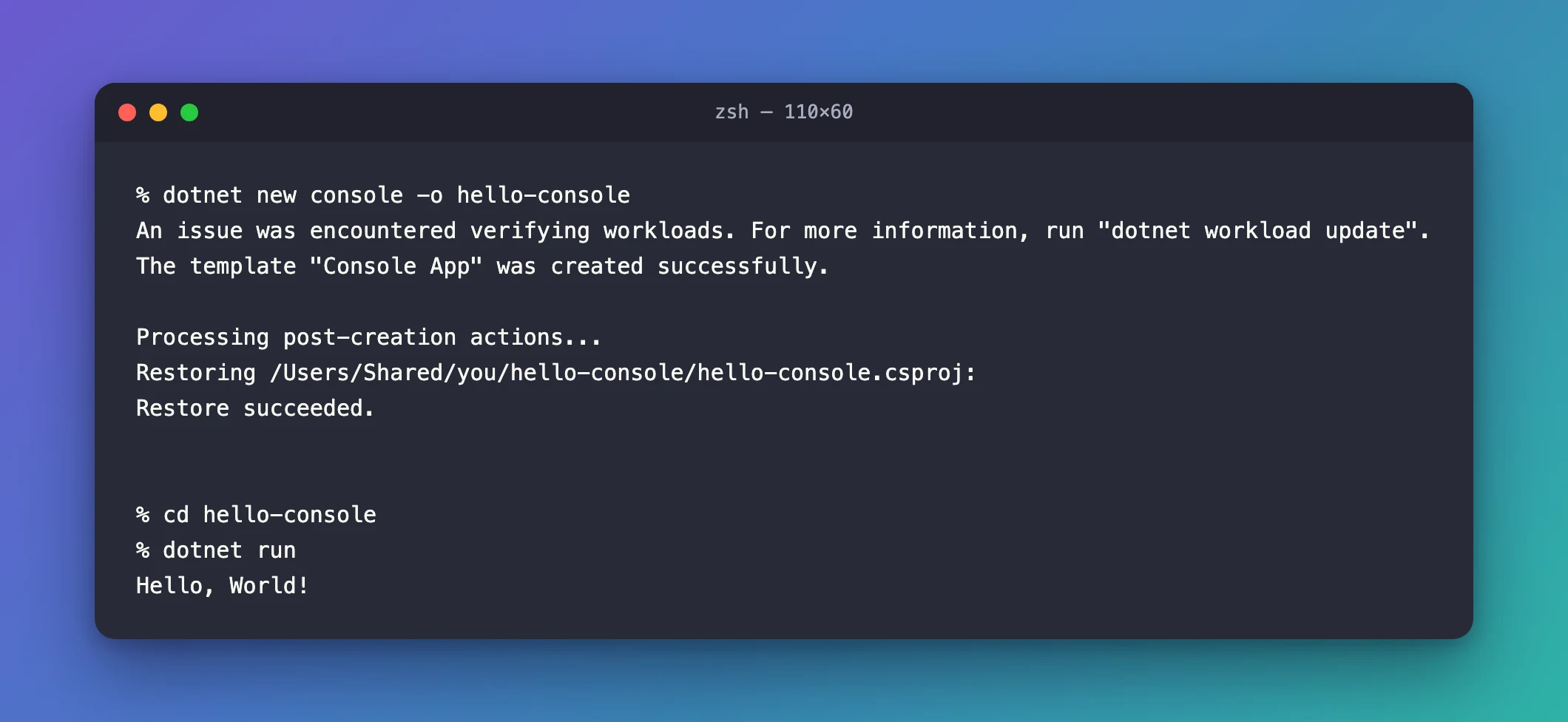
dotnet new console -o hello-console
An issue was encountered verifying workloads. For more information, run "dotnet workload update".
The template "Console App" was created successfully.

Processing post-creation actions...
Restoring /Users/Shared/you/hello-console/hello-console.csproj:
Restore succeeded.
The first line appears only on the first dotnet command under a user account, and it's harmless. Fixed: An issue was encountered verifying workloads explains it. "Restore" downloads the packages the project needs, which for a new console app are none beyond .NET itself.
This command and the next ones are the same in zsh, bash and PowerShell.
Step 2: Look at What It Created
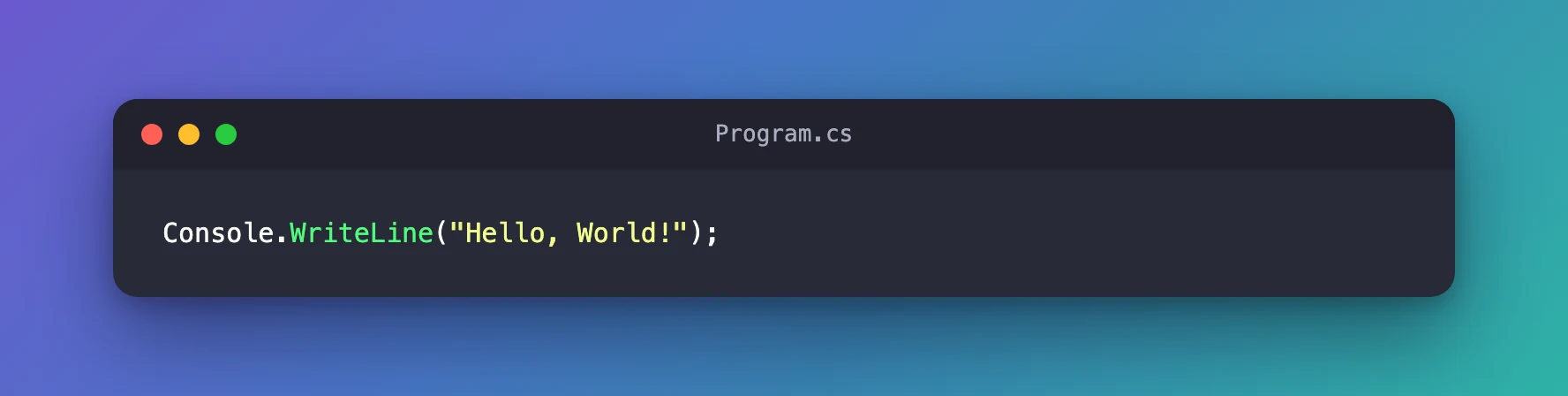
The hello-console folder holds two files you'll edit, plus an obj folder that the build uses. Program.cs is the whole program:
Console.WriteLine("Hello, World!");
It uses top-level statements: code written straight into the file, which .NET runs from the top, without a class or a Main method around it.
hello-console.csproj describes the project:
<Project Sdk="Microsoft.NET.Sdk">

  <PropertyGroup>
    <OutputType>Exe</OutputType>
    <TargetFramework>net10.0</TargetFramework>
    <RootNamespace>hello_console</RootNamespace>
    <ImplicitUsings>enable</ImplicitUsings>
    <Nullable>enable</Nullable>
  </PropertyGroup>

</Project>
| Setting | What it means |
|---|---|
OutputType Exe | The project builds a program you can run, not a library. |
TargetFramework net10.0 | It runs on .NET 10. |
RootNamespace hello_console | The namespace for new classes. The - in the folder's name became _, because a namespace can't contain -. |
ImplicitUsings | Common namespaces, such as System, are imported for you, so Console works without a using line. |
Nullable | The compiler warns when a value that may be null is used as if it can't be. |
Step 3: Run It
cd hello-console
dotnet run
Hello, World!
dotnet run built the project and ran it. The first run takes a few seconds longer while it builds.
Common Mistakes
| Mistake | What happens | Do this instead |
|---|---|---|
Running dotnet run outside the project folder | dotnet can't find a project to run | cd into the folder with the .csproj |
Leaving out -o | The project is created in the folder you're in, named after it | Give it its own folder with -o |
| Naming the folder with spaces | Commands need quotes around every path to it | Use a name such as hello-console |
Troubleshooting
| Symptom | Likely cause | Fix |
|---|---|---|
An issue was encountered verifying workloads. | The first dotnet command under this user account | It's harmless. See the fixes post linked in Step 1 |
Couldn't find a project to run. | You're not in the project's folder | cd hello-console |
FAQ
How do I get a Main method instead of top-level statements?
Create the project with dotnet new console -o hello-console --use-program-main. The template then writes a Program class with a static void Main(string[] args) that does the same thing.
Can I run a single C# file without a project?
Yes, since .NET 10. How to Run a Single C# File with dotnet run shows file-based apps.
Conclusion
dotnet new console -o <folder> creates a console app with a one-line Program.cs and a project file for .NET 10, and dotnet run in that folder builds and runs it.
Additional Resources
- dotnet new, the command and its options.
- .NET default templates, including the console template's options.
- dotnet run, on building and running a project.
