How to Create a Composite Index on Two Columns with EF Core and MySQL

The most common query on a history table is "this item's entries, newest first". An index on just the item's Id finds the rows, but MySQL then has to sort them. An index on the Id and the time does both jobs. This guide creates one from EF Core's model, explains why the order of its columns decides what it can speed up, fixes the migration order MySQL needs, and uses EXPLAIN to prove the index is used.
What a Composite Index Is
A composite index covers several columns, in a fixed order. EF Core's indexes page explains what that buys: "Indexes over multiple columns, also known as composite indexes, speed up queries which filter on index's columns, but also queries which only filter on the first columns covered by the index."
That second half is the key: the index works for the first column alone, for the first two together, and so on, but not for the second column alone.
Prerequisites
- A .NET C# project using EF Core with MySQL. The examples use EF Core 10 with Oracle's
MySql.EntityFrameworkCoreand MySQL 9.7, from How to Connect a .NET C# Web API to a MySQL Database — Part 1. - The EF Core tools: How to Install dotnet-ef as a Local Tool in a .NET C# Project.
The Example: Stock History
A stock_movements table records every change to a product's stock, with the product (ProductId, a foreign key to products) and the time (OccurredAtUtc). Because ProductId is a foreign key, EF Core had already created an index on it; its docs say "By convention, an index is created in each property (or set of properties) that are used as a foreign key."
Step 1: Add the Index to the Model
In the entity's configuration, pass both properties in an anonymous object, in the order you want them in the index:
// A product's history is read by product, newest first. This index serves that
// query and also covers the foreign key, so EF Core creates no separate index for it.
builder.HasIndex(m => new { m.ProductId, m.OccurredAtUtc });
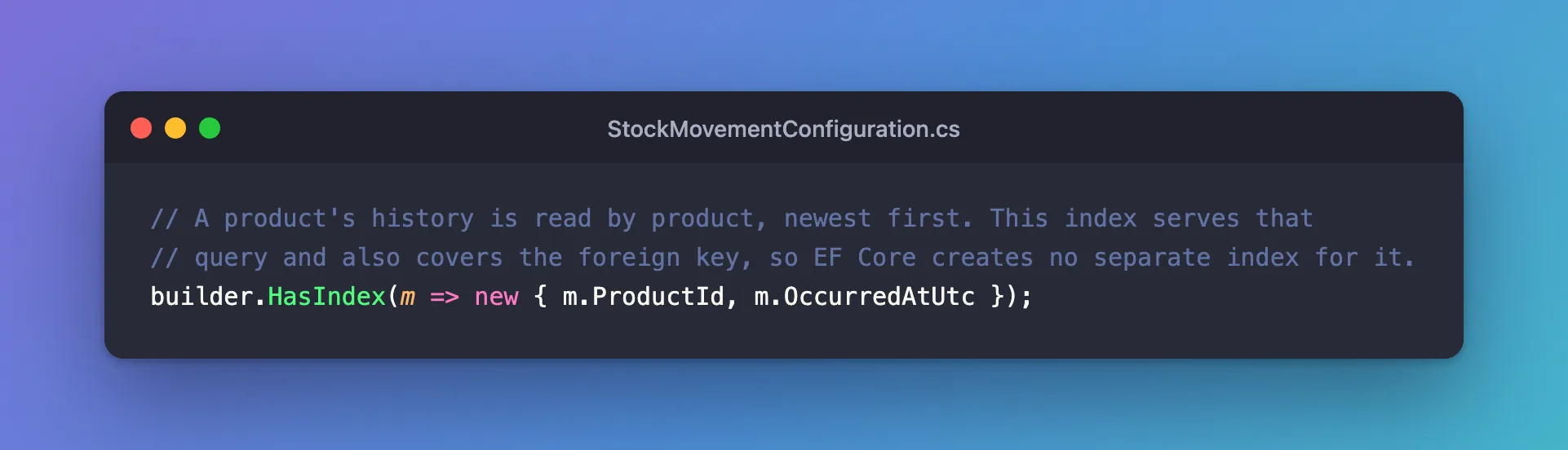
ProductId first, then OccurredAtUtc. Queries filter by product and sort by time, so the product must lead. The reverse order would serve "everything that happened in this hour" but not "this product's history".
Step 2: Create the Migration, and Fix Its Order
dotnet ef migrations add AddMovementHistoryIndex --project src/Dewiride.Inventory.Data --startup-project src/Dewiride.Inventory.Api
migrationBuilder.DropIndex(
    name: "IX_stock_movements_ProductId",
    table: "stock_movements");

migrationBuilder.CreateIndex(
    name: "IX_stock_movements_ProductId_OccurredAtUtc",
    table: "stock_movements",
    columns: new[] { "ProductId", "OccurredAtUtc" });
Two things to notice:
- EF Core drops the foreign key's own index. The new index starts with
ProductId, so it can serve the foreign key, and the old one becomes redundant. - The name joins both columns, per the docs: "For composite indexes,
<property name>becomes an underscore separated list of property names."
The order of the two calls, though, fails on MySQL: applied as generated, it stopped with Cannot drop index 'IX_stock_movements_ProductId': needed in a foreign key constraint. MySQL needs an index behind the foreign key at every moment, so the new index must exist before the old one is dropped. Swap the calls in Up, and do the same in Down:
protected override void Up(MigrationBuilder migrationBuilder)
{
    migrationBuilder.CreateIndex(
        name: "IX_stock_movements_ProductId_OccurredAtUtc",
        table: "stock_movements",
        columns: new[] { "ProductId", "OccurredAtUtc" });

    migrationBuilder.DropIndex(
        name: "IX_stock_movements_ProductId",
        table: "stock_movements");
}

protected override void Down(MigrationBuilder migrationBuilder)
{
    migrationBuilder.CreateIndex(
        name: "IX_stock_movements_ProductId",
        table: "stock_movements",
        column: "ProductId");

    migrationBuilder.DropIndex(
        name: "IX_stock_movements_ProductId_OccurredAtUtc",
        table: "stock_movements");
}
The fixes post for that error shows the failure and why MySQL insists. If your solution treats warnings as errors, the new[] { … } array in this migration can also trigger CA1861; that has its own fix.
Step 3: Apply It
dotnet ef database update --project src/Dewiride.Inventory.Data --startup-project src/Dewiride.Inventory.Api
Applying migration '20261103045135_AddMovementHistoryIndex'.
      CREATE INDEX `IX_stock_movements_ProductId_OccurredAtUtc` ON `stock_movements` (`ProductId`, `OccurredAtUtc`);
      DROP INDEX IX_stock_movements_ProductId ON stock_movements;
Done.
The table now has one index besides the primary key, with two columns in order:
| stock_movements |          0 | PRIMARY                                    |            1 | Id            |
| stock_movements |          1 | IX_stock_movements_ProductId_OccurredAtUtc |            1 | ProductId     |
| stock_movements |          1 | IX_stock_movements_ProductId_OccurredAtUtc |            2 | OccurredAtUtc |
Seq_in_index 1 and 2 give the order.
Step 4: Prove MySQL Uses It
EXPLAIN in front of a query shows MySQL's plan. First, the query the index was made for:
EXPLAIN SELECT * FROM stock_movements WHERE ProductId = 3 ORDER BY OccurredAtUtc DESC;
-> Index lookup on stock_movements using IX_stock_movements_ProductId_OccurredAtUtc (ProductId = 3) (reverse) (cost=1.1 rows=1)
Index lookup … using IX_stock_movements_ProductId_OccurredAtUtc means MySQL finds the product's rows through the index. (reverse) means it reads the index backwards for DESC, and there's no separate sort step: the rows come out already ordered by time. MySQL's ORDER BY optimization page describes this use of an index "with a backward scan".
Then a query on the second column alone:
EXPLAIN SELECT * FROM stock_movements WHERE OccurredAtUtc >= '2026-11-01';
-> Filter: (stock_movements.OccurredAtUtc >= TIMESTAMP'2026-11-01 00:00:00')  (cost=1.1 rows=1)
    -> Table scan on stock_movements  (cost=1.1 rows=1)
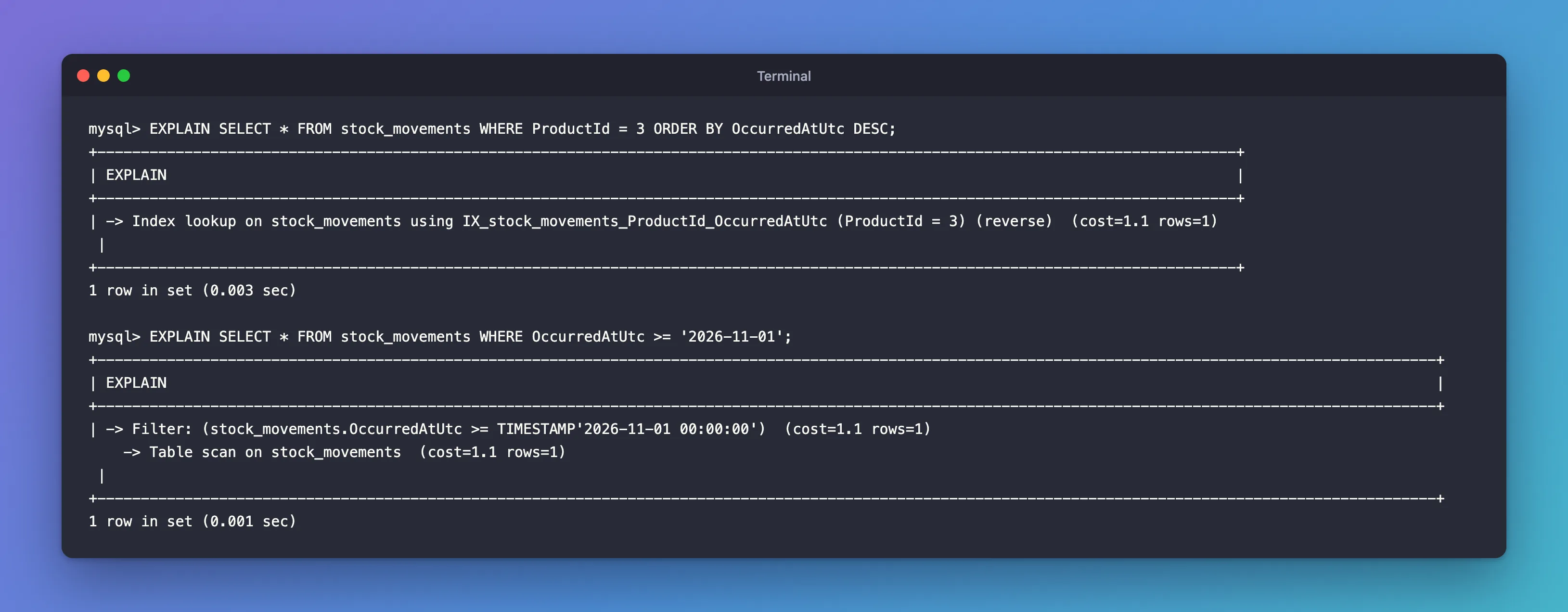
Table scan: every row is read. The index can't help, because time is its second column. That's the column order rule in action.
Common Mistakes
| Mistake | What happens | Do this instead |
|---|---|---|
| Putting the time first | Queries by product can't use the index | Put the equality column first, the sorted or range column second |
| Keeping a separate index on the first column too | A redundant index that slows every write | Let the composite index serve it, as EF Core does |
| Applying the generated migration as-is on MySQL | Cannot drop index … needed in a foreign key constraint | Create before drop, in Up and Down |
| Expecting the second column alone to use the index | A table scan | Add another index if you need that query |
Troubleshooting
| Symptom | Likely cause | Fix |
|---|---|---|
EXPLAIN shows a table scan on a tiny table | MySQL may skip an index when a table is small | Test with realistic data |
| CA1861 on the migration | The new[] { … } array under strict analysis | See the CA1861 fixes post |
| The index name differs from what you expected | EF Core joins the property names with underscores | .HasDatabaseName(...) |
FAQ
Can a composite index be unique?
Yes: add .IsUnique(). A unique index on (OrderId, ProductId) forbids the same product twice in one order.
How many columns should an index have?
As many as the queries you're speeding up need, rarely more than three or four. Every index costs space and slows writes a little.
Conclusion
builder.HasIndex(m => new { m.ProductId, m.OccurredAtUtc }) creates a composite index whose column order decides what it can do: it serves "this product's history, newest first", which EXPLAIN shows as an index lookup in reverse, but not a search by time alone. When it starts with a foreign key column, EF Core drops the foreign key's own index; on MySQL, reorder the migration so the new index is created first.
Additional Resources
- Indexes and Constraints: Composite index — multi-column indexes in EF Core.
- Multiple-Column Indexes — how MySQL uses them.
- EXPLAIN Statement — reading query plans.
