How to Count the Items in an Array in Power Automate with length()

length() returns how many items an array has. Put it in a Condition, length(...) is greater than 0, and the flow takes one branch when the array has items and the other when it's empty.
Microsoft's functions reference says length() will Return the number of items in a collection. Its example, length(createArray(0, 1, 2, 3)), returns 4.
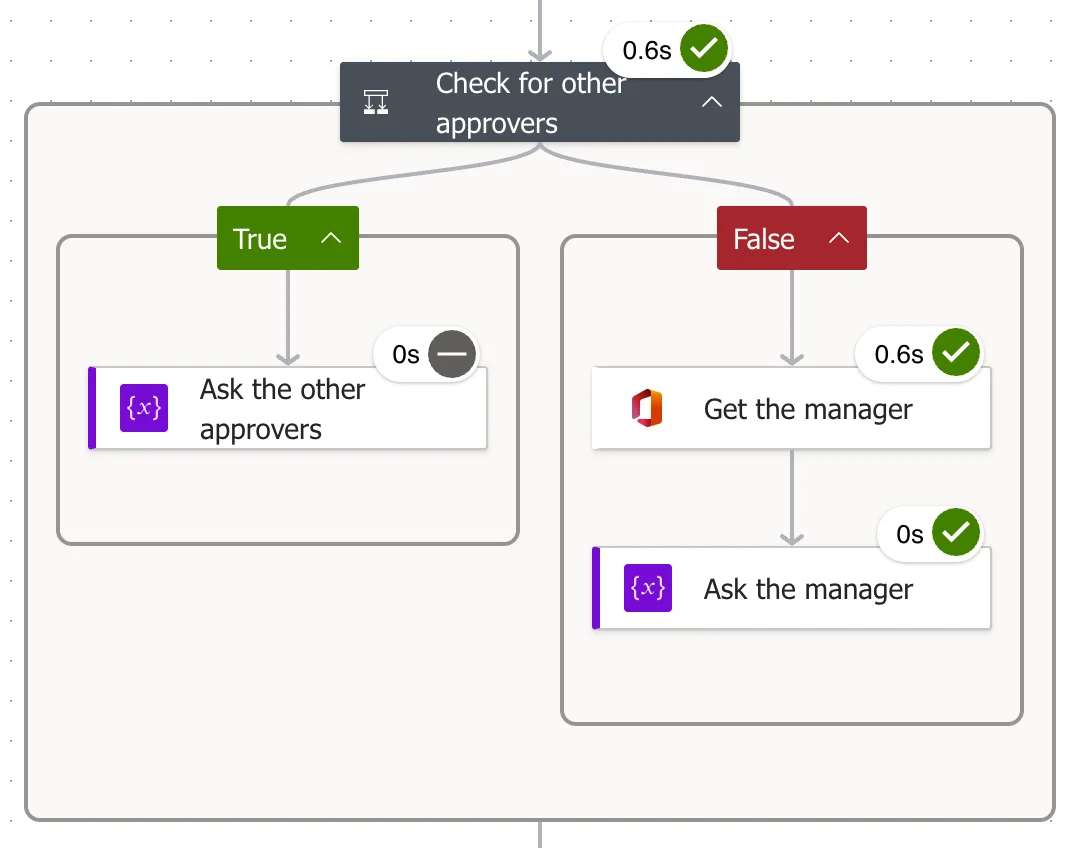
The example is the approval flow of the Overtime Timesheet app. Approvers other than the employee, a Filter array action, leaves the department's approvers without the person who logged the overtime. If anyone is left, they approve; if not, the person's manager does.
Prerequisites
- An array to count. Here, the output of a Filter array action (How to Filter an Array in Power Automate).
- A Condition action (How to Add a Condition in Power Automate).
Step 1: Write the Expression
The array is the body of the Filter array action, body('Approvers_other_than_the_employee'), and length() counts it:
length(body('Approvers_other_than_the_employee'))
body() reads an action's output by the action's name, with underscores for spaces (How to Use the body() Function in Power Automate).
Step 2: Compare It in a Condition
In the condition's first row, put the expression in the left value (How to Add an Expression in Power Automate), choose is greater than, and type 0 on the right:
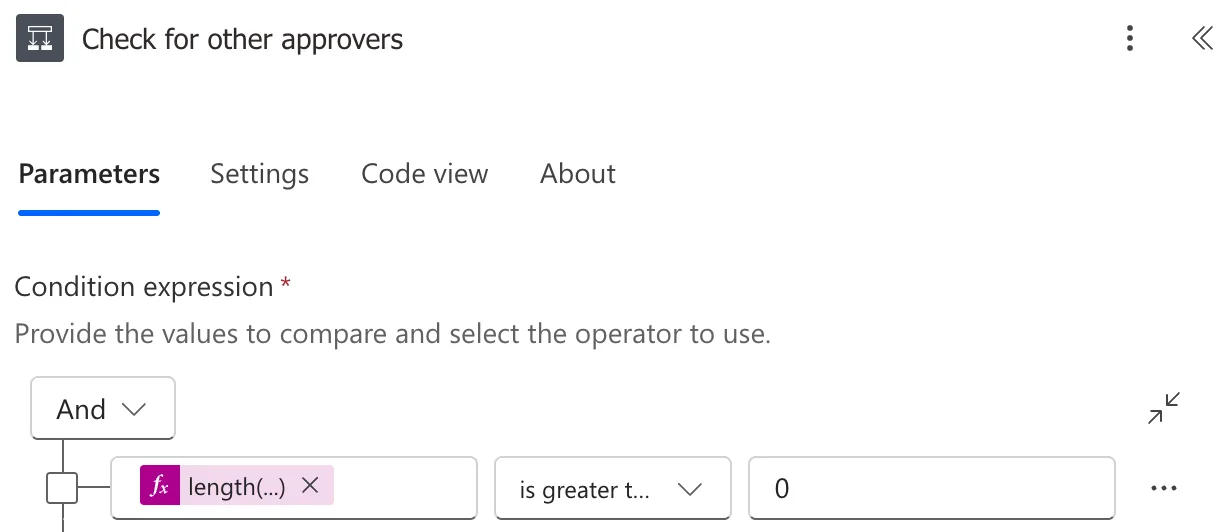
The condition's code, from Code view:
"expression": {
  "and": [
    {
      "greater": [
        "@length(body('Approvers_other_than_the_employee'))",
        0
      ]
    }
  ]
}
When I opened the saved condition again, the designer showed an empty row under this one. Code view didn't have it, so it isn't part of the flow.
The Result
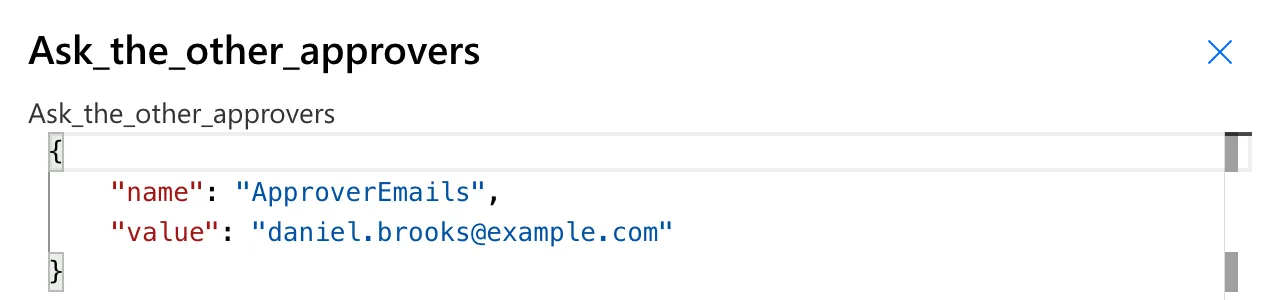
One approver left. For an entry Maya Patel logged in Radiology, the filter left one approver, Daniel Brooks, so the condition was true, and the True branch set the variable the approval goes to:
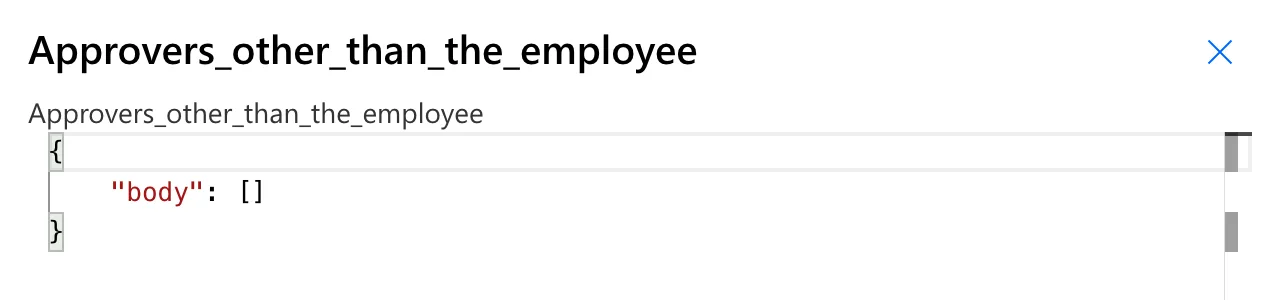
None left. For an entry Daniel logged himself, the filter returned an empty array, {"body": []}:
length() returned 0, the condition was false, and the run went down the False branch, to his manager:
length() or empty()?
empty() answers is it empty? with true or false (How to Check Whether an Array Is Empty with empty() in Power Automate). length() gives the number, which also works for more than one or exactly two. For any at all, either works.
Common Mistakes
| Mistake | What happens | Do this instead |
|---|---|---|
| Counting the array before it's filtered | The person who logged the overtime is counted too | Count the Filter array action's body |
Comparing with '0' in quotes | Compares a number with text | Type 0 as a number |
| Expecting the empty row in a reopened condition to matter | It isn't in Code view | Leave it |
Troubleshooting
| Symptom | Likely cause | Fix |
|---|---|---|
| The condition is always true | The expression counts something that's never empty | Check it reads the array in Code view |
| An error about the function's argument | The value isn't an array or text | Pass the array, such as body('...') |
| The wrong branch runs | The operator or the number is off | is greater than 0 |
FAQ
Does length() work on text?
Yes. Microsoft's example length('abcd') returns 4, the number of characters.
Can I use length() in a trigger condition?
A trigger condition is checked before any action runs, so it can count something in the trigger's outputs, but not the output of an action such as Filter array.
Conclusion
length(array) is the number of items. In a Condition, length(...) is greater than 0 sends the flow one way when the array has items and the other when it's empty.
Additional Resources
- Reference guide to functions in expressions: length: the function and its examples.
