How to Count the Entries of a Dictionary with Count in C#

"How many are there?" is one of the first questions you ask of a Dictionary, whether to show a total or to check that it's empty. In C#, the Count property answers it: the number of key/value pairs the dictionary holds right now.
Syntax
int <count> = <dictionary>.Count;
| Part | What it does |
|---|---|
<dictionary>.Count | The number of key/value pairs in the dictionary. It's a property, so there are no brackets after it |
Microsoft's Dictionary Count reference: "Gets the number of key/value pairs contained in the Dictionary<TKey,TValue>."
The Example
A team votes for a treat, one vote per person, kept as person and choice. Ana votes, Ben votes, Ana changes her vote, and Ben's vote is removed. The program prints the count after each step, then a line that depends on it.
Prerequisites
- The .NET 10 SDK or newer, which runs a single
.csfile withdotnet run. This guide uses .NET SDK 10.0.404.
Step 1: Write the Code
Create a file named main.cs in an empty folder:
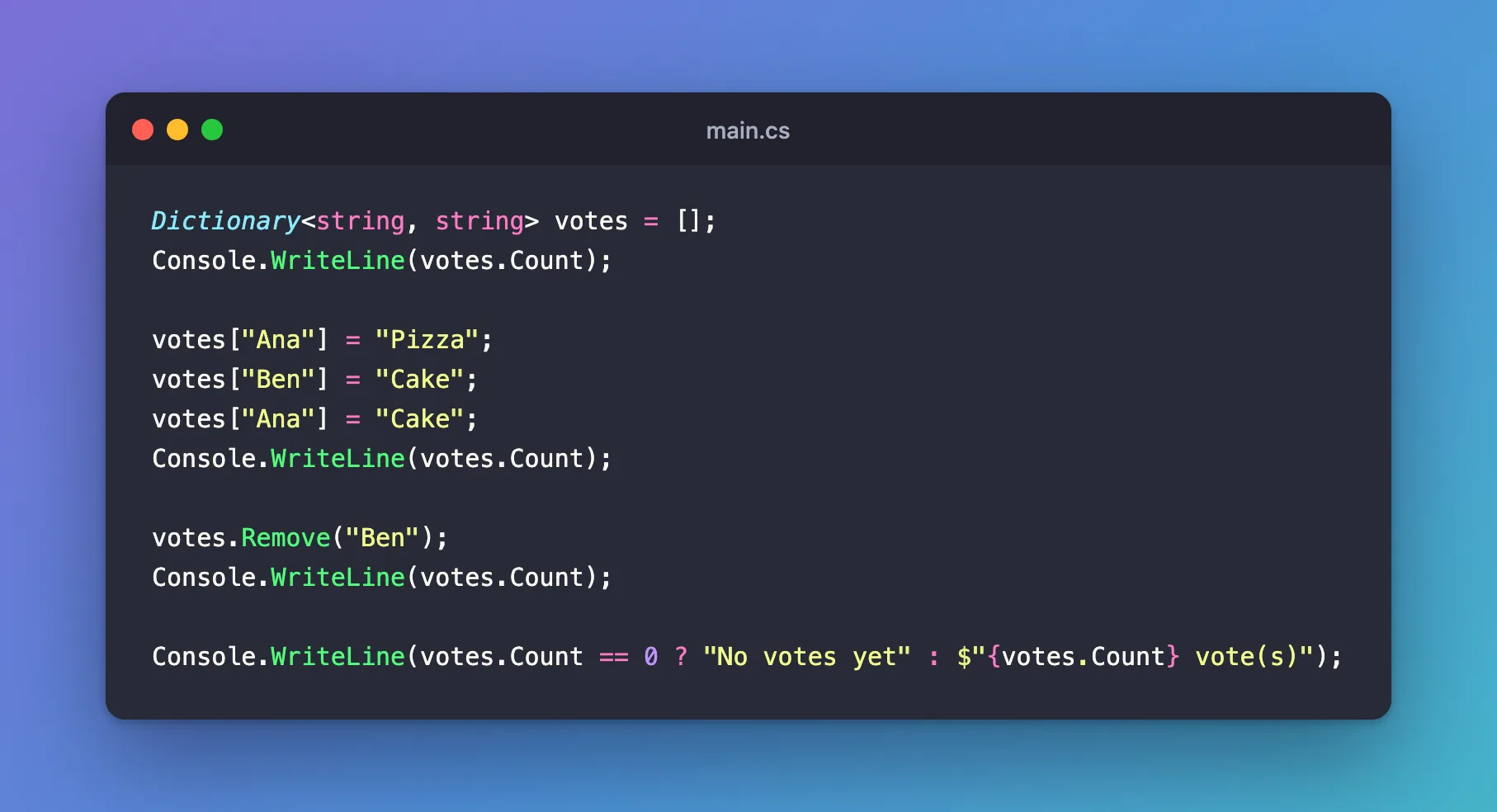
Dictionary<string, string> votes = [];
Console.WriteLine(votes.Count);

votes["Ana"] = "Pizza";
votes["Ben"] = "Cake";
votes["Ana"] = "Cake";
Console.WriteLine(votes.Count);

votes.Remove("Ben");
Console.WriteLine(votes.Count);

Console.WriteLine(votes.Count == 0 ? "No votes yet" : $"{votes.Count} vote(s)");
votes["Ana"] = ... adds Ana the first time and replaces her vote the second time. The last line uses ? : to pick one of two texts.
Step 2: Run It
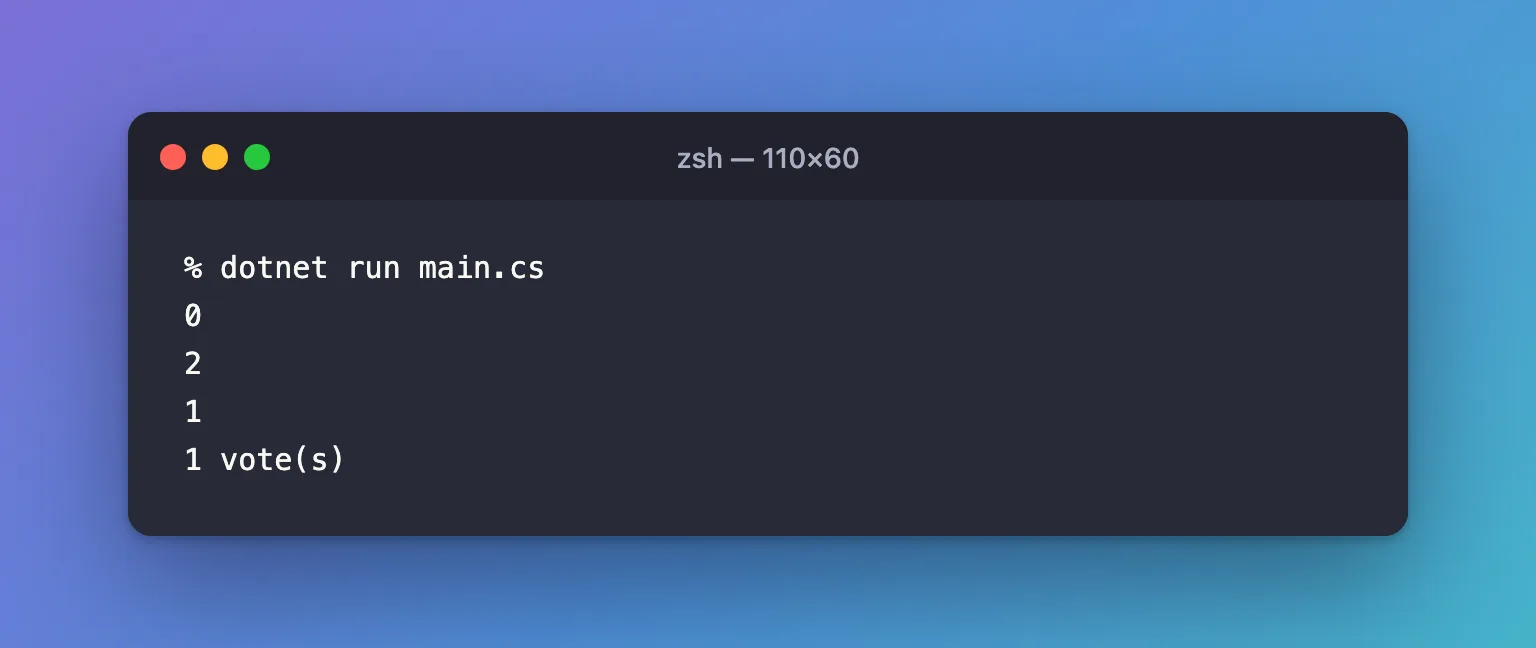
dotnet run main.cs
0
2
1
1 vote(s)
- A new, empty dictionary has a
Countof 0. - Three assignments, but only 2 entries: Ana's second vote replaced her first, so she still counts once.
- Removing Ben brought it down to 1.
Count == 0is the check for an empty dictionary.
The command is the same in zsh, bash and PowerShell.
Not Length
Arrays and strings have Length. A dictionary doesn't:
Dictionary<string, string> votes = [];
Console.WriteLine(votes.Length);
/Users/you/demo/main.cs(2,25): error CS1061: 'Dictionary<string, string>' does not contain a definition for 'Length' and no accessible extension method 'Length' accepting a first argument of type 'Dictionary<string, string>' could be found (are you missing a using directive or an assembly reference?)

The build failed. Fix the build errors and run again.
Counting Only Some Entries
Count is always the total. To count the entries that match a condition, use LINQ's Count() method, with a condition inside its brackets:
Dictionary<string, string> votes = [];
votes["Ana"] = "Cake";
votes["Ben"] = "Pizza";

Console.WriteLine(votes.Count);
Console.WriteLine(votes.Count());
Console.WriteLine(votes.Count(vote => vote.Value == "Cake"));
2
2
1
Count() without a condition gave the same 2 as the property, so for the total, use the property. With vote => vote.Value == "Cake", it counted only the cake votes.
Common Mistakes
| Mistake | What happens | Do this instead |
|---|---|---|
Writing votes.Length | error CS1061: 'Dictionary<string, string>' does not contain a definition for 'Length' | Use votes.Count |
| Expecting a replaced key to count twice | Setting an existing key replaces its value, so the count stays the same | Count is one per key |
Using Count() for the total | It works, but the property already holds the number | Use Count, without brackets |
Troubleshooting
| Symptom | Likely cause | Fix |
|---|---|---|
CS1061 ... 'Length' on a dictionary | Length belongs to arrays and strings | Use Count |
| The count is lower than the number of values you set | Some of them used a key that was already there | Check the keys you set |
FAQ
How do I check that a dictionary is empty?
dictionary.Count == 0, as in Step 1's last line.
Is Count the number of keys or of values?
Both: each entry is one key with one value, so a dictionary always has as many keys as values.
Conclusion
dictionary.Count is the number of key/value pairs right now: one per key, whatever happened to its value. Arrays use Length, and LINQ's Count(condition) counts only the entries that match.
Additional Resources
Dictionary<TKey,TValue>.Countproperty, on Microsoft Learn.- Enumerable.Count method, on Microsoft Learn.
