How to Count Rows with CountAsync in EF Core

CountAsync asks MySQL how many rows match, without loading any of them. It's what you need for totals, such as "page 2 of 7". This guide shows its forms and the SQL each one sends.
Prerequisites
- A .NET C# project with EF Core. The examples use EF Core 10, Oracle's
MySql.EntityFrameworkCore, MySQL 9.7, and aproductstable with eight rows. SQL logging is on, as in How to See the SQL That EF Core Sends.
Step 1: Count All Rows, and Rows That Match
app.MapGet("/demo/count", async (InventoryDbContext db) =>
    Results.Ok(new
    {
        all = await db.Products.CountAsync(),
        cheap = await db.Products.CountAsync(p => p.UnitPrice < 10),
    }));
HTTP/1.1 200 OK
Content-Type: application/json; charset=utf-8

{
  "all": 8,
  "cheap": 3
}
info: Microsoft.EntityFrameworkCore.Database.Command[20101]
      Executed DbCommand (1ms) [Parameters=[], CommandType='Text', CommandTimeout='30']
      SELECT COUNT(*)
      FROM `products` AS `p`
info: Microsoft.EntityFrameworkCore.Database.Command[20101]
      Executed DbCommand (1ms) [Parameters=[], CommandType='Text', CommandTimeout='30']
      SELECT COUNT(*)
      FROM `products` AS `p`
      WHERE `p`.`UnitPrice` < 10.0
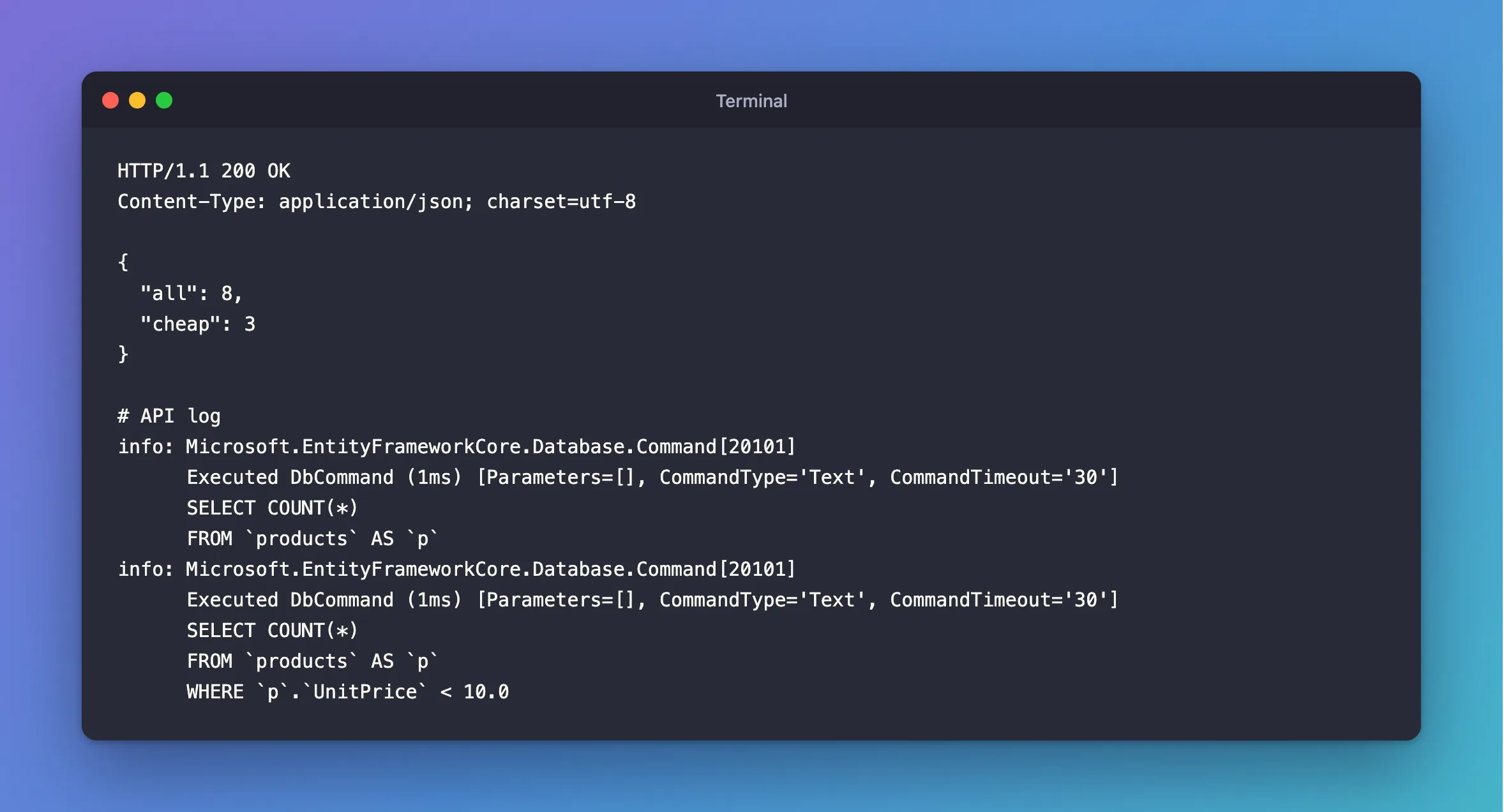
Two SELECT COUNT(*) statements, and no rows sent back. The condition you pass to CountAsync becomes the WHERE.
Step 2: Count a Query You've Built
CountAsync works on any query, so you can build the filters first and count those:
IQueryable<Product> products = db.Products;

if (!query.IncludeArchived)
{
    products = products.Where(p => !p.IsArchived);
}

var totalCount = await products.CountAsync(cancellationToken);
info: Microsoft.EntityFrameworkCore.Database.Command[20101]
      Executed DbCommand (3ms) [Parameters=[], CommandType='Text', CommandTimeout='30']
      SELECT COUNT(*)
      FROM `products` AS `p`
      WHERE NOT (`p`.`IsArchived`)
Then use the same products query for the page itself. How to Add Paging has the whole pattern.
Don't Count a List
.Count on a list and CountAsync on a query look alike, and they aren't. This loads all the rows first:
var products = await db.Products.ToListAsync();
var count = products.Count;
Use CountAsync when the count is all you want.
Common Mistakes
| Mistake | What happens | Do this instead |
|---|---|---|
ToListAsync and then .Count | Every row comes back, to be counted in C# | CountAsync |
CountAsync() > 0 to check for rows | MySQL counts everything for a yes or no | AnyAsync |
Counting after Skip and Take | You get the page's size, not the total | Count the query before paging |
int for a table that can pass 2 billion rows | The count overflows | LongCountAsync |
FAQ
Is COUNT(*) fast on MySQL?
The MySQL manual's aggregate functions page explains that InnoDB doesn't keep a stored row count, so it has to count rows for the current transaction. It's fine for most tables, and worth watching on very large ones, especially with no index on the filter.
Does it include archived products?
Only if your query does. It counts whatever the query's filters allow.
Conclusion
db.Table.CountAsync() sends SELECT COUNT(*), and returns a number without loading any rows. Pass it a condition, or call it on a query you've already filtered. Use it instead of counting a list, and use AnyAsync when you only need to know if there are any.
Additional Resources
- EntityFrameworkQueryableExtensions.CountAsync — the API reference.
