How to Count Rows in Power BI with COUNTROWS

COUNTROWS counts the rows of a table. As a measure, it counts the rows behind whatever a visual shows: all of them, or only those a filter leaves. Here's its general form and a count of expense claims.
Syntax
COUNTROWS([<table>])
From Microsoft's COUNTROWS function reference:
<table>(optional): the name of the table that contains the rows to be counted, or an expression that returns a table. Without it, COUNTROWS counts the home table of the current expression.- The result is a whole number. When the table argument contains no rows, the function returns BLANK.
- For counting rows, the reference links Microsoft's best-practice article Use COUNTROWS instead of COUNT.
The example is a measure on the Expenses table of a semantic model with five approved expense claims.
Step 1: Create the Measure
Select the Expenses table and New measure (How to Create a Measure in Power BI in the Browser), and enter:
Expense count = COUNTROWS(Expenses)
Expense countis the measure's name.Expensesis the table whose rows are counted. Writing it out keeps the formula clear even though it's the home table.

Press Enter.
Step 2: Show It on a Card
On a card (How to Add a Card to a Power BI Report), Expense count shows 5:
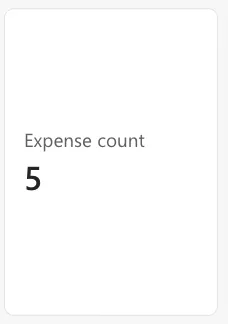
Filter the report to one category and the count follows: it counts only the rows the filter leaves.
Common Mistakes
| Mistake | What happens | Do this instead |
|---|---|---|
COUNTROWS(Expenses[Amount]) | An error: COUNTROWS takes a table, not a column | COUNTROWS(Expenses) |
| Expecting 0 when nothing matches | The result is blank | COUNTROWS(Expenses) + 0, if a 0 is wanted |
| Counting a column with COUNT | Blank values in that column aren't counted | COUNTROWS counts rows |
Troubleshooting
| Symptom | Likely cause | Fix |
|---|---|---|
| The card shows (Blank) | The filters leave no rows | Expected; add + 0 for a zero |
| The count is too high | Rows are repeated, for example after expanding a multi-person column | Count in a table with one row per item |
| A red underline under the table name | The name has a space and no quotes | COUNTROWS('Expense Categories') |
FAQ
Can I count only some rows?
Yes: give COUNTROWS a filtered table, for example COUNTROWS(FILTER(Expenses, Expenses[Amount] > 50)).
Is COUNTROWS the same as the row count in Power Query?
Power Query shows the rows it loaded; COUNTROWS counts the rows left after the report's filters.
Conclusion
COUNTROWS(Table) counts a table's rows. The example's Expense count = COUNTROWS(Expenses) showed 5, and returns blank when filters leave no rows.
