How to Count Characters in Power Apps with Len

Len returns how many characters a piece of text has, spaces included. It's the tool for checking a maximum length before you save something, showing "123 of 4,000 characters", and finding spaces you can't see. One formula, one number.
Syntax
Len( Text )
It returns a number. Given a single-column table of text instead, it returns a table of lengths (Len reference).
Prerequisites
- A canvas app with a Text control to try formulas in. The example uses a Text control on the Career Development Plan app's Home screen, from Part 4 of the series.
Step 1: Count the Characters in Some Text
Len(" Sales Engineer ")
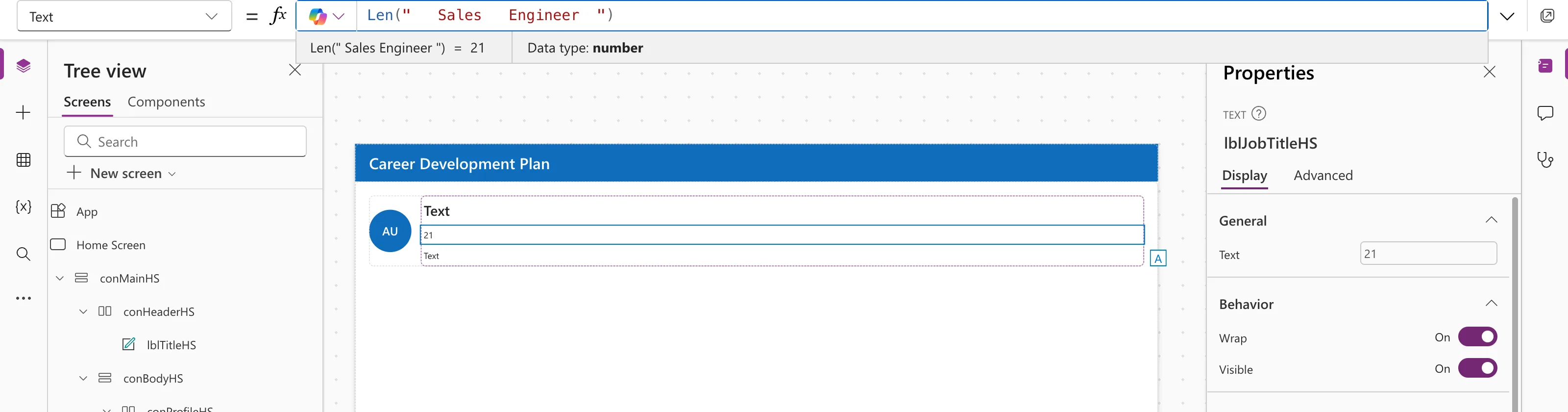
"Sales Engineer" is 14 characters; the other 7 are spaces. The preview strip collapses runs of spaces when it shows text, so Len is the reliable way to see them. How to Remove Extra Spaces in Power Apps with Trim and TrimEnds uses it to compare the two functions.
Step 2: Check a Maximum Length
Before saving text to a column with a limit, check it:
If(Len(txtResponse.Value) > 4000, DisplayMode.Disabled, DisplayMode.Edit)
Or show a counter next to the box:
Len(txtResponse.Value) & " of 4,000 characters"
The Career Development Plan series uses this in Part 6, to count the characters in a response (How to Limit Text Length and Show a Character Count).
Empty Text
Microsoft's Blank and IsBlank reference notes that Len returns zero for an empty string, "". To test whether something is empty or blank, IsBlank covers both; see IsBlank vs IsEmpty in Power Apps.
Common Mistakes
| Mistake | What happens | Do this instead |
|---|---|---|
| Trusting the preview strip to show spaces | It collapses them | Use Len |
| Checking length after saving | The save may already have failed | Check before, in DisplayMode or the save formula |
| Using Len to test for blank | Works for "", but less clear | Use IsBlank |
FAQ
Does Len count spaces?
Yes, every character, including spaces.
Can I count the rows of a table with Len?
No. Use CountRows for rows; Len on a table returns the length of each text value.
Conclusion
Len(text) returns the number of characters, spaces included. Use it for length limits and counters, and to see spaces the preview strip hides.
Additional Resources
- Len function: syntax and examples.
- Convert Number or Integer to Text or String using Power Apps: the Text function.
