How to Convert UTC to Local Time in Power Automate with convertFromUtc

SharePoint gives a flow its date and time columns in UTC. convertFromUtc() converts a UTC time to a time zone's local time and formats it in the same step: convertFromUtc(time, 'GMT Standard Time', 'dddd dd/MM/yyyy') gave Saturday 07/11/2026.
Microsoft's functions reference says it will Convert a timestamp from Universal Time Coordinated (UTC) to the target time zone. The time zone is a name: For time zone names, review Microsoft Windows Default Time Zones.
The example is the approval flow of the Overtime Timesheet app, which shows each shift's date and times to the approver in UK time.
Prerequisites
- A UTC time in the flow. Here, the trigger's StartTime and EndTime, SharePoint date and time columns (How to Run a Flow When a SharePoint Item Is Created or Modified in Power Automate).
- The time zone's Windows name. For the UK,
GMT Standard Time, listed as (UTC+00:00) Dublin, Edinburgh, Lisbon, London on Microsoft's default time zones page.
Step 1: Keep the Time Zone in One Place
The flow converts several times, so the time zone's name is in a Compose action named Time zone (How to Use the Compose Action in Power Automate):
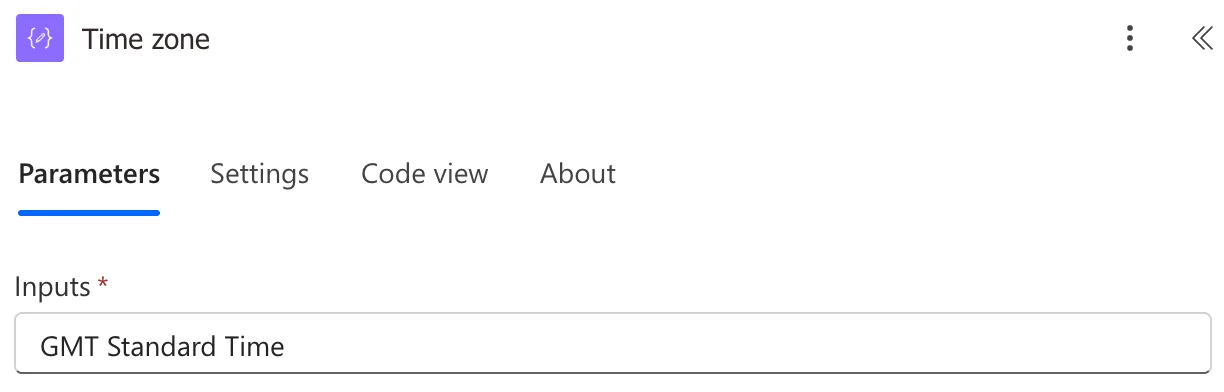
Every conversion reads it with outputs('Time_zone'), so a flow for another country changes one value.
Step 2: Convert and Format the Date
A Compose named Shift date holds the shift's date, with the day's name:
convertFromUtc(triggerOutputs()?['body/StartTime'], outputs('Time_zone'), 'dddd dd/MM/yyyy')
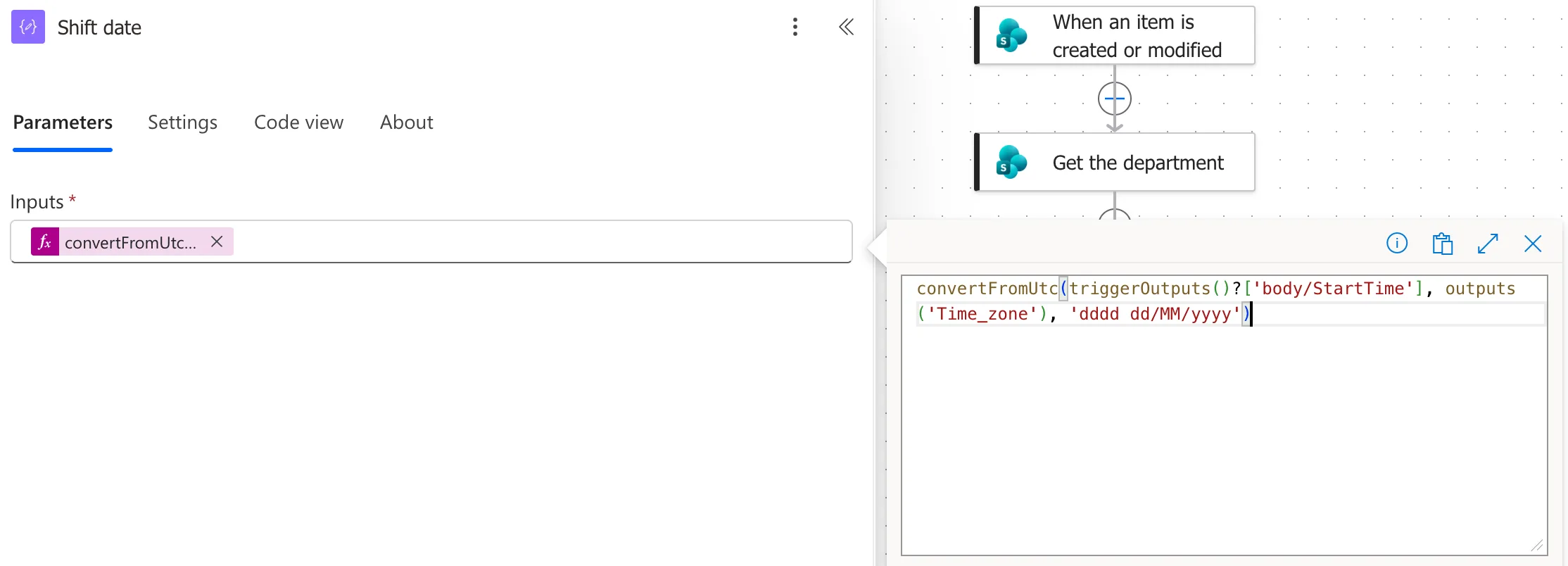
- The first argument is the UTC time.
- The second is the time zone's name.
- The third is the format:
ddddis the day's name,dd/MM/yyyythe UK date. Without it, the result is a full timestamp, without the timezone UTC offset, as the reference says.
Step 3: Convert the Times
Shift times puts the start and finish together, as HH:mm, the 24-hour clock, and adds the next day when the shift ends on a later date than it starts:
concat(convertFromUtc(triggerOutputs()?['body/StartTime'], outputs('Time_zone'), 'HH:mm'), ' to ', convertFromUtc(triggerOutputs()?['body/EndTime'], outputs('Time_zone'), 'HH:mm'), if(equals(convertFromUtc(triggerOutputs()?['body/StartTime'], outputs('Time_zone'), 'yyyy-MM-dd'), convertFromUtc(triggerOutputs()?['body/EndTime'], outputs('Time_zone'), 'yyyy-MM-dd')), '', ' the next day'))
- The first two
convertFromUtc()calls give the start and finish asHH:mm, with' to 'between them. - The
if()compares the start and finish dates, converted with'yyyy-MM-dd', and adds' the next day'when they differ (How to Use the if() Function in Power Automate). concat()joins the parts into one piece of text.
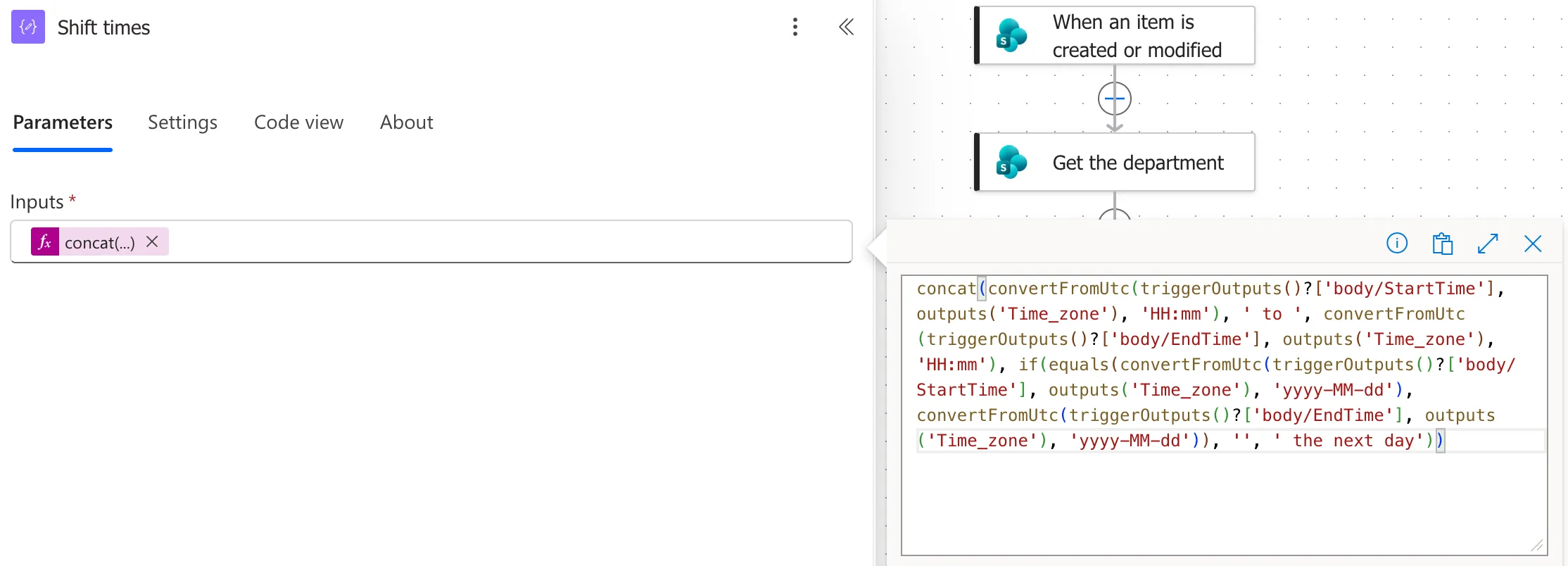
The dates are compared in local time, so a shift that ends after midnight in the UK is the next day, whatever UTC says.
The Result
For Maya Patel's shift on Saturday 7 November 2026, from 08:00 to 12:00, the run's outputs were:
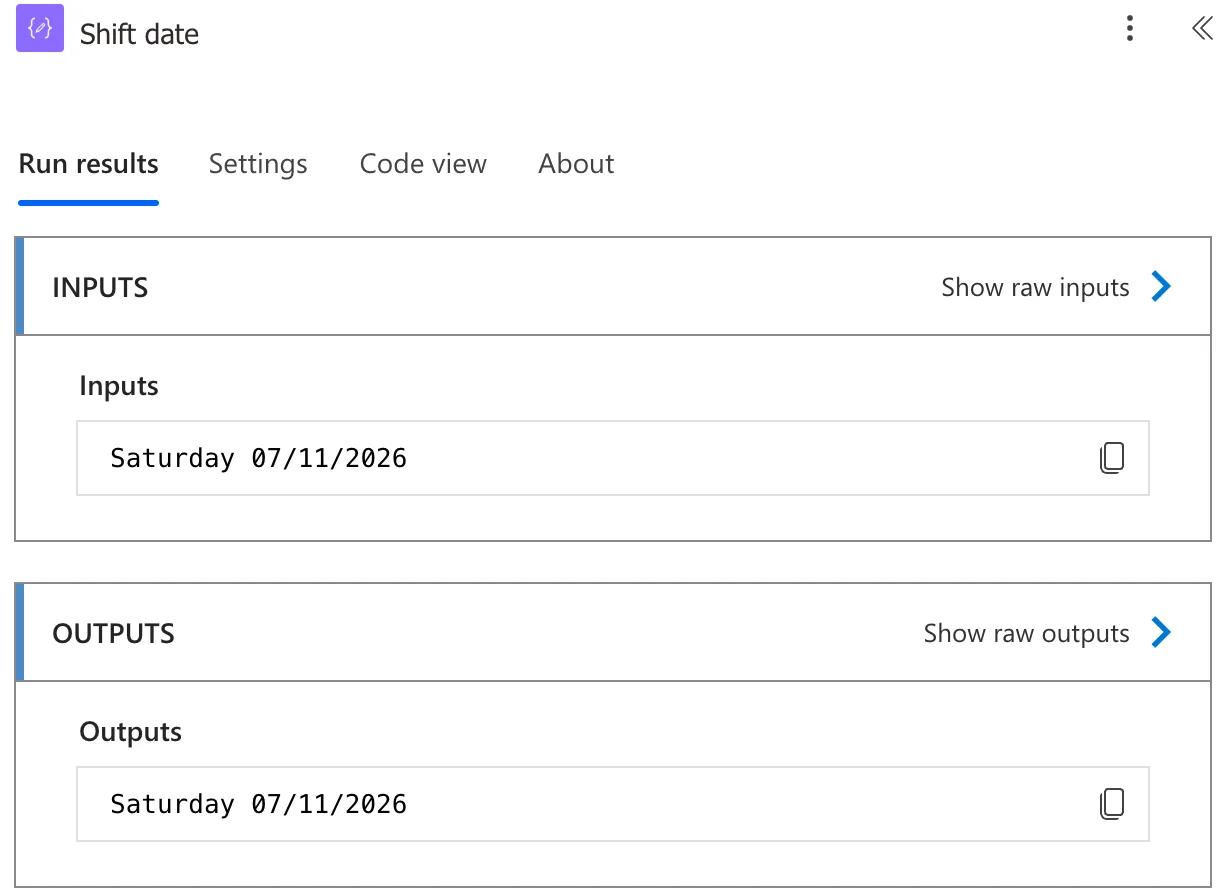
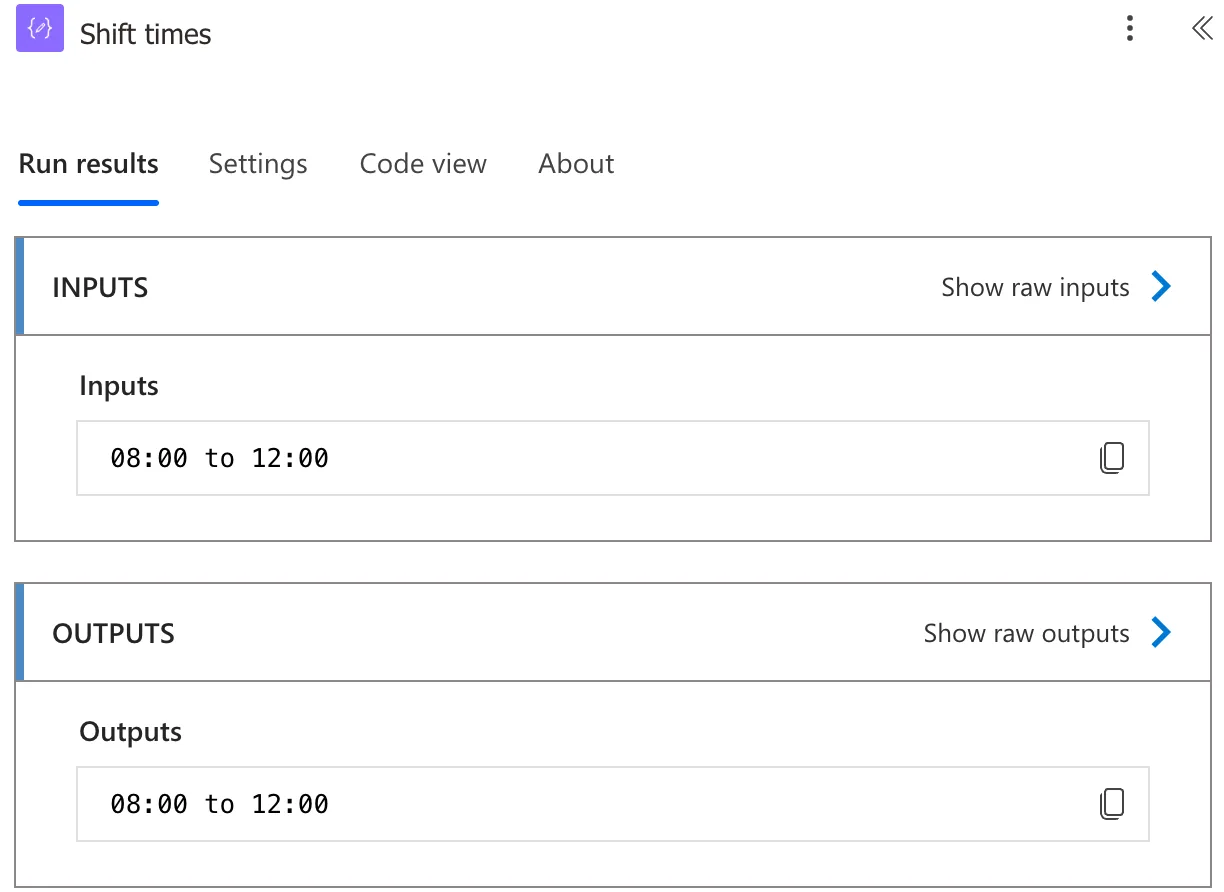
In November, UK time is the same as UTC, so these times read the same before and after the conversion. From the last Sunday of March to the last Sunday of October, UK clocks are an hour ahead of UTC, and that's the change a time zone name is for, unlike a fixed offset. All the shifts that went through the flow so far were in November.
Common Mistakes
| Mistake | What happens | Do this instead |
|---|---|---|
| Showing SharePoint's time as it is | UTC, an hour off in the UK summer | convertFromUtc() to the local time zone |
'GMT' or 'UTC+1' as the time zone | Not a Windows time zone name | 'GMT Standard Time' |
hh:mm | 12-hour clock without AM or PM | HH:mm |
mm for the month | mm is minutes | MM |
Troubleshooting
| Symptom | Likely cause | Fix |
|---|---|---|
| The run fails on the time zone | The name isn't a Windows time zone | Copy it from Microsoft's list |
| A long timestamp instead of a date | No format argument | Add 'dd/MM/yyyy' |
| Times an hour off in summer | The time wasn't converted | Use convertFromUtc() |
| the next day missing on a night shift | Dates compared in UTC | Compare the converted dates |
FAQ
What about converting the other way?
convertToUtc() turns a local time into UTC, for writing a time back to SharePoint.
Why not formatDateTime()?
formatDateTime() formats a time without changing its time zone, so a UTC time stays UTC. convertFromUtc() converts and formats together.
Conclusion
convertFromUtc(utcTime, 'GMT Standard Time', 'dddd dd/MM/yyyy') turns SharePoint's UTC time into UK local time, formatted for people. Keep the time zone in one place, use HH:mm for times, and compare dates after converting them.
Additional Resources
- Reference guide to functions in expressions: convertFromUtc: parameters, format and return value.
- Default time zones: Windows time zone names.
