How to Convert Time to Decimal Hours in Excel

Payroll wants 3.5, not 3:30. Excel stores a time as a fraction of a day, so multiplying it by 24 gives hours: 3:30 × 24 = 3.5. Then set the result's format to Number, because Excel first shows it as a time.
The example is the Hours column of the old overtime timesheet from Part 1 of the Overtime Timesheet series, built from its Time worked column.
Prerequisites
- A time in a cell, such as a shift's time worked from How to Subtract an Unpaid Break from Hours Worked in Excel.
Why 24
A time is a fraction of a day: 3:30 is 3.5 of 24 hours, so it's stored as 3.5/24 = 0.1458. Multiplying by 24 undoes the division. Microsoft's SUM function page says the same: Excel calculates times as a fraction of a day, so multiply by 24 to get hours.
Step 1: Multiply by 24
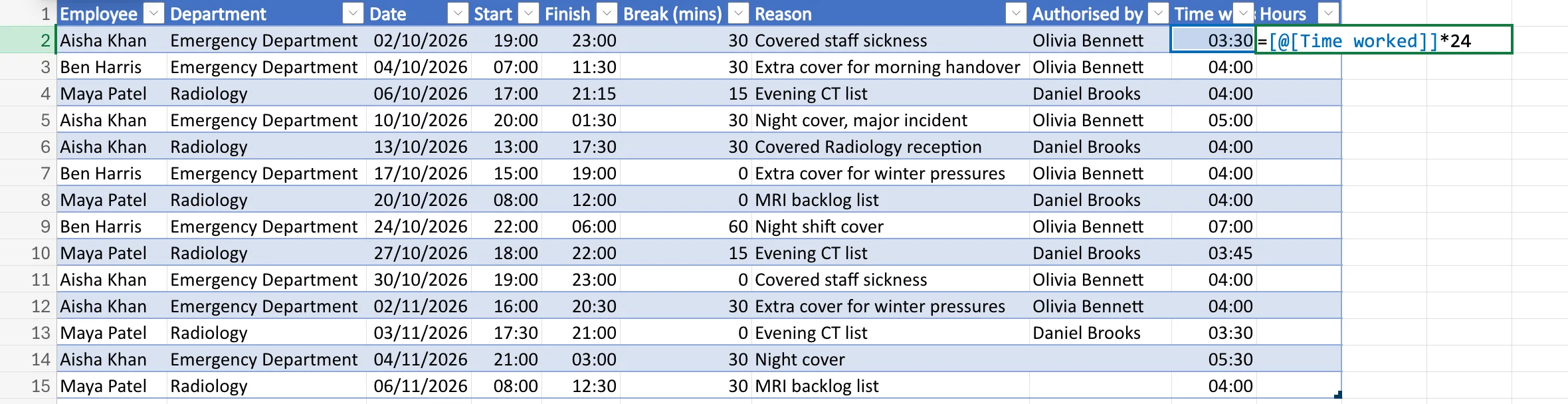
Next to the time, in a new column, type:
=[@[Time worked]]*24
Outside a table, with the time in I2: =I2*24.
Step 2: Format the Result as a Number
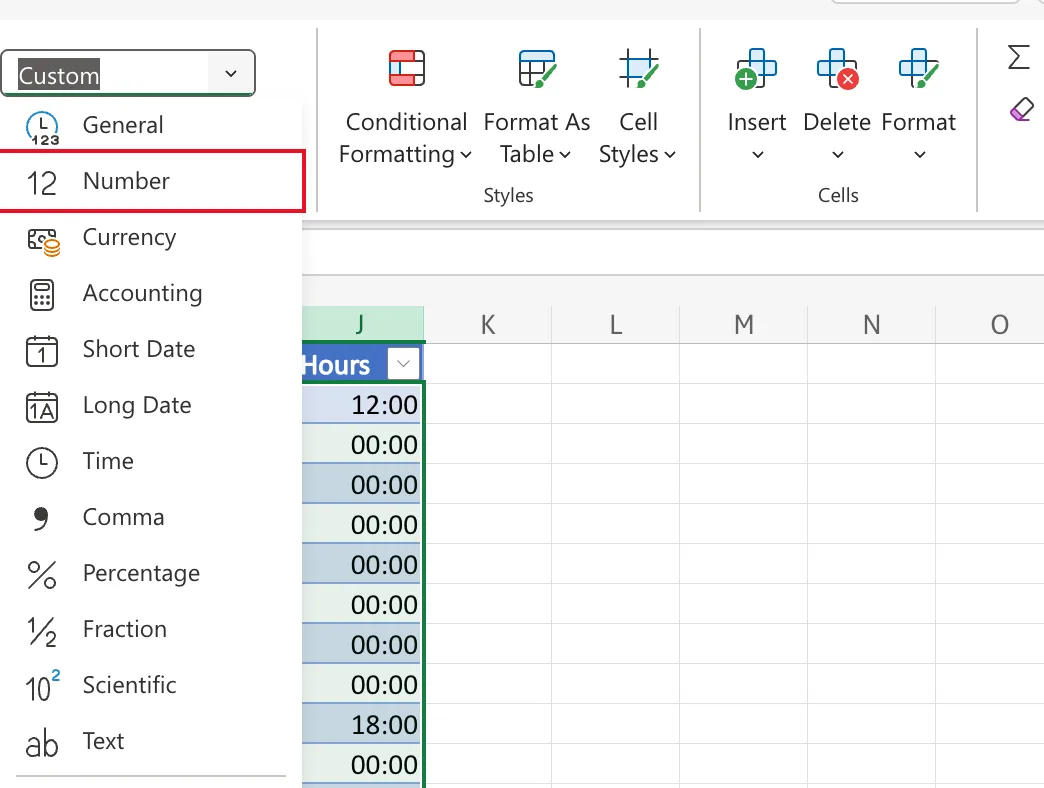
When I pressed Enter, the column showed 12:00, 00:00 and 18:00: Excel had given it the time format of Time worked, so 3.5 hours was shown as 3.5 days on a clock. Select the results, J2:J15, and on the Home tab set Number Format to Number:
Fixed: Excel Shows Hours as 12:00 or 00:00 After Multiplying by 24 tells the whole story.
Step 3: Check the Hours
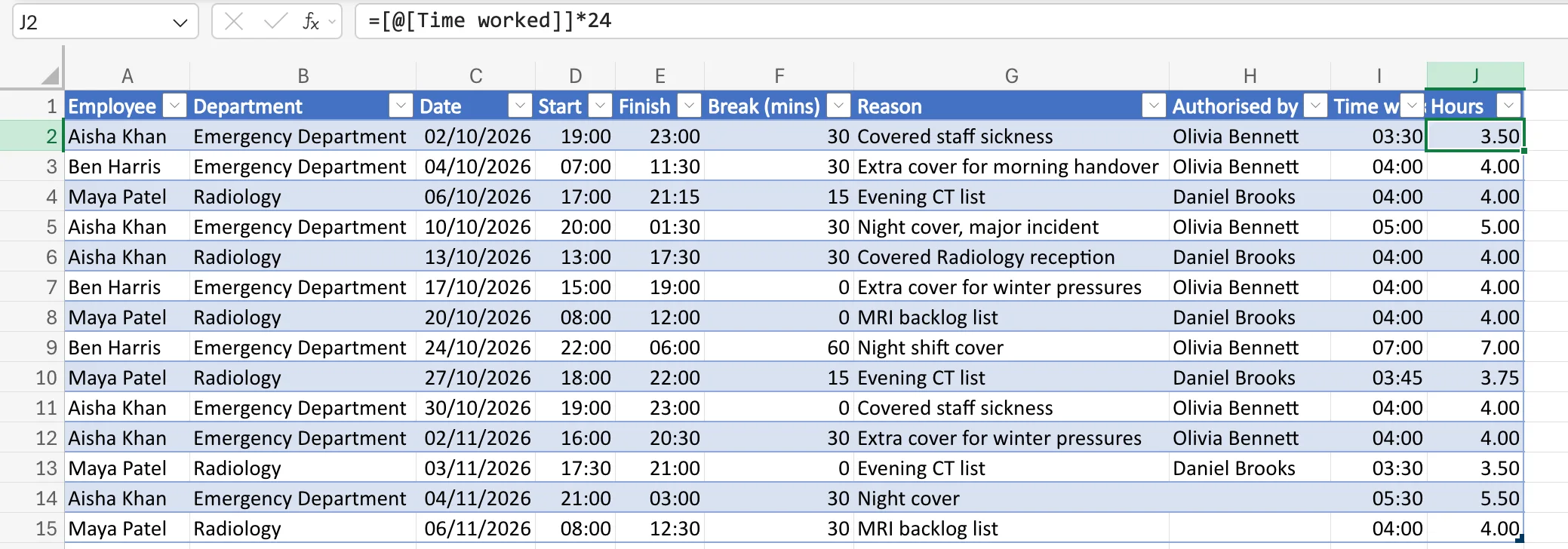
The column now shows decimal hours: 3.50 for 3:30, 4.00 for 4:00, 3.75 for 3:45 and 7.00 for 7:00:
These add up like ordinary numbers, which is what the monthly totals use: How to Total Hours by Person and Month in Excel with SUMIFS.
Common Mistakes
| Mistake | What happens | Do this instead |
|---|---|---|
| Leaving the time format | 3.5 shows as 12:00 | Set Number Format to Number |
| Multiplying by 60 | You get minutes divided by 24, not hours | Multiply by 24 for hours, 1440 for minutes |
| Rounding the time first | Minutes are lost before converting | Convert, then round if you must |
Troubleshooting
| Symptom | Likely cause | Fix |
|---|---|---|
| 12:00, 00:00 or 18:00 | A time format on the result | Number Format → Number |
| 0.15 instead of 3.5 | The *24 is missing | Multiply by 24 |
FAQ
How do I convert back?
Divide by 24 and format as a time: 3.5/24 shows as 03:30.
Should I store hours as decimals or times?
Both, in two columns: times are easy to check against the shift, decimals are easy to total and pay. The timesheet keeps both.
Conclusion
=Time*24 turns a time into hours, and a Number format shows them as 3.50 instead of a clock time.
