How to Convert Text to Lower Case in Power Apps with Lower

The same email address can be written with capitals in one place and without them in another. Lower writes every letter in lower case, so the same address always looks the same before the app counts, groups or compares it.
Syntax
Lower(Text)
| Part | What it is |
|---|---|
| Text | The text to convert. A table with one column of texts works too. |
From Microsoft's Lower, Upper, and Proper reference:
- Lower converts any capital letters to lower case, and ignores characters that aren't letters. In Microsoft's example, E. E. CummINGS becomes e. e. cummings.
- Given a one-column table of texts, it returns a one-column table of converted texts.
- Upper converts to capitals, and Proper gives each word a capital first letter and lower-cases the rest.
The example is the Reports screen of the Overtime Timesheet app. A flow returns a month's approved entries as JSON text, and the app turns them into a table with each person's name, email, department and hours. The screen counts people and groups their hours by email, so each email should be written one way.
Step 1: Convert the Text Where the Table Is Built
Convert the email once, where each record is made, so every formula that uses the table gets it in lower case:
locRowsRS: ForAll(
    ParseJSON(response.entries),
    {
        Employee: Text(ThisRecord.employee),
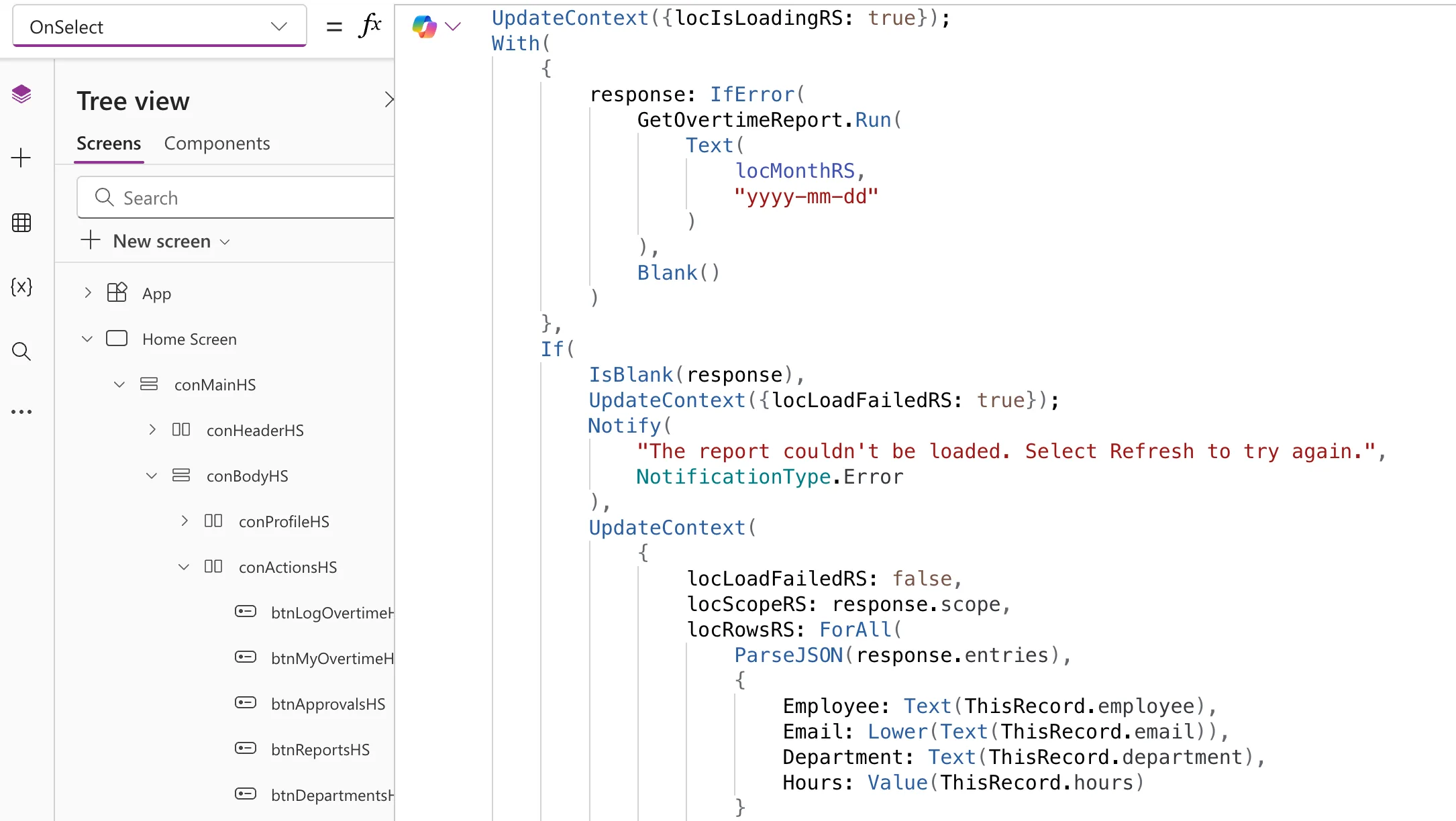
        Email: Lower(Text(ThisRecord.email)),
        Department: Text(ThisRecord.department),
        Hours: Value(ThisRecord.hours)
    }
)
Text(ThisRecord.email)turns the JSON value into text: values from ParseJSON have no type until they're converted.Lower(...)writes that text in lower case.
In Studio, Format text lays the loader out with one argument per line (How to Format a Formula in Power Apps Studio):
Step 2: Use the Converted Column
Every formula on the screen now uses the lower-case Email: the count of people with Distinct (How to Count Unique Values in Power Apps with Distinct), and the list of people, grouped by email (How to Group Records in Power Apps with GroupBy).
The Result
Six entries from four people, each person counted once:

Common Mistakes
| Mistake | What happens | Do this instead |
|---|---|---|
| Converting one side of a comparison only | The two texts can still differ in case | Convert both sides, or convert once where the data comes in |
| Converting in every formula that uses the column | The same conversion repeated in many places | Convert once, where the table is built |
| Lower on a name to show | Aisha Khan becomes aisha khan | Keep names as they are, or use Proper |
Troubleshooting
| Symptom | Likely cause | Fix |
|---|---|---|
| A value still has capitals | It was converted in another formula, not where the table is built | Convert once where the table is built, and use that column everywhere |
| A name shows in lower case | Lower was used on a name | Keep names as they are, or use Proper |
FAQ
Lower or Upper?
Either, as long as every value you compare goes through the same one. Lower is the usual choice for email addresses.
Does Lower change the data source?
No. It returns new text. To store it, save the result with Patch.
Does Lower change numbers or symbols?
No. The reference says it ignores characters that aren't letters, so @, dots and digits stay as they are.
Conclusion
Lower(Text) writes every letter in lower case. Convert values such as email addresses once, where the app builds its table, and every count, group and comparison sees them the same way.
