How to Convert a Time to Another Time Zone in C#

One moment has a different clock time in every city. To show it the way people in Tokyo, London or New York read their clocks, look the zone up with TimeZoneInfo.FindSystemTimeZoneById and convert the time with TimeZoneInfo.ConvertTime, which also takes care of daylight saving time.
TimeZoneInfo knows each time zone's offset from UTC and its daylight saving rules, from the time zone data of the computer it runs on. You ask for a zone by its ID, and since .NET 6 both kinds of ID work: IANA IDs such as Asia/Tokyo, used by Linux and macOS, and Windows IDs such as Tokyo Standard Time. Microsoft's .NET 6 notes: You can now use either Internet Assigned Numbers Authority (IANA) or Windows time zone IDs on any operating system that has time zone data installed.
Syntax
TimeZoneInfo <zone> = TimeZoneInfo.FindSystemTimeZoneById("<time-zone-id>");
DateTimeOffset <there> = TimeZoneInfo.ConvertTime(<time>, <zone>);
| Part | What it is |
|---|---|
"<time-zone-id>" | The zone's ID, such as Asia/Tokyo or Tokyo Standard Time |
FindSystemTimeZoneById | Looks the zone up: it returns a TimeZoneInfo object based on its identifier |
<time> | The moment to convert, as a DateTimeOffset, such as DateTimeOffset.UtcNow |
ConvertTime | Converts a time to the time in a particular time zone, including daylight saving time |
<there> | The same moment as the clock in that zone shows it, with the zone's offset from UTC |
The Example
A console app called TimeZones takes the current moment and prints it as the clocks in Tokyo, London and New York show it, each with its offset from UTC.
Prerequisites
- The .NET 10 SDK.
dotnet --versionprints a version that starts with10.0.
Step 1: Create a Console App
dotnet new console -n TimeZones
cd TimeZones
The template "Console App" was created successfully.

Processing post-creation actions...
Restoring /Users/you/source/TimeZones/TimeZones.csproj:
  Determining projects to restore...
  Restored /Users/you/source/TimeZones/TimeZones.csproj (in 49 ms).
Restore succeeded.
dotnet new console -n TimeZones creates a folder named TimeZones with a project file and a Program.cs, and cd moves into it. TimeZoneInfo is part of .NET, so there's no package to add.
Step 2: Write the Code
Replace everything in Program.cs. First the moment to convert:
DateTimeOffset now = DateTimeOffset.UtcNow;
DateTimeOffset.UtcNow is the current moment in UTC. A DateTimeOffset keeps the offset with the time, so it always points to one exact moment.
Then convert it for each city:
foreach (string id in new[] { "Asia/Tokyo", "Europe/London", "America/New_York" })
{
    TimeZoneInfo zone = TimeZoneInfo.FindSystemTimeZoneById(id);
    DateTimeOffset there = TimeZoneInfo.ConvertTime(now, zone);
    Console.WriteLine($"{id,-17} {there:yyyy-MM-dd HH:mm} (UTC{there:zzz})");
}
FindSystemTimeZoneById(id)looks up each zone by its IANA ID.ConvertTime(now, zone)gives the same moment with that zone's clock time and offset.id,-17in the first braces pads the ID to 17 characters, so the times line up.yyyy-MM-dd HH:mmprints the date and the time on a 24-hour clock, andzzzprints the offset from UTC, such as+09:00.
Step 3: Run It
Run it in VS Code's terminal, or press Ctrl+F5 in Visual Studio:
dotnet run
Asia/Tokyo        2026-11-26 14:06 (UTC+09:00)
Europe/London     2026-11-26 05:06 (UTC+00:00)
America/New_York  2026-11-26 00:06 (UTC-05:00)
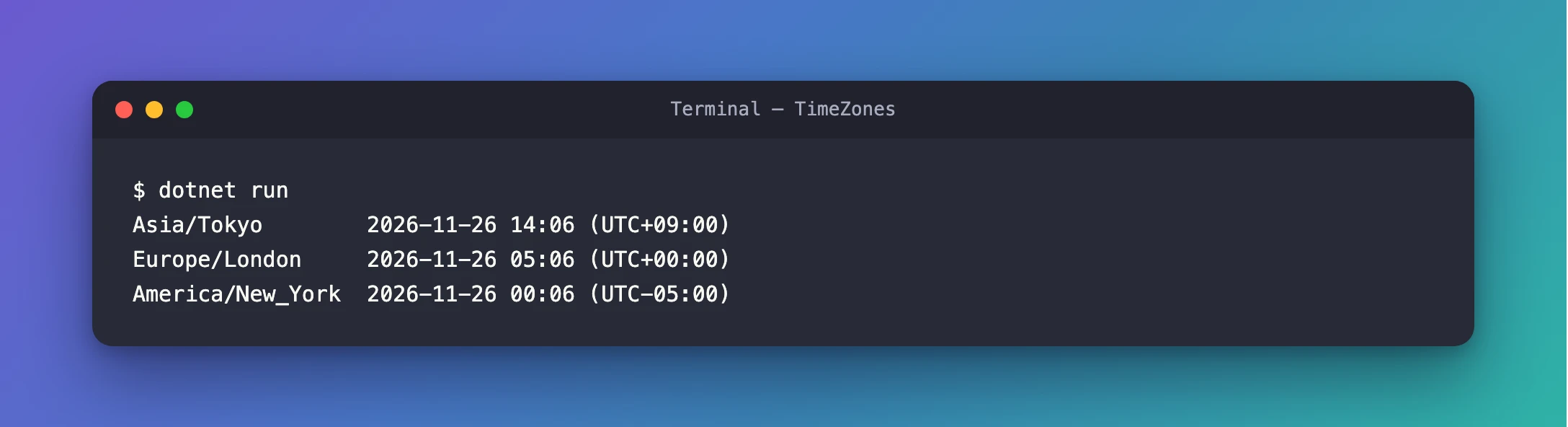
All three lines are the same moment, 05:06 UTC. Tokyo is nine hours ahead, London is on UTC in November, and New York is five hours behind, just after midnight.
The Complete File
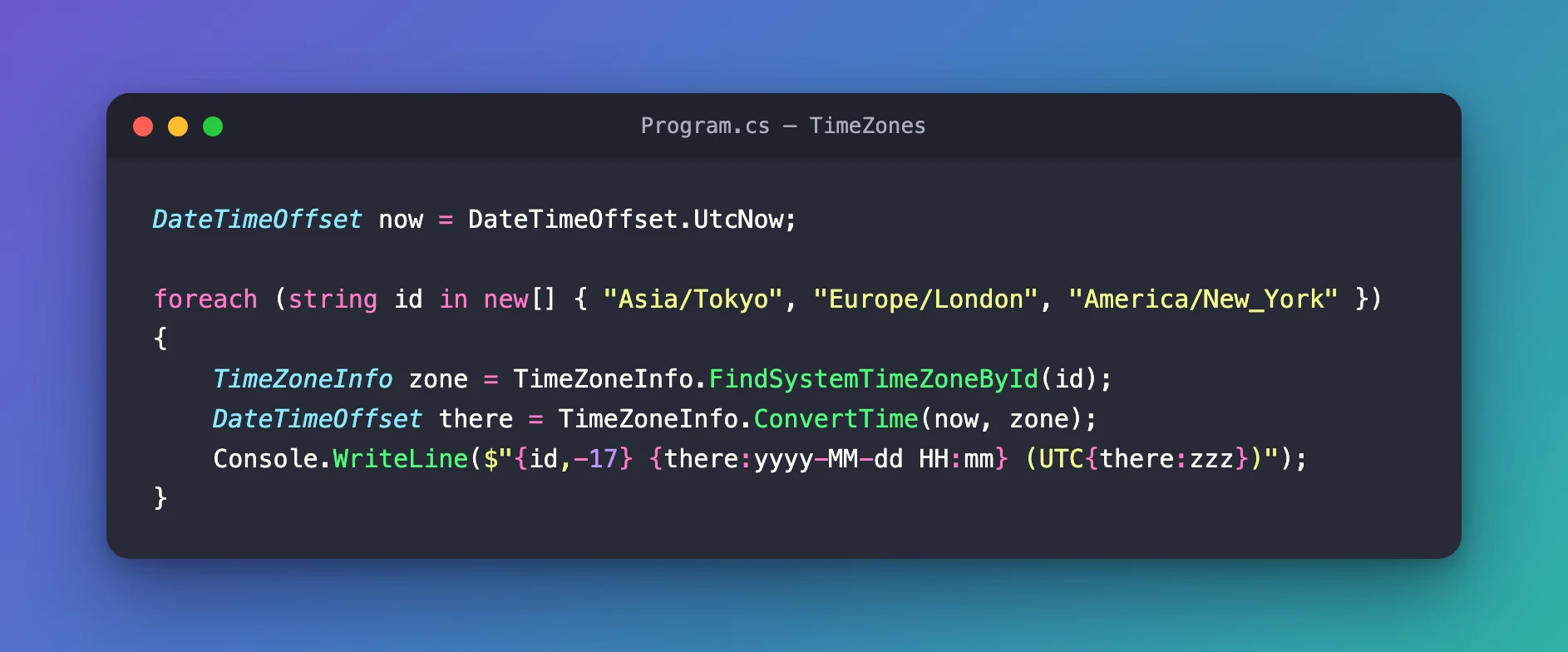
DateTimeOffset now = DateTimeOffset.UtcNow;

foreach (string id in new[] { "Asia/Tokyo", "Europe/London", "America/New_York" })
{
    TimeZoneInfo zone = TimeZoneInfo.FindSystemTimeZoneById(id);
    DateTimeOffset there = TimeZoneInfo.ConvertTime(now, zone);
    Console.WriteLine($"{id,-17} {there:yyyy-MM-dd HH:mm} (UTC{there:zzz})");
}
Daylight Saving Time
A zone's offset isn't fixed. New York is five hours behind UTC in winter and four in summer, and ConvertTime knows which applies on which date. Microsoft's reference: this method takes into account any adjustment rules in effect in the destination time zone. Converting noon UTC on two dates:
DateTimeOffset summer = new(2026, 7, 1, 12, 0, 0, TimeSpan.Zero);
DateTimeOffset winter = new(2026, 11, 26, 12, 0, 0, TimeSpan.Zero);
TimeZoneInfo newYork = TimeZoneInfo.FindSystemTimeZoneById("America/New_York");
Console.WriteLine($"July:     {TimeZoneInfo.ConvertTime(summer, newYork):yyyy-MM-dd HH:mm zzz}");
Console.WriteLine($"November: {TimeZoneInfo.ConvertTime(winter, newYork):yyyy-MM-dd HH:mm zzz}");
July:     2026-07-01 08:00 -04:00
November: 2026-11-26 07:00 -05:00
The same noon UTC is 08:00 in New York in July and 07:00 in November, because the offset changed from -04:00 to -05:00 in between.
Common Mistakes
| Mistake | What happens | Do this instead |
|---|---|---|
| A misspelled or unknown ID | TimeZoneNotFoundException: The time zone ID 'Asia/Atlantis' was not found on the local computer. | Use the exact ID, and catch TimeZoneNotFoundException when the ID comes from a user or a setting |
| Adding a fixed offset, such as minus five hours for New York | Wrong for part of the year: in July, New York was at -04:00 | Convert with the zone and let it pick the offset |
FAQ
Can I use a Windows ID on macOS or Linux?
Yes. On the Mac this example ran on, FindSystemTimeZoneById("Tokyo Standard Time") worked and converted noon UTC to 21:00 at +09:00. The returned zone kept Tokyo Standard Time as its ID. On Windows, IANA IDs work the other way round, with one condition from Microsoft's reference: IANA IDs are supported on Windows only if NLS isn't enabled and globalization invariant mode isn't enabled.
Does the case of the ID matter?
No. Microsoft's reference: the comparison of id with time zone identifiers is case-insensitive. FindSystemTimeZoneById("asia/tokyo") returned the zone Asia/Tokyo.
Is there a one-call version?
Yes: TimeZoneInfo.ConvertTimeBySystemTimeZoneId(time, "Europe/London") looks the zone up and converts in one call. It gave noon at +00:00 for noon UTC in November. Microsoft's reference says it's identical to calling the ConvertTime(DateTimeOffset, TimeZoneInfo) method, except that it allows you to specify the destination time zone by its identifier.
Conclusion
TimeZoneInfo.FindSystemTimeZoneById("Asia/Tokyo") finds a zone, and TimeZoneInfo.ConvertTime(moment, zone) shows a moment the way that zone's clocks read it, with daylight saving time applied. Here one moment came out as 14:06 in Tokyo, 05:06 in London and 00:06 in New York.
Additional Resources
- TimeZoneInfo.ConvertTime — every form of the conversion.
- TimeZoneInfo.FindSystemTimeZoneById — IDs, case and platforms.
- Converting times between time zones — UTC, local time and other zones.
