How to Convert a Struct to JSON and Back in Rust with serde

serde is a serialization framework for Rust. Derive its Serialize and Deserialize traits on a struct, and the serde_json crate turns the struct into JSON and back with one call each way.
Syntax
use serde::{Deserialize, Serialize};

#[derive(Serialize, Deserialize)]
struct <Name> {
    <field>: <Type>,
}

let <json>: String = serde_json::to_string(&<value>).unwrap();
let <copy>: <Name> = serde_json::from_str(&<json>).unwrap();
| Part | What it does |
|---|---|
#[derive(Serialize, Deserialize)] | Generates the code that converts the struct to and from any serde format. |
serde_json::to_string(&value) | Turns a reference to the value into a JSON String. |
serde_json::from_str(&json) | Reads a reference to the JSON text into the type named on the left, here <Name>. |
.unwrap() | Both calls return a Result. unwrap takes the value out, and stops the program if the call failed. |
serde's documentation on derive: "Serde provides a derive macro to generate implementations of the Serialize and Deserialize traits for data structures defined in your crate, allowing them to be represented conveniently in all of Serde's data formats." In serde_json's API documentation, to_string is "Serialize the given data structure as a String of JSON" and from_str is "Deserialize an instance of type T from a string of JSON text."
The Example
The example turns a User named Ada, aged 36, into JSON, prints it, reads the JSON back into a new User, and prints that too.
Prerequisites
- Rust, installed with rustup, which comes with Cargo. This guide uses Rust 1.100.0.
Step 1: Create a Project and Add serde
cargo new demo
cd demo
cargo add serde --features derive
cargo add serde_json
cargo new demo creates a folder named demo with a Cargo.toml file and src/main.rs, and cd demo moves into it. The two cargo add commands look up the newest versions of the two crates and list them in Cargo.toml. --features derive switches on serde's derive macros, which are off by default. The first cargo add prints:
    Updating crates.io index
      Adding serde v1.0.229 to dependencies
             Features:
             + derive
             + serde_derive
             + std
             - alloc
             - rc
             - unstable
    Updating crates.io index
     Locking 7 packages to highest Rust 1.100.0 compatible versions
+ marks a feature that's on, and - one that's off. The second prints:
    Updating crates.io index
      Adding serde_json v1.0.154 to dependencies
             Features:
             + std
             - alloc
             - arbitrary_precision
             - float_roundtrip
             - indexmap
             - preserve_order
             - raw_value
             - unbounded_depth
    Updating crates.io index
     Locking 4 packages to highest Rust 1.100.0 compatible versions
      Adding itoa v1.0.19
      Adding memchr v2.8.3
      Adding serde_json v1.0.154
      Adding zmij v1.0.23
Cargo.toml now ends with:
[dependencies]
serde = { version = "1.0.229", features = ["derive"] }
serde_json = "1.0.154"
Step 2: Write the Code
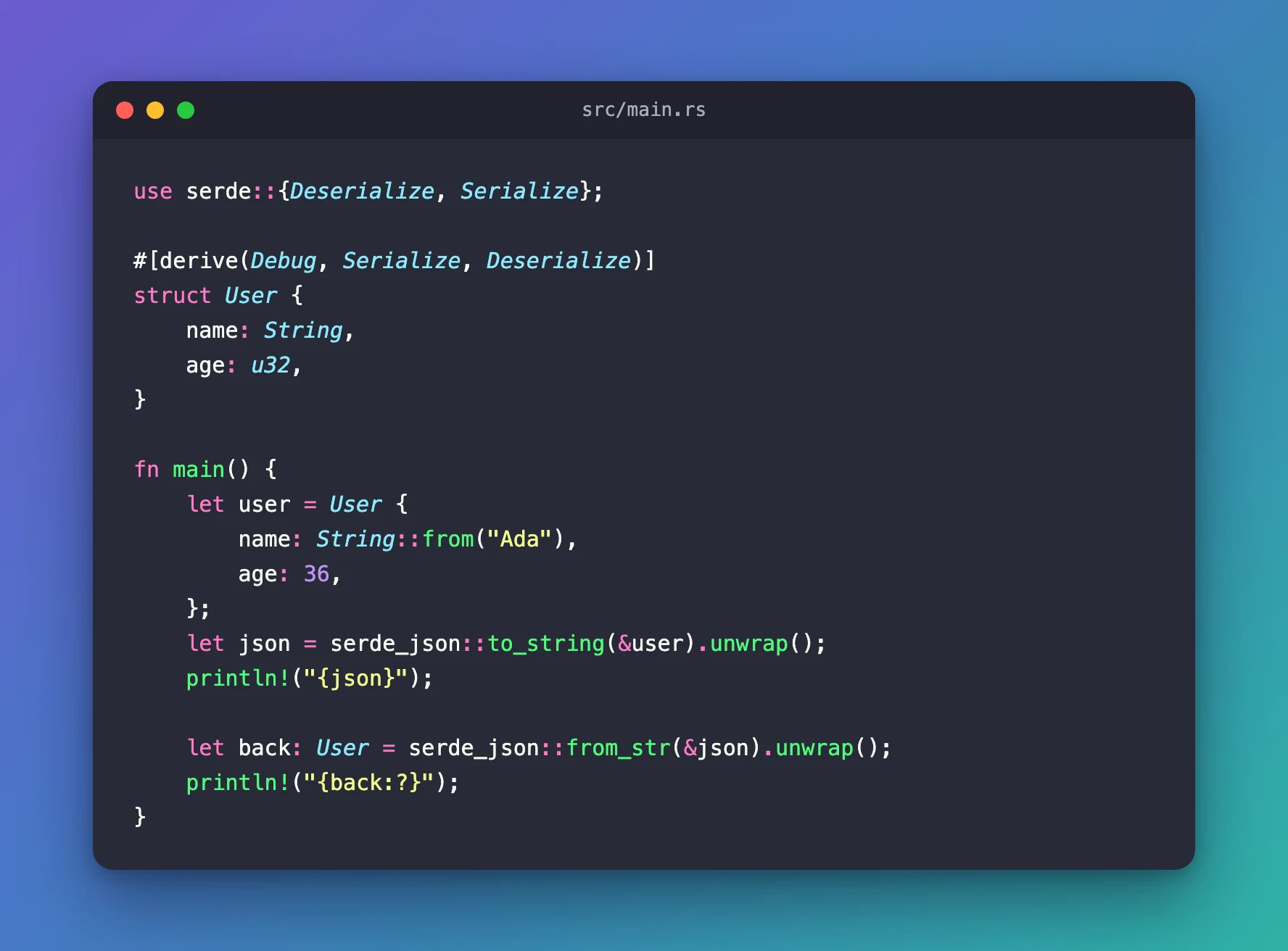
Replace the contents of src/main.rs with:
use serde::{Deserialize, Serialize};

#[derive(Debug, Serialize, Deserialize)]
struct User {
    name: String,
    age: u32,
}

fn main() {
    let user = User {
        name: String::from("Ada"),
        age: 36,
    };
    let json = serde_json::to_string(&user).unwrap();
    println!("{json}");

    let back: User = serde_json::from_str(&json).unwrap();
    println!("{back:?}");
}
The use line brings serde's two derive macros into scope. Debug is derived too, only so the program can print the copy with {back:?}. let back: User tells from_str which type to build from the JSON.
Step 3: Run It
cargo run -q
{"name":"Ada","age":36}
User { name: "Ada", age: 36 }
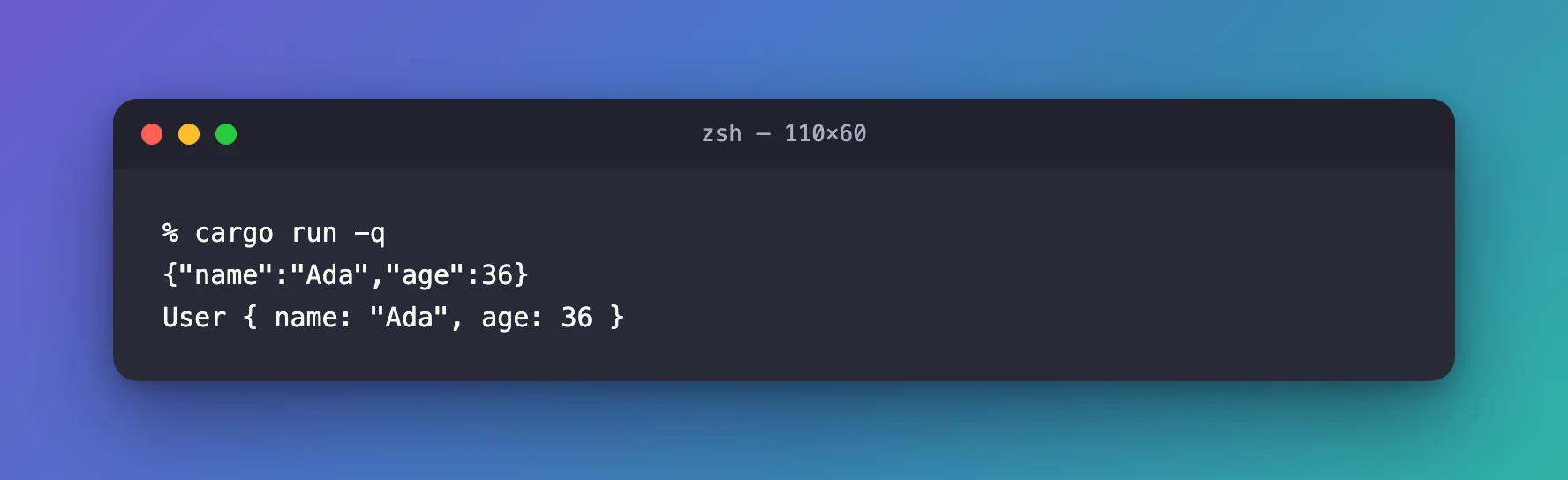
cargo run compiles the program and its crates, then runs it, and -q hides Cargo's own status lines. The first line is the JSON: the field names became the keys, in the order the struct declares them. The second is the User that from_str built from that JSON.
When the JSON Doesn't Match
from_str checks the JSON against the struct and returns an Err that says what's wrong and where. Printed with {}, the errors read:
| JSON | Error |
|---|---|
{"name":"Ada"} | missing field `age` at line 1 column 14 |
{"name":"Ada","age":"36"} | invalid type: string "36", expected u32 at line 1 column 24 |
{"name":"Ada","age":36,"city":"London"} | No error: unknown keys are ignored, and the result is User { name: "Ada", age: 36 } |
Indented JSON
serde_json::to_string_pretty(&user) writes the same JSON with line breaks and indentation:
{
  "name": "Ada",
  "age": 36
}
Common Mistakes
| Mistake | What happens | Do this instead |
|---|---|---|
Adding serde without --features derive | error: cannot find derive macro `Serialize` in this scope, with the note `Serialize` is a trait, not a derive macro | Run cargo add serde --features derive |
Forgetting Serialize in #[derive(…)] | error[E0277]: the trait bound `User: serde::Serialize` is not satisfied | Derive Serialize, and Deserialize for from_str |
Calling unwrap on JSON from outside the program | A JSON mistake stops the program | Handle the Err, for example with match |
Troubleshooting
| Symptom | Likely cause | Fix |
|---|---|---|
cannot find derive macro `Serialize` | The derive feature is off | Add the feature, as in Step 1 |
missing field `…` at line 1 column … | The JSON lacks a field the struct requires | Send the field, or make it an Option: with age: Option<u32>, the same JSON gave User { name: "Ada", age: None } |
invalid type: string "…", expected u32 | A number arrived as text | Send a JSON number, without quotes |
FAQ
Why does to_string take &user?
Its signature is pub fn to_string<T>(value: &T) -> Result<String>: it only reads the value, so it borrows it and user stays usable afterwards.
Does serde_json need serde in Cargo.toml as well?
For #[derive(Serialize, Deserialize)] on your own types, yes: the derive macros come from the serde crate with its derive feature, which is why Step 1 adds both.
Conclusion
Derive Serialize and Deserialize, then serde_json::to_string(&value) gives you JSON and serde_json::from_str(&json) gives you the struct back. When the JSON doesn't fit, the error names the field and the position.
Additional Resources
- Using derive, in serde's documentation.
- serde_json::to_string and serde_json::from_str, on docs.rs.
- cargo add, in the Cargo Book.
