How to Convert a String to Lowercase with ToLowerInvariant in C#

To treat Tokyo, TOKYO and tokyo as the same answer, turn them into lowercase first. ToLowerInvariant does that with the same rules on every computer, so the result doesn't depend on the language the computer is set to.
Microsoft's reference: Returns a copy of this String object converted to lowercase using the casing rules of the invariant culture. The invariant culture is a fixed set of rules that never changes. Plain ToLower() uses the computer's own culture instead, and those rules differ: in Turkish, a capital I doesn't become i.
Syntax
string <lower> = <text>.ToLowerInvariant();
| Part | What it is |
|---|---|
<text> | The string to convert |
ToLowerInvariant() | Lowercases it with the invariant culture's rules, the same everywhere |
<lower> | A new string in lowercase. <text> itself doesn't change |
The reference says when to choose it: If your application depends on the case of a string changing in a predictable way that is unaffected by the current culture, use the ToLowerInvariant method.
The Example
A console app called LowerCase checks five typed answers against the city tokyo, whatever case they were typed in.
Prerequisites
- The .NET 10 SDK.
dotnet --versionprints a version that starts with10.0.
Step 1: Create a Console App
dotnet new console -n LowerCase
cd LowerCase
The template "Console App" was created successfully.

Processing post-creation actions...
Restoring /Users/you/source/LowerCase/LowerCase.csproj:
  Determining projects to restore...
  Restored /Users/you/source/LowerCase/LowerCase.csproj (in 55 ms).
Restore succeeded.
dotnet new console -n LowerCase creates a folder named LowerCase with a project file and a Program.cs, and cd moves into it. Everything this example uses is part of .NET, so there's no package to add. Open the folder in VS Code, or LowerCase.csproj in Visual Studio.
Step 2: Write the Code
Replace everything in Program.cs. First the answers:
string[] answers = ["Tokyo", "TOKYO", "tokyo", "ToKyO", "Kyoto"];
Then the check:
foreach (string answer in answers)
{
    // Lowercase the answer the same way on every computer, then compare it.
    string lower = answer.ToLowerInvariant();
    Console.WriteLine($"{answer,-6} -> {lower,-6} is Tokyo: {lower == "tokyo"}");
}
answer.ToLowerInvariant()gives the answer in lowercase.lower == "tokyo"compares it with the lowercase word, so the case the answer was typed in no longer matters.{answer,-6}pads the text to 6 characters, so the columns line up.
Step 3: Run It
Run it in VS Code's terminal, or press Ctrl+F5 in Visual Studio:
dotnet run
Tokyo  -> tokyo  is Tokyo: True
TOKYO  -> tokyo  is Tokyo: True
tokyo  -> tokyo  is Tokyo: True
ToKyO  -> tokyo  is Tokyo: True
Kyoto  -> kyoto  is Tokyo: False
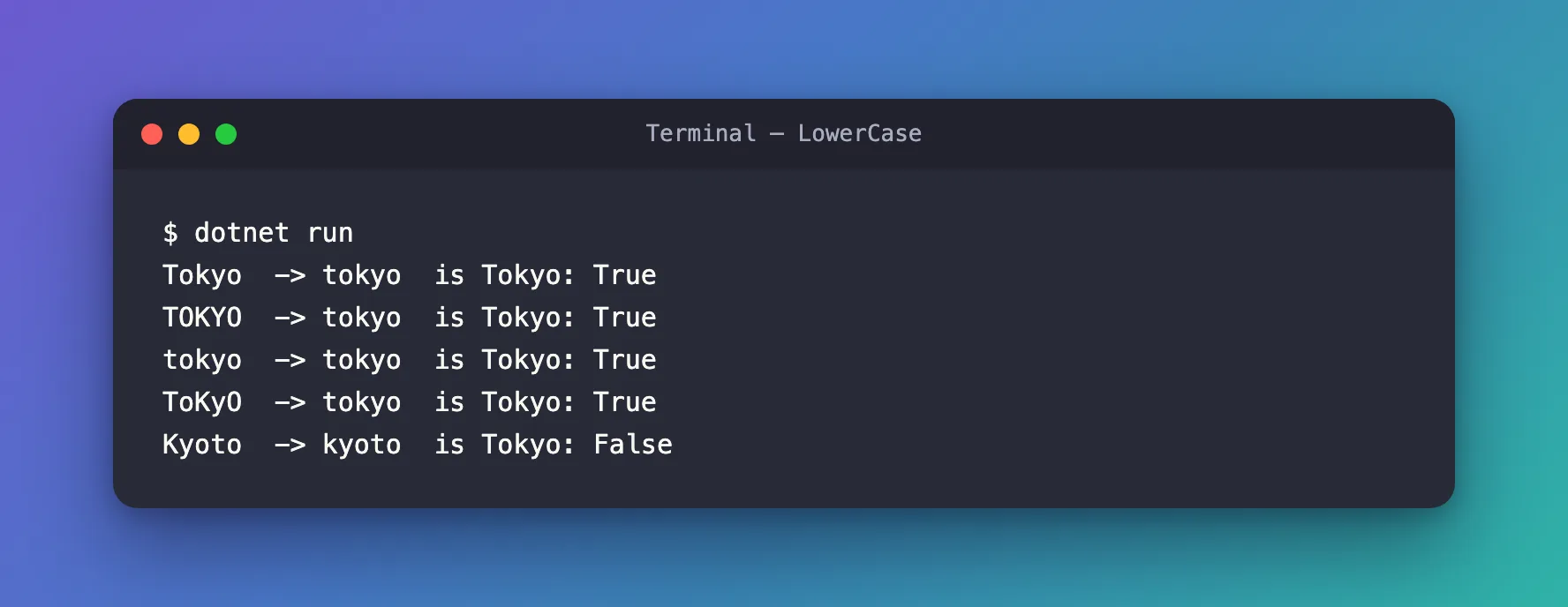
Four spellings of the same word became tokyo and matched. Kyoto has the same letters in another order, so it didn't.
The Complete File
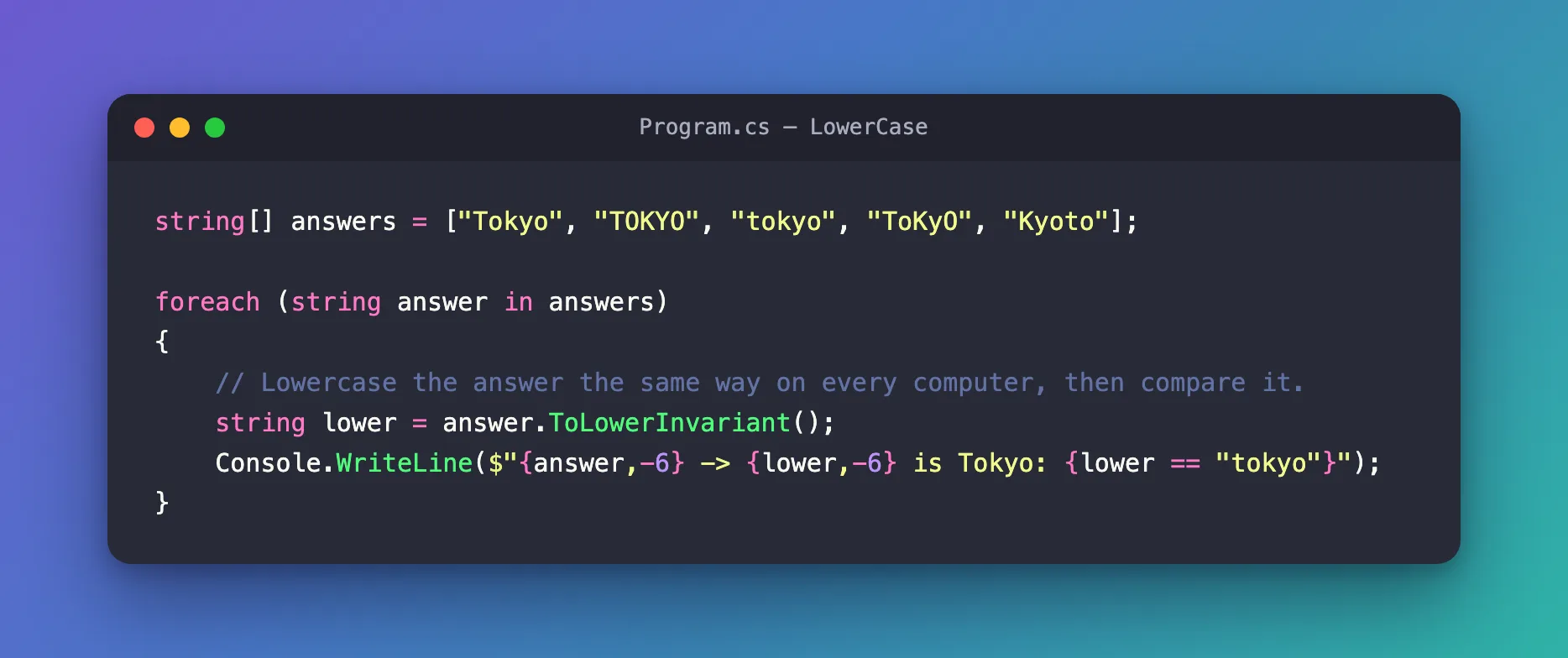
string[] answers = ["Tokyo", "TOKYO", "tokyo", "ToKyO", "Kyoto"];

foreach (string answer in answers)
{
    // Lowercase the answer the same way on every computer, then compare it.
    string lower = answer.ToLowerInvariant();
    Console.WriteLine($"{answer,-6} -> {lower,-6} is Tokyo: {lower == "tokyo"}");
}
Common Mistakes
| Mistake | What happens | Do this instead |
|---|---|---|
Using ToLower() to compare text | It follows the culture's rules. With Turkish rules, "TITLE".ToLower(new CultureInfo("tr-TR")) returned tıtle, with a dotless ı, while "TITLE".ToLowerInvariant() returned title | Use ToLowerInvariant() for anything that isn't shown to a person |
| Expecting the string itself to change | answer.ToLowerInvariant(); on its own left answer as TOKYO | Keep the result in a variable |
FAQ
Can I compare without lowercasing at all?
Yes: string.Equals("Tokyo", "TOKYO", StringComparison.OrdinalIgnoreCase) returned True. Microsoft's best practices: Use StringComparison.Ordinal or StringComparison.OrdinalIgnoreCase for comparisons as your safe default for culture-agnostic string matching.
Lowercase or uppercase, for comparing?
Microsoft's best practices prefer uppercase: Use the String.ToUpperInvariant method instead of the String.ToLowerInvariant method when you normalize strings for comparison. For a one-off comparison, OrdinalIgnoreCase avoids the question.
Conclusion
text.ToLowerInvariant() lowercases text with the same rules on every computer, so a check like answer.ToLowerInvariant() == "tokyo" behaves the same everywhere. When you only need to compare two strings, string.Equals(a, b, StringComparison.OrdinalIgnoreCase) does it without making new strings.
Additional Resources
- String.ToLowerInvariant — what it does and when to use it.
- Best practices for comparing strings in .NET — ordinal comparison and the Turkish I.
