How to Convert a String to Bytes and Back in Python

Python keeps text and raw bytes apart: a str holds characters and a bytes value holds numbers from 0 to 255. Many tools, from hashing to base64 to network sockets, want bytes, so you convert with str.encode() and convert back with bytes.decode().
Syntax
<data> = <text>.encode()
<text> = <data>.decode()
<data> = <text>.encode("<encoding>")
| Part | What it does |
|---|---|
<text>.encode() | Turns the string into bytes, using UTF-8 unless you name another encoding. |
<data>.decode() | Turns bytes back into a string, again UTF-8 by default. |
"<encoding>" | Optional. The encoding to use, such as "utf-8" or "ascii". Both sides must use the same one. |
The Python documentation for str.encode: "Return the string encoded to bytes." For bytes.decode: "Return the bytes decoded to a str."
The Example
The example encodes the word café, prints the bytes and compares the number of characters with the number of bytes, then decodes the bytes back into the word.
Prerequisites
- uv and Python. This guide uses uv 0.13.10 with Python 3.15.2.
Step 1: Write the Code
Create a file named main.py:
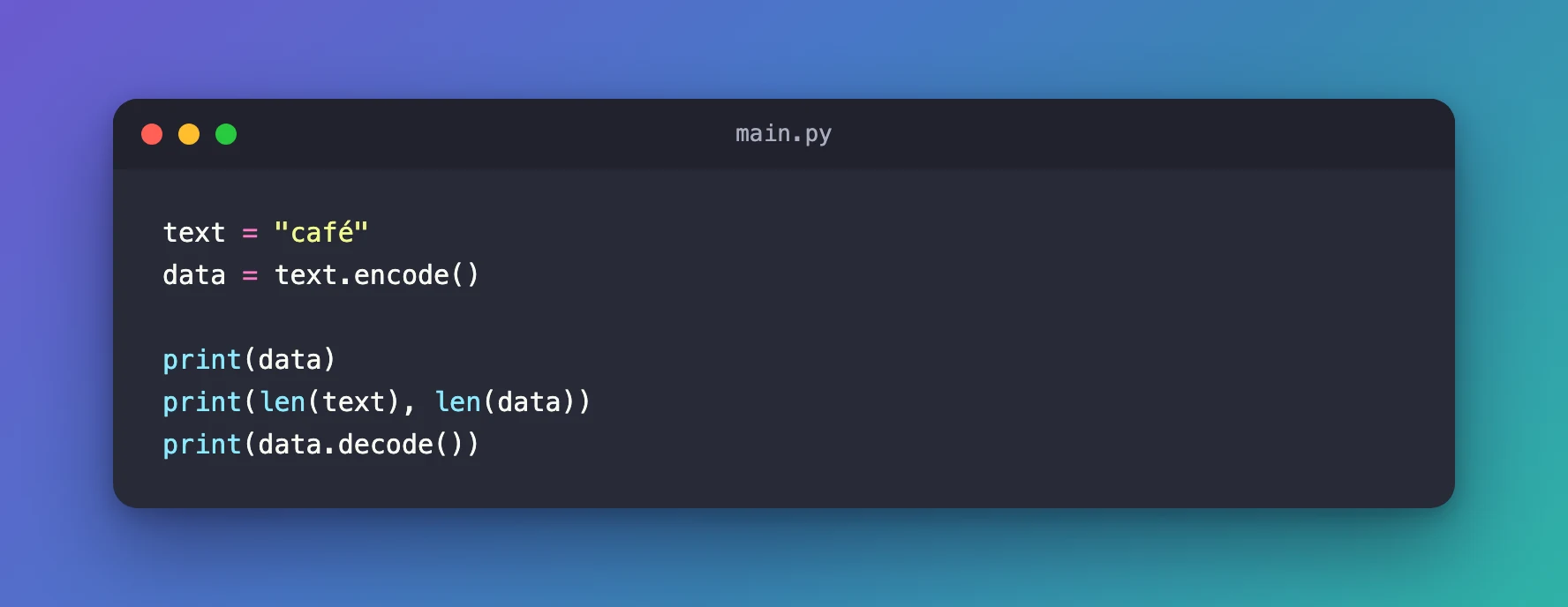
text = "café"
data = text.encode()

print(data)
print(len(text), len(data))
print(data.decode())
Step 2: Run It
uv run python main.py
b'caf\xc3\xa9'
4 5
café
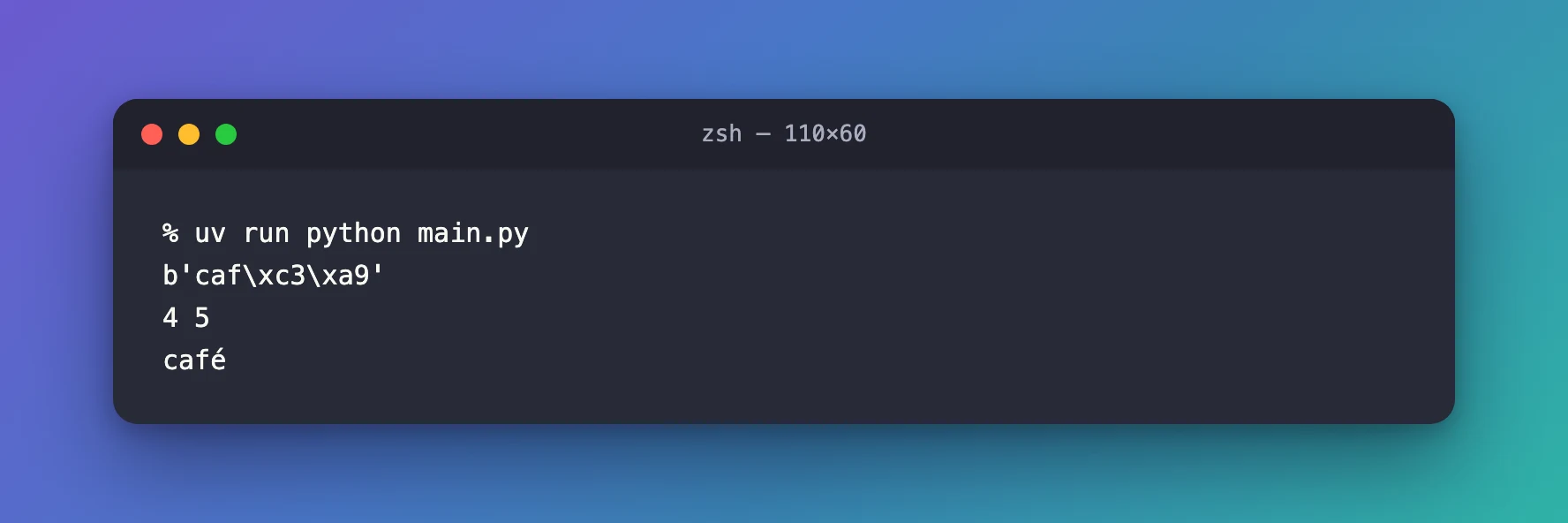
The command is the same in zsh, bash and PowerShell.
What Happened
- Python prints bytes with a
bin front. The plain letters show as themselves, and theéshows as\xc3\xa9: in UTF-8 it takes two bytes. - So the text has 4 characters and the bytes number 5.
decode()read the two bytes back as oneé, and the word came back unchanged.
Common Mistakes
| Mistake | What happens | Do this instead |
|---|---|---|
| Decoding with a different encoding than the one used to encode | UnicodeDecodeError: 'ascii' codec can't decode byte 0xc3 in position 3: ordinal not in range(128) | Use the same encoding on both sides; UTF-8 is the default |
Joining text and bytes with + | TypeError: can't concat str to bytes | Encode the text or decode the bytes first |
Counting bytes with len() on the string | You get characters, which differ from bytes for anything beyond plain English letters | Call len() on the encoded bytes |
Troubleshooting
| Symptom | Likely cause | Fix |
|---|---|---|
b'...' shows up in printed text | You printed bytes instead of text | Call .decode() before printing |
UnicodeDecodeError | The bytes weren't written in the encoding you decode with | Find out the real encoding, usually UTF-8 |
FAQ
What is the b in front of a value?
It marks a bytes value. You can write one yourself in code, as in b"=", and compare or combine it with other bytes.
Do I need to name UTF-8?
No. Both encode() and decode() use UTF-8 when you don't name an encoding.
Conclusion
text.encode() gives you UTF-8 bytes and data.decode() gives you the text back. Keep the two kinds apart, convert at the edges of your program, and use the same encoding in both directions.
Additional Resources
- str.encode and bytes.decode, in the Python documentation.
