How to Convert a String to an int with int.TryParse in C#

Numbers often arrive as text: typed into a form, read from a file, sent by another app. In C#, int.TryParse turns that text into an int when it can, and returns false when it can't, so bad input never stops your program. The interesting part is which text counts as a number.
Syntax
bool <ok> = int.TryParse(<text>, out int <number>);
| Part | What it does |
|---|---|
<text> | The text to convert. It can be null |
out int <number> | Declares the variable that receives the number |
<ok> | true when the text was a whole number that fits in an int. When it's false, <number> is 0 |
Microsoft's Int32.TryParse reference: "Converts the string representation of a number to its 32-bit signed integer equivalent. A return value indicates whether the conversion succeeded."
The Example
The program tries eight pieces of text, from a plain 12 to null, and prints what int.TryParse made of each one.
Prerequisites
- The .NET 10 SDK or newer, which runs a single
.csfile withdotnet run. This guide uses .NET SDK 10.0.404.
Step 1: Write the Code
Create a file named main.cs in an empty folder:
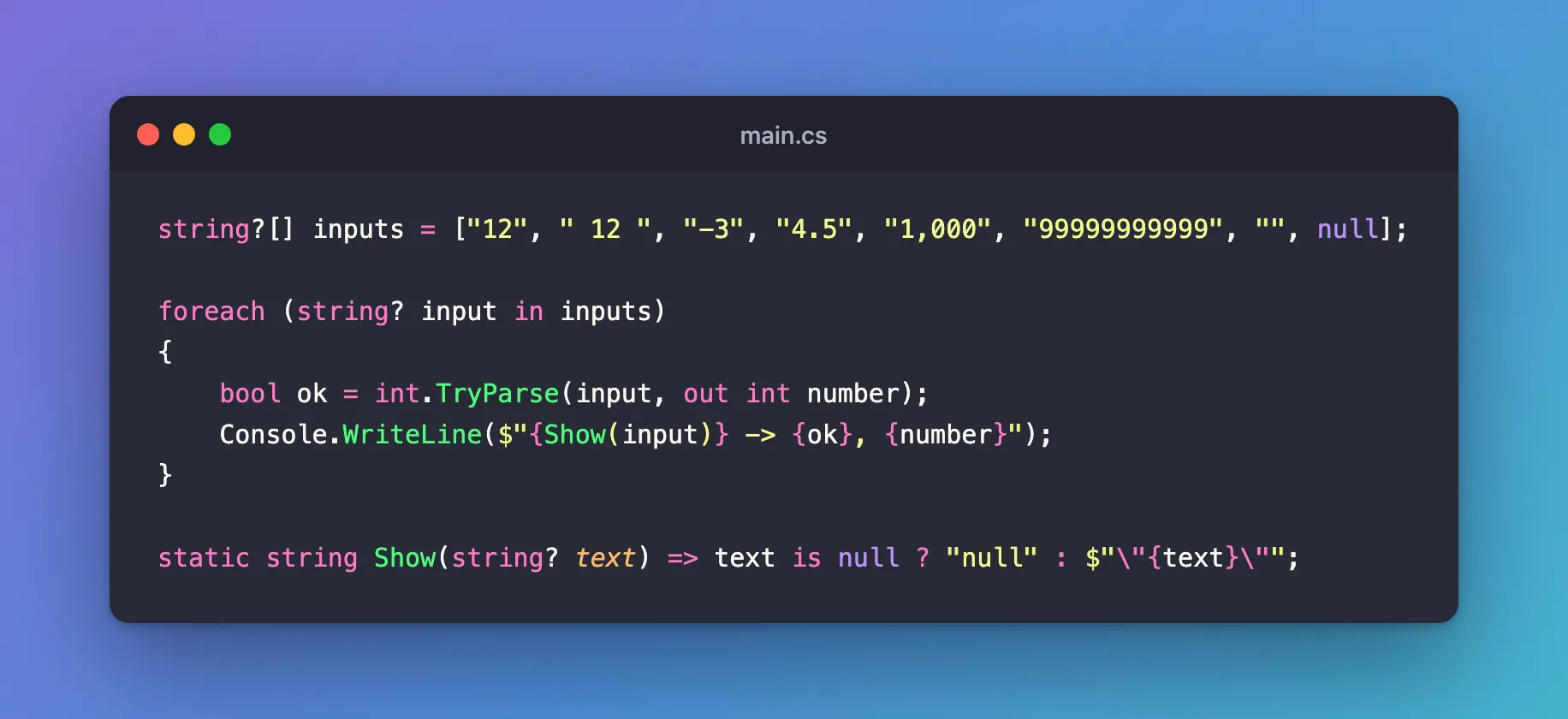
string?[] inputs = ["12", " 12 ", "-3", "4.5", "1,000", "99999999999", "", null];

foreach (string? input in inputs)
{
    bool ok = int.TryParse(input, out int number);
    Console.WriteLine($"{Show(input)} -> {ok}, {number}");
}

static string Show(string? text) => text is null ? "null" : $"\"{text}\"";
Show prints each text in quotes, so the spaces and the empty text are visible, and null as the word null.
Step 2: Run It
dotnet run main.cs
"12" -> True, 12
" 12 " -> True, 12
"-3" -> True, -3
"4.5" -> False, 0
"1,000" -> False, 0
"99999999999" -> False, 0
"" -> False, 0
null -> False, 0
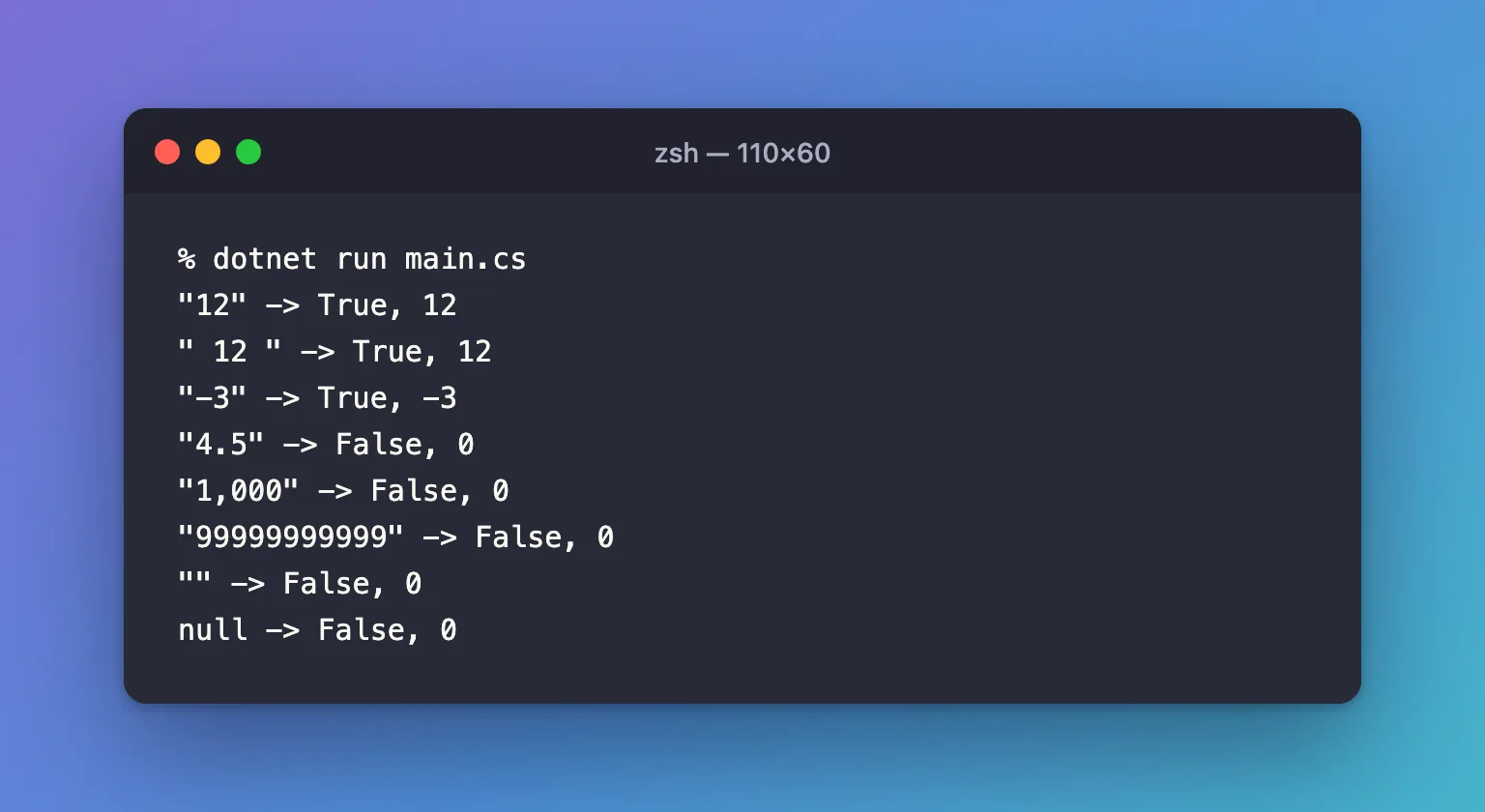
12,12with spaces around it, and-3all converted: spaces at either end and a sign are fine.4.5has a decimal part, and aninthas none:False.1,000has a thousands separator, which isn't allowed by default:False.99999999999is a whole number, but too big for anint:False.- Empty text and
nullgaveFalse, and nothing threw. - Every
Falseleftnumberat 0.
The command is the same in zsh, bash and PowerShell.
Allow Thousands Separators
To accept 1,000, pass NumberStyles.AllowThousands, and a culture that says what the separator is:
using System.Globalization;

bool ok = int.TryParse("1,000", NumberStyles.AllowThousands, CultureInfo.InvariantCulture, out int number);
Console.WriteLine($"{ok}, {number}");
True, 1000
Numbers Too Big for an int
An int stops at int.MaxValue, 2147483647. For bigger whole numbers, long.TryParse works the same way: long.TryParse("99999999999", out long big) returned True, and big was 99999999999.
Common Mistakes
| Mistake | What happens | Do this instead |
|---|---|---|
Using number without checking the result | A failed conversion gives 0, which looks like a real number | Use it only when TryParse returned true |
Expecting "4.5" to convert | False: an int has no decimals | decimal.TryParse("4.5", NumberStyles.Number, CultureInfo.InvariantCulture, out decimal price) gave True, 4.5 |
Expecting "1,000" to convert | False by default | Pass NumberStyles.AllowThousands and a culture |
Troubleshooting
| Symptom | Likely cause | Fix |
|---|---|---|
False for text that looks like a number | A decimal point, a separator, or a number above 2147483647 | Check the text against the list above |
| A value of 0 you didn't expect | The conversion failed, and number kept 0 | Check what TryParse returned |
FAQ
Why TryParse and not int.Parse?
int.Parse returns the number directly but throws an exception when the text isn't one. For text from people or files, TryParse lets you handle bad input with a plain if.
Does int.TryParse accept null?
Yes: null gave False and 0, without an exception, so you don't need a separate null check before calling it.
Conclusion
int.TryParse(text, out int number) returns true and the number for whole numbers that fit in an int, spaces and a sign included, and false with 0 for everything else: decimals, separators, empty text, null and numbers that are too big. Use NumberStyles to allow more, and long.TryParse for bigger numbers.
Additional Resources
- Int32.TryParse method, on Microsoft Learn.
- NumberStyles enum, on Microsoft Learn.
