How to Configure EF Core Entities in Separate Classes with IEntityTypeConfiguration

Every EF Core rule you add, a table name, a maximum length, an index, a constraint, goes into OnModelCreating by default, and that method grows until nobody wants to touch it. IEntityTypeConfiguration<T> gives each entity its own small class instead. This guide moves a real configuration into such classes, registers them all with one line, and proves the move changed nothing in the database model.
Prerequisites
- A .NET C# project using EF Core, with configuration in
OnModelCreating. The examples use EF Core 10 with MySQL, from How to Connect a .NET C# Web API to a MySQL Database — Part 1, but nothing here depends on the database. - The EF Core tools: How to Install dotnet-ef as a Local Tool in a .NET C# Project.
The Starting Point
Two entities, Category and Product, with all their rules in the DbContext:
protected override void OnModelCreating(ModelBuilder modelBuilder)
{
    ArgumentNullException.ThrowIfNull(modelBuilder);

    modelBuilder.Entity<Category>().ToTable("categories");
    modelBuilder.Entity<Category>().Property(c => c.Name).HasMaxLength(100);
    modelBuilder.Entity<Category>().HasIndex(c => c.Name).IsUnique();

    modelBuilder.Entity<Product>().ToTable("products", table =>
    {
        table.HasCheckConstraint("CK_products_UnitPrice", "`UnitPrice` >= 0");
        table.HasCheckConstraint("CK_products_QuantityOnHand", "`QuantityOnHand` >= 0");
        table.HasCheckConstraint("CK_products_ReorderLevel", "`ReorderLevel` >= 0");
    });
    modelBuilder.Entity<Product>().Property(p => p.Sku).HasMaxLength(32);
    modelBuilder.Entity<Product>().HasIndex(p => p.Sku).IsUnique();
    modelBuilder.Entity<Product>().Property(p => p.Name).HasMaxLength(200);
    modelBuilder.Entity<Product>().Property(p => p.UnitPrice).HasPrecision(12, 2);
    modelBuilder.Entity<Product>()
        .HasOne(p => p.Category)
        .WithMany(c => c.Products)
        .HasForeignKey(p => p.CategoryId)
        .OnDelete(DeleteBehavior.Restrict);
}
Two entities, and it's already hard to read. A real app has ten or twenty.
Step 1: One Class per Entity
EF Core's modeling docs describe the way out: "To reduce the size of the OnModelCreating method all configuration for an entity type can be extracted to a separate class implementing IEntityTypeConfiguration<TEntity>."
Create a Configurations folder in the data project, and a class for Category:
using Dewiride.Inventory.Data.Entities;
using Microsoft.EntityFrameworkCore;
using Microsoft.EntityFrameworkCore.Metadata.Builders;

namespace Dewiride.Inventory.Data.Configurations;

/// <summary>
/// How the Category class maps to the categories table in MySQL.
/// </summary>
public sealed class CategoryConfiguration : IEntityTypeConfiguration<Category>
{
    public void Configure(EntityTypeBuilder<Category> builder)
    {
        ArgumentNullException.ThrowIfNull(builder);

        builder.ToTable("categories");

        builder.HasKey(c => c.Id);

        builder.Property(c => c.Name)
            .HasMaxLength(100);

        builder.HasIndex(c => c.Name)
            .IsUnique();
    }
}
IEntityTypeConfiguration<Category>marks the class as the configuration forCategory.Configure(EntityTypeBuilder<Category> builder)receives a builder for that one entity, so every line drops themodelBuilder.Entity<Category>()prefix.builder.HasKey(c => c.Id)states the key that EF Core finds by convention anyway, so the class describes the whole table.
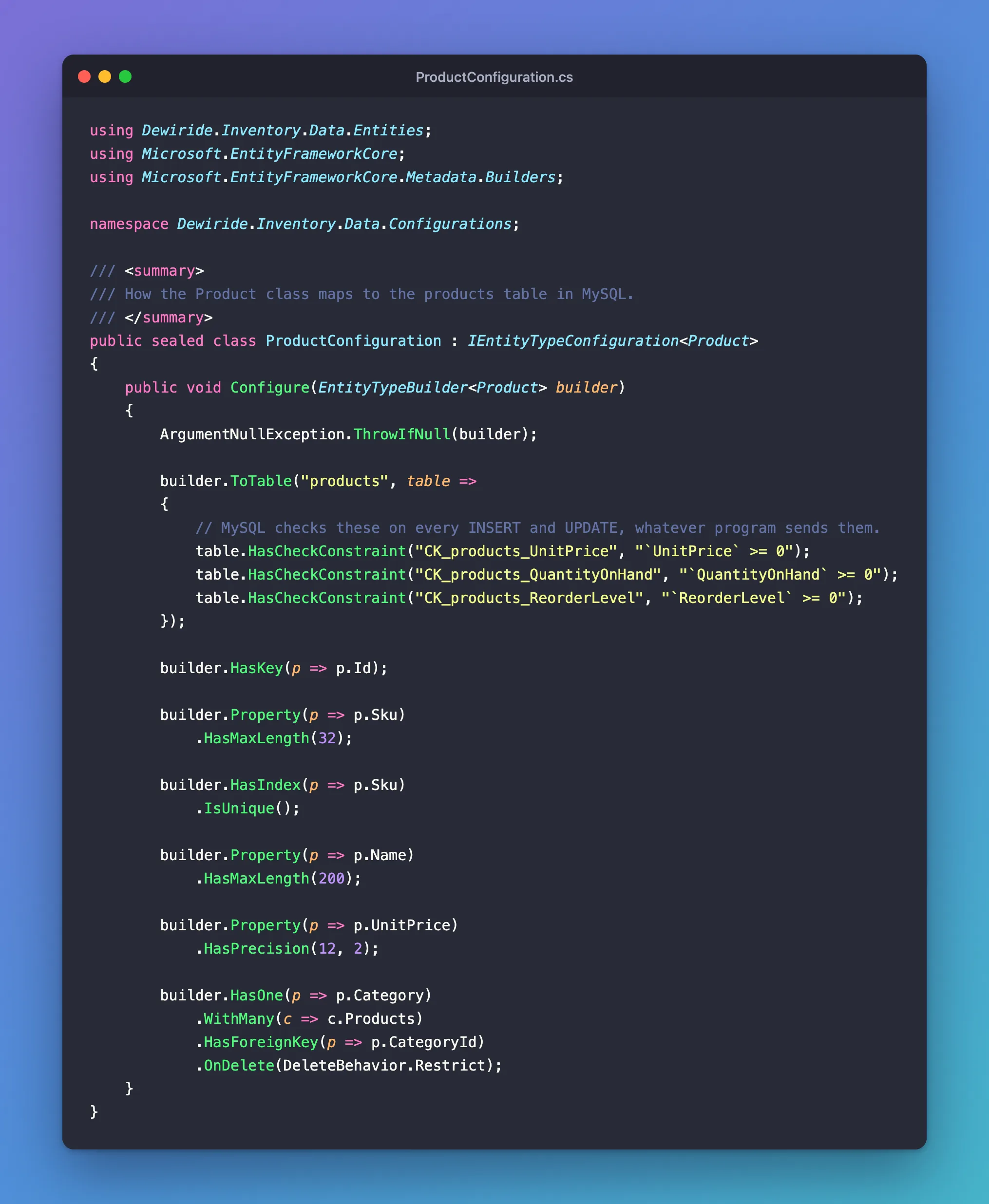
The same for Product:
using Dewiride.Inventory.Data.Entities;
using Microsoft.EntityFrameworkCore;
using Microsoft.EntityFrameworkCore.Metadata.Builders;

namespace Dewiride.Inventory.Data.Configurations;

/// <summary>
/// How the Product class maps to the products table in MySQL.
/// </summary>
public sealed class ProductConfiguration : IEntityTypeConfiguration<Product>
{
    public void Configure(EntityTypeBuilder<Product> builder)
    {
        ArgumentNullException.ThrowIfNull(builder);

        builder.ToTable("products", table =>
        {
            // MySQL checks these on every INSERT and UPDATE, whatever program sends them.
            table.HasCheckConstraint("CK_products_UnitPrice", "`UnitPrice` >= 0");
            table.HasCheckConstraint("CK_products_QuantityOnHand", "`QuantityOnHand` >= 0");
            table.HasCheckConstraint("CK_products_ReorderLevel", "`ReorderLevel` >= 0");
        });

        builder.HasKey(p => p.Id);

        builder.Property(p => p.Sku)
            .HasMaxLength(32);

        builder.HasIndex(p => p.Sku)
            .IsUnique();

        builder.Property(p => p.Name)
            .HasMaxLength(200);

        builder.Property(p => p.UnitPrice)
            .HasPrecision(12, 2);

        builder.HasOne(p => p.Category)
            .WithMany(c => c.Products)
            .HasForeignKey(p => p.CategoryId)
            .OnDelete(DeleteBehavior.Restrict);
    }
}
Step 2: Register Them All with One Line
Replace the whole body of OnModelCreating:
protected override void OnModelCreating(ModelBuilder modelBuilder)
{
    ArgumentNullException.ThrowIfNull(modelBuilder);

    // Picks up every IEntityTypeConfiguration class in this project.
    modelBuilder.ApplyConfigurationsFromAssembly(typeof(InventoryDbContext).Assembly);
}
The docs describe it: "It is possible to apply all configuration specified in types implementing IEntityTypeConfiguration in a given assembly." typeof(InventoryDbContext).Assembly is the data project itself, so every configuration class you add there later is picked up without touching the DbContext again.
Step 3: Prove Nothing Changed
A refactor must not change the model. EF Core can check that, by comparing the model with the last migration's snapshot:
dotnet ef migrations has-pending-model-changes --project src/Dewiride.Inventory.Data --startup-project src/Dewiride.Inventory.Api
Build started...
Build succeeded.
No changes have been made to the model since the last migration.
Same model, so no migration is needed. The classes say exactly what OnModelCreating said.
The Mistake That Drops Every Rule
Without the registration line, the same check gives a different answer:
Build started...
Build succeeded.
Changes have been made to the model since the last migration. Add a new migration.
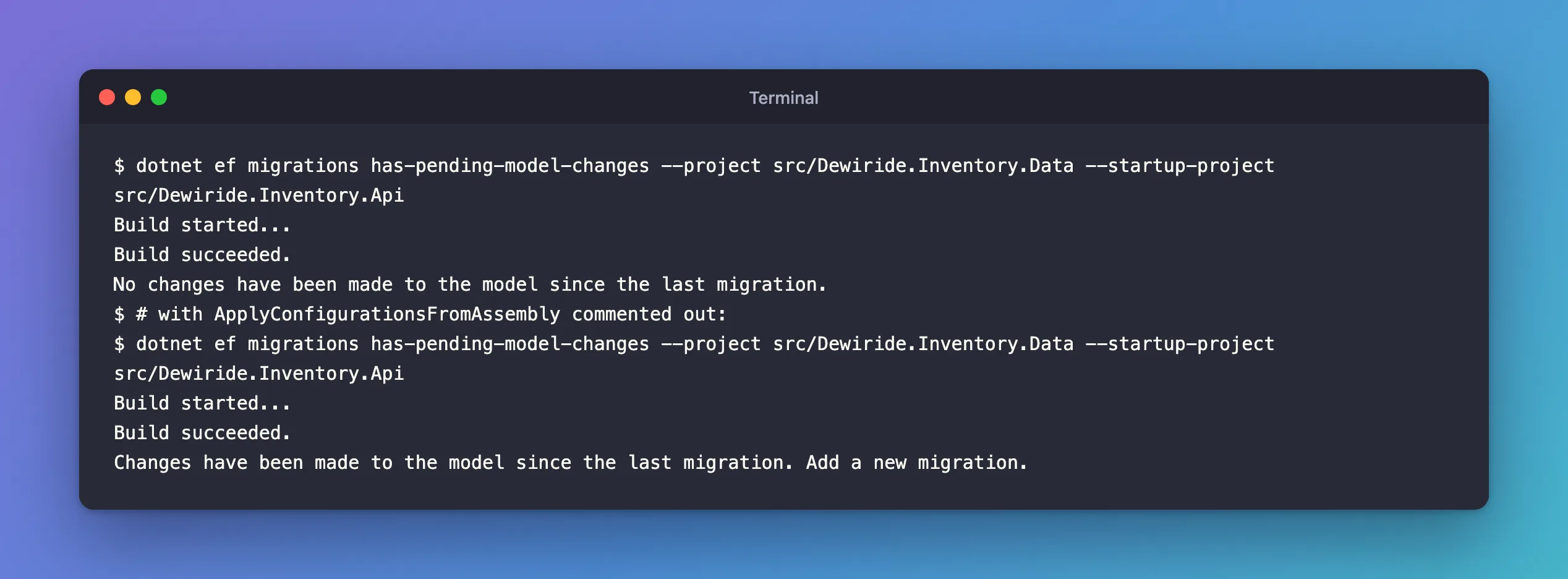
Without the line, the classes are never used, and EF Core falls back to its conventions: table names from the DbSets, longtext strings, no indexes, no constraints. The project still builds without any error, which is why the check matters. A migration created at that moment would undo all of the configuration. Run has-pending-model-changes after any refactor of the model.
Things to Know
- Order isn't guaranteed. The docs warn: "The order in which the configurations will be applied is undefined, therefore this method should only be used when the order doesn't matter." Keep each class about its own entity, and the order never matters.
- Constructors. "
ApplyConfigurationsFromAssemblyonly instantiates configuration types that have a parameterless constructor". A configuration class that needs parameters is skipped, with a warning in the log. - Conventions stay in the DbContext. Rules for every property of a type, such as all
decimals, belong inConfigureConventions, not in an entity's class.
Common Mistakes
| Mistake | What happens | Do this instead |
|---|---|---|
Forgetting ApplyConfigurationsFromAssembly | Every rule silently disappears | Keep the line, and check with has-pending-model-changes |
| Passing another project's assembly | The configurations in the data project aren't found | Use a type from the project that holds them |
| Configuring the same entity in two classes | The order is undefined, so either may win | One class per entity |
Leaving old rules in OnModelCreating too | Two places to change, and they drift | Move everything, then delete the old lines |
Troubleshooting
| Symptom | Likely cause | Fix |
|---|---|---|
has-pending-model-changes reports changes after the refactor | A rule wasn't moved, was changed while moving, or the registration line is missing | Compare the classes with the old method |
| A configuration class is ignored | It has a constructor with parameters | Give it a parameterless constructor |
FAQ
Can I call each configuration explicitly instead?
Yes: modelBuilder.ApplyConfiguration(new CategoryConfiguration()); for each class. The docs show it as "just invoke the Configure method from OnModelCreating". It's explicit, but every new class needs a new line.
Does this change any SQL?
No. It's the same model, built from different classes, which has-pending-model-changes confirms.
Conclusion
Move each entity's rules into a class that implements IEntityTypeConfiguration<T>, put the classes in a Configurations folder, and replace OnModelCreating's body with modelBuilder.ApplyConfigurationsFromAssembly(typeof(InventoryDbContext).Assembly). Then run dotnet ef migrations has-pending-model-changes: "No changes" proves the refactor kept the model, and its absence catches the one missing line that would silently drop every rule.
Additional Resources
- Creating and Configuring a Model: Grouping configuration —
IEntityTypeConfigurationandApplyConfigurationsFromAssembly. - Managing Migrations: Checking for pending model changes
