How to Compare Two Strings with == and != in C#

Checking whether two pieces of text are the same is one of the most common things a program does: is this the right answer, the same user, the same choice? In C#, == compares two strings character by character, and != is its opposite.
Syntax
bool <same> = <text1> == <text2>;
bool <different> = <text1> != <text2>;
| Part | What it does |
|---|---|
<text1> == <text2> | true when both strings have the same characters in the same order, or both are null |
<text1> != <text2> | true when they differ |
| Upper and lower case | Count as different characters: "pizza" and "Pizza" aren't equal |
Microsoft's equality operators reference: "Two string operands are equal when both of them are null or both string instances are of the same length and have identical characters in each character position". And: "String equality comparisons are case-sensitive ordinal comparisons."
The Example
The program compares the word pizza with a copy built at run time, with Pizza in another case, and with null. Then it compares it with Pizza again, this time ignoring case.
Prerequisites
- The .NET 10 SDK or newer, which runs a single
.csfile withdotnet run. This guide uses .NET SDK 10.0.404.
Step 1: Write the Code
Create a file named main.cs in an empty folder:
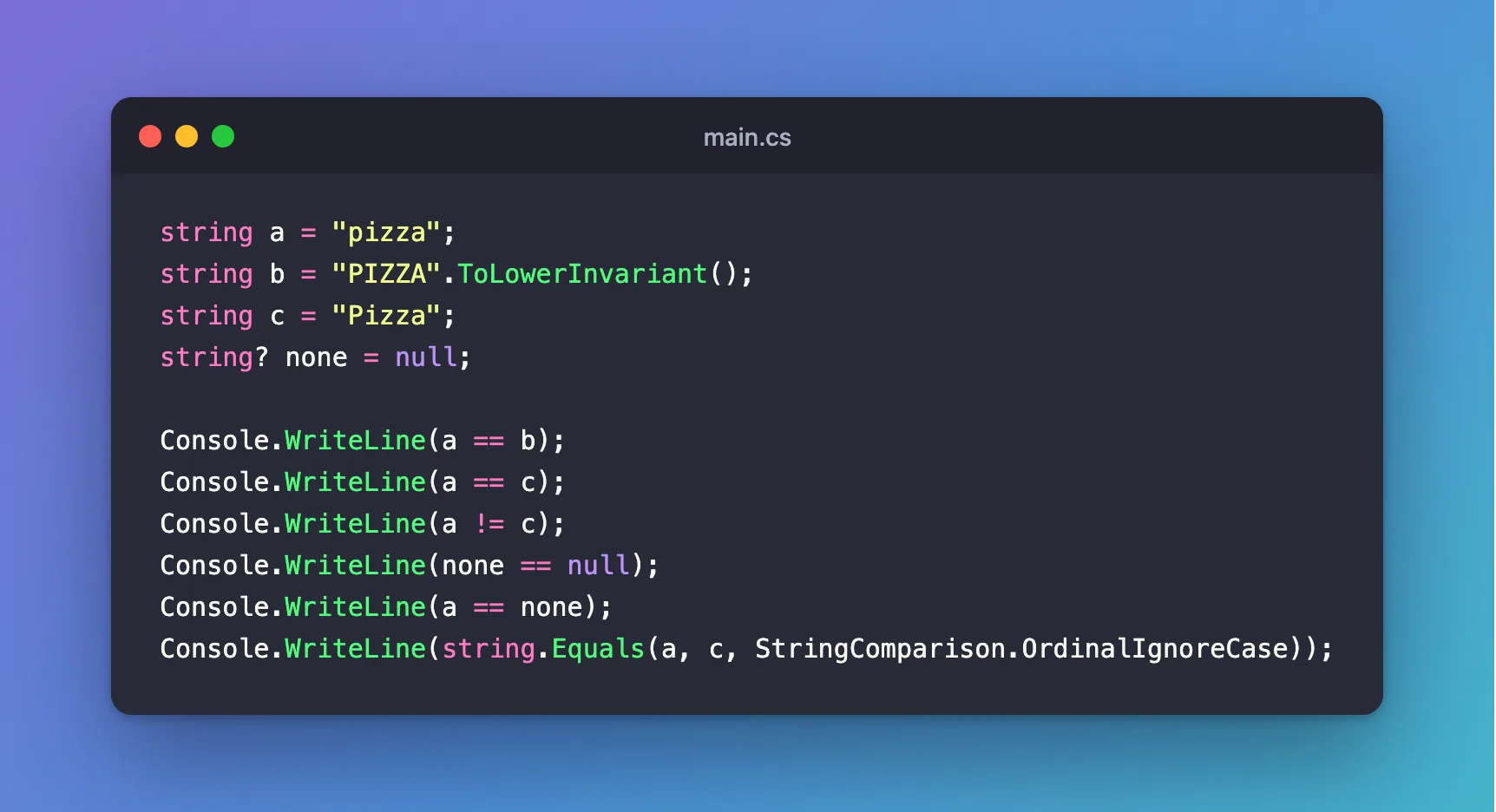
string a = "pizza";
string b = "PIZZA".ToLowerInvariant();
string c = "Pizza";
string? none = null;

Console.WriteLine(a == b);
Console.WriteLine(a == c);
Console.WriteLine(a != c);
Console.WriteLine(none == null);
Console.WriteLine(a == none);
Console.WriteLine(string.Equals(a, c, StringComparison.OrdinalIgnoreCase));
b is built while the program runs, by lowering the case of PIZZA, so it's a separate string object with the same characters as a.
Step 2: Run It
dotnet run main.cs
True
False
True
True
False
True
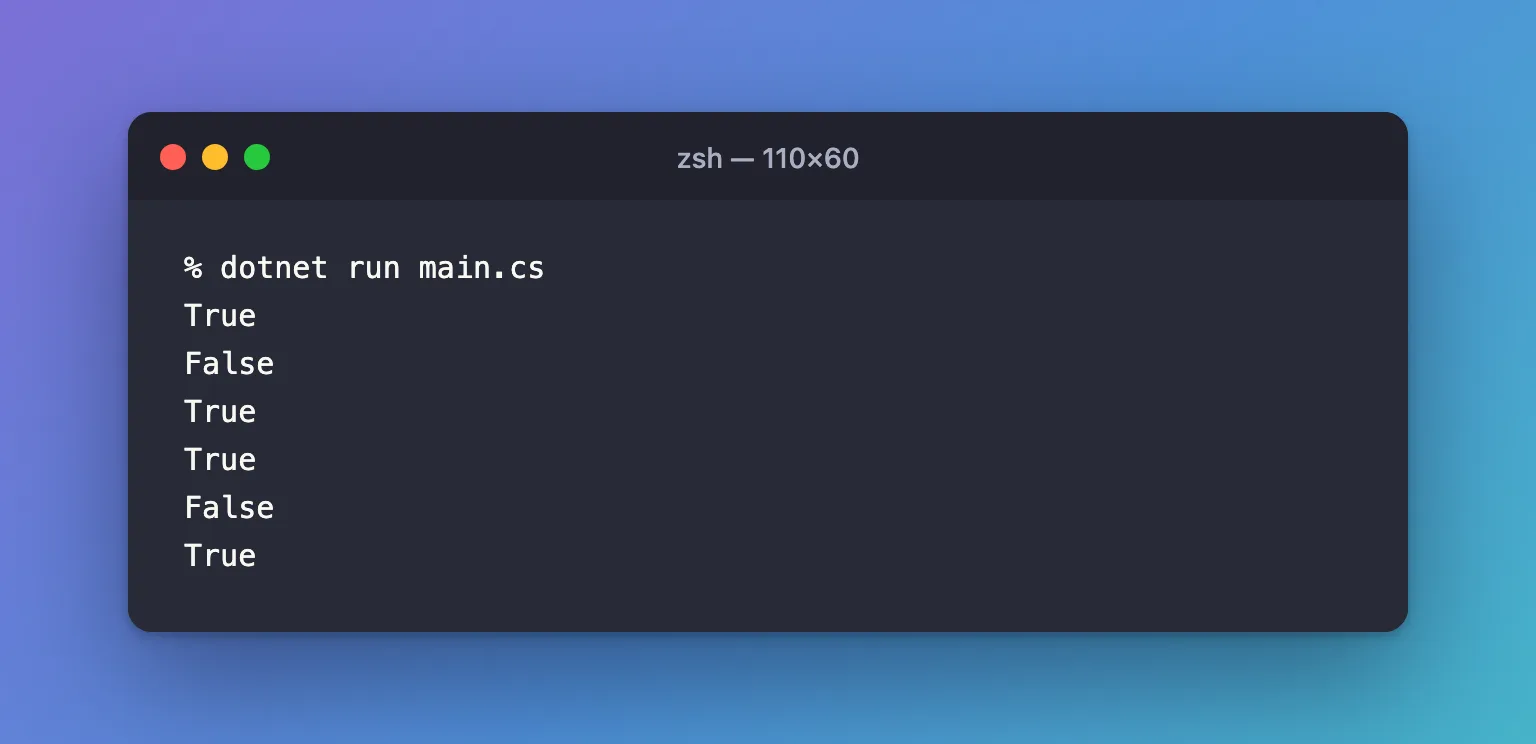
a == bisTrue: two separate strings, same characters.a == cisFalse, anda != cisTrue:Pandpare different characters.none == nullisTrue, anda == noneisFalse. Comparing withnullnever throws.string.EqualswithStringComparison.OrdinalIgnoreCaseignores case, sopizzaandPizzaare equal there.
The command is the same in zsh, bash and PowerShell.
When One Side Is an object
== compares characters only when C# sees two strings. If one side is typed as object, it checks whether both sides are the very same object instead, and warns you:
object a = "pizza";
string b = "PIZZA".ToLowerInvariant();

Console.WriteLine(a == b);
Console.WriteLine((string)a == b);
/Users/you/demo/main.cs(4,19): warning CS0252: Possible unintended reference comparison; to get a value comparison, cast the left hand side to type 'string'
False
True
Same characters, but False, because a and b are different objects. Casting a to string, as the warning suggests, gave True.
Common Mistakes
| Mistake | What happens | Do this instead |
|---|---|---|
Expecting "pizza" == "Pizza" to be true | False: the comparison is case-sensitive | string.Equals(a, c, StringComparison.OrdinalIgnoreCase) |
Comparing a string held in an object variable with == | warning CS0252, and False for equal text | Cast it to string first |
Ignoring warning CS0252 | It marks a comparison of objects, not of text | Fix it as the warning says |
Troubleshooting
| Symptom | Likely cause | Fix |
|---|---|---|
== is False for text that looks the same | Different case, or a space more or less | Compare ignoring case, or trim the text first |
warning CS0252: Possible unintended reference comparison | One side of == is typed as object | Cast that side to string |
FAQ
Can I compare a string with null using ==?
Yes, and it never throws: none == null was True and a == none was False.
Should I use == or Equals for strings?
For two strings, == compares their characters, and it's the shortest to read. Use string.Equals with a StringComparison when you need to choose how to compare, such as ignoring case.
Conclusion
text1 == text2 is true when both strings have the same characters, case included, and != when they don't. null compares without errors, string.Equals(..., StringComparison.OrdinalIgnoreCase) ignores case, and a CS0252 warning means one side isn't seen as a string.
Additional Resources
- Equality operators: string equality, on Microsoft Learn.
- String.Equals method, on Microsoft Learn.
