How to Combine Enum Flags with the Bitwise OR Operator in C#

A [Flags] enum lets one value hold several choices at once, such as read and write access. The bitwise OR operator combines them, and HasFlag checks for one.
Microsoft's reference on the attribute: Indicates that an enumeration can be treated as a bit field; that is, a set of flags. The C# guide explains how: use the associated values of those enum members as the powers of two. Then, use the bitwise logical operators | or & to combine choices or intersect combinations of choices, respectively.
Syntax
[Flags]
enum <Name>
{
    None = 0,
    <First> = 1,
    <Second> = 2,
    <Third> = 4,
}

<Name> <value> = <Name>.<First> | <Name>.<Second>;
bool <isSet> = <value>.HasFlag(<Name>.<First>);
| Part | What it is |
|---|---|
[Flags] | Marks the enum as a set of flags. Among other things, ToString then lists the names of the flags that are set |
1, 2, 4, ... | Each value is a power of two, so each one is its own bit |
HasFlag(...) | true when the flag is set in the value |
The bitwise OR operator, |, between two flags makes one value with both bits set.
The Example
A console app called EnumFlags gives a user read and write access, prints the combined value, checks two flags and shows the number behind it.
Prerequisites
- The .NET 10 SDK.
dotnet --versionprints a version that starts with10.0.
Step 1: Create a Console App
dotnet new console -n EnumFlags
cd EnumFlags
The template "Console App" was created successfully.

Processing post-creation actions...
Restoring /Users/you/source/EnumFlags/EnumFlags.csproj:
  Determining projects to restore...
  Restored /Users/you/source/EnumFlags/EnumFlags.csproj (in 46 ms).
Restore succeeded.
dotnet new console -n EnumFlags creates a folder named EnumFlags with a project file and a Program.cs, and cd moves into it. Everything this example uses is part of .NET, so there's no package to add. Open the folder in VS Code, or EnumFlags.csproj in Visual Studio.
Step 2: Write the Code
Replace everything in Program.cs. First the combined value and the checks:
Access access = Access.Read | Access.Write;

Console.WriteLine(access);
Console.WriteLine($"Can read:   {access.HasFlag(Access.Read)}");
Console.WriteLine($"Can delete: {access.HasFlag(Access.Delete)}");
Console.WriteLine($"As a number: {(int)access}");
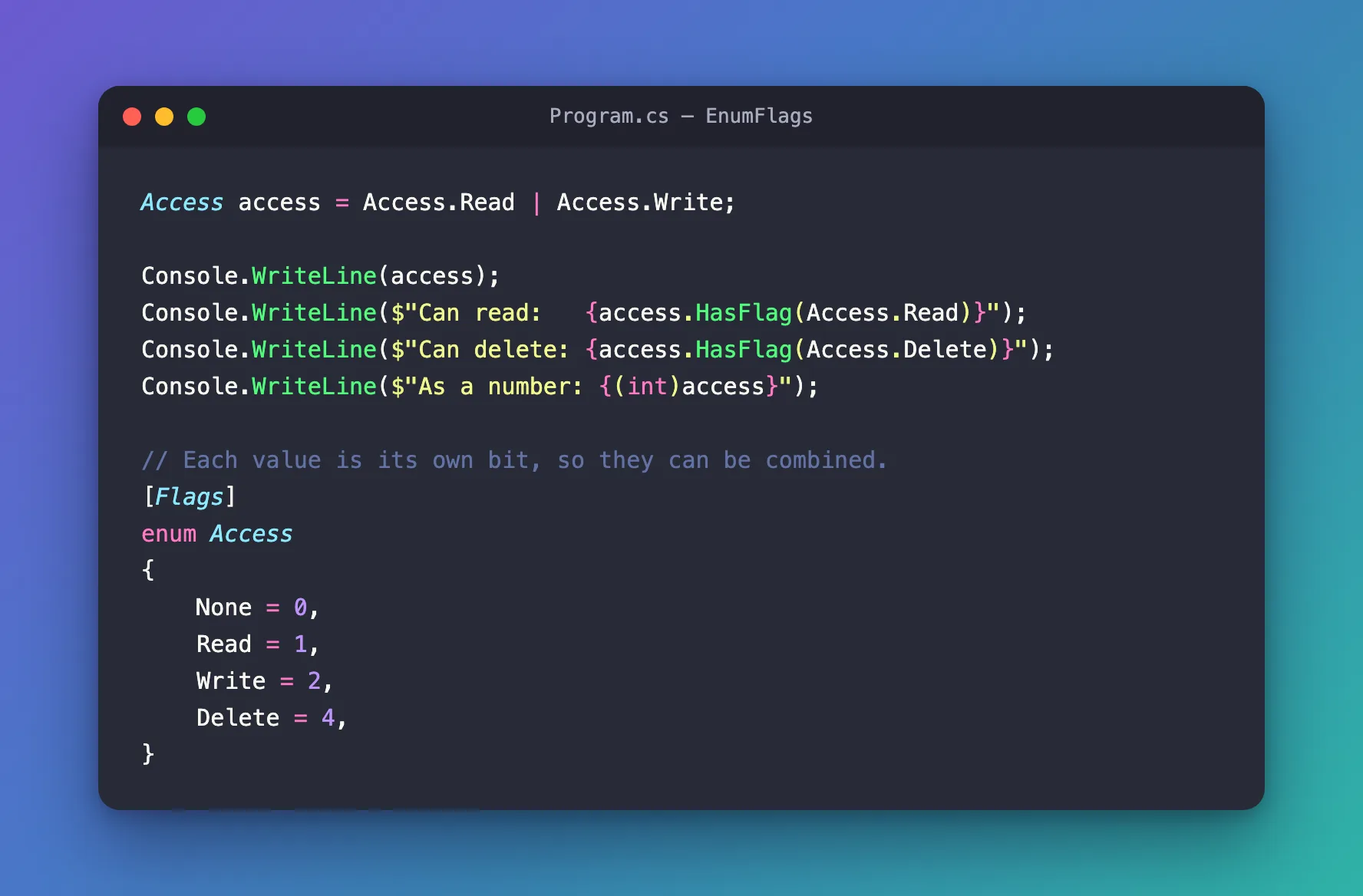
Access.Read | Access.Writesets both flags in one value.access.HasFlag(Access.Read)checks for one flag.(int)accessshows the number underneath.
Then declare the enum at the end of the file:
// Each value is its own bit, so they can be combined.
[Flags]
enum Access
{
    None = 0,
    Read = 1,
    Write = 2,
    Delete = 4,
}
Step 3: Run It
Run it in VS Code's terminal, or press Ctrl+F5 in Visual Studio:
dotnet run
Read, Write
Can read:   True
Can delete: False
As a number: 3
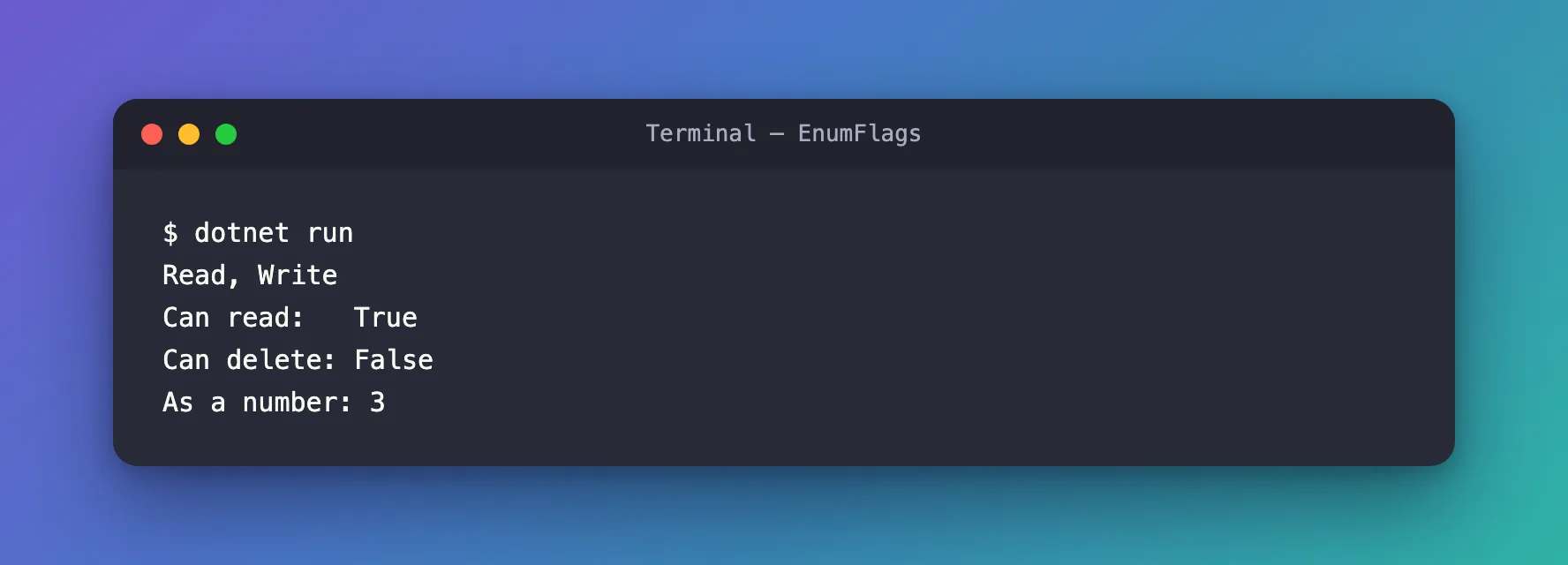
The value printed as Read, Write thanks to [Flags]. It holds Read but not Delete, and as a number it's 3, which is 1 for Read plus 2 for Write.
The Complete File
Access access = Access.Read | Access.Write;

Console.WriteLine(access);
Console.WriteLine($"Can read:   {access.HasFlag(Access.Read)}");
Console.WriteLine($"Can delete: {access.HasFlag(Access.Delete)}");
Console.WriteLine($"As a number: {(int)access}");

// Each value is its own bit, so they can be combined.
[Flags]
enum Access
{
    None = 0,
    Read = 1,
    Write = 2,
    Delete = 4,
}
Common Mistakes
| Mistake | What happens | Do this instead |
|---|---|---|
Leaving out [Flags] | The combination still works, but it prints as a number: a plain enum with the same values printed 3 instead of Read, Write | Add [Flags] |
| Values that aren't powers of two | They overlap: with Delete = 3, Delete.HasFlag(Read) returned True, because 3 includes the bit for 1 | Use 1, 2, 4, 8 and so on. Microsoft: Define enumeration constants in powers of two, that is, 1, 2, 4, 8, and so on. |
FAQ
How do I add or remove a flag?
Add with the OR operator, access | Access.Delete, which printed Read, Write, Delete. Remove with & ~: access & ~Access.Write printed Read.
Why does HasFlag(None) return true?
Because None is 0, and the reference says: If the underlying value of flag is zero, the method returns true. access.HasFlag(Access.None) returned True. Check for no flags with access == Access.None instead.
Conclusion
Mark the enum with [Flags], give its members the values 1, 2, 4, 8 and so on, combine them with the OR operator and test them with HasFlag. The same pattern is behind .NET options such as RegexOptions.
Additional Resources
- FlagsAttribute — what the attribute does, with guidelines.
- Enumeration types — enums as bit flags.
- Enum.HasFlag — checking a flag.
