How to Close a Connection Automatically in Python with contextlib.closing

A connection that stays open after you're done holds on to the file or the network it uses. contextlib.closing wraps any object that has a close() method so that a with block closes it, even when an error ends the block early. This guide shows why a sqlite3 connection needs it, with real output from Python 3.15.2.
Syntax
from contextlib import closing

with closing(<thing>) as <name>:
    ...  # <thing>.close() runs when the block ends
| Part | What it means |
|---|---|
<thing> | Any object with a close() method, such as a database connection |
as <name> | The same object, to use inside the block |
Python's contextlib reference: "Return a context manager that closes thing upon completion of the block."
Prerequisites
- uv and Python. This guide uses uv 0.13.10 with Python 3.15.2, in a project made with
uv init.
Step 1: Write the Script
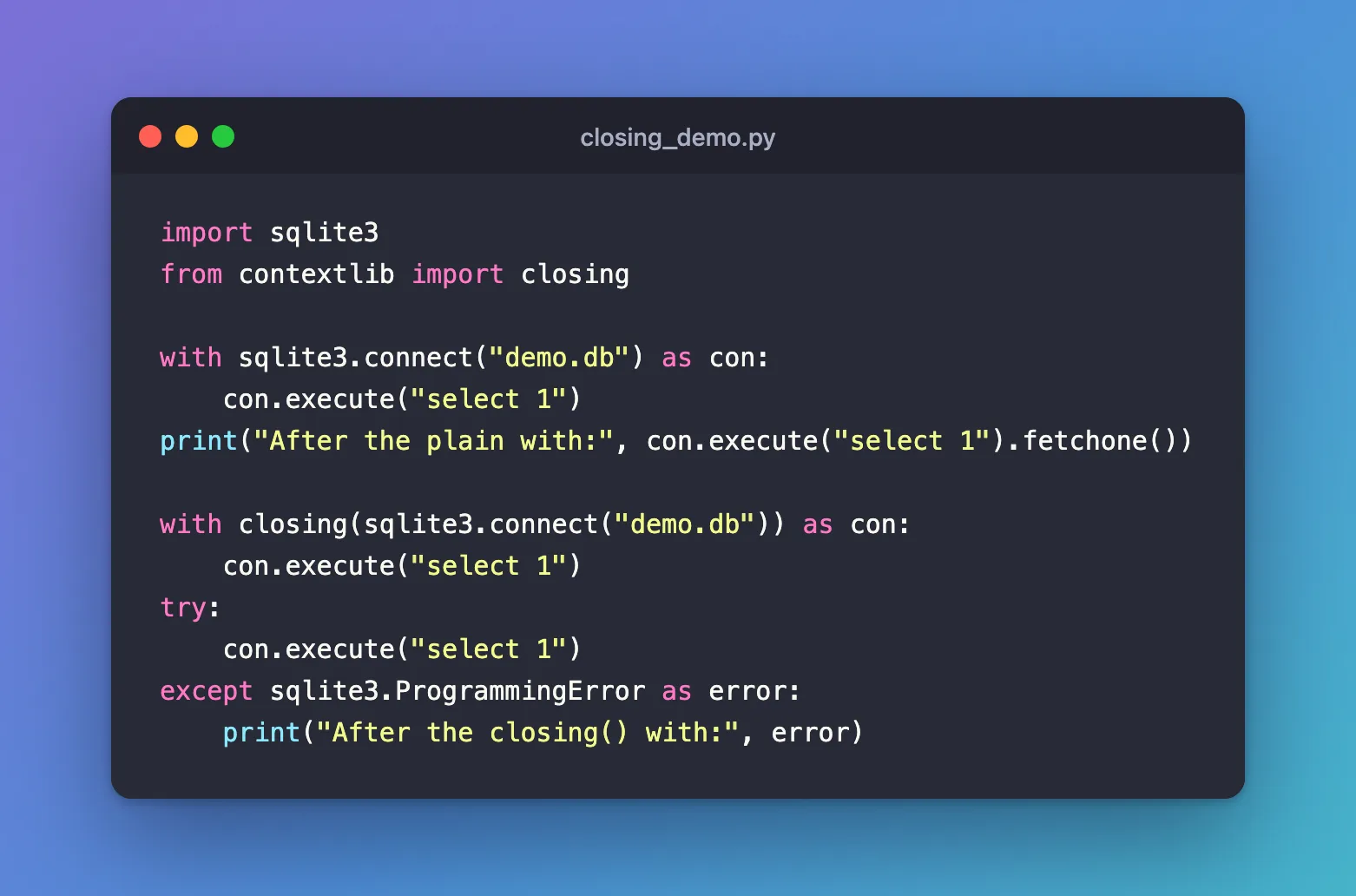
The script opens the same SQLite database twice: once with the connection's own with, once with closing. After each block it tries the connection again:
import sqlite3
from contextlib import closing

with sqlite3.connect("demo.db") as con:
    con.execute("select 1")
print("After the plain with:", con.execute("select 1").fetchone())

with closing(sqlite3.connect("demo.db")) as con:
    con.execute("select 1")
try:
    con.execute("select 1")
except sqlite3.ProgrammingError as error:
    print("After the closing() with:", error)
Step 2: Run It
uv run python closing_demo.py
After the plain with: (1,)
After the closing() with: Cannot operate on a closed database.
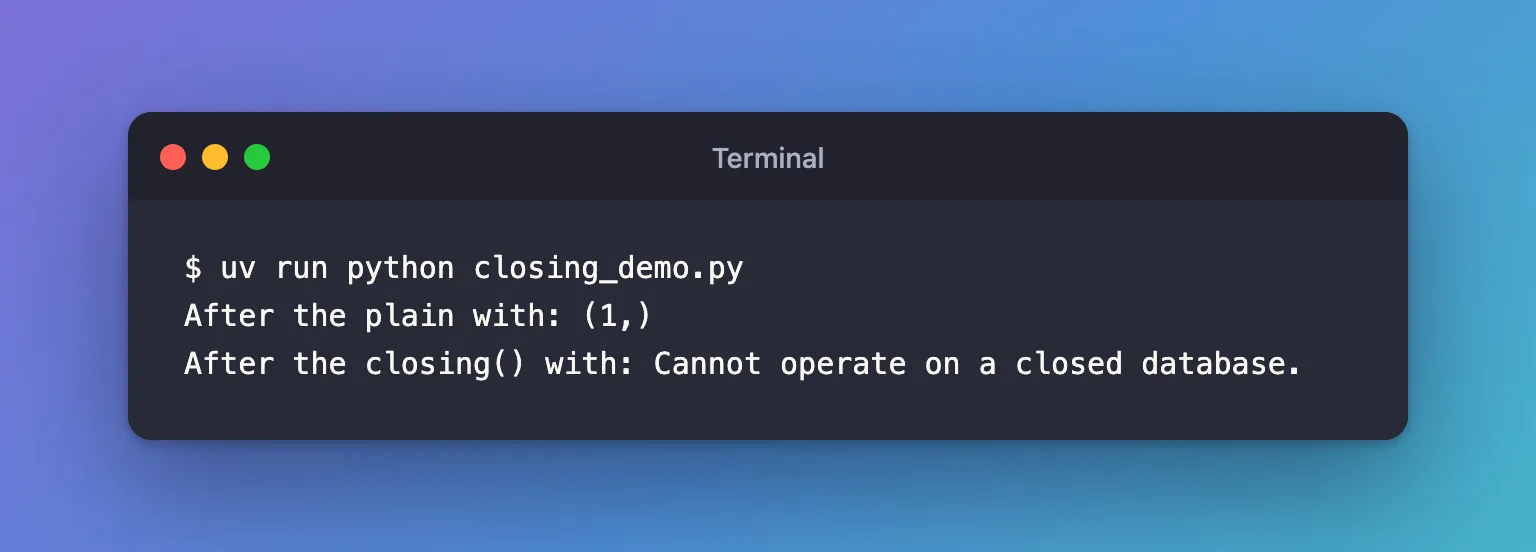
After the plain with, the connection still answered: it was never closed. After closing, it was closed. Python's sqlite3 reference explains: "The context manager neither implicitly opens a new transaction nor closes the connection. If you need a closing context manager, consider using contextlib.closing()."
Common Mistakes
| Mistake | What happens | Do this instead |
|---|---|---|
Expecting with sqlite3.connect(...) to close the connection | It doesn't: the connection still answered (1,) after the block | Wrap it: with closing(sqlite3.connect(...)) |
Using the connection after the closing block | sqlite3.ProgrammingError: Cannot operate on a closed database. | Do all the work inside the block |
Troubleshooting
| Symptom | Likely cause | Fix |
|---|---|---|
Cannot operate on a closed database. | The connection was used after closing closed it | Move that code into the block |
FAQ
Does closing work with other objects?
Yes, with any object that has a close() method.
Can one with close two connections?
Yes: put both in one with, each wrapped in closing, separated by a comma.
Conclusion
The connection from the plain with sqlite3.connect(...) block still answered (1,) afterwards, while the one from with closing(sqlite3.connect(...)) was closed: Cannot operate on a closed database.
Additional Resources
- contextlib.closing — the function.
- sqlite3: using the connection as a context manager — what a connection's own
withdoes.
