How to Clear the MySql.Data Connection Pool

Pooled connections stay open after you close them, usually for good reason. If you need them gone, MySqlConnection has two static methods. You'll rarely need them, so here's how they behave, and when you would.
The Program
Save this as clear-pool.cs, in the folder with the tester from How to Write a MySQL Connection String for .NET C#. It prints MySQL's id for the connection after each step:
#:package MySql.Data@26.10.0

using MySql.Data.MySqlClient;

var connectionString = Environment.GetEnvironmentVariable("MYSQL_CONNECTION_STRING")
    ?? throw new InvalidOperationException("Set the MYSQL_CONNECTION_STRING environment variable first.");

async Task<int> OpenAndCloseAsync()
{
    await using var connection = new MySqlConnection(connectionString);
    await connection.OpenAsync();
    return connection.ServerThread;
}

Console.WriteLine($"First open:          connection id {await OpenAndCloseAsync()}");
Console.WriteLine($"Second open:         connection id {await OpenAndCloseAsync()}");

MySqlConnection.ClearAllPools();
Console.WriteLine($"After ClearAllPools: connection id {await OpenAndCloseAsync()}");

await using (var connection = new MySqlConnection(connectionString))
{
    MySqlConnection.ClearPool(connection);
}
Console.WriteLine($"After ClearPool:     connection id {await OpenAndCloseAsync()}");
- macOS / Linux
- Windows (PowerShell)
export MYSQL_CONNECTION_STRING="Server=127.0.0.1;Port=3306;Database=inventory;User ID=inventory_app;Password=$(grep '^MYSQL_PASSWORD=' ../dewiride-inventory-api/.env | cut -d= -f2-);SslMode=Required"
dotnet run clear-pool.cs
$password = (Get-Content ../dewiride-inventory-api/.env | Where-Object { $_ -like 'MYSQL_PASSWORD=*' }).Substring('MYSQL_PASSWORD='.Length)
$env:MYSQL_CONNECTION_STRING = "Server=127.0.0.1;Port=3306;Database=inventory;User ID=inventory_app;Password=$password;SslMode=Required"
dotnet run clear-pool.cs
First open:          connection id 33
Second open:         connection id 33
After ClearAllPools: connection id 34
After ClearPool:     connection id 35
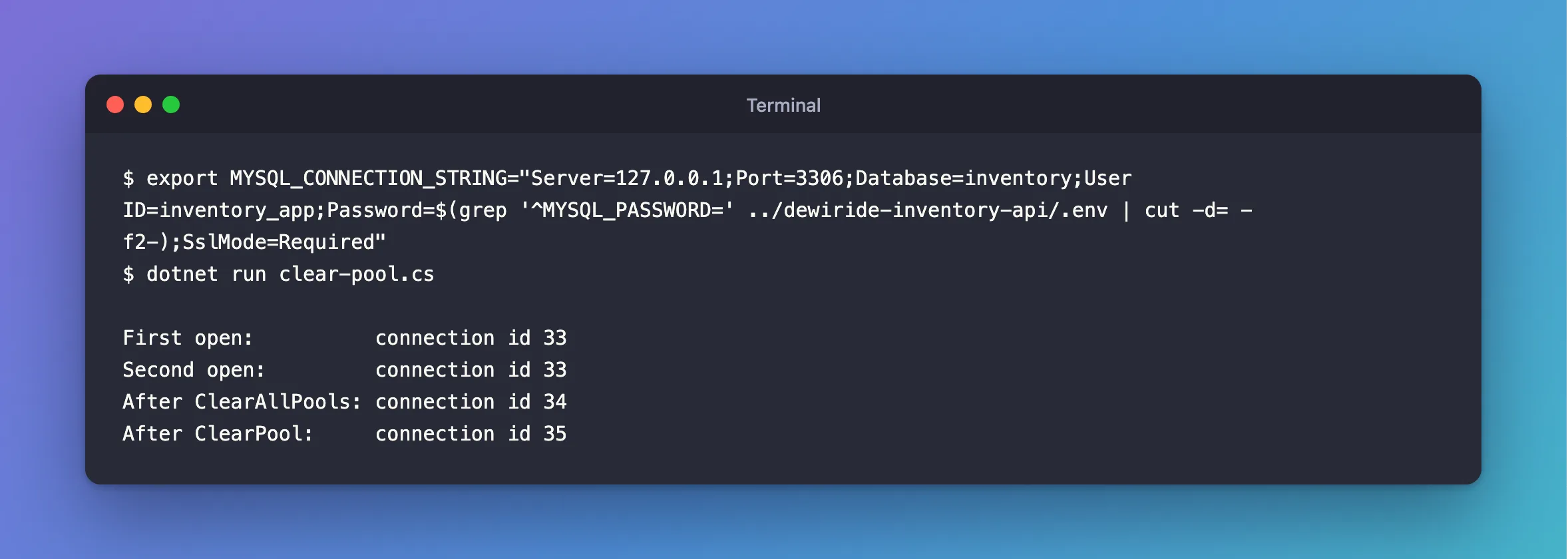
Two opens share an id, as the pool intends. Each clear closed that connection, so the next open had to make a new one.
The Two Methods
| Method | Clears |
|---|---|
MySqlConnection.ClearPool(connection) | The pool for that connection's connection string |
MySqlConnection.ClearAllPools() | Every pool in the process |
For ClearPool, the connection only tells it which pool. It doesn't need to be open. Connections in use aren't cut off: they close when they're returned.
There are ClearPoolAsync and ClearAllPoolsAsync as well, but they're instance methods, unlike these two, so calling them on the class gives CS0120.
When You'd Want It
Not often, and not routinely, because every request afterwards pays to open a connection:
- After a failover, if you know about it, so connections move to the new server. Or set
Connection Lifetime, and let it happen by itself. - After changing a password, to prove the new one works without waiting for a restart. Pooled connections keep working on the old one, and hide a mistake.
- In a test, to start from nothing.
With EF Core, get the connection from the context: MySqlConnection.ClearPool((MySqlConnection)db.Database.GetDbConnection()).
Stale connections aren't a reason. When MySQL closed an idle one in my test, the driver noticed and made a new one, with no error.
Common Mistakes
| Mistake | What happens | Do this instead |
|---|---|---|
| Clearing on every request | You've turned the pool off, the slow way | Don't |
| Using it to recover from errors | The driver already replaces dead connections | Use retries |
| Expecting busy connections to stop | They finish first | Use KILL for that |
Troubleshooting
| Symptom | Likely cause | Fix |
|---|---|---|
CS0120 on ClearAllPoolsAsync | It isn't static | The fix |
CS0176 on connection.ClearAllPools() | It's static | Call it on the class |
| The readiness check's connections stay | That's a different pool | Use ClearAllPools |
Conclusion
ClearPool empties one pool, and ClearAllPools empties them all. They're for rare moments, like a failover. Leave normal work to the pool.
Additional Resources
- Managing a Connection Pool in Connector/NET — the pool.
- Connector/NET API reference — the
MySqlConnectionclass.
