How to Clear Conversation State in the Microsoft 365 Agents SDK in C#

Sooner or later, people want an agent to forget and start over: a new round, a fresh list, a reset. In the Microsoft 365 Agents SDK, clearing conversation state takes one call, and there are three to choose from, depending on how much should go and when.
Syntax
turnState.Conversation.DeleteValue(name);

turnState.Conversation.ClearState();

await turnState.Conversation.DeleteStateAsync(turnContext, cancellationToken);
turnState.Conversationis the conversation scope: the values the agent keeps for the current conversation.DeleteValue(name)removes one value, the one calledname. The others stay.ClearState()removes every value in the scope. When the turn ends, the SDK saves the scope as empty.DeleteStateAsync(turnContext, cancellationToken)removes every value too, and deletes the scope's record from storage straight away.turnContextandcancellationTokenare the ones your handler receives.
The same three methods exist on turnState.User, for a person's user state.
The Example
The agent for this post keeps a packing list in conversation state. pack sunscreen adds an item, list shows the list, and start over empties it:
using System.Text.RegularExpressions;
using Microsoft.Agents.Builder;
using Microsoft.Agents.Builder.App;
using Microsoft.Agents.Builder.State;

namespace ClearStateDemo;

public class PackingListAgent : AgentApplication
{
    private static readonly Regex PackPattern = new(@"^pack\s+(.{1,40})$", RegexOptions.IgnoreCase);

    public PackingListAgent(AgentApplicationOptions options) : base(options)
    {
        OnMessage(PackPattern, PackAsync);
        OnMessage("list", ShowListAsync);
        OnMessage("start over", StartOverAsync);
    }

    private async Task PackAsync(ITurnContext turnContext, ITurnState turnState, CancellationToken cancellationToken)
    {
        string item = PackPattern.Match(turnContext.Activity.Text).Groups[1].Value.Trim();

        List<string> items = turnState.Conversation.GetValue<List<string>>("items", () => []);
        items.Add(item);
        turnState.Conversation.SetValue("items", items);

        await turnContext.SendActivityAsync($"Packed **{item}**. Items on the list: {items.Count}.", cancellationToken: cancellationToken);
    }

    private async Task ShowListAsync(ITurnContext turnContext, ITurnState turnState, CancellationToken cancellationToken)
    {
        List<string> items = turnState.Conversation.GetValue<List<string>>("items", () => []);

        string reply = items.Count == 0
            ? "Your packing list is empty."
            : "Your packing list:\n\n" + string.Join("\n", items.Select(item => $"- {item}"));

        await turnContext.SendActivityAsync(reply, cancellationToken: cancellationToken);
    }

    private async Task StartOverAsync(ITurnContext turnContext, ITurnState turnState, CancellationToken cancellationToken)
    {
        turnState.Conversation.ClearState();

        await turnContext.SendActivityAsync("Starting over. Your packing list is empty.", cancellationToken: cancellationToken);
    }
}
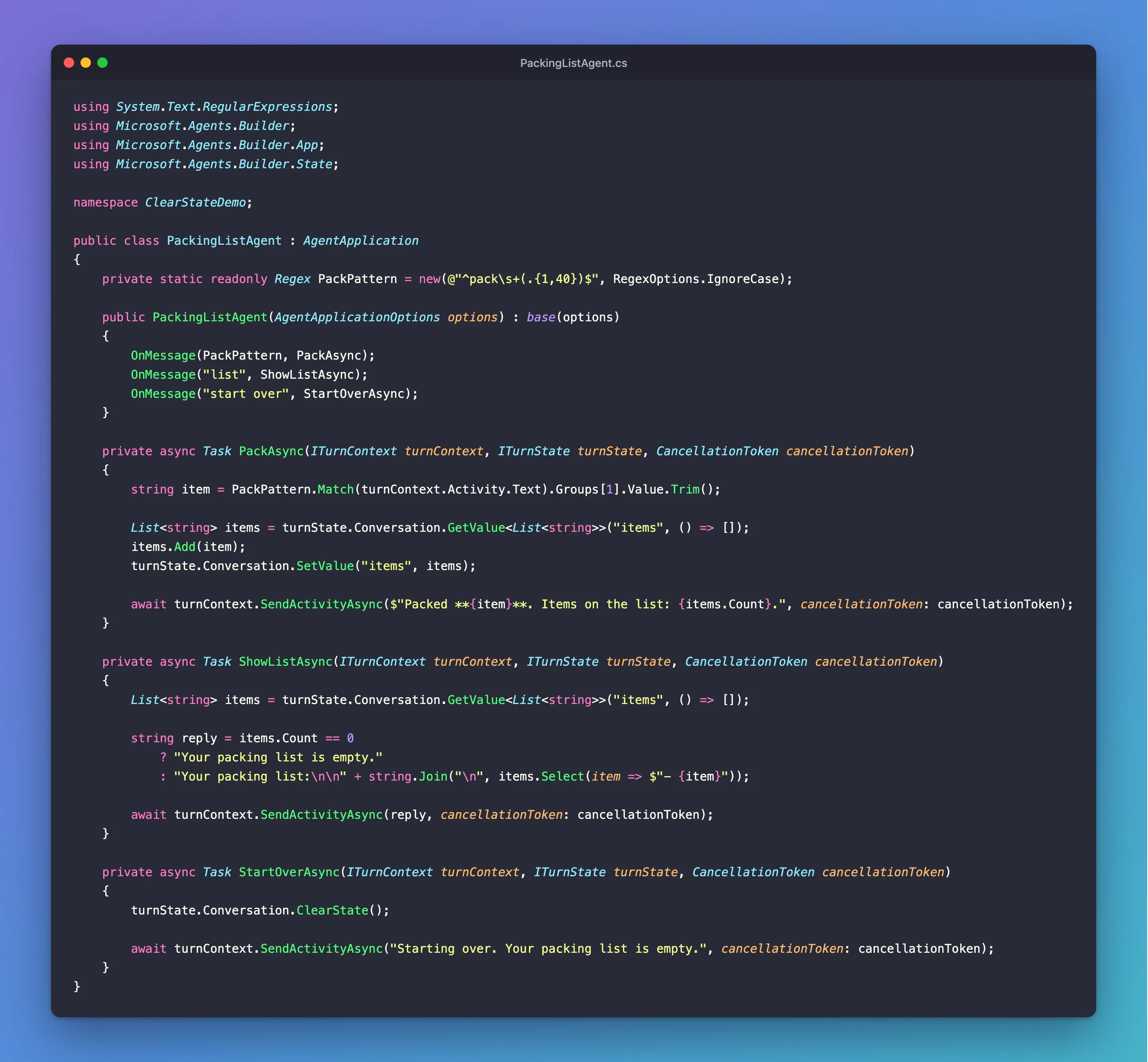
It's one class in an ASP.NET Core project with the Agents SDK, hosted with AddAgent<PackingListAgent>(), with MemoryStorage registered as its IStorage, and listening on port 3978.
Prerequisites
- The Microsoft 365 Agents Playground, to chat with the agent on your own machine.
agentsplayground --versionshould print0.2.30; if the command isn't found, install it withnpm install -g @microsoft/m365agentsplayground.
Step 1: Clear the State in a Route
turnState.Conversation.ClearState();
ClearState() empties the conversation's state for the rest of this turn: if anything reads items after it, GetValue finds nothing and uses its default. When the turn ends, the SDK saves the empty state over the old one.
Step 2: Try It
Run the agent with dotnet run, then start the Agents Playground in a second terminal:
agentsplayground -e http://localhost:3978/api/messages -c emulator
Send pack sunscreen, pack passport and list, then start over and list again:
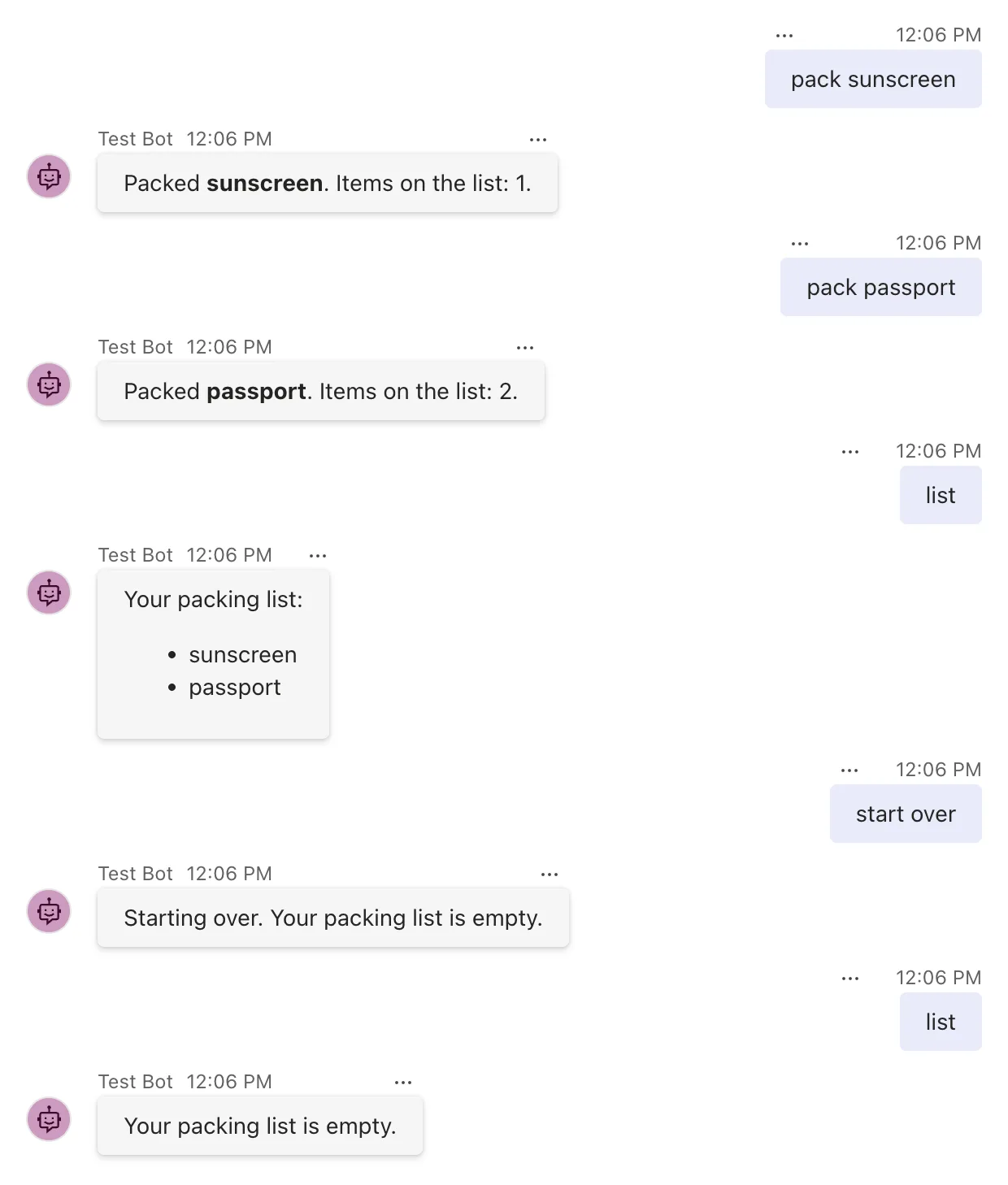
The list survived from one message to the next until start over, and was empty after it.
Step 3: Choose the Call That Fits
The three calls differ in what they leave behind. I checked each against the storage itself, by reading the conversation's storage key after the turn:
| Call | Removes | In storage after the turn |
|---|---|---|
DeleteValue("items") | That one value | The conversation's record, without items |
ClearState() | Every value in the scope | The conversation's record, empty: {} |
DeleteStateAsync(turnContext, cancellationToken) | Every value in the scope | No record at all |
- Use
DeleteValuewhen only part of the state should go, such as one list while other settings stay. - Use
ClearStatefor a plain start over. - Use
DeleteStateAsyncwhen the stored data itself has to go, for example when someone asks for their data to be deleted. OnturnState.User, it removes that person's user state.
Common Mistakes
| Mistake | What happens | Do this instead |
|---|---|---|
| Clearing conversation state to forget a person's settings | Only the conversation's values go; their user state stays | Clear turnState.User |
Using ClearState when the data must be deleted | An empty record stays in storage | Use DeleteStateAsync |
| Clearing the state, then reading a value with a default | GetValue stores the default again, so the state isn't empty when the turn ends | Don't read the value again after clearing it in the same turn, unless you want the default |
An after-turn handler that returns false | The cleared state isn't saved, so the old values come back on the next message | Return true from after-turn handlers |
Troubleshooting
| Symptom | Likely cause | Fix |
|---|---|---|
| The old values come back on the next message | The turn didn't save: an after-turn handler returned false, or the turn threw | Check the after-turn handlers and the log |
| Other chats' lists were cleared too | The list wasn't in conversation state | Keep per-conversation data in turnState.Conversation |
| A person's settings survived start over | They're in user state | Clear turnState.User as well, if that's what start over should mean |
FAQ
Can I clear the state of another conversation?
Not through turnState: it only holds the state of the conversation the activity belongs to. Each conversation's state is cleared in a turn of that conversation.
Does clearing state remove the chat history?
No. State is what the agent keeps for itself. The messages in the chat belong to the channel, and clearing state doesn't touch them.
Is cleared state gone when the agent uses MemoryStorage?
Yes, and with MemoryStorage all state is gone anyway when the agent restarts. With durable storage, such as Azure Blob Storage or Azure Cosmos DB, the difference between ClearState and DeleteStateAsync matters more: only DeleteStateAsync removes the record itself.
Conclusion
To let people start over, call turnState.Conversation.ClearState() in a route: the conversation's values are gone for the rest of the turn, and the empty state is saved when the turn ends. Use DeleteValue to remove a single value, and DeleteStateAsync when the record has to disappear from storage as well.
Additional Resources
- AgentState.ClearState method — the API reference.
- AgentState.DeleteStateAsync method — the API reference.
- Manage state — state scopes and storage in the Agents SDK.
