How to Choose the TLS Versions MySQL Accepts

MySQL 9.7 accepts TLS 1.2 and 1.3 by default. To allow only 1.3, one setting and one reload do it, with no restart. Before you do, check your clients: MySql.Data for .NET asks for TLS 1.2 unless you tell it otherwise, so it would stop connecting.
Step 1: See What's Allowed
SHOW VARIABLES LIKE 'tls_version';
+---------------+-----------------+
| Variable_name | Value           |
+---------------+-----------------+
| tls_version   | TLSv1.2,TLSv1.3 |
+---------------+-----------------+
1 row in set (0.004 sec)
Step 2: Change It
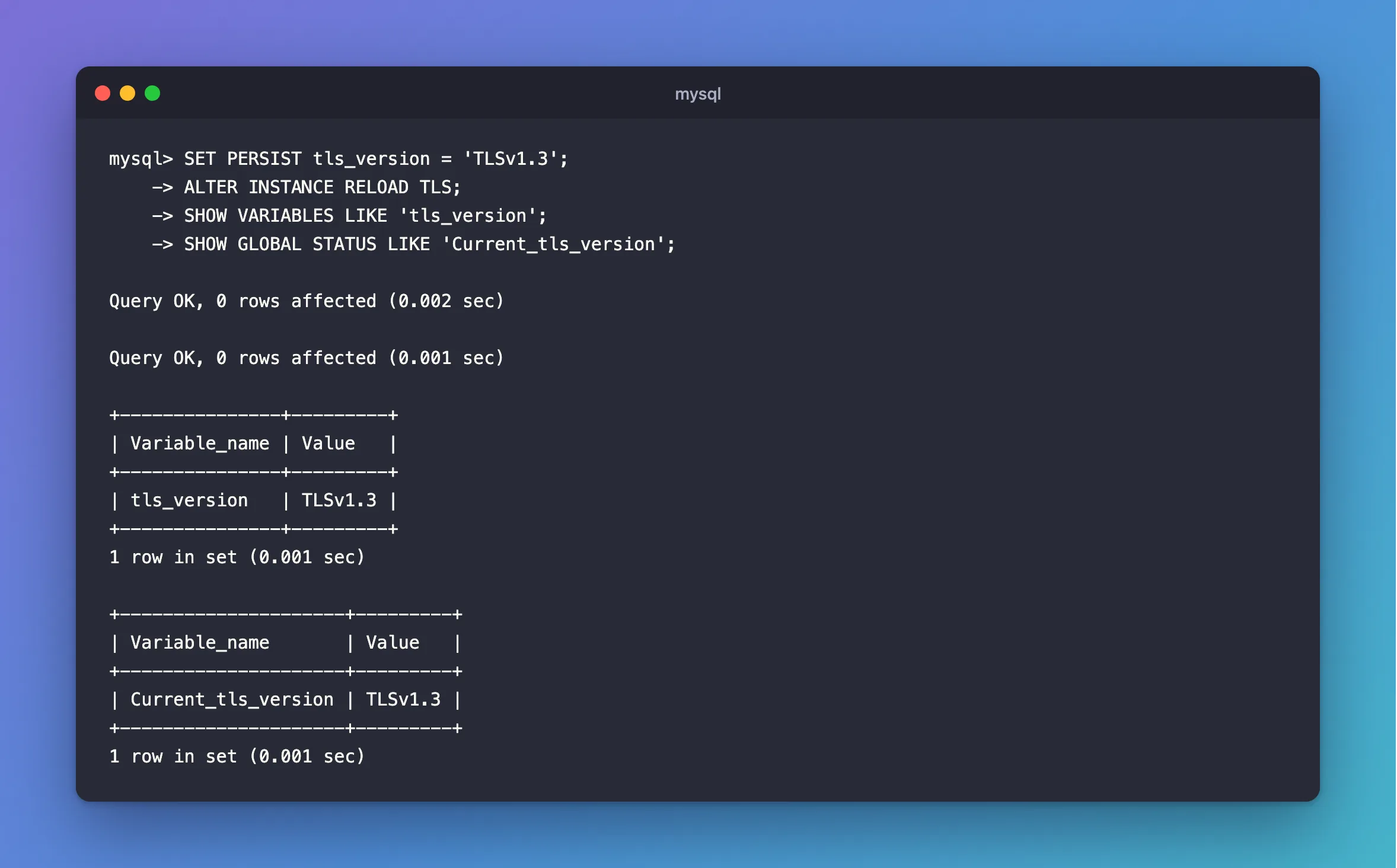
As root. SET PERSIST keeps it after a restart, and the reload puts it into effect for new connections:
SET PERSIST tls_version = 'TLSv1.3';
ALTER INSTANCE RELOAD TLS;
SHOW VARIABLES LIKE 'tls_version';
SHOW GLOBAL STATUS LIKE 'Current_tls_version';
Query OK, 0 rows affected (0.002 sec)

Query OK, 0 rows affected (0.001 sec)

+---------------+---------+
| Variable_name | Value   |
+---------------+---------+
| tls_version   | TLSv1.3 |
+---------------+---------+
1 row in set (0.001 sec)

+---------------------+---------+
| Variable_name       | Value   |
+---------------------+---------+
| Current_tls_version | TLSv1.3 |
+---------------------+---------+
1 row in set (0.001 sec)
The variable is what you've set, and the status value is what's in force. They differ until you reload.
Step 3: Test It
The --tls-version option makes the mysql client use one version. Asking for 1.2 now fails:
docker compose exec mysql mysql --user=inventory_app --password --protocol=TCP --host=127.0.0.1 --tls-version=TLSv1.2 --execute "SELECT 1"
ERROR 2026 (HY000): SSL connection error: error:0A00042E:SSL routines::tlsv1 alert protocol version
And 1.3 works:
docker compose exec mysql mysql --user=inventory_app --password --protocol=TCP --host=127.0.0.1 --tls-version=TLSv1.3 --table --execute "SHOW SESSION STATUS LIKE 'Ssl_version'"
+---------------+---------+
| Variable_name | Value   |
+---------------+---------+
| Ssl_version   | TLSv1.3 |
+---------------+---------+
After a restart, the persisted value is still there:
+---------------+---------+
| Variable_name | Value   |
+---------------+---------+
| tls_version   | TLSv1.3 |
+---------------+---------+
Know What It Does to Your Clients
I tested .NET's MySql.Data 26.10.0 against a server with only TLS 1.3:
| Client | Connection string | Result |
|---|---|---|
| macOS or Linux | SslMode=Required | Cannot determine the frame size or a corrupted frame was received |
| Linux | SslMode=Required;TlsVersion=TLSv1.3 | TLS 1.3 |
| macOS | SslMode=Required;TlsVersion=TLSv1.3 | The requested security protocol is not supported |
macOS, with DOTNET_SYSTEM_NET_SECURITY_USENETWORKFRAMEWORK=1 | SslMode=Required;TlsVersion=TLSv1.3 | TLS 1.3 |
So fix the clients first. Unless you have a rule to meet, the default of both versions is a fine place to stay. The manual says "MySQL 9.7 does not support the old TLSv1 and TLSv1.1 protocols", so those are gone either way.
Step 4: Go Back to the Default
RESET PERSIST tls_version;
SET GLOBAL tls_version = 'TLSv1.2,TLSv1.3';
ALTER INSTANCE RELOAD TLS;
SHOW VARIABLES LIKE 'tls_version';
+---------------+-----------------+
| Variable_name | Value           |
+---------------+-----------------+
| tls_version   | TLSv1.2,TLSv1.3 |
+---------------+-----------------+
1 row in set (0.001 sec)
Common Mistakes
| Mistake | What happens | Do this instead |
|---|---|---|
| Changing the variable without reloading | New connections keep the old setting | Run ALTER INSTANCE RELOAD TLS |
| Going to 1.3 only without testing clients | Older ones stop connecting | Test first |
Using SET GLOBAL for a lasting change | A restart undoes it | Use SET PERSIST |
Troubleshooting
| Symptom | Likely cause | Fix |
|---|---|---|
ERROR 2026 … tlsv1 alert protocol version | The client's version isn't allowed | The fix |
tls_version and Current_tls_version differ | You haven't reloaded | Reload |
| An odd .NET error after the change | The driver's default is TLS 1.2 | The fix |
Conclusion
tls_version says which TLS versions MySQL allows. Set it with SET PERSIST, reload, and test your clients: Current_tls_version tells you what's in force.
Additional Resources
- Encrypted Connection TLS Protocols and Ciphers — the versions and how to choose.
- ALTER INSTANCE —
RELOAD TLS.
