How to Choose the Columns of a pandas DataFrame with reindex

Tables often have more columns than you need, in an order you didn't choose. pandas picks columns by name in two ways: frame[[...]], which needs every name to exist, and reindex(columns=[...]), which adds an empty column for a name that doesn't. This guide picks columns both ways from a small table of test scores, including one column that isn't there, with real output from pandas 3.1.1.
Syntax
frame[["<column>", "<column>"]]
frame.reindex(columns=["<column>", "<column>"])
| Part | What it means |
|---|---|
frame[[...]] | A new DataFrame with these columns, in this order. Every name must be a column of frame |
frame.reindex(columns=[...]) | The same, except that a name that isn't a column becomes a new column, filled with NaN: reindex "places NA/NaN in locations having no value in the previous index" |
| The list | The columns to keep, in the order you want them. Columns not in the list are left out |
Both return a new DataFrame and leave frame as it is.
Step 1: Pick Columns Both Ways
The example is a table of two pupils' marks in maths and art. Create pick_columns.py, which keeps the names and art marks, then asks reindex for a music column that doesn't exist:
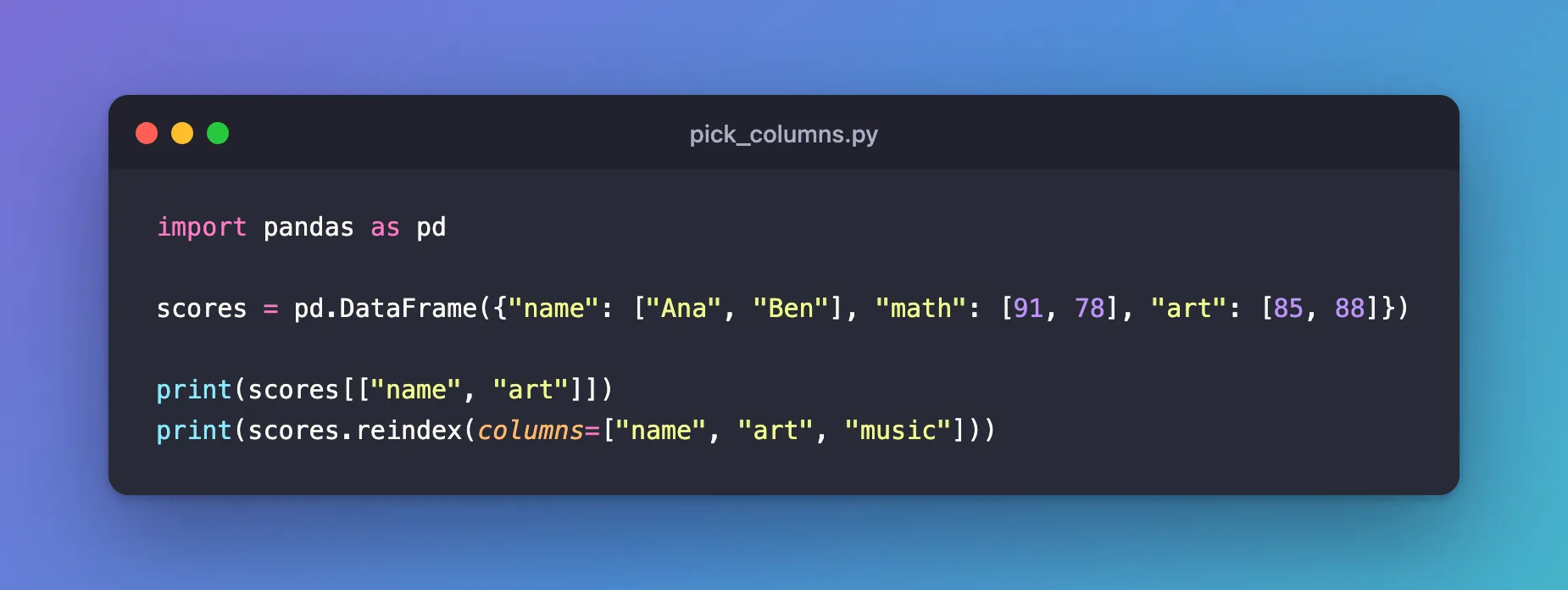
import pandas as pd

scores = pd.DataFrame({"name": ["Ana", "Ben"], "math": [91, 78], "art": [85, 88]})

print(scores[["name", "art"]])
print(scores.reindex(columns=["name", "art", "music"]))
uv run python pick_columns.py
  name  art
0  Ana   85
1  Ben   88
  name  art  music
0  Ana   85    NaN
1  Ben   88    NaN
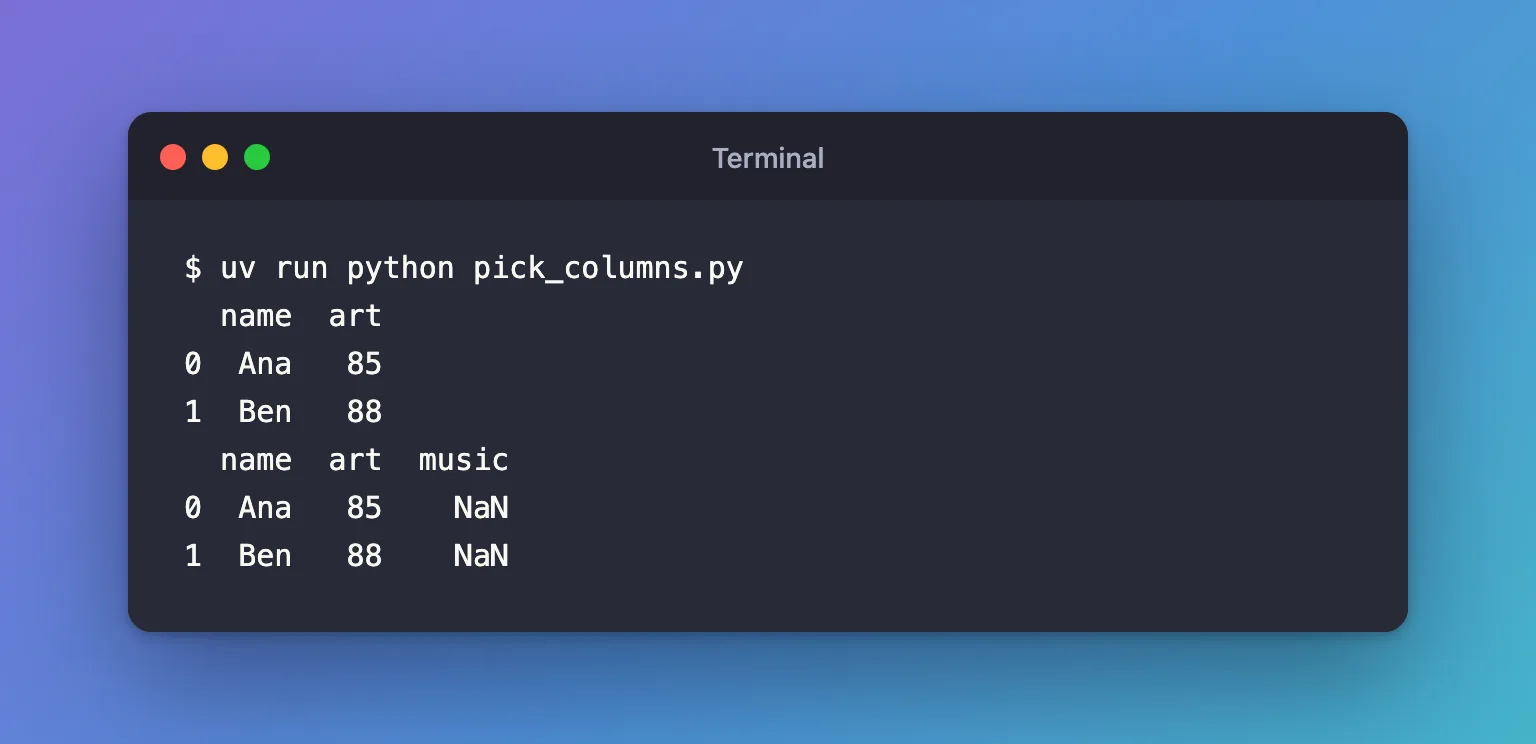
scores[["name", "art"]]kept two columns and left outmath.reindexdid the same and addedmusic, empty, because the table has no such column.NaNmeans "no value".
Step 2: See What Brackets Do with a Missing Column
Create missing_column.py, which asks the brackets for the same three columns:
import pandas as pd

scores = pd.DataFrame({"name": ["Ana", "Ben"], "math": [91, 78], "art": [85, 88]})

print(scores[["name", "art", "music"]])
uv run python missing_column.py
KeyError: "['music'] not in index"
The brackets refuse a name that isn't a column. That's useful when a missing column means something went wrong; reindex is the choice when a column may legitimately be missing, such as a value that only some rows of your data ever had.
Common Mistakes
| Mistake | What happens | Do this instead |
|---|---|---|
Single brackets around two names, scores["name", "art"] | KeyError: ('name', 'art'): pandas looks for one column named by the pair | Use double brackets: scores[["name", "art"]] |
| Brackets for a column that may be missing | KeyError: "['music'] not in index" | Use reindex(columns=[...]) |
A typo in a reindex name | No error: you get an extra empty column and lose the real one | Check the result's columns, or use brackets when every name must exist |
Troubleshooting
| Symptom | Likely cause | Fix |
|---|---|---|
A whole column of NaN after reindex | The name isn't a column of the table, often a typo | Compare it with list(frame.columns) |
KeyError: "[...] not in index" | A name in the brackets isn't a column | Fix the name, or use reindex |
| The original table still has every column | Both ways return a new DataFrame | Assign the result: scores = scores[["name", "art"]] |
FAQ
Can reindex fill missing columns with something other than NaN?
Yes: fill_value sets it, such as reindex(columns=[...], fill_value=0). The default is NaN.
Does the order of the list matter?
Yes. Both ways return the columns in the order you list them, so the same call also reorders columns.
How do I drop a few columns instead of listing the ones to keep?
frame.drop(columns=["math"]) removes the named columns and keeps the rest.
Conclusion
scores[["name", "art"]] kept the columns that exist, in the order given, and raised KeyError for one that doesn't. scores.reindex(columns=["name", "art", "music"]) kept the same columns and added the missing one as an empty NaN column, so code that expects a set of columns always gets them.
Additional Resources
- pandas.DataFrame.reindex — the method's reference.
- Indexing and selecting data — the pandas guide to picking rows and columns.
