How to Check Whether You Have an Azure Role on a Resource with the Azure CLI

Before you call an Azure service, it helps to know whether your account has the role it needs. Roles can be assigned on the resource itself or anywhere above it, and the Azure CLI checks all of those places in one command.
Syntax
az role assignment list --assignee <principal> --scope <resource ID> --include-inherited --role "<role name>" --output table
| Part | What it is |
|---|---|
--assignee <principal> | Who to check: your account's object ID, or its sign-in name |
--scope <resource ID> | The resource to check, by its full ID: /subscriptions/…/resourceGroups/…/providers/… |
--include-inherited | Also lists roles assigned above the resource, on its resource group or subscription, which apply to it too |
--role "<role name>" | Only this role. Leave it out to see every role you have there |
--output table | Prints the result as a table |
No output means no matching role.
The Example
Does my account have the Foundry User role on the Microsoft Foundry resource foundry-devblogs-exp? And the Foundry Project Manager role? The first comes from the subscription; the second I don't have.
Prerequisites
- The Azure CLI, signed in with
az login.
Step 1: Get the Two IDs
The command needs the resource's full ID and your account's object ID. Let the Azure CLI fill them in:
- bash/zsh
- PowerShell
RESOURCE_ID=$(az cognitiveservices account show --resource-group rg-devblogs-exp --name foundry-devblogs-exp --query id --output tsv)
MY_ID=$(az ad signed-in-user show --query id --output tsv)
$resourceId = az cognitiveservices account show --resource-group rg-devblogs-exp --name foundry-devblogs-exp --query id --output tsv
$myId = az ad signed-in-user show --query id --output tsv
az cognitiveservices account showreads the Foundry resource, and--query id --output tsvkeeps only its ID, as plain text. For another kind of resource, use its ownshowcommand, oraz resource show.az ad signed-in-user showreads the account you're signed in with;idis its object ID in Microsoft Entra ID.
Nothing is printed: the IDs go into the variables.
Step 2: Check the Role
- bash/zsh
- PowerShell
az role assignment list --assignee "$MY_ID" --scope "$RESOURCE_ID" --include-inherited --role "Foundry User" --query "[].{Role:roleDefinitionName, Scope:scope}" --output table
az role assignment list --assignee $myId --scope $resourceId --include-inherited --role "Foundry User" --query "[].{Role:roleDefinitionName, Scope:scope}" --output table
Role          Scope
------------  ---------------------------------------------------
Foundry User  /subscriptions/00000000-0000-0000-0000-000000000000
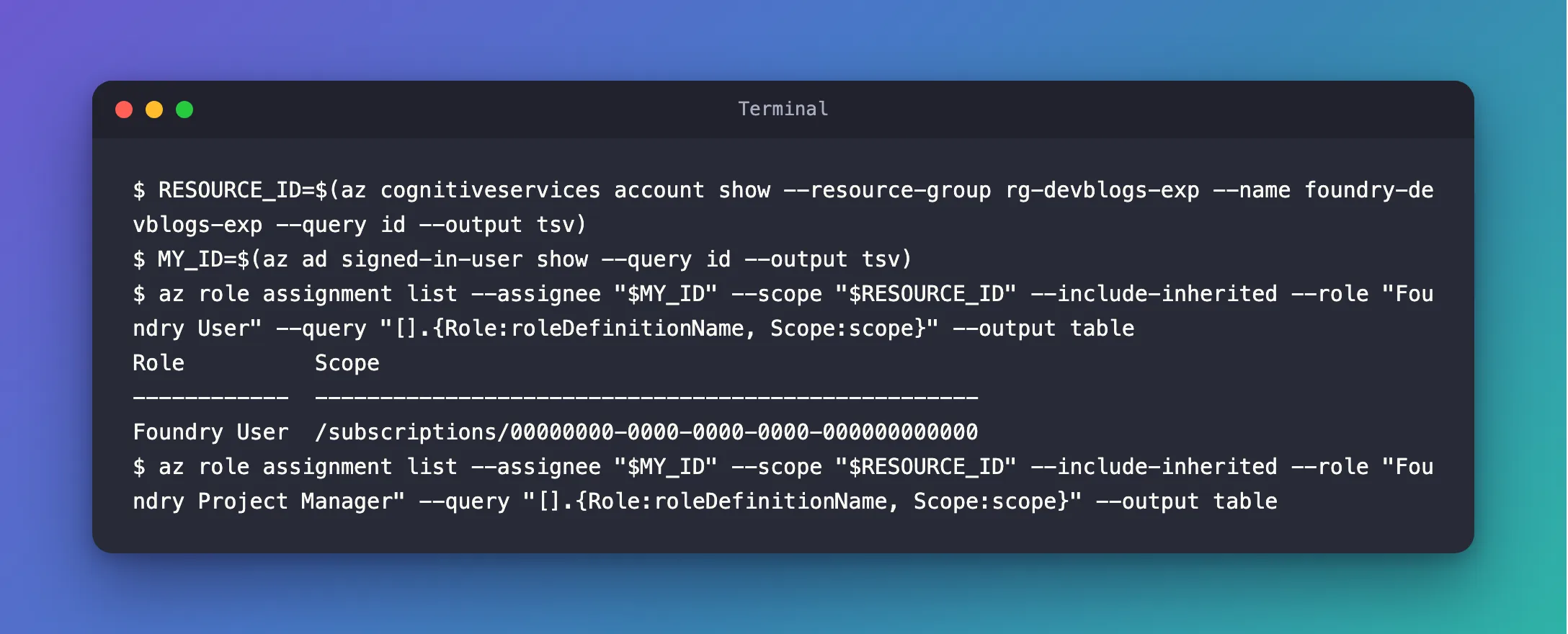
The account has the role, and the Scope says where it was assigned: on the subscription, so it applies to every resource in it. The --query keeps the role's name and scope, which is all this question needs. Then the role I don't have:
- bash/zsh
- PowerShell
az role assignment list --assignee "$MY_ID" --scope "$RESOURCE_ID" --include-inherited --role "Foundry Project Manager" --query "[].{Role:roleDefinitionName, Scope:scope}" --output table
az role assignment list --assignee $myId --scope $resourceId --include-inherited --role "Foundry Project Manager" --query "[].{Role:roleDefinitionName, Scope:scope}" --output table
This one prints nothing: no assignment of that role applies to the resource.
Common Mistakes
| Mistake | What happens | Do this instead |
|---|---|---|
Leaving out --include-inherited | Roles from the resource group or subscription don't show, so you seem to have no access | Add --include-inherited |
Leaving out --scope and --role | You get your roles across the whole subscription, on resources you didn't ask about | Scope the check to the resource, and name the role |
| Expecting the Owner role to let you use a service's data | Many services keep management and data access apart | Check for the role the service documents for using it |
FAQ
Does an empty result always mean I can't do it?
It means you have no assignment of that role there, for your own account. A different role can grant the same permissions, and a role can also be assigned to a group you belong to: add --include-groups to list those too. Azure's Check access page in the portal shows the effective result.
How long does a new role assignment take to work?
Microsoft's guidance for Foundry says Azure role assignments can take up to 5 minutes to propagate. The CLI lists the assignment right away, but the service may need those minutes.
Conclusion
az role assignment list --assignee <you> --scope <resource ID> --include-inherited --role "<role>" answers one question: does a role apply to you on that resource? A row means yes, with the scope it came from; no output means no assignment of that role.
Additional Resources
- List Azure role assignments using Azure CLI — every way to list assignments.
- Check access for a user to a single Azure resource — the portal's view of effective access.
- How to Assign an Azure RBAC Role in the Portal and with the CLI — when the check comes back empty.
