How to Check Whether Two MLflow Runs Used the Same Data

When two runs give different results, the first question is whether they learned from the same data. If both logged their data with mlflow.log_input(), MLflow already knows: each dataset has a digest, a short fingerprint of its contents, and equal digests mean equal data. This guide compares three runs in the UI and in Python, with real screens and output from MLflow 3.18.0.
Step 1: Log Three Runs
The example is a three-row table of houses. Two runs log it unchanged, and a third logs it after one price has been corrected. Create same_data.py:
import mlflow
import pandas as pd

mlflow.set_tracking_uri("http://127.0.0.1:8080")
mlflow.set_experiment("same-data-demo")

houses = pd.DataFrame({"size_m2": [72.0, 48.0, 95.0], "price_k": [310.0, 205.0, 420.0]})
corrected = houses.copy()
corrected.loc[0, "price_k"] = 315.0

for run_name, frame in [("first-run", houses), ("second-run", houses), ("after-a-fix", corrected)]:
    dataset = mlflow.data.from_pandas(frame, name="houses")
    with mlflow.start_run(run_name=run_name):
        mlflow.log_input(dataset, context="training")
    print(f"{run_name}: {dataset.digest}")
corrected is a copy of the table with the first house's price changed from 310 to 315. All three datasets have the same name, houses. How to Log a Dataset in MLflow explains from_pandas and log_input.
uv run python same_data.py
2026/11/19 16:25:30 INFO mlflow.tracking.fluent: Experiment with name 'same-data-demo' does not exist. Creating a new experiment.
🏃 View run first-run at: http://127.0.0.1:8080/#/experiments/7/runs/573c5fdaf2bb4523a4e70eb0cc1c4979
🧪 View experiment at: http://127.0.0.1:8080/#/experiments/7
first-run: 113cc6f5
🏃 View run second-run at: http://127.0.0.1:8080/#/experiments/7/runs/324c6c4563854519913bfefdc83c5eef
🧪 View experiment at: http://127.0.0.1:8080/#/experiments/7
second-run: 113cc6f5
🏃 View run after-a-fix at: http://127.0.0.1:8080/#/experiments/7/runs/dbaf65017a004ebb949b8dd6c264e3cc
🧪 View experiment at: http://127.0.0.1:8080/#/experiments/7
after-a-fix: 07212bb6
The first two runs share the digest 113cc6f5. One changed price gave the third a different one, 07212bb6.
Step 2: Compare Them in the Runs Table
Open the same-data-demo experiment. The Dataset column shows each run's dataset with its digest in brackets:

Same name, different digest: after-a-fix used different data, although it's still called houses. Compare digests, not names.
To list every run that used one exact dataset, open Datasets in the toolbar and tick it:

The table keeps only the two runs that used houses (113cc6f5). Untick it to see all runs again.
Step 3: Compare Them in Python
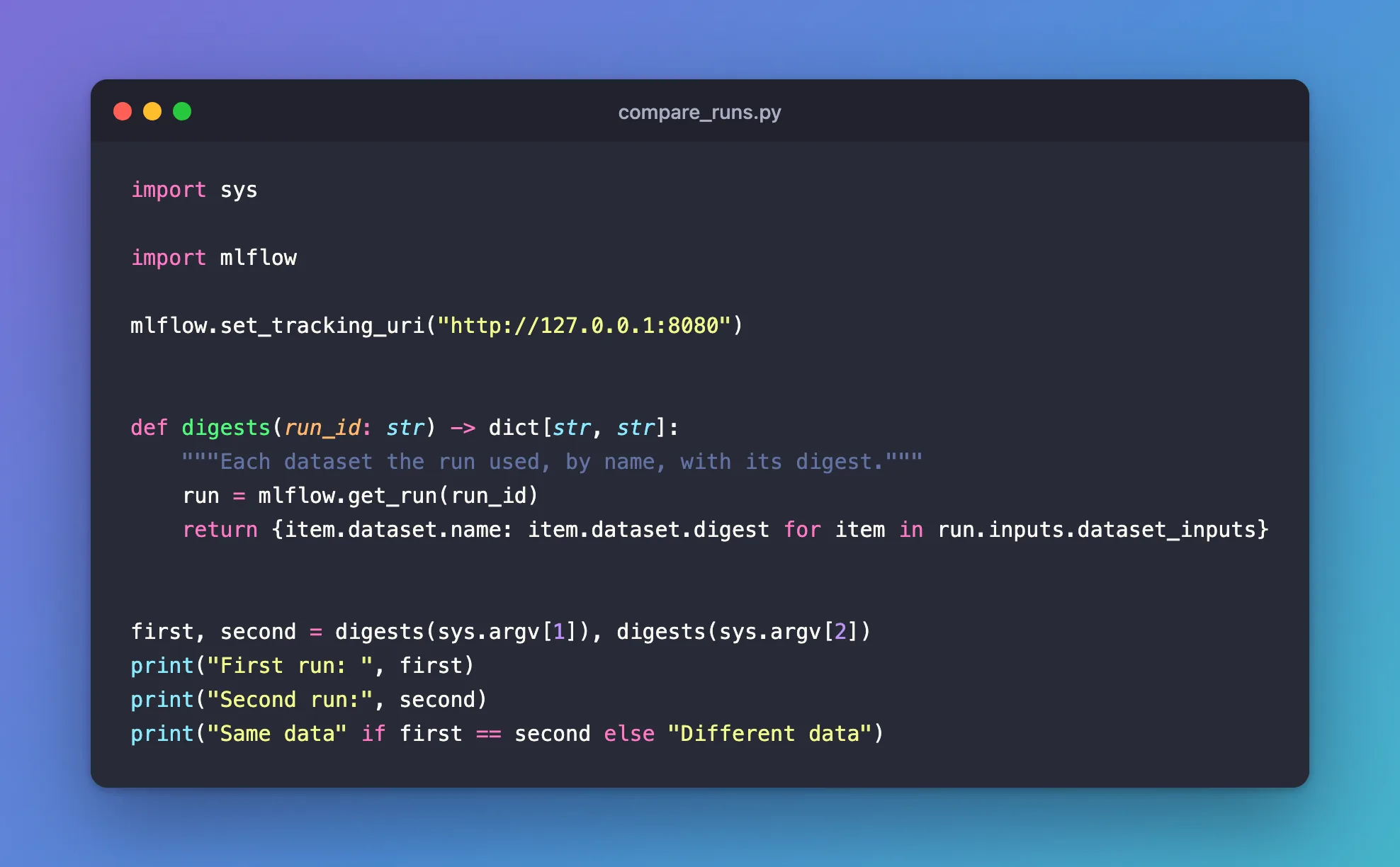
For a check in code, such as before comparing two models' scores, read each run's datasets and compare their digests. Create compare_runs.py, which takes two run IDs:
import sys

import mlflow

mlflow.set_tracking_uri("http://127.0.0.1:8080")


def digests(run_id: str) -> dict[str, str]:
    """Each dataset the run used, by name, with its digest."""
    run = mlflow.get_run(run_id)
    return {item.dataset.name: item.dataset.digest for item in run.inputs.dataset_inputs}


first, second = digests(sys.argv[1]), digests(sys.argv[2])
print("First run: ", first)
print("Second run:", second)
print("Same data" if first == second else "Different data")
| Line | What it does |
|---|---|
mlflow.get_run(run_id) | Fetches the run |
run.inputs.dataset_inputs | Its logged datasets, one item each |
| The dictionary | Maps each dataset's name to its digest, so a run with several datasets is compared name by name |
first == second | True only when both runs used the same datasets with the same digests |
Compare first-run with second-run, then with after-a-fix:
uv run python compare_runs.py 573c5fdaf2bb4523a4e70eb0cc1c4979 324c6c4563854519913bfefdc83c5eef
uv run python compare_runs.py 573c5fdaf2bb4523a4e70eb0cc1c4979 dbaf65017a004ebb949b8dd6c264e3cc
First run:  {'houses': '113cc6f5'}
Second run: {'houses': '113cc6f5'}
Same data
First run:  {'houses': '113cc6f5'}
Second run: {'houses': '07212bb6'}
Different data
Your run IDs will differ: copy them from the run pages or the View run links.
What a Matching Digest Proves
For a pandas DataFrame, MLflow builds the digest from the text and number columns of the first 10,000 rows, the number of rows and the column names. So:
- Up to 10,000 rows of text and numbers, the same digest means the same values, in the same order, under the same column names. The digest is only 8 characters long, so two different tables could share one by pure chance, but that's very unlikely.
- Beyond 10,000 rows, a change in a later row that keeps the row count goes unnoticed.
- Columns of other types, such as true/false values and dates, aren't fingerprinted at all: a changed date leaves the digest as it was.
- The same numbers stored as a different type, such as whole numbers read as decimals, give a different digest. Read your data the same way in every run.
How to Make an MLflow Dataset Digest Cover Every Row shows the two gaps happening, and how to fingerprint every row and column instead.
Common Mistakes
| Mistake | What happens | Do this instead |
|---|---|---|
| Comparing dataset names | Changed data under the same name looks identical | Compare digests |
| Reading the same file as whole numbers in one run and as decimals in another | Identical values get different digests | Read the file the same way every time |
| Taking a matching digest on a large table as proof that every row matches | Changes after row 10,000 that keep the row count don't change it | Pass a digest of every row: see the guide linked above |
| Relying on the digest to notice a changed date or true/false value | Those columns aren't fingerprinted | Use a digest that covers every column |
Troubleshooting
| Symptom | Likely cause | Fix |
|---|---|---|
{} for a run | The run logged no datasets | Log them with mlflow.log_input() |
Different data though you used the same file | The rows came in another order, a column was renamed, or a type changed | Check how the data was loaded in each run |
FAQ
Does a different digest always mean different values?
It means something MLflow fingerprints differs: a text or number value in the first 10,000 rows, the row count, a column name, the row order or the row labels, or the type the values were stored as.
Can I see which rows differ?
No, the digest only says whether something differs. To compare the rows, load both versions of the data and compare them, or log the data file with each run as an artifact.
Does the dataset's source affect the digest?
No. The digest comes from the data. Two runs that load the same data from different places get the same digest, with different sources.
Conclusion
Equal digests mean equal data: first-run and second-run shared 113cc6f5, while after-a-fix, with one corrected price, got 07212bb6 under the same name. The runs table shows the digests at a glance, the Datasets filter lists every run that used one, and comparing run.inputs.dataset_inputs in Python makes the same check in code.
Additional Resources
- MLflow Dataset Tracking — MLflow's guide, including how digests are computed for each dataset type.
- mlflow.get_run — the function's reference.
