How to Check Whether the Last Command Worked with $? in bash and zsh

Every command ends with an exit status: 0 when it worked and another number when it failed. The shell keeps the last one in $?, so echo $? tells you whether the command before it worked. This guide runs mkdir twice, with real output from zsh 5.9 and bash 3.2.
Syntax
<command>
echo $?
| Part | What it means |
|---|---|
<command> | The command whose result you want to check |
$? | The exit status of the most recent command. 0 means it worked |
The bash manual: "Expands to the exit status of the most recently executed command." On what the numbers mean, its Exit Status page: "while an exit status of zero indicates success, a non-zero exit status indicates failure."
Prerequisites
- zsh or bash. This guide uses zsh 5.9, the default shell on macOS, and checks every command in bash 3.2 too.
Step 1: Run mkdir Twice
mkdir reports creates a folder named reports. The second time, the folder already exists:
mkdir reports
echo $?
mkdir reports
echo $?
0
mkdir: reports: File exists
1
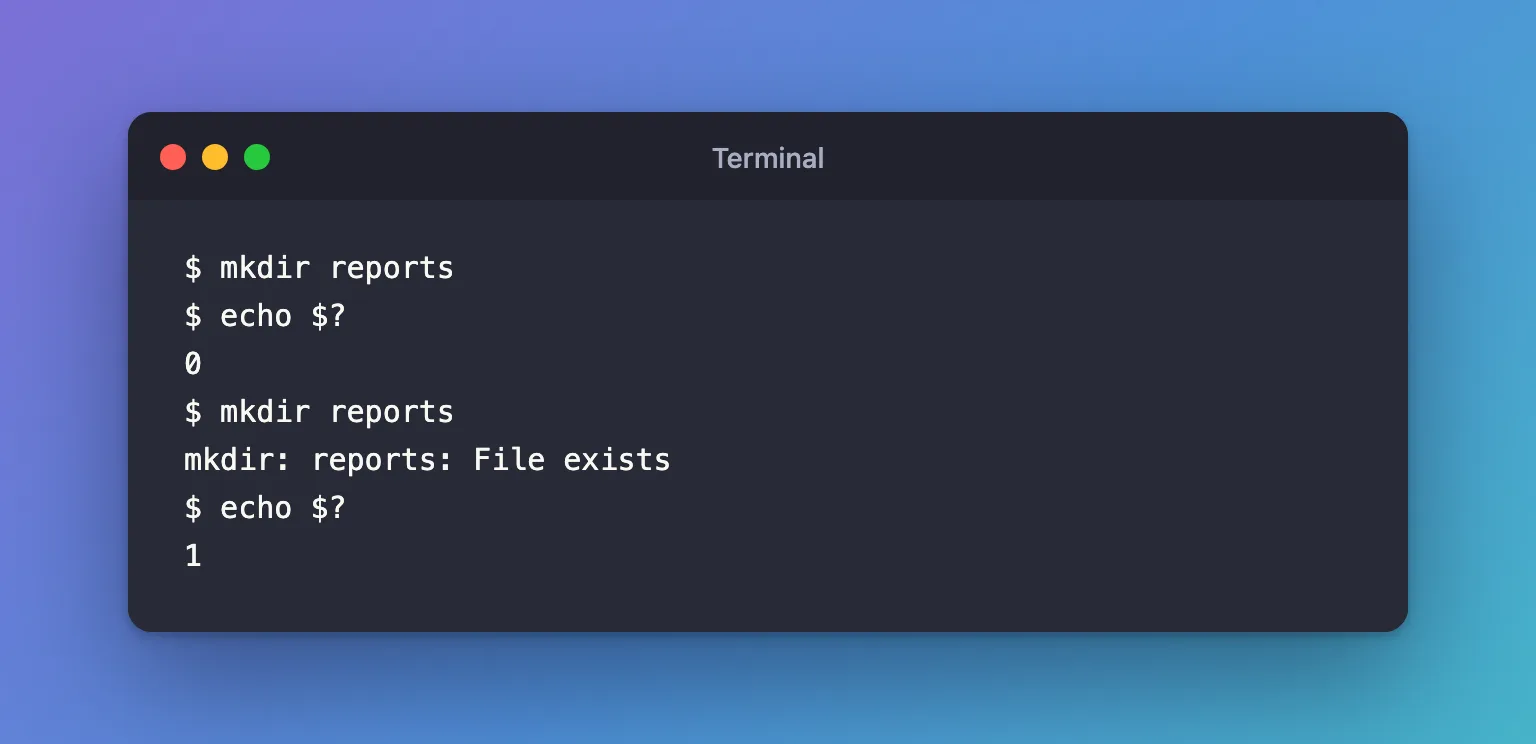
The first mkdir created the folder, and its exit status was 0. The second failed, and its status was 1. bash printed the same.
Common Mistakes
| Mistake | What happens | Do this instead |
|---|---|---|
Running another command before reading $? | $? then holds that command's status: after a failed mkdir and echo "Done", it printed 0 | Read $? right after the command you're checking |
Troubleshooting
| Symptom | Likely cause | Fix |
|---|---|---|
$? is 0 although a command failed | Another command ran in between | Check $? straight after the command |
FAQ
Is every failure a 1?
No. 0 always means success, but failures can use other numbers: grep ERROR nothing.log, on a file that doesn't exist, failed with 2. The bash manual says the scheme gives "one well-defined way to indicate success and a variety of ways to indicate various failure modes." A command's manual page lists the numbers it uses.
Does $? work the same in zsh and bash?
Yes. The zsh manual describes it as "The exit status returned by the last command.", and bash printed the same 0 and 1 for the two mkdir commands.
Conclusion
echo $? printed 0 after the mkdir that worked and 1 after the one that failed. Read $? straight after a command to know whether it worked.
Additional Resources
- Special Parameters —
$?and the other special parameters in the bash manual. - Exit Status — what exit statuses mean in bash.
- zsh: Parameters Set By The Shell —
$?in zsh.
